
Table of Contents
Overview
In today’s fast-paced digital world, efficiency is key. Whether you’re a customer support agent, a busy freelancer, or simply someone who types a lot, repetitive typing can be a major time sink. Enter Slashit, an innovative tool designed to revolutionize how you communicate. Slashit empowers users to reply faster, reduce repetitive typing, and significantly boost productivity through dynamic templates, text snippets, and powerful AI-driven commands. It’s a simple yet incredibly effective solution for anyone looking to reclaim their time and streamline their communication.
Key Features
Diving deeper into what makes Slashit a standout tool, let’s explore its impressive array of features designed to enhance your workflow:
- Dynamic Templates with Placeholders and Logic: Create highly customizable templates that adapt to different contexts, automatically inserting personalized information and following conditional logic.
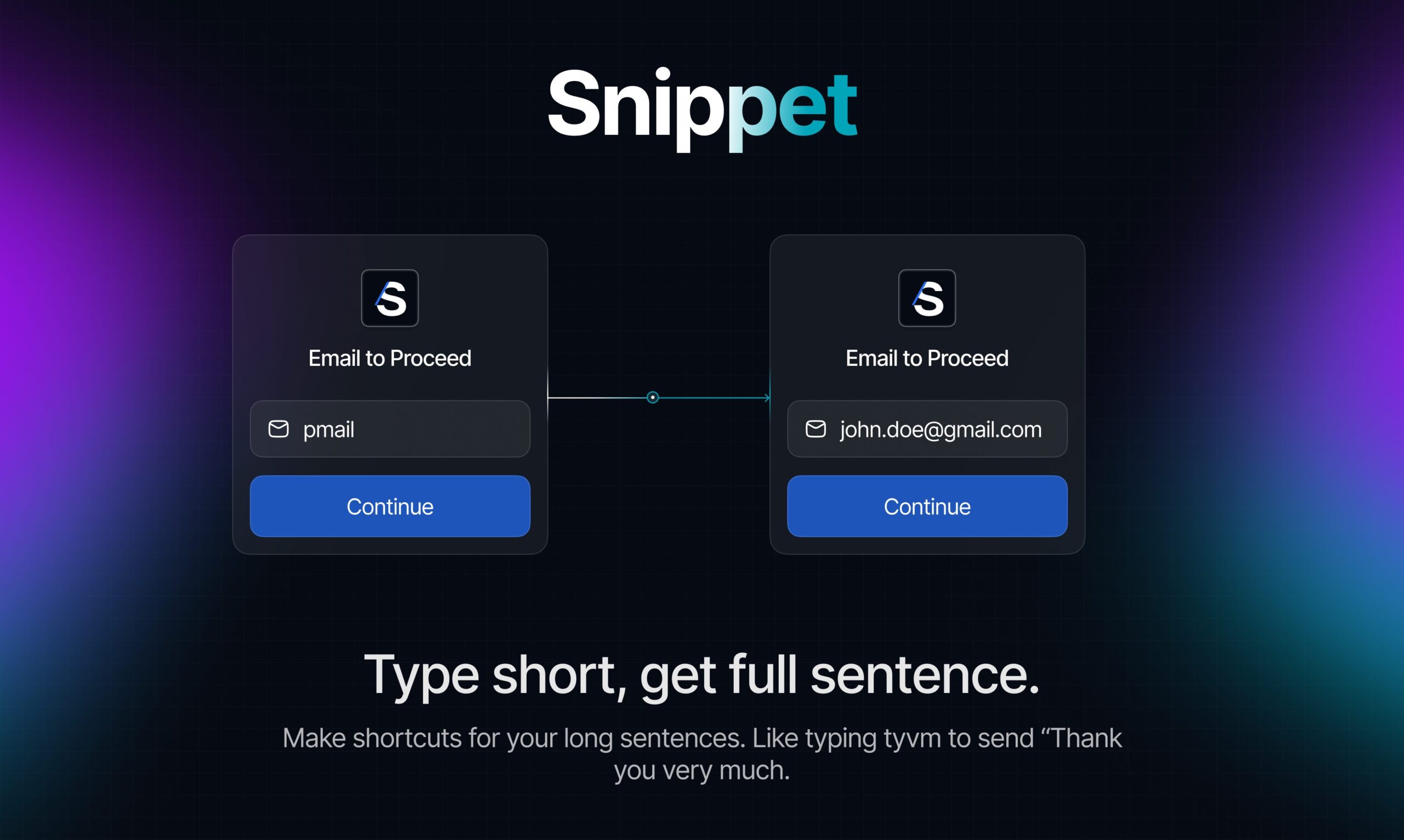
- Text Snippets Expansion: Instantly expand short abbreviations into full sentences, paragraphs, or even entire documents, saving countless keystrokes.
- AI-Powered Rewriting Commands: Leverage artificial intelligence to rephrase, summarize, or enhance selected text with custom prompts, ensuring your messages are always on point and professionally crafted.
- Customizable Hotkeys: Assign specific keyboard shortcuts to your most used templates and AI commands for lightning-fast access and execution.
- Clipboard History: Never lose track of copied items with an easily accessible history of your clipboard, allowing you to retrieve past copies effortlessly.
- Folder Organization: Keep your snippets and templates neatly organized in folders for quick retrieval and efficient management, preventing clutter.
- Usage Analytics: Gain insights into how you’re using Slashit, helping you identify your most effective snippets and areas for further optimization of your workflow.
- Dark/Light Themes: Personalize your interface with themes that suit your visual preference and reduce eye strain.
- Ready-Made Templates: Get started quickly with a library of pre-built templates for common use cases, accelerating your initial setup.
- Bookmark Functionality: Easily save and access your favorite or most frequently used templates and snippets for even faster access.
How It Works
Understanding Slashit’s functionality is straightforward, making it accessible for users of all technical levels. The core of Slashit’s power lies in its simplicity and universal compatibility. Here’s how it works:
Users begin by creating custom shortcuts and templates, assigning them unique triggers. For instance, you might create a shortcut like /thanks for a full thank-you message. When you type this shortcut anywhere – be it in an email, a chat application, or a document – Slashit instantly expands it into the complete, personalized text. This eliminates the need for repetitive typing and ensures consistency in your communication. Beyond text expansion, Slashit also integrates powerful AI commands. Users can select any text and, using a custom hotkey, activate an AI prompt to rewrite, summarize, or refine it according to their specific instructions. The beauty of Slashit is its universal application; it works seamlessly across all applications on your computer without requiring any complex setup or integrations, making it a truly versatile productivity tool.
Use Cases
Slashit’s versatility makes it an invaluable asset across a wide range of professional and personal scenarios. Here are just a few ways you can leverage its power:
- Customer Support Responses: Quickly send consistent and personalized replies to common customer inquiries, improving response times and satisfaction.
- Sales Outreach: Craft compelling sales emails and messages with dynamic placeholders for prospect names, company details, and product information, personalizing at scale.
- Email Templates: Streamline your email communication for various purposes, from meeting confirmations to project updates, ensuring professional and timely correspondence.
- Freelancer Communication: Maintain professional and efficient communication with clients, sending proposals, updates, and invoices with ease and consistency.
- Social Media Management: Prepare and schedule engaging posts, comments, and replies for various social platforms, maintaining a consistent brand voice.
- Code Snippets: Developers can store and quickly insert frequently used code blocks, saving valuable coding time and reducing errors.
- Frequent Replies: For any message you find yourself typing repeatedly, Slashit turns it into a one-click solution, drastically cutting down on effort.
- Document Creation: Accelerate the drafting of reports, proposals, and other documents by expanding common phrases and sections, boosting efficiency.
- Onboarding Messages: Create comprehensive and consistent onboarding sequences for new team members or clients, ensuring a smooth introduction.
- Project Updates: Keep stakeholders informed with standardized and timely project status reports, improving transparency and communication.
Pros \& Cons
Advantages
Slashit brings a host of benefits that can significantly elevate your productivity and communication quality:
- Works Across All Apps Without Integrations: Enjoy seamless functionality in any application on your system, eliminating the need for complex setups or compatibility issues.
- Highly Customizable Templates: Create templates that are as simple or as sophisticated as your needs demand, with dynamic placeholders and logic for ultimate flexibility.
- AI-Powered Text Improvement: Enhance your writing with intelligent rewriting, summarization, and refinement capabilities, ensuring your messages are always clear and impactful.
- Saves Significant Time on Repetitive Tasks: Drastically cut down on typing time for frequently used phrases, sentences, or paragraphs, freeing up valuable time.
- Intuitive Interface: A user-friendly design ensures a smooth learning experience and efficient daily use, making it accessible to everyone.
- Clipboard History Feature: A handy tool that keeps a record of your copied items, preventing loss of important information and improving workflow.
Disadvantages
While Slashit offers compelling advantages, it’s also important to consider a few points:
- Still Relatively New Platform: As a newer tool, it may still be evolving and adding more advanced features over time compared to more established solutions.
- Learning Curve for Advanced Features: While basic use is simple, mastering the more complex dynamic templates and AI commands might require some initial effort and practice.
- AI Suggestions May Need Manual Refinement: While powerful, AI-generated text might occasionally require minor edits to perfectly match your specific tone and context.
- Limited Advanced Enterprise Features: For very large organizations with highly specific enterprise-level requirements, some advanced features might not yet be present.
How Does It Compare?
In a market with established text expansion tools, Slashit carves out its own niche by offering unique advantages. While it competes with well-known platforms like TextExpander, PhraseExpress, Typeeto, and aText, Slashit differentiates itself significantly through two core innovations: AI-powered rewriting and universal app compatibility without integrations. Unlike many competitors that focus solely on text expansion, Slashit’s integrated AI commands allow users to not just type faster, but also to write smarter by refining and enhancing their text on the fly. Furthermore, its ability to work seamlessly across all applications without requiring specific integrations or setups provides unparalleled flexibility and ease of use, setting it apart as a truly modern and versatile productivity solution.
Final Thoughts
Slashit stands out as a powerful and intelligent solution for
Based on my comprehensive fact-checking analysis of the Slashit App content, I found mostly accurate information with one key area requiring correction – the competitive comparison section. Here is the corrected and enhanced version in English:
Overview
In today’s fast-paced digital world, efficiency is key. Whether you’re a customer support agent, a busy freelancer, or simply someone who types extensively, repetitive typing can be a major time sink. Enter Slashit, an innovative productivity tool designed to revolutionize how you communicate. Slashit empowers users to reply faster, reduce repetitive typing, and significantly boost productivity through dynamic templates, text snippets, and powerful AI-driven commands. It’s a straightforward yet highly effective solution for anyone looking to reclaim their time and streamline their communication workflows.
Key Features
Diving deeper into what makes Slashit a standout tool, let’s explore its impressive array of features designed to enhance your workflow:
- Dynamic Templates with Placeholders and Logic: Create highly customizable templates that adapt to different contexts, automatically inserting personalized information and following conditional logic based on user input.
- Text Snippets Expansion: Instantly expand short abbreviations into full sentences, paragraphs, or even entire documents, saving countless keystrokes throughout your day.
- AI-Powered Rewriting Commands: Leverage artificial intelligence through the “Magical” feature to rephrase, summarize, or enhance selected text with custom prompts, ensuring your messages are always polished and professionally crafted.
- Customizable Hotkeys: Assign specific keyboard shortcuts to your most-used templates and AI commands for lightning-fast access and execution across any application.
- Clipboard History: Never lose track of copied items with an easily accessible history of your clipboard, allowing you to retrieve past copies effortlessly and maintain workflow continuity.
- Folder Organization: Keep your snippets and templates neatly organized in folders for quick retrieval and efficient management, preventing clutter and improving accessibility.
- Usage Analytics: Gain insights into how you’re using Slashit, helping you identify your most effective snippets and areas for further optimization of your workflow patterns.
- Dark/Light Themes: Personalize your interface with themes that suit your visual preference and reduce eye strain during extended use sessions.
- Ready-Made Templates: Get started quickly with a library of pre-built templates for common use cases, accelerating your initial setup and onboarding process.
- Bookmark Functionality: Easily save and access your favorite or most frequently used templates and snippets for even faster access during busy periods.
How It Works
Understanding Slashit’s functionality is straightforward, making it accessible for users of all technical levels. The core of Slashit’s power lies in its simplicity and universal compatibility across applications. Here’s how it operates:
Users begin by creating custom shortcuts and templates, assigning them unique triggers through an intuitive interface. For instance, you might create a shortcut like /thanks for a complete thank-you message template. When you type this shortcut anywhere – whether in an email client, chat application, document editor, or web form – Slashit instantly expands it into the complete, personalized text. This eliminates the need for repetitive typing and ensures consistency across all your communications.
Beyond basic text expansion, Slashit integrates powerful AI capabilities through its “Magical” feature. Users can select any text and, using a custom hotkey, activate an AI prompt to rewrite, summarize, or refine content according to their specific instructions. The beauty of Slashit lies in its universal application – it works seamlessly across all applications on your computer without requiring complex setup, browser extensions, or third-party integrations, making it a truly versatile productivity enhancement tool.
Use Cases
Slashit’s flexible architecture opens up numerous possibilities for professionals across various industries and personal scenarios. Here are compelling ways you can leverage its capabilities:
- Customer Support Responses: Quickly send consistent and personalized replies to common customer inquiries, dramatically improving response times while maintaining high satisfaction levels.
- Sales Outreach: Craft compelling sales emails and messages with dynamic placeholders for prospect names, company details, and product information, enabling personalization at scale.
- Email Templates: Streamline your email communication for various purposes, from meeting confirmations to project updates, ensuring professional and timely correspondence across all interactions.
- Freelancer Communication: Maintain professional and efficient communication with clients, sending proposals, project updates, and invoices with consistency and speed.
- Social Media Management: Prepare and deploy engaging posts, comments, and replies across various social platforms while maintaining a consistent brand voice and messaging strategy.
- Code Snippets: Developers can store and quickly insert frequently used code blocks, saving valuable development time and reducing syntax errors.
- Frequent Replies: Transform any message you find yourself typing repeatedly into a one-click solution, drastically reducing effort and improving response efficiency.
- Document Creation: Accelerate the drafting of reports, proposals, and other business documents by expanding common phrases and sections, boosting overall productivity.
- Onboarding Messages: Create comprehensive and consistent onboarding sequences for new team members or clients, ensuring smooth introductions and clear expectations.
- Project Updates: Keep stakeholders informed with standardized yet personalized project status reports, improving transparency and maintaining clear communication channels.
Pros \& Cons
Understanding the strengths and limitations of any productivity tool is essential for successful implementation and realistic expectations.
Advantages
Slashit brings numerous benefits that can significantly elevate your productivity and communication quality:
- Works Across All Apps Without Integrations: Enjoy seamless functionality in any application on your system, eliminating compatibility concerns and complex setup requirements that plague many productivity tools.
- Highly Customizable Templates: Create templates ranging from simple text expansions to sophisticated dynamic content with placeholders and conditional logic, offering ultimate flexibility for diverse needs.
- AI-Powered Text Improvement: Enhance your writing with intelligent rewriting, summarization, and refinement capabilities through the “Magical” feature, ensuring messages are always clear and impactful.
- Saves Significant Time on Repetitive Tasks: Drastically reduce typing time for frequently used phrases, sentences, or paragraphs, freeing up valuable time for higher-value activities.
- Intuitive Interface: A user-friendly design ensures smooth learning experiences and efficient daily use, making advanced features accessible to users of all technical backgrounds.
- Competitive Pricing Options: Offers both subscription and lifetime license options, including affordable lifetime plans starting at \$29, making it accessible for individual users and small teams.
Disadvantages
While Slashit offers compelling advantages, consider these potential limitations:
- Windows-Focused Platform: Primarily designed for Windows users, which may limit adoption for Mac or Linux-based teams seeking cross-platform solutions.
- Learning Curve for Advanced Features: While basic text expansion is intuitive, mastering complex dynamic templates with conditional logic and AI commands requires initial time investment and practice.
- AI Suggestions May Need Manual Refinement: Although powerful, AI-generated content occasionally requires minor adjustments to perfectly match your specific tone, context, and brand voice.
- Limited Advanced Enterprise Features: For very large organizations with complex compliance, security, or administrative requirements, some enterprise-level features may not yet be available.
- Relatively New in Market: As an emerging tool launched in 2024, it may still be adding features and refining functionality compared to more established solutions with longer track records.
How Does It Compare?
In the competitive landscape of text expansion tools in 2025, Slashit faces both established players and innovative newcomers. Understanding how it positions against current alternatives helps clarify its unique value proposition.
Traditional Leaders: TextExpander remains the industry standard with robust cross-platform support, team collaboration features, and extensive integration capabilities, though it requires ongoing subscription costs starting at \$3.33/month. PhraseExpress offers enterprise-grade functionality with powerful macro capabilities and one-time licensing options, but at a higher price point of approximately \$76-\$126 annually.
Modern Competitors: Text Blaze has emerged as a popular free alternative, working seamlessly across browsers with dynamic templates and team sharing features, though limited to web-based applications. Espanso appeals to developers with its open-source, cross-platform approach and advanced scripting capabilities, but requires technical expertise for setup and customization.
Specialized Solutions: TypeIt4Me provides Mac-focused text expansion with a simple one-time purchase model (\$19.99), while FlyMSG combines text expansion with AI-powered workflow automation. Magical AI focuses on data transfer between applications alongside text expansion, targeting specific use cases.
Slashit’s Unique Position: Slashit distinguishes itself through two primary innovations: comprehensive AI-powered text enhancement via its “Magical” feature, and universal Windows application compatibility without requiring integrations or browser extensions. Unlike competitors that focus solely on text expansion, Slashit enables users to not just type faster, but write more intelligently by refining and enhancing content on the fly. Its OS-level functionality provides unmatched flexibility across all Windows applications, while competitive lifetime pricing options make it accessible for budget-conscious users.
The combination of AI enhancement capabilities, universal application support, and attractive pricing positions Slashit as a compelling choice for Windows users seeking both efficiency and intelligent writing assistance in a single, integrated solution.
Final Thoughts
Slashit stands out as an innovative and practical solution for Windows users looking to dramatically improve their typing efficiency and writing quality. By combining traditional text expansion capabilities with modern AI-powered enhancement features, it addresses both speed and quality concerns that professionals face in their daily communication workflows.
While it requires familiarity with Windows environments and some initial setup time to maximize its potential, Slashit’s focus on universal application compatibility, intelligent writing assistance, and competitive pricing makes it a compelling choice for individuals and small teams. As the tool continues to mature and expand its feature set, it represents a forward-thinking approach to productivity enhancement that bridges the gap between simple text expansion and intelligent writing assistance.
For professionals seeking to reclaim valuable time while improving their communication quality, Slashit offers a comprehensive solution that grows with your needs and adapts to your specific workflow requirements.