

Table of Contents
Overview
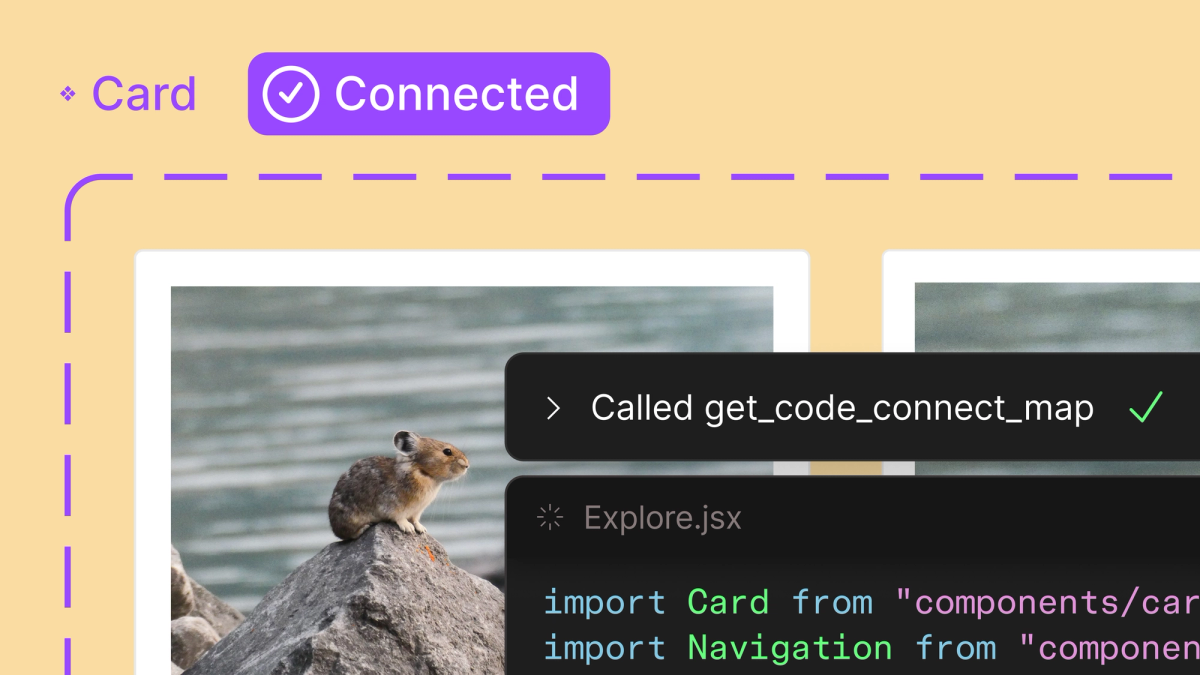
Figma has just rolled out a significant update to its Model Context Protocol (MCP) server, fundamentally transforming how designers and developers collaborate. This new feature introduces remote access, making your entire design context incredibly portable. Imagine bringing live design system and layout information directly into your Integrated Development Environment (IDE) and even your AI agents. This update adds crucial support for Figma Make and significantly improves the already powerful Code Connect feature, promising a more seamless and efficient workflow for everyone involved in building digital products.
Key Features
This powerful update includes functionalities designed to bridge the gap between design and development:
- Remote Access to Design Context: Access your Figma design files and their underlying data from virtually anywhere, making your design context truly portable across different environments.
- IDE \& AI Agent Integration: Directly integrate live design information into your development tools and AI-powered agents, enabling new levels of automation and precision in coding.
- Live Design System Information: Access real-time data on components, styles, and layout directly from your Figma files, ensuring that your development always reflects the most current design system.
- Enhanced Code Connect Feature: Experience improved capabilities within Code Connect, making it easier to translate design elements into production-ready code snippets and maintain consistency.
How It Works
This update functions by establishing a robust server connection that allows various development tools and AI agents to programmatically query and retrieve live component data, styles, and layout information directly from your Figma files. Instead of static exports or manual interpretation, you get a dynamic, real-time link to your design source of truth, ensuring that your code always aligns with the latest design iterations and guidelines.
Use Cases
The implications of this update are vast, offering significant improvements across various stages of the product development lifecycle:
- Bridging Design and Development: Create a tighter, more integrated workflow between design and engineering teams, reducing miscommunications and ensuring design fidelity in implementation.
- Automating UI Creation from Designs: Empower AI agents or custom scripts to generate UI code directly from Figma designs, dramatically speeding up the front-end development process.
- Ensuring Design System Consistency: Automatically validate that implemented components adhere to the design system defined in Figma, maintaining brand consistency and reducing design debt.
- Speeding Up Front-End Workflows: Accelerate the entire front-end development cycle by providing developers with immediate, programmatic access to all necessary design specifications and assets.
Pros \& Cons
Advantages
- Streamlines Workflows: Significantly reduces friction between design and development, leading to faster iteration and deployment cycles.
- Reduces Errors: Minimizes manual interpretation and data transfer, thereby decreasing the likelihood of implementation errors and design inconsistencies.
- Improves Collaboration: Fosters a more collaborative environment by giving both designers and developers a shared, live source of truth for design assets.
- Deeply Integrated with Figma: As a native Figma feature, it offers unparalleled integration and performance within the Figma ecosystem.
Disadvantages
- Dependent on Figma Ecosystem: Its full potential is realized within the Figma environment, which might be a consideration for teams using other primary design tools.
- May Require Specific IDE Plugins: To fully leverage the integration, developers might need to install specific plugins or extensions for their Integrated Development Environments.
How Does It Compare?
When evaluating tools that bridge the gap between design and code in 2025, Figma’s remote MCP server competes in a significantly evolved landscape. The current leading alternatives include:
Enterprise-Grade Design-to-Code Solutions:
- Builder.io Visual Copilot: Offers AI-powered design-to-code conversion with multi-framework support and design system integration
- Supernova: Provides comprehensive design system management with integrated code generation capabilities
- UXPin: Features code-based design with real component integration and advanced prototyping
AI-Powered Development Platforms:
- v0 by Vercel: Specializes in React component generation with modern JavaScript patterns
- Lovable: Delivers full-stack development capabilities with backend integration
- Bolt.new: Provides complete application scaffolding with real-time preview capabilities
Traditional Design Handoff Tools (Limited Relevance in 2025):
Note that traditional tools like Zeplin are being phased out (sunset scheduled for 2025), while Avocode has significantly reduced market presence.
Figma’s MCP server distinguishes itself through native integration advantages, real-time data access without export steps, and a unified ecosystem that third-party tools cannot match. However, specialized AI-powered platforms may offer superior automation capabilities for specific use cases like rapid prototyping or full-stack development.
Final Thoughts
Figma’s latest MCP server update represents more than just a new feature; it’s a significant advancement in design-to-development workflow integration. By making design context portable and deeply integrating with IDEs and AI agents, Figma is empowering teams to build faster, more consistently, and with fewer errors. This update solidifies Figma’s position not just as a leading design tool, but as a central hub for the entire product development lifecycle, promising a future where the line between design and code is increasingly blurred for the better.