
Table of Contents
Overview
In the complex world of high-performance computing, optimizing code for specific GPU architectures is notoriously difficult. Developers typically juggle multiple disjointed tools for writing, profiling, and debugging CUDA kernels. RightNow AI enters this specialized arena as a groundbreaking solution, positioning itself as the first and only AI code editor built from the ground up specifically for CUDA development. It functions not just as a text editor, but as an expert partner that deeply understands the nuances of NVIDIA’s hardware, from the instruction set architecture (ISA) to memory hierarchy.
Key Features
RightNow AI is packed with features tailored for the serious GPU programmer. Here’s what makes it stand out:
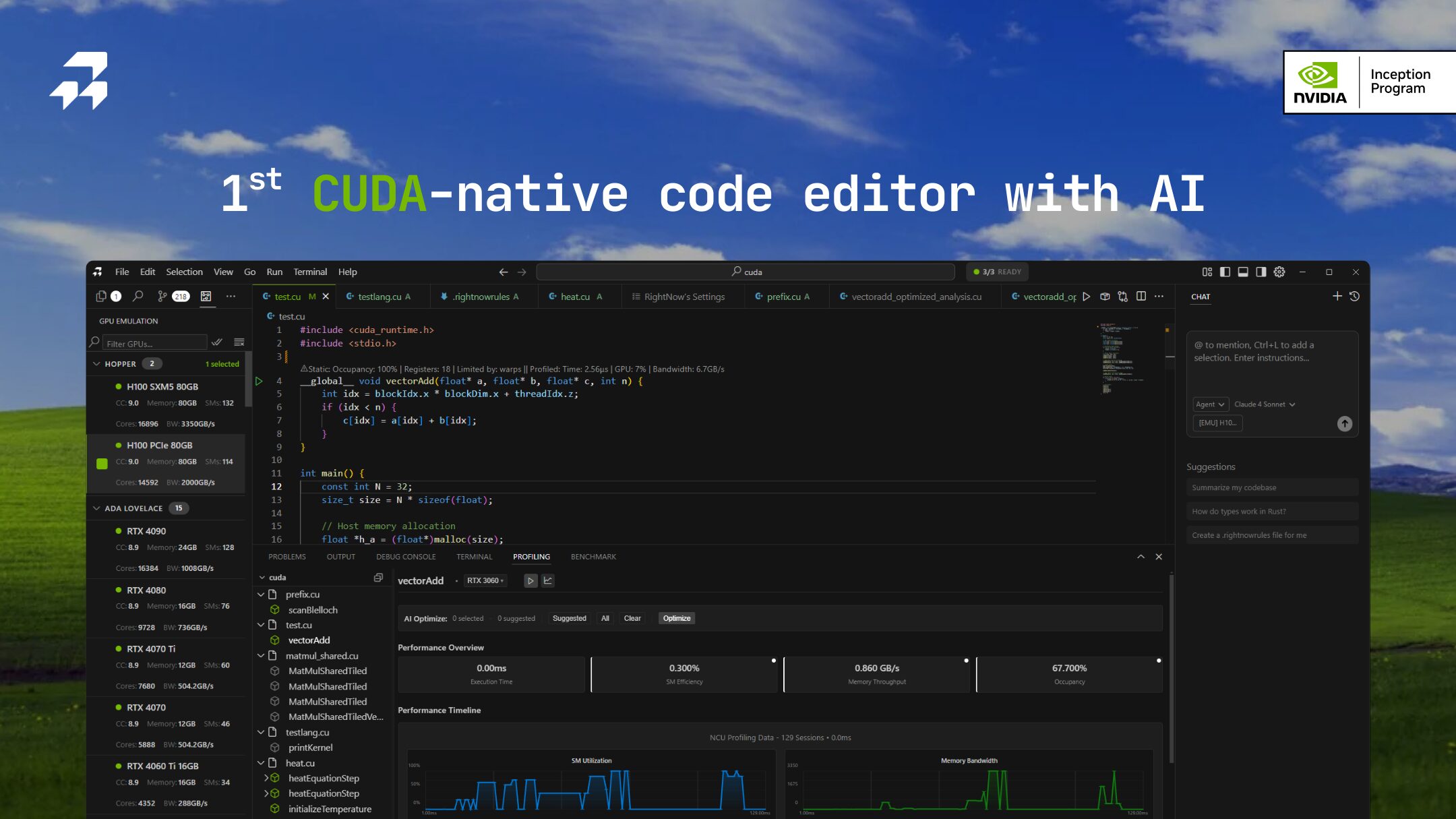
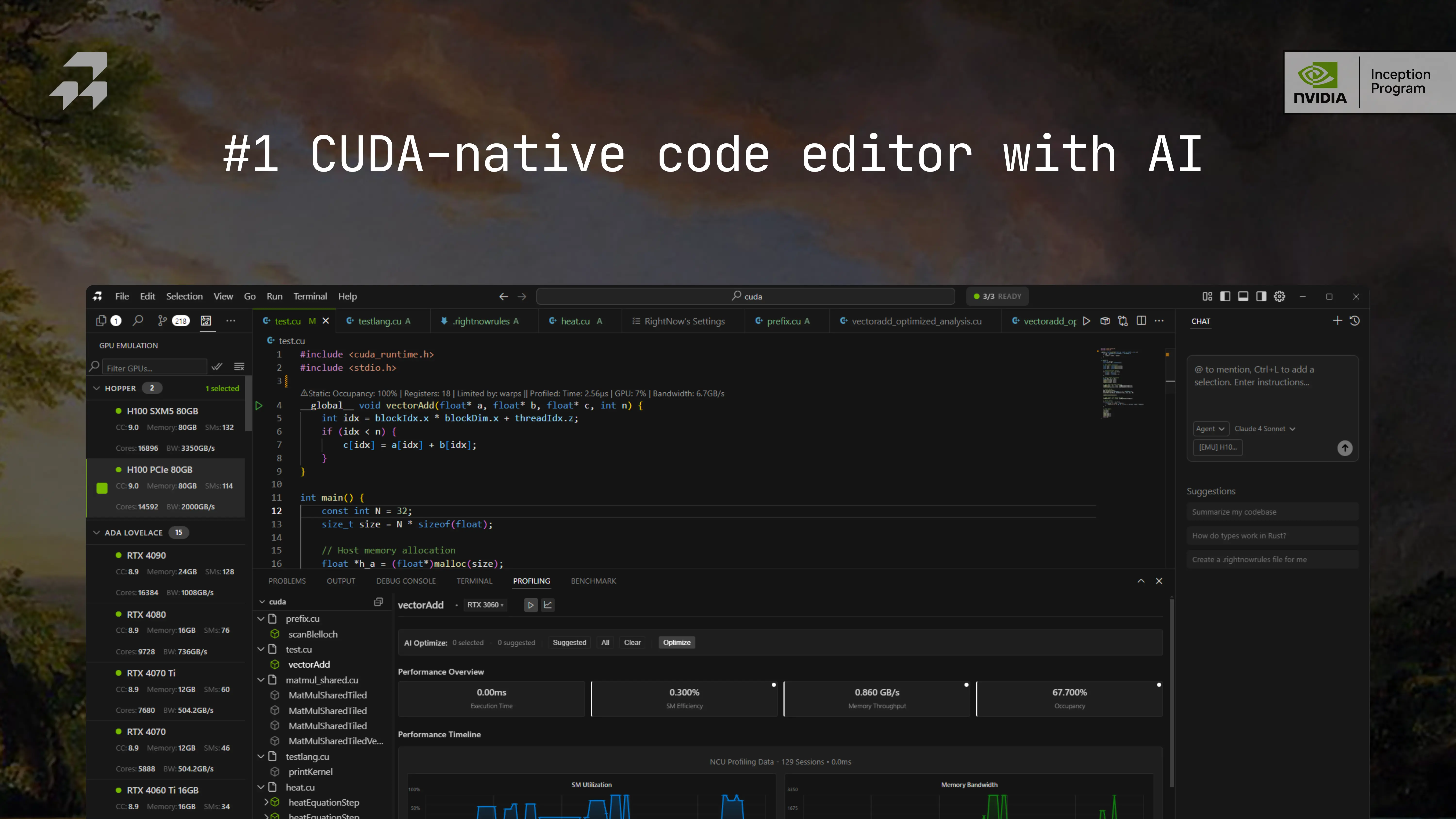
- Architecture-Aware AI Agent: Unlike general-purpose LLMs, the agentic AI in RightNow AI is contextually aware of your specific target GPU, whether it’s a datacenter-grade H100 or a consumer RTX 4090. It writes and optimizes code with unique characteristics—such as memory banks, warp scheduling, and tensor core availability—specifically in mind.
- Inline Nsight Compute Profiling: This feature integrates real
nv-nsight-cu-cliprofiling directly into the editor, eliminating the need to switch windows. You can view critical metrics like SM efficiency and memory throughput inline. It also supports converting natural language into complex NCU commands, streamlining the performance analysis workflow. - High-Fidelity GPU Emulation: RightNow AI allows you to test code on GPUs you do not physically possess. It can emulate over 86 different NVIDIA GPU architectures with a cycle-accurate precision that boasts less than 2% error. This enables developers to validate performance for rare or expensive hardware like the A100 or H100 virtually.
- Local \& Offline LLM Support: For enterprise teams with strict data privacy requirements, the editor supports full offline functionality. You can bring your own key (BYOK) or run local models like Ollama and vLLM, ensuring sensitive kernel code never leaves your local environment while still benefiting from AI assistance.
How It Works
The power of RightNow AI lies in its tightly integrated “write-profile-optimize” loop. The editor first detects your target GPU configuration, whether local or connected via SSH. It then leverages specialized Large Language Models trained on CUDA syntax and NVIDIA hardware specs to generate or refine kernels. Finally, it closes the loop by instantly verifying correctness and performance using its built-in emulation engine or live hardware profiling, allowing for rapid iteration cycles that were previously impossible.
Use Cases
This tool is built for specific, high-impact scenarios where every microsecond counts:
- High-Performance CUDA Kernel Optimization: Ideal for researchers in HPC and AI who need to maximize hardware utilization. Users can view PTX and SASS assembly side-by-side with C++ code to inspect compiler decisions and optimize instruction pipelines.
- Developing GPU Software Without Physical Hardware: Engineering teams can write and test software for the entire NVIDIA fleet (from Pascal to Blackwell architectures) without purchasing the physical cards. This dramatically lowers the capital expenditure required for testing compatibility.
- Advanced Benchmarking and Profiling: The tool enables “parameter sweep” benchmarking, allowing you to test code across different block sizes, thread counts, and memory layouts to empirically find the optimal configuration for your specific application.
Pros \& Cons
No tool is perfect for everyone. Here’s a balanced look at where RightNow AI excels and where its limitations lie.
Advantages
- Extremely Niche and Powerful: It offers specialized capabilities—like warp-level analysis and bank conflict detection—that general tools completely miss.
- Virtual Access to Expensive Hardware: The ability to accurately simulate high-end data center GPUs (like the H100) on a standard laptop is a significant cost and time saver.
Disadvantages
- Steep Learning Curve: This is a professional-grade tool for GPU engineers. It assumes a strong foundation in parallel computing concepts and is not suitable for beginners or general web developers.
- NVIDIA-Only Ecosystem: The tool is exclusively designed for the CUDA ecosystem. It currently offers no support for AMD ROCm, Intel OneAPI, or Apple Silicon GPU programming.
How Does It Compare?
In a market flooded with general AI coding assistants, RightNow AI occupies a unique vertical. Here is how it stacks up against specific competitors:
Vs. GitHub Copilot \& Cursor (General AI Editors)
- Hardware Context: Tools like Cursor and Copilot are excellent for Python or JavaScript but struggle with low-level CUDA optimization because they lack hardware awareness. They might suggest syntactically correct CUDA code that performs poorly due to memory bank conflicts. RightNow AI understands the specific constraints of your GPU’s architecture to avoid these pitfalls.
- Tooling Integration: General editors treat CUDA code as text. RightNow AI treats it as executable logic, integrating PTX/SASS assembly viewers and cycle-accurate emulation that general AI tools simply do not possess.
Vs. NVIDIA Nsight Compute (Traditional Profiler)
- Workflow Efficiency: Nsight Compute is the industry standard for deep profiling but has a complex, button-heavy interface that requires context switching. RightNow AI does not replace Nsight but embeds its CLI functionality directly into the code editor.
- AI Abstraction: Instead of manually configuring profiling flags, RightNow AI allows you to use natural language (e.g., “Profile for memory bottlenecks”) to execute Nsight commands, making advanced profiling accessible to more developers.
Vs. Google Colab \& Cloud Notebooks
- Development Environment: Cloud notebooks provide access to GPUs but lack a proper IDE experience for compiled languages like C++/CUDA. They are great for running Python scripts but poor for kernel development.
- Cost \& Privacy: Cloud environments require renting expensive GPU instances by the hour. RightNow AI allows for local development with offline emulation, saving significant cloud costs and keeping proprietary code secure on your local machine.
Final Thoughts
RightNow AI is not trying to be a “do-it-all” editor. Instead, it aims to be the essential workbench for the CUDA developer. By combining architecture-aware AI, integrated Nsight profiling, and high-fidelity emulation, it provides a uniquely powerful environment that claims to deliver up to 179x performance gains in specific kernel optimizations. If you work in high-performance computing, AI infrastructure, or game engine development with NVIDIA hardware, RightNow AI offers a depth of functionality that general-purpose tools cannot match.