
Table of Contents
Overview
In the rapidly evolving world of AI, the quality of your input directly dictates the quality of your output. Crafting the perfect prompt or providing well-structured context for models like ChatGPT and Claude has become an art form. Markdown Studio enters the scene as a purpose-built tool for this exact task. It’s a free, browser-based Markdown editor designed from the ground up to streamline the AI workflow, helping you draft, format, and prepare content for Large Language Models (LLMs) with precision and privacy. The tool specifically targets prompt engineers and AI power users who need to manage token counts and preserve formatting when transferring content to AI chat interfaces.
Key Features
Markdown Studio is packed with features specifically tailored for prompt engineers and AI power users. Here’s what makes it stand out:
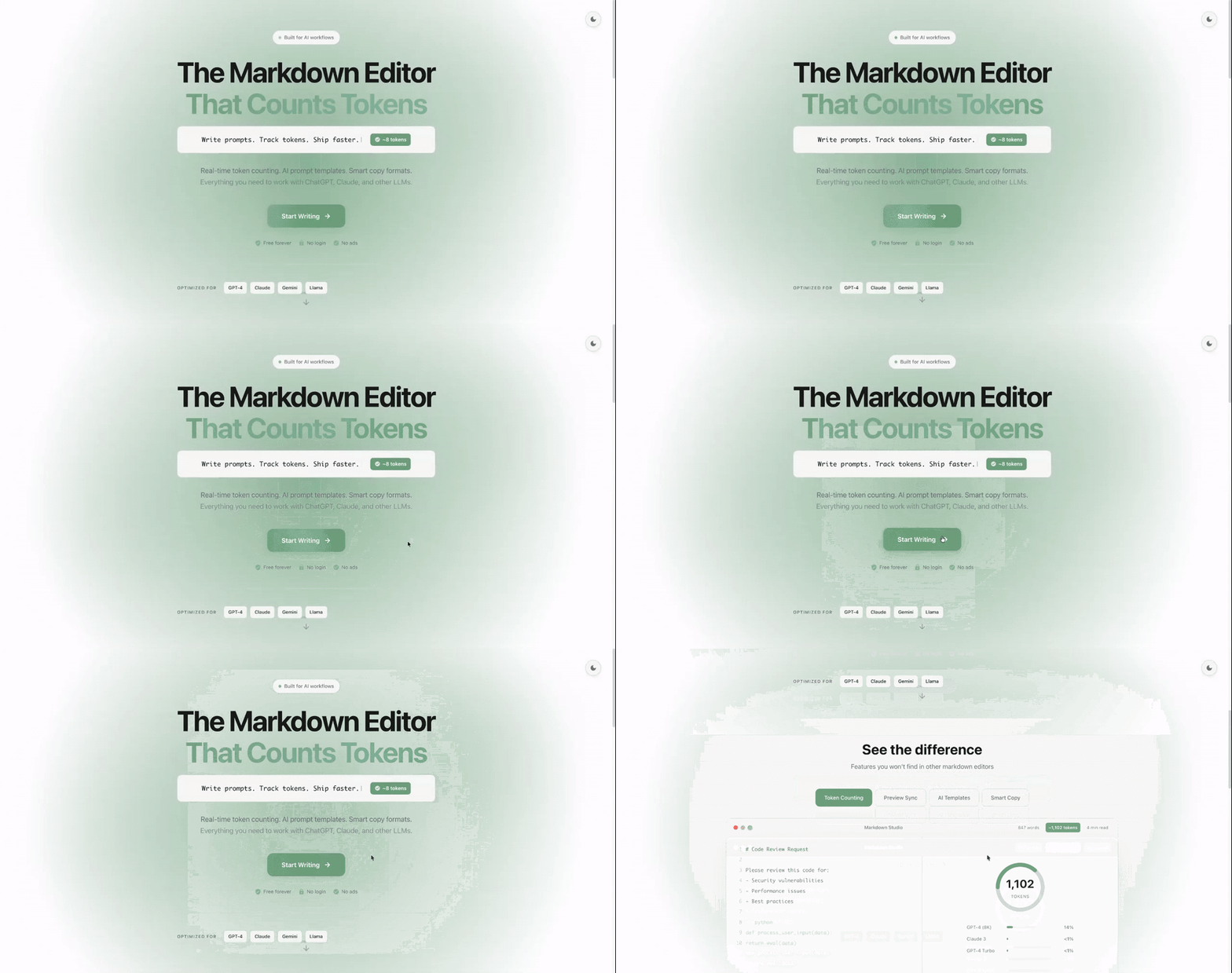
- Real-time Token Counting: Instantly see the token count for your text across different models, including GPT-4, Gemini, Claude, and Llama. This is crucial for managing context windows and predicting costs. The token counter appears at the bottom of the screen and updates as you type.
- Live Preview: A side-by-side preview panel renders your Markdown as you type and intelligently syncs with your cursor, so you always know what your formatted output looks like. The preview updates automatically without requiring manual refresh.
- Smart Copy for AI: This isn’t your standard copy-paste. The “Smart Copy” feature is optimized to preserve Markdown formatting when pasting into AI chat interfaces, ensuring your structure remains intact. This prevents formatting loss that often occurs when transferring text between applications.
- 100% Private \& Local: Your data never leaves your browser. With no accounts, no tracking, and no cloud storage, you can work on sensitive prompts with complete peace of mind. All processing happens client-side.
- Auto-Save \& Version History: The editor automatically saves your work to your browser’s local storage every five minutes, creating a simple version history you can revert to if needed. This prevents data loss from browser crashes or accidental closure.
- Export Options: Easily export your finished documents as clean PDF or HTML files directly from the editor. These export functions maintain formatting integrity for sharing or archiving.
- User-Friendly Interface: Enjoy modern comforts like a sleek dark mode and a multi-tab system to work on several documents at once. The interface is minimal and distraction-free.
- AI Markdown Token Counter: Dedicated page for tracking token usage across multiple AI models with real-time updates, helping users stay within context window limits.
How It Works
Getting started with Markdown Studio is incredibly straightforward, which is a core part of its appeal. The process is designed to be frictionless:
You simply open the website and are immediately greeted by the editor—no sign-up or installation required. As you begin typing your prompt or document using Markdown syntax, the live preview on the right updates instantly. Simultaneously, the token counter at the bottom of the screen adjusts, giving you immediate feedback on your prompt’s length. Once your content is perfectly formatted, you hit the “Smart Copy” button. This action copies the text to your clipboard in a way that preserves its structure, allowing you to paste it directly into ChatGPT, Claude, or another LLM without losing your carefully crafted formatting.
Use Cases
This tool is more than just a text editor; it’s a specialized utility for anyone interacting heavily with AI. Here are some of the primary use cases:
- Drafting Complex System Prompts: Build and refine detailed system prompts or multi-shot examples while keeping a close eye on token limits.
- Preparing Context-Heavy Documents: Format large blocks of text, code snippets, or data as context for an LLM, ensuring it’s structured for optimal comprehension.
- Editing Technical Documentation: Use it as a quick and clean editor for readme.md files or other Markdown-based documentation before committing them to a repository.
- Pre-flighting API Requests: Check the exact token count of your content before sending it via an API to avoid unexpected errors or costs.
- Privacy-Sensitive Content Creation: Work on confidential prompts, proprietary information, or sensitive data without risk of data exposure to third parties.
Pros \& Cons
Like any tool, Markdown Studio has its strengths and weaknesses. Here’s a balanced look.
Advantages
- Completely Free: There are no hidden costs, subscriptions, or premium tiers. It’s a powerful utility available to everyone without payment barriers.
- Privacy-First: With all data stored locally in your browser, it’s an essential tool for confidential prompt engineering and content creation. No data transmission occurs.
- Zero Friction: The lack of a required login or account means you can start working in seconds without setup overhead.
- AI-Centric Features: Tools like token counting and smart copy are specifically designed for the AI workflow, setting it apart from general-purpose editors.
- Cross-Platform Accessibility: Works on any device with a modern web browser, including Windows, Mac, Linux, and mobile devices.
Disadvantages
- Web-Based Only: There is currently no native desktop or mobile application, requiring an active internet connection and a web browser. Offline functionality is limited to browser cache.
- Limited Collaboration: Being a local-only tool, it lacks the real-time collaboration features found in cloud-based editors like Google Docs or Notion.
- Browser Storage Limitations: Auto-save depends on browser local storage, which can be cleared by users or browser policies, potentially resulting in data loss.
- No Cloud Sync: Documents cannot be automatically synchronized across devices without manual export/import.
- Basic Version Control: Version history is simple and limited compared to dedicated version control systems like Git.
How Does It Compare?
Markdown Studio vs. Obsidian
Obsidian is a powerful, all-encompassing personal knowledge base designed for long-term note-taking and linking ideas.
Key Differences:
- Core Purpose: Obsidian is a knowledge management system with graph views, backlinks, and a plugin ecosystem. Markdown Studio is a specialized AI prompt editor focused on token counting and AI workflow optimization.
- Privacy: Both are local-first, but Obsidian offers optional cloud sync while Markdown Studio is purely browser-based with no server component.
- AI Features: Markdown Studio includes built-in token counters for multiple LLMs. Obsidian requires community plugins for similar functionality.
- Performance: Obsidian is a desktop application with native performance. Markdown Studio is web-based with potential browser limitations.
When to Choose Markdown Studio: For dedicated AI prompt engineering, quick drafting, and when you need immediate token counting without setup.
When to Choose Obsidian: For long-term knowledge management, complex note linking, and building a persistent second brain.
Markdown Studio vs. Notepad++
Notepad++ is a versatile general-purpose code editor for developers.
Key Differences:
- AI Specificity: Notepad++ lacks token counting, smart copy for AI chat interfaces, and model-specific optimizations. Markdown Studio is purpose-built for AI workflows.
- Live Preview: Notepad++ requires plugins for Markdown preview. Markdown Studio provides instant side-by-side preview out of the box.
- Privacy: Both are local tools, but Notepad++ is a desktop application while Markdown Studio runs in the browser.
- Token Counting: Notepad++ has no native LLM token counting capability without extensions.
When to Choose Markdown Studio: When working extensively with AI models and needing token management.
When to Choose Notepad++: For general code editing, scripting, and development tasks unrelated to AI prompting.
Markdown Studio vs. VS Code with Extensions
VS Code is a full-featured code editor that can be extended with plugins like LLM Token Counter.
Key Differences:
- Setup: VS Code requires installation and extension configuration. Markdown Studio works immediately in a browser with zero setup.
- Resource Usage: VS Code is a full IDE consuming significant system resources. Markdown Studio is lightweight and browser-based.
- Token Counting: VS Code extensions like “LLM Token Counter” provide similar functionality but require installation and configuration for each model.
- Workflow: Markdown Studio is hyper-focused on the AI prompt workflow. VS Code is a general development environment that can be adapted for AI work.
When to Choose Markdown Studio: For quick AI prompt drafting, when working on shared computers, or when you need a lightweight solution without installation.
When to Choose VS Code: When you need a full development environment, integrated debugging, and extensive customization beyond AI prompting.
Markdown Studio vs. FunBlocks AI Markdown
FunBlocks AI Markdown is another AI-powered Markdown editor with slash commands and Notion-style interface.
Key Differences:
- Pricing: FunBlocks AI Markdown may have usage limits or premium tiers. Markdown Studio is completely free with no usage restrictions.
- Privacy: Markdown Studio is purely local with no account required. FunBlocks likely involves cloud components for AI features.
- AI Integration: FunBlocks includes AI writing assistance within the editor. Markdown Studio focuses on preparing content for external AI tools.
- Focus: Markdown Studio is purely a prompt preparation tool. FunBlocks aims to be a complete writing environment with AI assistance.
When to Choose Markdown Studio: When privacy is paramount, you need pure token counting, or you prefer using external AI tools rather than integrated AI.
When to Choose FunBlocks: When you want AI assistance directly in your editor and are comfortable with cloud-based features.
Markdown Studio vs. Token Counting Extensions
Standalone token counting tools like command-line utilities or browser extensions.
Key Differences:
- Integrated Workflow: Markdown Studio combines editing, preview, and token counting in one interface. Standalone tools require switching between applications.
- Real-time Updates: Markdown Studio updates token counts as you type. Command-line tools require manual execution.
- Formatting Preservation: Markdown Studio’s Smart Copy feature ensures formatting is preserved when pasting to AI interfaces. Token counters only provide numbers.
- User Experience: Markdown Studio provides a visual editor with live preview. Command-line tools are text-only interfaces.
When to Choose Markdown Studio: When you need an integrated editing and token counting workflow with visual feedback.
When to Choose Standalone Tools: For batch processing files, CI/CD integration, or when you need programmatic token counting without editing.
Final Thoughts
Markdown Studio is a brilliant example of a tool that does one thing and does it exceptionally well. It fills a specific and growing need for a private, efficient, and free environment to craft and refine prompts for AI. While it won’t replace your collaborative document editors or your complex knowledge management systems, it is an indispensable utility for any serious AI user, prompt engineer, or developer.
The tool’s zero-friction approach—no accounts, no installation, immediate functionality—makes it ideal for quick drafting sessions, privacy-sensitive work, and cross-device usage. The AI-specific features like multi-model token counting and Smart Copy demonstrate deep understanding of user pain points in the AI workflow.
However, users should be aware of its limitations: browser dependency, lack of cloud sync, and absence of collaboration features. For long-term document storage and team workflows, it should be complemented with other tools.
If you regularly interact with LLMs, need to manage token budgets carefully, or work with sensitive prompts that cannot be exposed to cloud services, Markdown Studio deserves a permanent spot in your browser’s bookmarks. It represents a thoughtful, user-centric approach to AI tooling that prioritizes privacy, simplicity, and specialized functionality over feature bloat.