

Table of Contents
Overview
Transform ephemeral AI conversations into a permanent, searchable archive with Claude-Mem, an AI-powered persistent memory system designed specifically for Claude Code. Launched on Product Hunt on December 4, 2025 (119 upvotes, 15 comments), Claude-Mem solves a fundamental problem facing developers using AI coding assistants: context amnesia. Every time you start a new Claude Code session or hit /clear to manage token limits, your AI assistant forgets everything—architectural decisions, bug fixes, feature rationale, and project history vanish, forcing you to waste time and tokens re-explaining context repeatedly.
Developed by Alex Newman (thedotmack on GitHub), Claude-Mem operates as a dedicated observer AI that automatically monitors your Claude Code sessions in real-time, capturing every tool execution, processing observations through the Claude Agent SDK, and compressing them into structured, searchable memories. Unlike simple chat history or conversation logs, Claude-Mem creates actual persistent memory that survives across sessions, enabling your AI coding assistant to maintain continuity of knowledge about projects even after sessions end, contexts fill up, or you switch between different work streams.
The system works as a Claude Code plugin leveraging multiple integration hooks (SessionStart, UserPromptSubmit, PostToolUse, Stop, SessionEnd) to automatically capture development artifacts including architectural decisions (⚖️), bug fixes (🔴), features (🟣), and discoveries (🔵) with complete before-and-after code context. This transforms transient AI interactions into institutional knowledge assets that accelerate onboarding, reduce redundant work, and provide traceability for technical decisions across your entire development timeline.
Key Features
Claude-Mem is packed with powerful features designed to eliminate context loss and accelerate AI-assisted development:
- Live Observation and Real-Time Capture: A dedicated observer AI monitors every development event during Claude Code sessions, automatically generating timestamped logs with semantic categorization including decisions, bug fixes, features, and discoveries while preserving before-and-after code context. This occurs continuously during coding sessions without requiring user prompts or manual intervention, using lightweight metadata indexing to maintain efficiency (<200ms query performance) while ensuring no critical development moment is lost. The system automatically associates observations with specific files (e.g., src/auth/index.ts) and conceptual domains like authentication or database operations for precise retrieval.
- Persistent Memory Across Sessions: Context survives session boundaries, /clear commands, and connection drops unlike traditional conversation history that resets with each new session. Every session start automatically loads your last 50 observations chronologically in under 200ms, providing Claude with immediate context about your current codebase state without re-learning or wasted tokens. After months of development across 1,400+ sessions, the system maintains 8,200+ vector documents indexed with consistent sub-200ms retrieval performance, eliminating the chronic “amnesia” problem that plagues AI coding assistants.
- Hybrid Architecture for Optimal Retrieval: The system combines ChromaDB for semantic vector search (finding conceptually relevant context based on meaning), SQLite with FTS5 full-text search for temporal ordering (newest information first) and keyword-based fallback that works without Python, and temporal recency weighting that prioritizes recent observations over older ones even with similar semantic relevance. This multi-layered approach ensures that a bugfix from yesterday surfaces before architecture notes from last month, combining semantic similarity with temporal relevance for optimal context loading.
- Progressive Disclosure and Token Efficiency: Instead of loading full context upfront, Claude-Mem implements layered memory retrieval that initially serves compressed metadata (titles, types, timestamps, file paths) at approximately 2% of full context size, saving ~2,250 tokens per routine query. The system dynamically loads complete observations including full before-and-after code context only when relevance thresholds are met during active development tasks. The LLM controls depth loading via semantic triggers, ensuring 90% of queries resolve with lightweight indexes while critical tasks automatically retrieve comprehensive context chains. This maintains sub-second response times while preserving full memory availability when needed.
- Temporal Search and Scoping with Natural Language: Claude-Mem enables surgical querying of the memory archive through combined filters for time ranges (e.g., “since last Tuesday”), file paths (e.g., src/auth/index.ts), and semantic concepts (e.g., “token refresh logic”) using natural language or structured parameters. Developers can reconstruct decision timelines across commits, investigate causality chains showing how specific changes introduced bugs, and trace technical evolution across weeks or months of work through visual timelines and dependency graphs. Results display chronological sequences showing preceding context and subsequent impacts, enabling root-cause analysis and architectural archaeology.
- Web Viewer UI with Real-Time Visualization: Access a live memory stream visualization at http://localhost:37777 showing real-time observations as they’re captured during coding sessions. The web interface provides timeline views, filtering by observation type (decisions, bugs, features, discoveries), file-based navigation, and concept-based exploration with visual indicators for semantic relationships and temporal proximity. This creates transparency into what the AI assistant is remembering and enables manual review, correction, or annotation of captured observations.
- Specialized MCP Server with Six Search Tools: The Model Context Protocol server provides specialized search capabilities including search_observations (full-text search across observations), search_sessions (search through session summaries), find_by_concept (search by tagged concepts like “authentication” or “caching”), find_by_file (search based on specific file paths), find_by_type (search by observation category: decision, bug, feature, discovery), and advanced_search (combined search with multiple filters for complex queries). These tools enable precise retrieval of historical context without loading irrelevant information.
- Automatic Session Compression and Summarization: At session end, Claude-Mem uses the Claude Agent SDK to generate semantic summaries compressing conversations into structured memories while preserving key decisions, rationale, and outcomes. These summaries capture not just what was done but why decisions were made, what alternatives were considered, and what tradeoffs were accepted. Compression occurs automatically via the Stop hook, transforming verbose transcripts into dense, retrievable knowledge without manual effort.
- Cross-Session Context Injection: The SessionStart hook automatically injects summaries from the last few sessions into the context of new sessions, creating continuity without requiring developers to manually recap prior work. This context injection includes temporal markers showing when observations occurred, enabling Claude to understand project timeline and recognize stale information requiring updates.
- Git Integration and Commit-Linked Memory Trails: Observations are automatically associated with git commits when available, creating an auditable trail linking technical decisions to specific code changes. This enables queries like “what bug fixes were introduced in the last deploy?” or “show me all architectural decisions affecting the auth module since v2.0 release,” providing traceability between memory artifacts and actual codebase evolution.
- Team Collaboration and Knowledge Sharing: While primarily designed for individual developers, Claude-Mem’s persistent memory architecture enables team knowledge sharing by exporting observation databases or synchronizing them across team members. New team members can instantly access institutional knowledge about project history, avoiding the typical months-long ramp-up period where context is gradually absorbed through osmosis.
- Open Source with Flexible Deployment: Released under AGPL-3.0 license on GitHub (thedotmack/claude-mem), the system is fully open-source enabling customization, self-hosting, and community contributions. Python is optional but recommended for semantic search capabilities; the system gracefully degrades to SQLite FTS5 keyword search when Python/ChromaDB is unavailable, ensuring core functionality without complex dependencies.
How It Works
Claude-Mem operates through a sophisticated multi-stage pipeline that automatically captures, processes, and retrieves development context:
Stage 1: Plugin Integration and Hook Registration
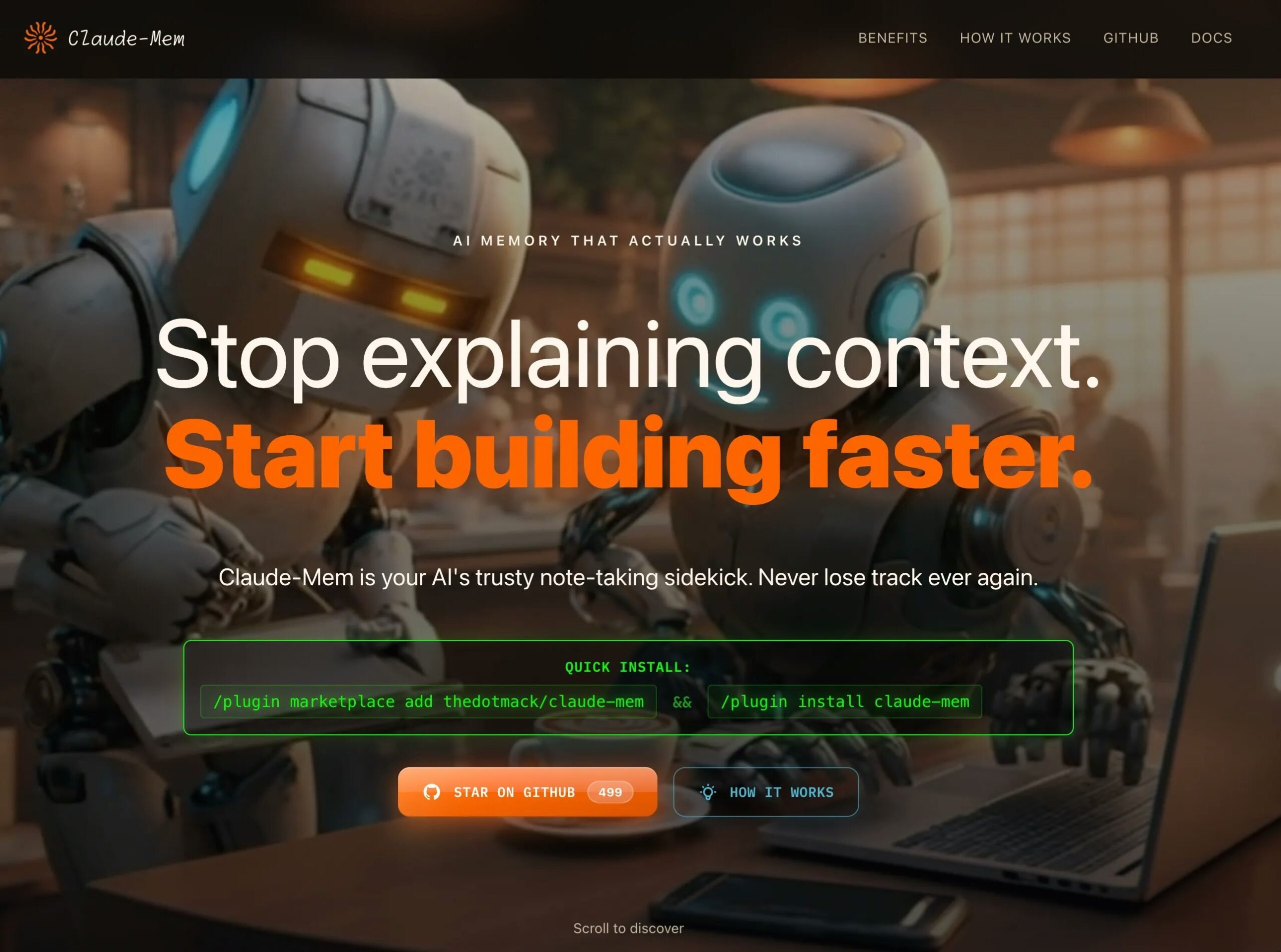
Installation occurs via CLI commands (/plugin marketplace add thedotmack/claude-mem \&\& /plugin install claude-mem) for seamless incorporation into Claude Code environments. The plugin registers multiple integration hooks including SessionStart (for context injection), UserPromptSubmit (for initializing sessions), PostToolUse (for capturing observations after each tool execution), Stop (for generating summaries), and SessionEnd (for cleanup), creating comprehensive coverage of the development lifecycle without disrupting existing workflows.
Stage 2: Real-Time Observation Capture
During active coding sessions, the PostToolUse hook intercepts every tool execution performed by Claude Code—file reads, writes, searches, command executions, git operations. A dedicated observer AI running in parallel analyzes each interaction to determine if it represents a significant development artifact worthy of capture. The system extracts contextual information including the action performed, files affected, code changes (before and after states), timestamps, and the rationale or problem being solved. Observations are semantically categorized as decisions (⚖️), bug fixes (🔴), features (🟣), or discoveries (🔵) based on the nature of the interaction.
Stage 3: AI-Powered Compression and Summarization
Captured observations are processed through the Claude Agent SDK, which applies language model compression to transform verbose tool execution logs into structured, semantic memories. The compression preserves essential information—what was done, why it was done, what problem it solved, what alternatives were considered—while discarding redundant details. This AI-powered summarization typically achieves 10-20x compression ratios, converting multi-paragraph transcripts into concise, information-dense observations that can be rapidly scanned and retrieved.
Stage 4: Multi-Index Storage Architecture
Processed observations are simultaneously stored in three complementary indexes: (1) ChromaDB vector embeddings for semantic search enabling conceptual queries like “authentication improvements,” (2) SQLite relational database with FTS5 full-text search for keyword-based retrieval and temporal ordering, and (3) temporal indexes that maintain chronological ordering with recency weighting. This hybrid architecture ensures optimal retrieval regardless of query type—semantic similarity, keyword matching, time-based filtering, or file-scoped searches.
Stage 5: Context Injection at Session Start
When a new Claude Code session begins, the SessionStart hook automatically queries the memory system to retrieve the most relevant recent context. By default, this loads the last 50 observations chronologically (~2-4 weeks of typical development history), ordered from newest to oldest, providing Claude with immediate situational awareness about current project state. The context injection occurs in under 200ms and consumes minimal tokens through progressive disclosure—only metadata is initially loaded, with full observation content retrieved on-demand when Claude determines relevance.
Stage 6: Dynamic Memory Retrieval During Sessions
Throughout active development, Claude can invoke specialized MCP search tools to retrieve historical context beyond the auto-injected recent observations. Natural language queries like “how did we implement token refresh?” trigger semantic search across the observation database, returning ranked results with temporal context and causal relationships. The system automatically expands retrieved observations to include before-and-after context, enabling Claude to reconstruct decision rationale and understand implementation evolution without requiring developers to manually locate and paste relevant history.
Stage 7: Continuous Learning and Memory Refinement
As sessions progress, the observer AI continues capturing new observations, building an ever-expanding knowledge graph connecting files, concepts, decisions, and outcomes. The system identifies patterns like “every time we touch auth.ts, performance degrades” or “decisions about caching frequently get reversed,” surfacing these insights proactively when relevant files are accessed. This creates a feedback loop where memory quality improves over time as more development history accumulates.
Use Cases
Claude-Mem offers immense value across various development scenarios where context persistence accelerates productivity:
Eliminating Context Rehashing in Multi-Session Projects:
- Reduce the 93% of time typically wasted re-explaining architectural decisions, project constraints, and prior work when starting new Claude Code sessions
- Enable seamless continuation of complex multi-day development tasks without requiring developers to manually reconstruct state from notes or memory
- Maintain development velocity across session boundaries, context resets, and connection drops that would otherwise fragment workflow
Debugging with Historical Causality Analysis:
- Accelerate debugging by 40% through timeline reconstruction showing when bugs were introduced, what changes preceded failures, and what fixes were previously attempted but abandoned
- Query memory for patterns like “show me all authentication changes in the past month” to identify likely root causes when bugs emerge in production
- Trace regressions to specific commits with associated rationale explaining why problematic changes seemed reasonable at the time
Onboarding and Knowledge Transfer:
- Compress months-long onboarding periods to days by providing new team members instant access to institutional knowledge captured in memory observations
- Create living project documentation automatically generated from actual development history rather than manually maintained wikis that become stale
- Enable consultants or contractors to immediately contribute productively by loading relevant project context without lengthy handoff meetings
Architectural Decision Records (ADRs) Without Manual Documentation:
- Automatically capture architectural decisions as they’re made during development sessions, including alternatives considered, tradeoffs evaluated, and rationale for chosen approaches
- Create searchable decision archives enabling queries like “why did we choose PostgreSQL over MongoDB for the auth service?” months after the decision
- Provide audit trails for compliance requirements or post-mortems investigating why systems were designed in specific ways
Cross-Project Pattern Recognition and Learning:
- Identify recurring patterns across multiple projects like “authentication always requires rate limiting” or “caching introduces consistency bugs” that inform future design decisions
- Build personal development best practices by analyzing your own historical observations to understand which approaches succeeded or failed
- Accelerate similar future tasks by retrieving relevant context from analogous past work—”how did I implement file uploads last time?”
Maintaining Focus During Context Window Management:
- Continue working productively even when token limits force /clear commands or context pruning, as persistent memory preserves critical information outside the ephemeral conversation window
- Reduce cognitive load by offloading project state management to the memory system, allowing developers to focus on current tasks rather than maintaining mental models of entire project history
- Enable “deep work” sessions where developers can remain in flow state without interruptions to recap context or search for prior decisions
Pros \& Cons
Every powerful tool comes with its unique set of advantages and potential limitations. Here’s a balanced look at Claude-Mem:
Advantages
- Eliminates Chronic Context Amnesia: Solves the fundamental “AI assistant forgets everything” problem that plagues Claude Code and similar tools, enabling true continuity across sessions that transforms AI coding from tool into thought partner.
- Massive Time and Token Savings: After months of use across 1,400+ sessions, developers report 93% reduction in context-rehashing time and 40% faster debugging through historical causality visualization. Token efficiency mechanisms provide 15x improvement in routine operations (~2,250 tokens saved per query) while maintaining full contextual depth when needed.
- Production-Proven Performance: Real-world usage demonstrates 8,200+ vector documents indexed with consistent <200ms query performance, proving the system scales to substantial development histories without degradation.
- Zero-Friction Integration: Installation via simple CLI commands (/plugin install) with no configuration required beyond initial setup; operates passively during development without disrupting existing git or CI/CD workflows.
- Hybrid Architecture Resilience: Progressive fallback from semantic vector search to keyword-based FTS5 ensures core functionality even when Python/ChromaDB dependencies are unavailable, preventing vendor lock-in or fragile dependency chains.
- Open Source Transparency: AGPL-3.0 licensing enables complete auditability, customization, and self-hosting without vendor dependencies or SaaS privacy concerns; community can inspect, modify, and contribute improvements.
- Purpose-Built for Development Workflows: Specialized categorization (decisions, bugs, features, discoveries) and file-scoped search reflect deep understanding of software development contexts, unlike generic note-taking or memory systems designed for conversational AI.
Disadvantages
- Limited to Claude Code Ecosystem: Currently implemented as a Claude Code plugin with no support for other AI coding assistants (GitHub Copilot, Cursor, Cody, Replit Ghostwriter), restricting value to developers using Anthropic’s platform.
- Requires Technical Setup and Comfort: Installation via CLI and optional Python/ChromaDB dependencies may present barriers for less technical users; while graceful degradation exists, optimal performance requires some DevOps familiarity.
- Early Stage with Evolving Features: As a recently launched tool (December 2025 Product Hunt debut), Claude-Mem lacks the maturity, extensive documentation, and battle-testing of established alternatives; early adopters may encounter edge cases or evolving APIs.
- Observation Quality Depends on AI Accuracy: The observer AI analyzing tool executions may misclassify observations, miss nuanced context, or over-capture irrelevant details, requiring occasional human review and correction to maintain memory quality.
- Privacy Considerations for Sensitive Projects: While self-hostable and open-source, the system processes all development activity through AI compression, which may raise concerns for highly sensitive codebases requiring air-gapped environments or strict data residency.
- Storage and Index Growth Over Time: After extensive use (8,200+ documents), the ChromaDB vector database and SQLite indexes consume non-trivial disk space and may eventually require pruning, archiving, or performance tuning as observations accumulate.
- No Built-In Team Synchronization: While architecturally enabling team knowledge sharing, Claude-Mem currently lacks native multi-user collaboration features, requiring manual database export/import or custom synchronization mechanisms for team deployments.
How Does It Compare?
Claude-Mem vs. Claude’s Built-In Memory Tool
Claude’s Built-In Memory Tool is Anthropic’s official memory feature for Team and Enterprise users that remembers conversations to maintain context across projects with project-based memory isolation and user control.
Scope and Architecture:
- Claude-Mem: Multi-session persistence framework specifically for Claude Code capturing tool usage observations across coding sessions with automatic compression and cross-session restoration
- Claude Memory: Single-conversation memory management using file-based storage (~/.memories/) with commands like create, str_replace, insert, rename for handling memory files within individual sessions
Memory Persistence:
- Claude-Mem: Cross-session survival—context persists after /clear, session disconnects, and new session starts through automatic PostToolUse capture and SessionStart injection
- Claude Memory: Session-scoped—primarily manages memory within single conversations by reading/writing memory files; resets when conversations end unless manually preserved
Integration Approach:
- Claude-Mem: Plugin architecture using multiple hooks (SessionStart, PostToolUse, Stop, SessionEnd) with parallel observer AI and autonomous capture without user prompts
- Claude Memory: Built-in tool-use interface requiring explicit invocation (“ALWAYS VIEW YOUR MEMORY DIRECTORY BEFORE DOING ANYTHING ELSE”) and manual memory file management
Search and Retrieval:
- Claude-Mem: MCP server with six specialized search tools (search_observations, search_sessions, find_by_concept, find_by_file, find_by_type, advanced_search) plus ChromaDB semantic search and SQLite FTS5 full-text indexing
- Claude Memory: Basic file operations for reading/writing memory files without advanced search, semantic retrieval, or temporal indexing capabilities
Use Case Focus:
- Claude-Mem: Solving the “Claude Code session isolation problem” where context doesn’t survive across coding sessions, specifically targeting developers using AI coding assistants
- Claude Memory: Maintaining context within single conversations for tasks requiring recall throughout that session—more general-purpose conversational memory
Availability:
- Claude-Mem: Open-source plugin installable by any Claude Code user regardless of subscription tier
- Claude Memory: Team and Enterprise users only (launched September 2025) with organizational admin controls
When to Choose Claude-Mem: For persistent memory across Claude Code sessions, when automatic observation capture eliminates manual effort, and for development-specific categorization and search.
When to Choose Claude Memory: For general conversational AI memory within the main Claude app, when enterprise governance features matter, and for non-coding workflows requiring contextual recall.
Claude-Mem vs. Mem 2.0 (AI Thought Partner)
Mem 2.0 is a self-organizing AI workspace rebranded as the “world’s first AI Thought Partner” that captures ideas, meetings, and research and brings them back exactly when needed.
Core Focus:
- Claude-Mem: Development-specific persistent memory for AI coding assistant sessions capturing tool executions, code changes, architectural decisions, and debug histories
- Mem 2.0: General-purpose personal knowledge management for entrepreneurs, executives, and creatives capturing ideas, meetings, research, and everyday thinking
Capture Mechanisms:
- Claude-Mem: Automatic capture via PostToolUse hooks during Claude Code sessions—no user action required beyond normal coding workflow
- Mem 2.0: Multi-modal capture through Voice Mode (brain dumps transcribed), automated meeting transcription, email forwarding (save@mem.ai), Chrome extension for web clipping, and manual note creation
Intelligence Layer:
- Claude-Mem: Observer AI analyzes tool executions to categorize as decisions, bugs, features, or discoveries with before-and-after code context
- Mem 2.0: Agentic Chat that creates, edits, and organizes notes automatically; Deep Search understands meaning/intent; Heads Up proactively resurfaces notes at the right moment
Memory Organization:
- Claude-Mem: File-scoped, concept-tagged, temporally-ordered observations optimized for development queries (“authentication changes since v2.0”)
- Mem 2.0: AI-organized collections without manual folder hierarchies; system automatically groups related notes and surfaces connections
Retrieval Philosophy:
- Claude-Mem: Progressive disclosure with lightweight metadata initially (~2% of full size) and on-demand full context loading when relevant
- Mem 2.0: Proactive resurfacing (Heads Up) based on context (upcoming meetings, current activities) plus semantic search for explicit queries
Pricing and Access:
- Claude-Mem: Free and open-source under AGPL-3.0; self-hostable with no SaaS fees
- Mem 2.0: Freemium with free tier; premium plans from ~\$4-20/month for advanced features, unlimited storage, and priority support
When to Choose Claude-Mem: For development-specific memory tied to AI coding assistants, when open-source and self-hosting matter, and for automatic capture without manual input.
When to Choose Mem 2.0: For holistic personal knowledge management beyond coding, when multi-modal capture (voice, email, web) is needed, and for cross-device synced access.
Claude-Mem vs. MemGPT (Letta)
MemGPT (now Letta) is a system that adds memory to LLM services using virtual context management inspired by operating system hierarchical memory, providing the appearance of large memory resources through data movement between fast and slow memory.
Architectural Philosophy:
- Claude-Mem: Application-layer plugin capturing and compressing actual development observations into persistent storage with hybrid search indexes
- MemGPT: OS-inspired virtual memory management treating LLM context window as “RAM” and external storage as “disk” with paging and memory hierarchy
Scope:
- Claude-Mem: Specialized for Claude Code development workflows with tool execution capture and file-scoped memory
- MemGPT: General-purpose LLM memory system applicable to any LLM service (ChatGPT, Claude, Gemini, Llama) for extended conversations and document analysis
Memory Mechanism:
- Claude-Mem: Explicit observation database (ChromaDB + SQLite) with semantic compression and structured categorization; memory is inspectable and editable
- MemGPT: Virtual context management with automatic data movement between context window (short-term) and external storage (long-term) transparent to user
Developer Experience:
- Claude-Mem: Simple plugin installation with automatic operation; minimal configuration required; memory appears automatically at session start
- MemGPT: Requires integration into LLM application architecture; more complex setup involving memory management policies and paging strategies
Transparency:
- Claude-Mem: Web viewer UI (http://localhost:37777) provides real-time visualization of captured observations; memory is human-readable and navigable
- MemGPT: Memory management is largely transparent/automatic without dedicated UI for inspecting memory state beyond API queries
Open Source:
- Claude-Mem: AGPL-3.0 on GitHub (thedotmack/claude-mem) with full source access
- MemGPT: Open-source with community development; transitioned to Letta platform with managed hosting options
When to Choose Claude-Mem: For Claude Code-specific development memory, when transparency and inspectability matter, and for turnkey plugin installation without architectural changes.
When to Choose MemGPT/Letta: For general-purpose LLM memory across multiple models, when building custom LLM applications requiring memory, and for research into memory architectures.
Claude-Mem vs. Basic Memory (Markdown-Based MCP)
Basic Memory is an open-source MCP tool that gives Claude persistent memory using local Markdown files, constructing a knowledge graph that expands with each interaction.
Storage Format:
- Claude-Mem: Hybrid architecture with ChromaDB vector embeddings and SQLite relational database for optimized retrieval performance
- Basic Memory: Plain Markdown files stored locally on filesystem, accessible to both user and Claude; compatible with Obsidian for visualization
Capture Automation:
- Claude-Mem: Fully automatic capture via PostToolUse hooks during Claude Code sessions without user prompts or manual note-taking
- Basic Memory: Manual or semi-automatic—user must request “Create a note about this conversation” and Claude writes/updates Markdown files
Search Capabilities:
- Claude-Mem: Sophisticated search with semantic vector search, FTS5 full-text indexing, temporal ordering, and specialized MCP tools for complex queries
- Basic Memory: Relies on search_notes function with keyword matching and recent activity tracking; simpler retrieval without semantic understanding
Visualization:
- Claude-Mem: Web viewer UI at localhost:37777 with timeline views and real-time observation streams
- Basic Memory: Markdown files viewable in Obsidian with knowledge graphs, mermaid diagrams, and canvas visualizations; real-time file sync
Development Specificity:
- Claude-Mem: Purpose-built for development workflows with categorization (decisions, bugs, features, discoveries) and file-scoped memory
- Basic Memory: General-purpose note-taking for any conversation type; user defines structure through Markdown formatting
Complexity:
- Claude-Mem: More complex architecture with Python dependencies (optional), vector database, and specialized compression AI
- Basic Memory: Simpler stack using only Markdown files and Claude’s built-in tool use capabilities; lower barrier to entry
When to Choose Claude-Mem: For automatic development-focused memory with high-performance search and AI compression.
When to Choose Basic Memory: For manual control over note content, when Markdown/Obsidian integration is desired, and for simpler setup without vector databases.
Claude-Mem vs. GitHub Copilot (No Persistent Memory)
GitHub Copilot is an AI coding assistant emphasizing real-time code completion, inline suggestions, and chat-based development assistance without persistent memory across sessions.
Memory Model:
- Claude-Mem: Explicit persistent memory surviving sessions with automatic observation capture and cross-session context injection
- GitHub Copilot: No persistent memory—relies entirely on current file context, open tabs, and immediate conversation history within session
Context Awareness:
- Claude-Mem: Remembers architectural decisions, bug fix histories, and project evolution across weeks or months through structured observations
- GitHub Copilot: Context limited to currently open files and recent chat messages; forgets everything when session ends or chat clears
Interaction Model:
- Claude-Mem: Passive observation with automatic memory building—developers code normally while memory accumulates in background
- GitHub Copilot: Active assistance with inline completions, chat responses, and task execution without background memory formation
Search and Retrieval:
- Claude-Mem: Dedicated search tools for querying historical context with natural language (“how did we implement token refresh?”)
- GitHub Copilot: No historical search—must manually provide context or reference prior chat messages within session
Token Efficiency:
- Claude-Mem: Progressive disclosure saves ~2,250 tokens per query through metadata-first approach with on-demand full context loading
- GitHub Copilot: No memory optimization—full context must be repeatedly provided for each session consuming unnecessary tokens
When to Choose Claude-Mem: For long-running projects requiring historical context, when session continuity matters, and for reducing repetitive explanation overhead.
When to Choose GitHub Copilot: For real-time code completion focus, when tight GitHub integration is priority, and for workflows not requiring cross-session memory.
Claude-Mem vs. Projects Feature (Claude Web/Desktop)
Claude Projects in the web/desktop app allow sharing instructions and files across chats within a project workspace for organized multi-conversation workflows.
Persistence Scope:
- Claude-Mem: Automatic cross-session memory for Claude Code capturing tool executions and code changes
- Claude Projects: Manual file uploads and shared instructions accessible across chats within the same project; files must be explicitly added
Automation:
- Claude-Mem: Zero manual effort—observations captured automatically as development proceeds
- Claude Projects: Manual workflow—user must create project, upload files, write instructions, and maintain file currency
Development Specificity:
- Claude-Mem: Captures actual development activity (tool executions, code changes, decisions) with temporal context
- Claude Projects: Stores static documents and instructions without capturing live development activity or evolution
Search:
- Claude-Mem: Semantic search, temporal filtering, file-scoped queries, and concept-based retrieval across observations
- Claude Projects: Claude can read uploaded files but no specialized search beyond asking Claude to find information in project documents
Maintenance:
- Claude-Mem: Self-maintaining—memory automatically updates as work progresses without manual curation
- Claude Projects: Requires manual maintenance to keep project files, competitor analyses, and documentation current
Token Usage:
- Claude-Mem: Token-efficient through progressive disclosure and metadata-first loading
- Claude Projects: All project files loaded into context potentially consuming significant tokens even for simple queries
When to Choose Claude-Mem: For automated development memory in Claude Code without manual file management.
When to Choose Projects: For organizing related conversations in Claude web/desktop app with shared documentation and instructions.
Final Thoughts
Claude-Mem represents a paradigm shift in AI-assisted development by solving the fundamental “context amnesia” problem that has plagued AI coding assistants since their inception. The December 4, 2025 Product Hunt launch (119 upvotes, 15 comments) and strong developer community adoption demonstrate genuine market validation for persistent memory as a critical missing layer in AI development tools.
What makes Claude-Mem particularly compelling is its “observer AI” architecture that fundamentally changes the relationship between developers and AI assistants. Rather than treating AI as a stateless tool requiring constant re-briefing, Claude-Mem creates a persistent knowledge layer that accumulates project understanding over time, transforming AI from assistant into thought partner that genuinely remembers your codebase, decisions, and evolution.
The production-proven performance metrics—8,200+ vector documents indexed across 1,400+ sessions with consistent <200ms retrieval and 93% reduction in context-rehashing time—demonstrate this isn’t theoretical benefit but measurable productivity gains validated through extensive real-world usage. The 40% debugging acceleration through historical causality visualization and ~2,250 token savings per query through progressive disclosure provide concrete ROI metrics justifying adoption.
The hybrid architecture combining ChromaDB semantic search, SQLite temporal ordering, and FTS5 keyword fallback reflects sophisticated engineering that balances performance, resilience, and functionality. By implementing progressive disclosure with metadata-first loading and on-demand full context expansion, the system achieves token efficiency without sacrificing contextual depth—solving the fundamental tradeoff between memory completeness and operational cost.
The tool particularly excels for:
- Developers working on long-running projects where architectural context matters months later
- Teams requiring onboarding acceleration through instant access to institutional knowledge captured automatically
- Complex debugging scenarios benefiting from timeline reconstruction and causality analysis
- Workflows involving frequent context resets (/clear commands) where traditional conversation history fails
- Open-source or self-hosted environments requiring transparency and avoiding vendor lock-in
For developers prioritizing tight GitHub ecosystem integration with real-time code completion over persistent memory, GitHub Copilot remains the standard choice. For general personal knowledge management beyond coding workflows requiring multi-modal capture (voice, email, web), Mem 2.0’s AI Thought Partner positioning offers broader utility. For researchers building custom LLM applications requiring memory at the architectural level, MemGPT/Letta provides more foundational abstractions than application-layer plugins.
But for the specific intersection of “Claude Code development memory,” “automatic observation capture,” and “cross-session persistence,” Claude-Mem represents a genuinely novel solution addressing a gap that neither Anthropic’s built-in memory nor general-purpose knowledge management tools adequately solve. The open-source AGPL-3.0 licensing under GitHub thedotmack/claude-mem enables community contributions, custom deployments, and transparency unavailable in proprietary alternatives.
The system’s greatest limitation—restriction to Claude Code ecosystem—also represents its greatest strength: deep integration enabling automatic capture without workflow disruption. As the AI coding assistant market matures, persistent memory will likely become table stakes, but Claude-Mem’s early mover advantage, production-proven architecture, and open-source community position it as a reference implementation that will influence how memory systems evolve across the industry.
If you’re experiencing the frustration of repeatedly re-explaining project context, wasting tokens on redundant briefings, or losing critical architectural decisions when sessions reset, Claude-Mem offers a transformative solution that fundamentally changes how AI coding assistants maintain continuity. The simple CLI installation (/plugin install claude-mem) with automatic operation eliminates adoption friction, while the web viewer UI provides transparency into what your AI assistant remembers, creating trust through inspectability.
For developers serious about AI-assisted development workflows extending beyond single sessions, Claude-Mem represents essential infrastructure converting ephemeral AI interactions into permanent institutional knowledge—exactly the persistent memory layer needed to unlock AI’s full potential as a true development thought partner rather than a stateless tool requiring constant re-education.