
Table of Contents
Overview
Tactiq 3.0 is an AI-powered meeting assistant browser extension launched continuously throughout 2024-2025 by Tactiq, a meeting transcription platform combining real-time transcription, live AI chat capabilities, and automated workflow generation for Google Meet, Zoom, and Microsoft Teams. Rather than requiring separate note-taking discipline or post-meeting processing, Tactiq 3.0 emphasizes real-time value during meetings enabling participants asking clarifying questions, capturing decisions live, and generating documentation immediately without waiting for meeting conclusion.
Available through freemium model (10 transcriptions free monthly) with Pro tier at \$8-12/month and Team plans for organizational deployment, Tactiq targets professionals juggling multiple meetings daily seeking real-time meeting assistance. The platform emphasizes “during meeting” value proposition distinct from competitors (Otter.ai, Fireflies.ai) focused primarily on post-meeting summarization, positioning Tactiq as interactive meeting companion enabling smarter participation rather than passive transcription-then-analyze workflow.
Key Features
Real-Time Transcription Without Bot: Browser extension transcribes meetings live without requiring Tactiq bot joining video call (major advantage over competitors deploying bot participants that consume meeting slots and appear on participant lists). The no-bot approach maintains meeting experience authenticity while capturing transcripts.
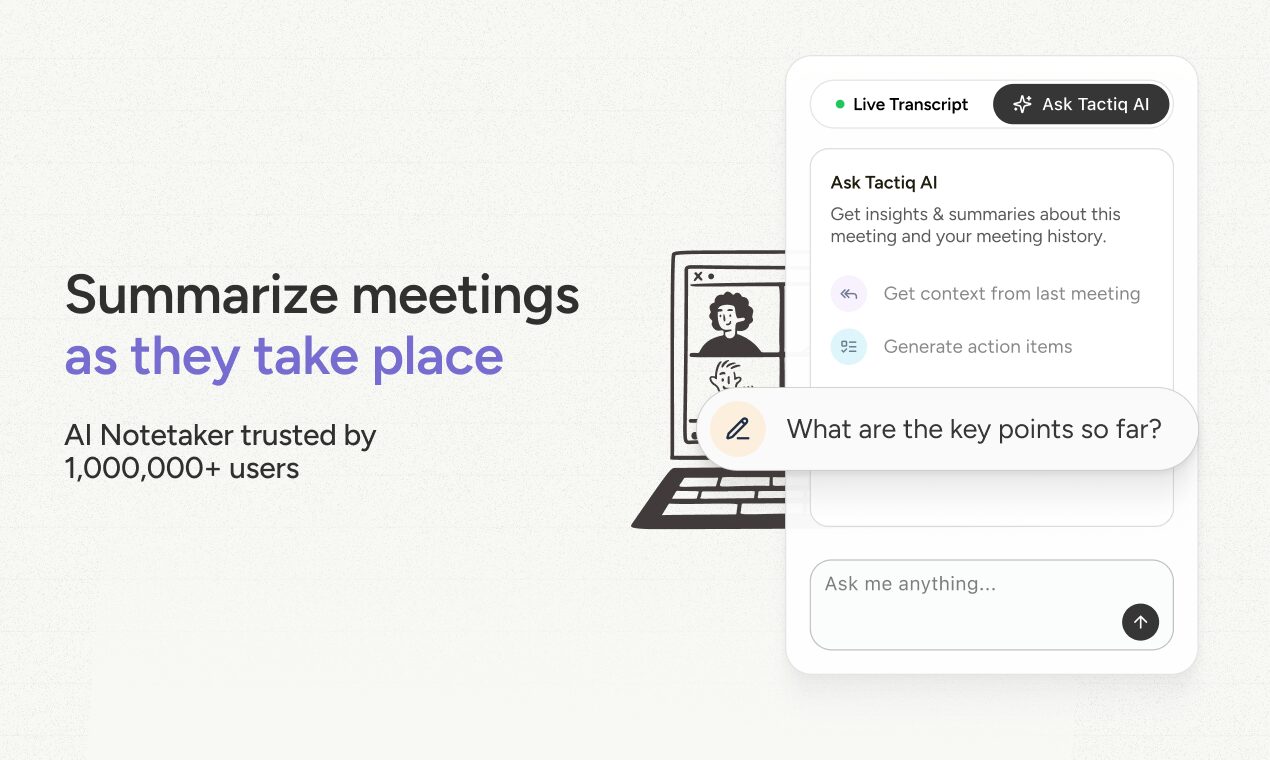
Live AI Chat During Meetings: While meeting proceeds, users ask Tactiq questions about discussion (“What was the decision on pricing?” or “Who’s responsible for implementation?”) and receive answers drawn from real-time transcript. The feature enables participation without mentally context-switching to take notes.
In-Meeting Slide Generation: Users describe desired slides and Tactiq generates decks from meeting discussion transcripts automatically. The feature transforms brainstorming sessions or strategic discussions into presentation materials without manual aggregation.
Automated Task Assignment: Detects tasks mentioned during meetings and suggests assignment to participants with priority levels. Tasks create actionable items flowing directly into project management integration.
Speaker Identification: Automatically identifies meeting participants and attributes statements to correct speakers. The speaker labeling enables understanding who committed to what without manual disambiguation.
Multi-Language Support: Transcribes meetings in 60+ languages enabling international teams collaborating across language barriers with minimal accuracy degradation for non-English conversations.
Custom AI Prompts and Templates: Users define AI prompts (“Highlight potential risks discussed”) and save as reusable templates applied to all future meetings automating analysis patterns across meeting series.
AI Workflow Automation: Build complex automations (e.g., “When action item detected, create Jira ticket with due date inferred from discussion, post summary to Slack channel with @mention of assignee”) automating post-meeting tasks.
Screenshots and Visual Capture: Participants add screenshots or images during meeting adding visual context to transcripts enabling later reference to specific diagrams, whiteboards, or screen shares.
Tags and Labels: Attendees add semantic tags during meetings (“URGENT,” “DECISION,” “BLOCKED”) enabling post-meeting filtering and organization without manual categorization.
Export and Integration: Transcripts and summaries export to PDF/TXT formats; integrations with Notion, Slack, Google Drive, Jira enable seamless workflow automation.
Interactive Transcripts: Users jump to specific moments in transcripts and transcription links back to that video timestamp enabling efficient review without rewatching entire recording.
How It Works
Install Tactiq browser extension on Chrome, grant calendar access enabling automatic meeting detection. When Google Meet/Zoom/Teams meeting starts, Tactiq automatically activates transcribing via browser without joining as participant. During meeting, users view live transcription in sidebar, highlight important moments, ask Tactiq questions, and trigger slide generation or task creation. After meeting, access full transcript, run custom AI prompts, and trigger workflows generating Slack messages, Jira tickets, or email summaries.
Use Cases
Back-to-Back Meeting Efficiency: Professionals with dense meeting schedules capture key decisions and action items in real-time preventing information loss between consecutive meetings.
Brainstorming Documentation: Teams conducting brainstorming or strategic planning sessions automatically convert discussion into presentation slides eliminating hours of manual aggregation.
Cross-Functional Alignment: Teams coordinating across departments create instant meeting summaries automatically distributed to stakeholders summarizing decisions and action items.
Training and Knowledge Capture: Organizations conduct training or onboarding sessions automatically generating transcripts and action items creating institutional knowledge base.
Meeting Quality Assurance: Managers review transcripts and AI analyses of team meetings identifying coaching opportunities and best practice patterns.
Pros \& Cons
Advantages
Real-Time Meeting Value: Unlike post-meeting-only tools, Tactiq provides actionable value during meetings enabling asking clarifying questions and capturing decisions live improving meeting effectiveness versus deferring analysis until after meeting.
No-Bot Transcription Advantage: Browser extension transcription eliminates bot joining video calls solving persistent meeting experience degradation problem—maintains meeting authenticity while capturing transcripts.
Broad Platform Support: Works with Google Meet, Zoom, and Teams covering majority of enterprise meeting platforms enabling universal deployment across heterogeneous environments.
Workflow Automation Breadth: AI workflow builder enabling complex automations (create tickets, send messages, update spreadsheets) exceeds isolated transcription competitors.
Real-Time Prompt Application: Users ask questions and trigger analyses during meetings enabling interactive engagement versus post-meeting-only analysis restricting questions to transcript review phases.
Disadvantages
Can Be Distracting During Meetings: Availability of live AI chat and slide generation during meetings can distract participants from meeting focus if not used disciplined—introduces temptation for excessive side interactions.
Transcription Accuracy Dependency: Summarization and question-answering quality depends heavily on transcription accuracy; mumbling, accents, overlapping speech, or technical jargon may produce errors propagating through AI analysis.
Learning Curve for Automation: Building custom AI workflows requires understanding automation builder patterns and logical conditions limiting adoption to users comfortable with workflow concepts.
Performance Overhead from Browser Extension: Extension impacts browser resource usage and potentially meeting platform performance particularly on resource-constrained systems.
Limited Historical Context: Real-time transcription captures only current meeting; complex questions requiring reference to previous meeting decisions require accessing past transcripts introducing friction.
Speaker Identification Accuracy: Automatic speaker identification may misattribute statements especially with unclear audio, accents, or overlapping speech producing metadata inaccuracy.
How Does It Compare?
Tactiq 3.0 vs Otter.ai
Otter.ai is established meeting transcription leader since 2016 providing voice meeting agent, comprehensive transcription, summaries, action items with 95%+ accuracy claiming leadership position in meeting transcription space.
Transcription Method:
- Tactiq: Browser extension (no bot)
- Otter: AI meeting bot joins video calls
Meeting Participation:
- Tactiq: Transparent to meeting; users don’t see bot
- Otter: Bot visible as participant in meeting participant list
Real-Time Chat:
- Tactiq: Ask questions live during meeting
- Otter: Limited during-meeting assistance
Slide Generation:
- Tactiq: Automatic deck generation from discussion
- Otter: No slide generation capability
Workflow Automation:
- Tactiq: Custom AI workflow builder
- Otter: Basic integration without custom workflows
Accuracy:
- Tactiq: High accuracy; varies by language
- Otter: 95%+ claimed accuracy across languages
Pricing:
- Tactiq: Freemium \$8-12/mo Pro
- Otter: Freemium with team plans \$120-360/year
Maturity:
- Tactiq: Continuous iteration; established player
- Otter: Market leader; decade of development
When to Choose Tactiq: For in-meeting AI assistance, workflow automation, and slide generation without meeting bots.
When to Choose Otter: For best-in-class accuracy, market-proven stability, and simple transcription-focused approach.
Tactiq 3.0 vs Fireflies.ai
Fireflies.ai is meeting transcription platform supporting 10+ platforms (Zoom, Teams, Meet, Webex, GoToMeeting, Skype) with 95%+ accuracy, transcription in 69+ languages, and broad integration ecosystem.
Platform Support:
- Tactiq: Google Meet, Zoom, Teams
- Fireflies: 10+ platforms including Webex, GoToMeeting, Skype
Live Assistance:
- Tactiq: In-meeting AI chat and slide generation
- Fireflies: Limited in-meeting features
Slide Generation:
- Tactiq: Automatic deck generation
- Fireflies: No slide generation
Workflow Automation:
- Tactiq: Custom AI workflows
- Fireflies: Basic automation only
Language Support:
- Tactiq: 60+ languages
- Fireflies: 69+ languages
Accuracy:
- Tactiq: High; non-English variability
- Fireflies: 95%+ accuracy across languages
User Base:
- Tactiq: Growing; strong product momentum
- Fireflies: 10+ million users; established platform
When to Choose Tactiq: For in-meeting AI interactivity and workflow automation.
When to Choose Fireflies: For maximum platform compatibility and proven user base.
Tactiq 3.0 vs Fathom
Fathom is free AI note-taker for Google Meet, Zoom, Teams providing automatic transcription, summaries, action items with completely free offering (no paid tier).
Cost:
- Tactiq: Freemium \$8-12/month Pro
- Fathom: Completely free
Target User:
- Tactiq: Professionals seeking premium features
- Fathom: Students and budget-conscious users
AI Features:
- Tactiq: Advanced (slide generation, workflows)
- Fathom: Basic (transcription, summaries, action items)
Customization:
- Tactiq: Custom prompts and workflows
- Fathom: Limited customization
Platform Support:
- Tactiq: Google Meet, Zoom, Teams
- Fathom: Google Meet, Zoom, Teams
Meeting Experience:
- Tactiq: In-meeting AI assistance
- Fathom: Post-meeting focused
When to Choose Tactiq: For advanced features and professional workflows justifying paid subscription.
When to Choose Fathom: For no-cost transcription without needing advanced automation.
Tactiq 3.0 vs Supernormal
Supernormal is AI meeting automation focusing on note generation, CRM updates, and meeting documentation with emphasis on creating polished meeting minutes resembling human-written notes.
Note Focus:
- Tactiq: AI-generated content (slides, tasks)
- Supernormal: Polished meeting minutes
Real-Time Features:
- Tactiq: In-meeting AI chat and tools
- Supernormal: Post-meeting documentation focus
Slide Generation:
- Tactiq: Automatic during-meeting
- Supernormal: No slide generation
CRM Updates:
- Tactiq: Basic integration
- Supernormal: Deep CRM integration priority
Note Quality:
- Tactiq: Automated extraction
- Supernormal: Human-like polished notes
Customization:
- Tactiq: Extensive via workflows
- Supernormal: Limited customization
When to Choose Tactiq: For in-meeting AI assistance and workflow automation.
When to Choose Supernormal: For polished meeting minutes and CRM integration.
Final Thoughts
Tactiq 3.0 represents thoughtful evolution addressing genuine limitation of early meeting transcription tools: transcription-then-analyze workflow forces meeting value capture into post-meeting review phases disconnected from live decision-making. By introducing real-time AI chat, slide generation, and workflow triggering during meetings, Tactiq positions transcription as active during-meeting tool versus passive documentation.
The no-bot transcription via browser extension elegantly solves perennial problem of AI bots consuming meeting slots and appearing on participant lists—enabling transcription without changing meeting dynamics. The workflow automation capability exceeds point-solution competitors positioning Tactiq as comprehensive meeting automation platform.
However, early-stage slide generation and workflow builders lack maturity of established transcription leaders (Otter.ai’s 95%+ accuracy, Fireflies’ 69-language support), and real-time features introducing distraction risk during meetings requiring disciplined usage. The complete-free Fathom alternative provides simpler value proposition for users preferring basic transcription.
For professionals conducting high-meeting-volume workdays seeking real-time decision capture, workflow automation, and collaborative decision documentation, Tactiq 3.0 provides compelling infrastructure differentiating from transcription-only competitors. The emphasis on during-meeting value reflects modern understanding that effective meetings require active real-time collaboration rather than deferring analysis to asynchronous review phases—transforming meetings from information capture events into decision-making workflows supported by ambient AI intelligence working alongside human participants.