
Table of Contents
Overview
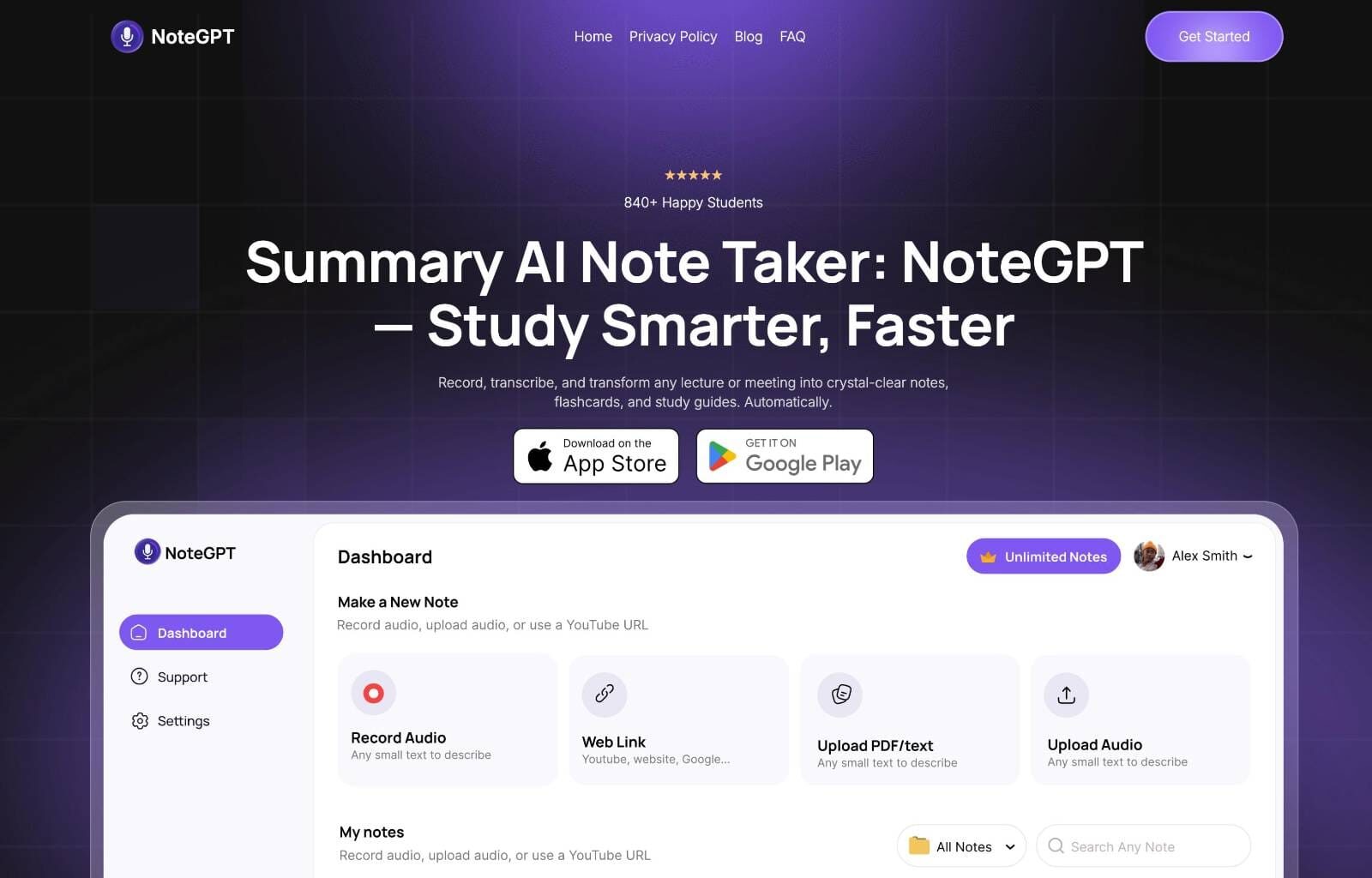
In today’s information-saturated world, keeping track of everything from crucial meeting minutes to insightful podcast episodes can feel like an uphill battle. Enter NoteGPT, an AI-powered learning assistant designed to streamline information intake and transform raw data into actionable, personalized learning materials. The platform captures, transcribes, and summarizes various content types, then converts them into study guides and flashcards. NoteGPT positions itself as an intelligent second brain, allowing users to focus on comprehension while automating knowledge organization.
Important Correction: The official NoteGPT website is https://notegpt.io/, not notegpt.com as previously stated.
Key Features
- Record and Transcribe: Capture audio from meetings, lectures, or spoken content and receive transcriptions. The platform supports MP3, WAV, MP4 formats and YouTube links, processing files up to 300MB directly in browser.
- AI Summaries: Generate concise summaries of transcribed content, highlighting key points. Users can select from preset prompts or create custom ones for different document types (tweets, blogs, business reports, study notes, legal documents).
- Custom Flashcards: Transform key information into interactive flashcards for memorization and review, with options to add personal annotations and export as formatted cards.
- Study Materials: Create comprehensive study guides tailored to specific learning needs, including one-click mind map generation and structured notes with Highlights and Key Insights sections.
- Multi-Content Support: Process YouTube videos, PDFs, articles, podcasts, audio files, and web pages through a Chrome extension or direct upload.
- AI Mind Maps: Automatically generate visual mind maps from input content, with options for customization, theme selection, and multiple generation attempts.
- Language Support: Translate and summarize content in 50+ languages, including less common languages like Sinhala.
How It Works
NoteGPT simplifies information management through a streamlined workflow. Users capture content by recording audio directly or inputting text from various sources. The AI system performs transcription of spoken words and generates intelligent summaries. The platform then leverages this processed information to build personalized study materials, including flashcards and study guides. The Chrome extension enables non-intrusive overlays and quick summarization while browsing.
Use Cases
NoteGPT serves diverse user groups:
- Students: Capture lecture notes, transcribe study sessions, and generate flashcards for exam preparation. The platform offers an AI Book Library with quick reading and summarization services for 102 classic books.
- Researchers: Process interviews, conference calls, and research papers into organized, searchable notes with timestamped references.
- Podcasters: Transcribe episodes for show notes, create social media summaries, and extract key quotes.
- Professionals: Manage information from meetings and webinars, though business users should note important limitations regarding privacy and real-time capabilities.
Pros \& Cons
Advantages
- Versatile and Multifunctional: Handles broad content types and offers integrated note-taking and study tools in one platform.
- Boosts Productivity: Automates transcription and summarization tasks, with browser-based processing requiring no downloads.
- Enhances Learning: Creates personalized study materials including mind maps, flashcards, and structured notes.
- Affordable Entry Point: Plans start at \$2.08/month, making it accessible for individual users.
- Privacy-Focused Processing: Files are not stored permanently and are removed from servers after processing.
Disadvantages
- Dependent on Transcription Accuracy: Summary quality correlates with transcription precision, though the system includes punctuation and speaker detection.
- No Real-Time Transcription: Unlike some competitors, NoteGPT focuses on post-recording processing and cannot transcribe live meetings as they happen.
- Limited Free Tier: Free plan offers basic features with restricted access; paid plans operate on a quota system that may limit heavy users.
- Not Optimized for Business Use: Lacks advanced meeting features like bot-free operation, offline capability, and GDPR compliance for sensitive discussions.
- Occasional Inaccuracies: Users report occasional errors in video summarization and AI detection features.
How Does It Compare?
NoteGPT operates in a competitive landscape with several key alternatives:
Otter.ai: Excels in real-time transcription with speaker identification, meeting bot integration, and live collaboration features. Otter.ai captures conversations as they happen, while NoteGPT focuses on post-recording processing. Otter offers 6000 monthly transcription minutes on team plans and integrates directly with Zoom, Google Meet, and Microsoft Teams.
Fireflies.ai: Provides real-time meeting notes, sentiment analysis, and CRM integration. Fireflies operates as an AI notetaker bot that joins calls automatically, offering features NoteGPT lacks like conversation analysis and workflow automation.
Notion AI: Offers context-aware editing within the Notion workspace, with seamless integration into existing documents and project management. While NoteGPT is a standalone learning platform, Notion AI functions as an embedded assistant within a broader productivity suite. Notion AI requires a Business plan at \$15/user/month.
Jamie AI: A bot-free alternative that works offline and provides detailed meeting summaries without requiring meeting bots to join calls. Jamie emphasizes privacy and works across any video conferencing platform, addressing limitations NoteGPT faces in business environments.
Notta: Specializes in multilingual transcription with real-time translation capabilities across dozens of languages, making it ideal for global teams. Notta offers flexible export options and handles various audio/video formats.
TubeOnAI: Focuses specifically on video content summarization, providing faster processing for users whose primary need is digesting video material.
StudyFetch: Offers advanced study tools with spaced repetition and customizable quizzes, providing more comprehensive learning features than NoteGPT’s basic flashcard system.
Key Differentiator: NoteGPT’s integrated approach combines summarization, mind mapping, and flashcard generation in one platform, making it particularly suitable for students and self-learners. However, it lacks the real-time capabilities and business-oriented features of competitors like Otter.ai, Fireflies.ai, and Jamie AI.
Final Thoughts
NoteGPT serves as a capable learning assistant for information management and knowledge retention. The platform effectively records, transcribes, and summarizes diverse content types, helping users build organized study materials. For students, researchers, and content consumers dealing with information overload, NoteGPT offers practical tools for active learning.
However, professionals seeking meeting-specific features should consider alternatives. The lack of real-time transcription, meeting bot integration, and enterprise-grade privacy protections limits NoteGPT’s suitability for business environments. Tools like Jamie AI (for privacy-focused users) or Otter.ai (for real-time collaboration) better address professional needs.
For educational and personal use cases, NoteGPT’s combination of affordability, multi-language support, and integrated study tools provides strong value. The platform’s strength lies in transforming passive content consumption into active learning preparation, though users should verify critical information and supplement AI-generated materials with human oversight.