

Table of Contents
Overview
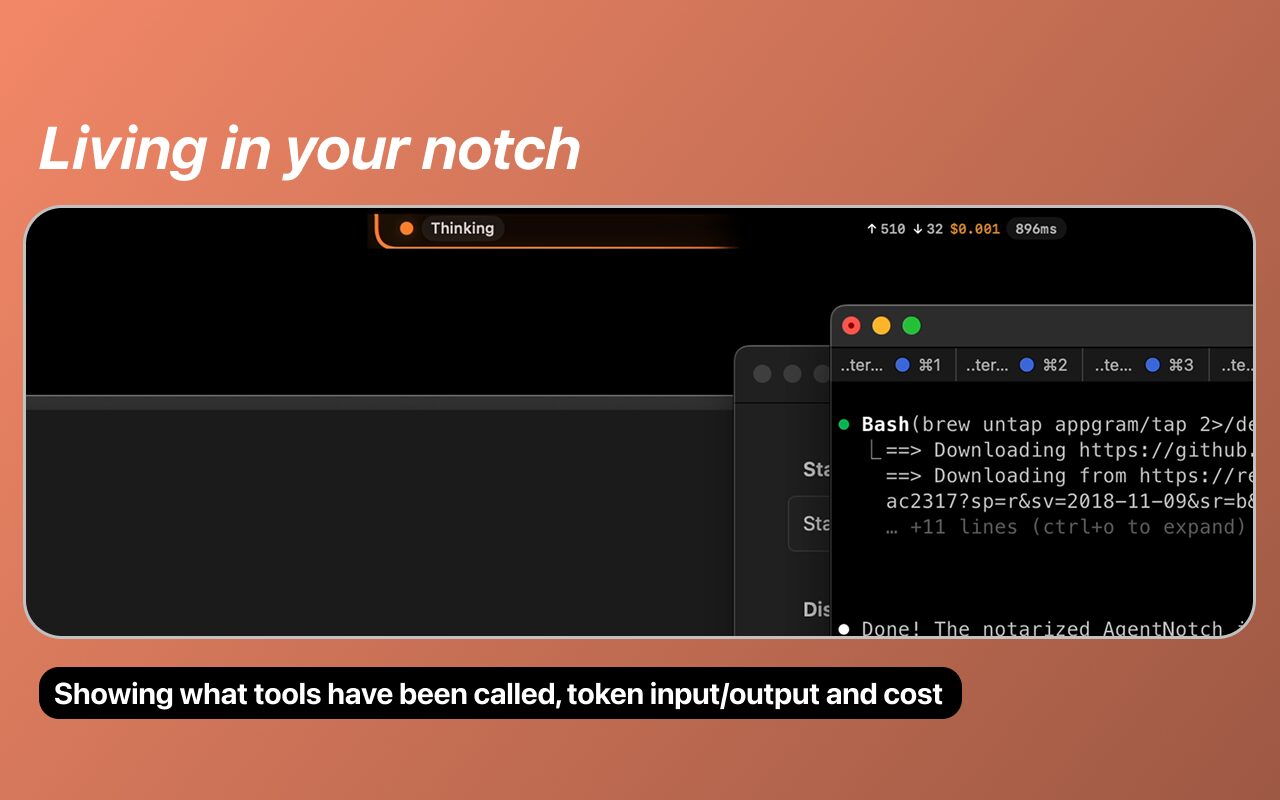
As AI agents move beyond simple code suggestions and toward autonomous file manipulation and shell execution, developers often find themselves frequently switching windows to check on progress or monitor escalating API costs. AgentNotch solves this by acting as a lightweight, system-native dashboard that visualizes an agent’s internal reasoning and actions. It captures local telemetry signals to show exactly what your AI is doing—whether it is thinking, reading files, or executing system commands—without intruding on your primary development environment.
The app is built for a privacy-first workflow, ensuring that all monitored activity remains local to your machine. By integrating color-coded status indicators and live token usage metrics, AgentNotch transforms the background activity of coding agents into a manageable, transparent stream of data that lives on the periphery of your workspace.
Key Features
- Real-Time Tool-Call Tracking: Monitors and displays active file reads, code edits, and shell commands as they happen in the background.
- Ambient Activity Animations: Uses subtle animations within the macOS notch to indicate whether an agent is currently processing, reading, or writing.
- Source-Aware Color Coding: Instantly identifies the active assistant via distinct color cues, such as orange for Claude Code and blue for OpenAI agents.
- Live Token & Cost Monitoring: Provides up-to-the-minute tracking of input/output tokens and estimated API expenditure to prevent unexpected bills.
- Completion Alert System: Sends native macOS notifications the moment a long-running agentic task finishes its execution.
- Hover-Expand Details: Offers a detailed view of recent actions and logs through a sleek, hover-activated interface from the menu bar.
- Open-Source Local Telemetry: Built on open standards to securely capture logs from local CLI tools without the need for external cloud tracking.
- Seamless Homebrew Installation: Easily deployable via a simple Brew command for quick integration into modern Mac developer setups.
How It Works
AgentNotch works by listening to the local telemetry or log outputs generated by CLI-based AI coding agents. Once configured according to the GitHub setup guide, the app runs as a native background process. When you initiate a task in a tool like Claude Code, AgentNotch identifies the start of the session and begins mapping the output to visual indicators in the menu bar. For instance, if the agent starts reading your project structure, a specific icon appears in the notch. If it executes a shell command to run a build, the color of the indicator changes. This allows you to monitor the entire “thinking and doing” lifecycle of the AI while staying focused on your primary task.
Use Cases
- Autonomous Background Coding: Monitor long-running code migrations or refactoring tasks while working in another application.
- API Budget Management: Keep a close eye on real-time spending when running complex agentic loops that consume significant token counts.
- Agent Behavior Debugging: Identify if an AI is stuck in a loop or incorrectly accessing files by watching the live tool-call telemetry.
- Educational Observation: Better understand how autonomous agents navigate a codebase by observing their step-by-step search and read patterns.
Pros and Cons
- Pros: Reduces context-switching fatigue by providing at-a-glance status updates. Enhances security by keeping all telemetry data local to the Mac. Minimal impact on system resources due to native SwiftUI construction.
- Cons: Exclusively available for macOS users with a notch or menu bar. Requires a one-time manual setup to enable telemetry for certain command-line assistants.
Pricing
- Open Source / Free: AgentNotch is available for free as an open-source tool, distributable via Homebrew and GitHub for the entire developer community.
How Does It Compare?
- Quotio: A powerful competitor that focuses on “quota management” and multi-provider load balancing. While Quotio is great for managing limits, AgentNotch is more focused on the visual activity and specific tool-call telemetry of the agent.
- ClaudeBar: A specialized menu bar app specifically for Claude’s usage. AgentNotch provides a more versatile experience by supporting multiple sources (Claude and OpenAI) with distinct visual identifiers.
- Aider / Continue.dev (Internal Logs): These tools have their own built-in logging, but they require you to keep the IDE or terminal visible. AgentNotch allows you to close those windows and still monitor the activity.
- NotchNook / Bartender: General-purpose notch and menu bar management tools. These organize your icons but lack the deep integration with AI execution logs found in AgentNotch.
Final Thoughts
AgentNotch represents a critical utility for the “Human-in-the-Loop” development model of 2026. As AI agents gain more autonomy, the developer’s role shifts from a primary coder to a strategic supervisor. AgentNotch provides the necessary “peripherals” for this new role, making background AI activity feel like a natural extension of the OS rather than a separate, invisible process. For any Mac-based developer utilizing the current generation of agentic CLI tools, AgentNotch is a high-value, low-friction addition to their daily toolkit that balances transparency with productivity.