
Table of Contents
BrainLoom
The Local-First Learning Operating System
Stop juggling multiple apps just to learn a new subject. BrainLoom is a local-first “Learning OS” designed to unify your entire study workflow. It allows you to seamlessly transform PDF highlights into flashcards while maintaining a direct link to the original source text for context. You can also organize your thoughts visually on an Infinite Canvas using the “Smart Paste” system, which formats your clipboard content into structured notes without you ever needing to touch a mouse.
Current Availability: Windows v1.0 (Mac version in development).
Pricing Status: Early Bird Lifetime License available for $29 (Limited availability to fund expansion).
Key Features
- Local-First Privacy: Your data lives on your device, not in the cloud, ensuring complete privacy and offline access.
- PDF-to-Flashcard Pipeline: Highlight text in any PDF to instantly generate a spaced-repetition flashcard linked to that exact page.
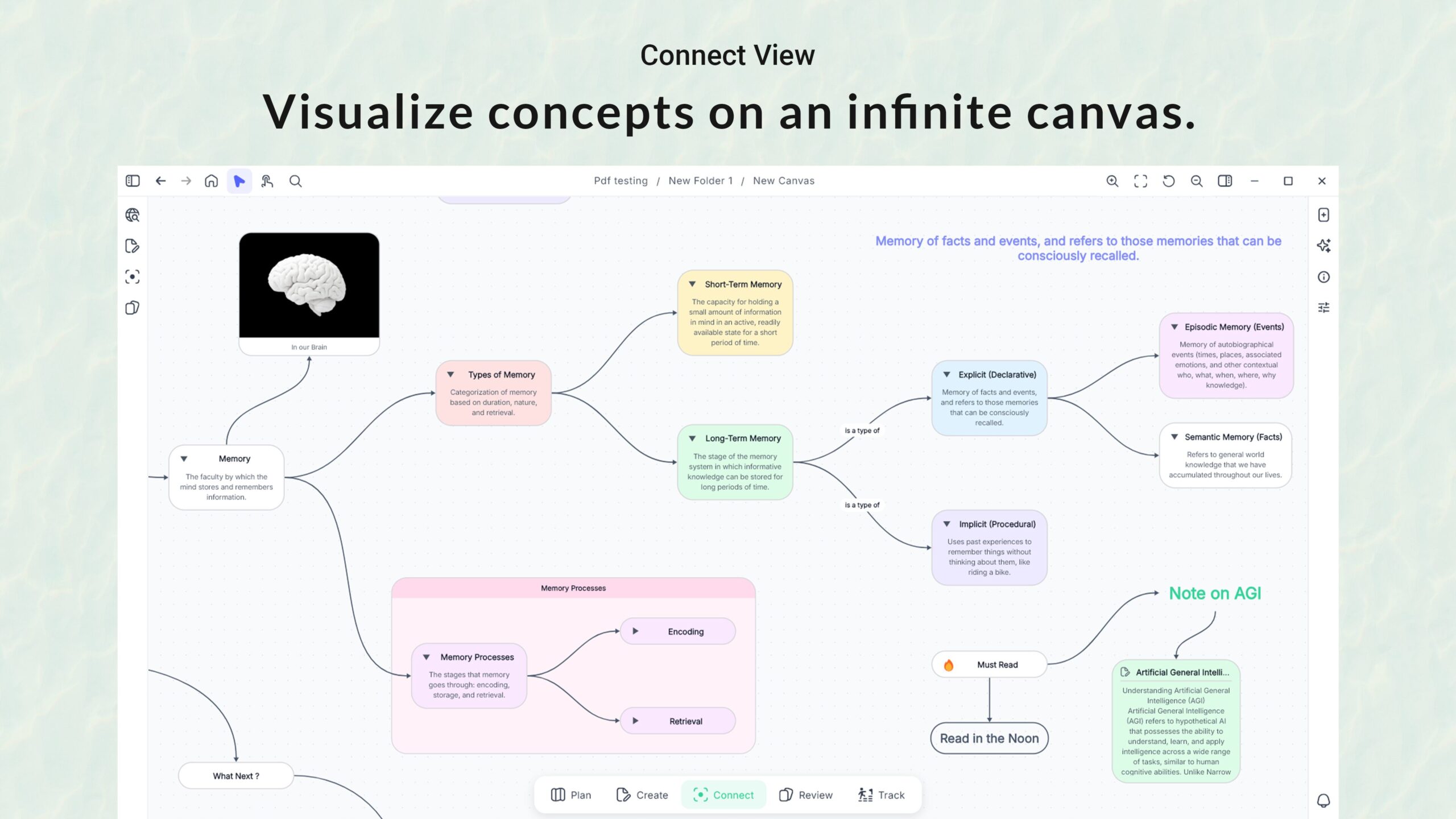
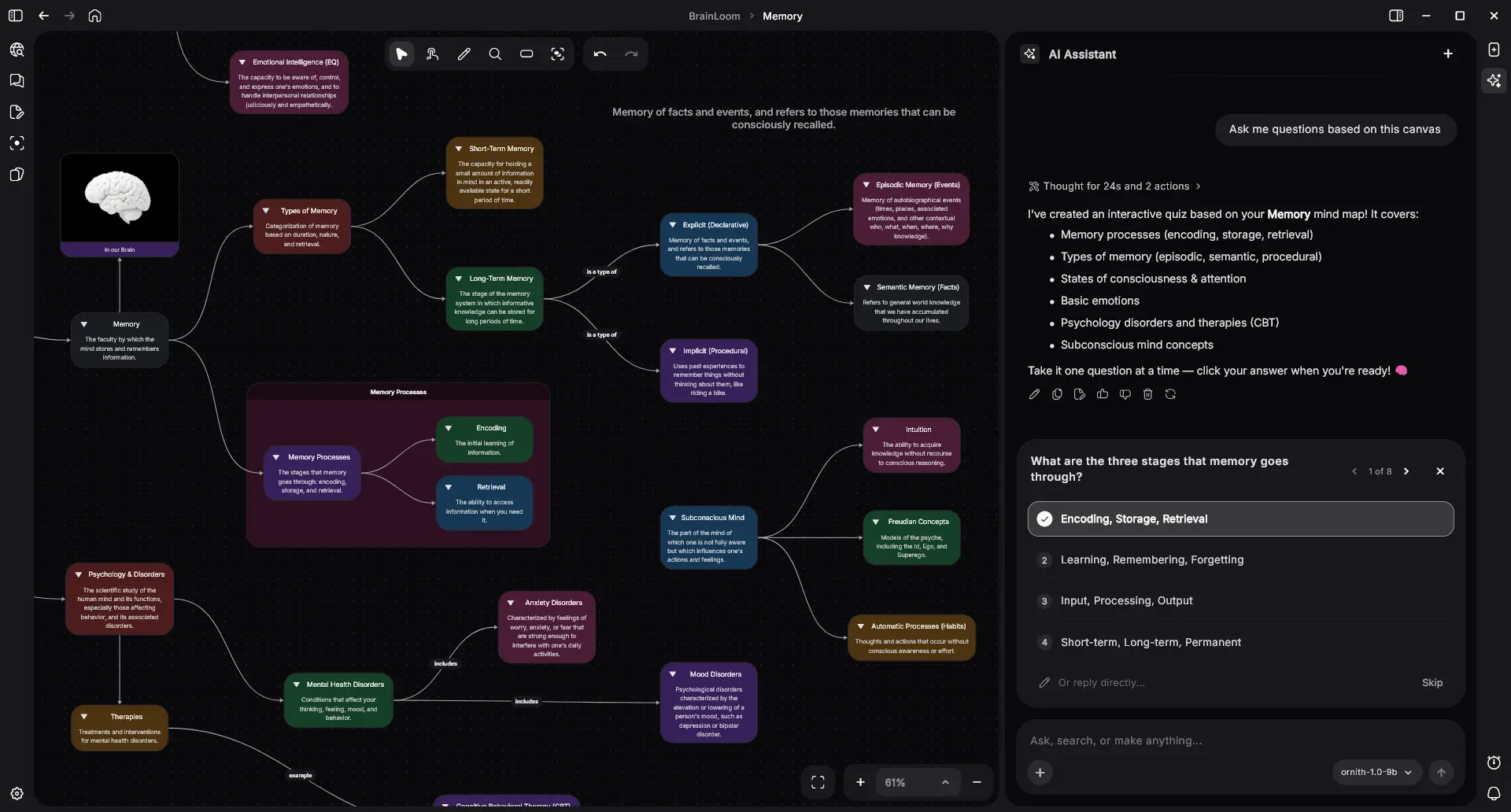
- Infinite Canvas: A spatial workspace where you can connect notes, flashcards, and sources visually.
- Smart Paste System: Use keyboard modifiers to paste text as titles, descriptions, or nodes instantly—streamlining your workflow.
- Deep Source Linking: Never lose context; every flashcard can jump back to the specific sentence in the source PDF.
User Workflow
- Import & Read: Users import PDFs and research materials into a distraction-free reader.
- Extract & Create: Highlights are automatically converted into reviewable flashcards.
- Structure: Concepts are organized visually on the canvas to see the “big picture” without switching apps.
Use Cases
- Academic Study: For students who need to process textbooks and lecture slides into memorizable chunks.
- Professional Certification: Ideal for medical, legal, or technical exams (CPA, USMLE) requiring deep retention.
- Research Organization: For managing citations and connecting disparate pieces of evidence.
- Knowledge Management: Building a personal library of interconnected ideas that grows over time.
Pros & Cons
- Pros: Exceptional privacy (100% local), unified “Read-to-Remember” workflow, fast keyboard-centric navigation.
- Cons: Currently Windows-only (Mac users must wait), ecosystem is younger than competitors like Obsidian.
Pricing
- $29 Lifetime License (Early Bird / Founder’s Deal – Subject to availability)
How Does It Compare?
vs. Heptabase
Heptabase is the gold standard for visual learning and organizing notes on a whiteboard. However, BrainLoom differentiates itself by focusing heavily on the memorization aspect. While Heptabase is great for understanding, BrainLoom adds the “Flashcard” layer directly into the workflow, effectively combining a whiteboard with a spaced-repetition system.
vs. LiquidText
LiquidText allows for incredible active reading and connecting PDF excerpts. However, it lacks a native spaced repetition system (SRS). BrainLoom takes the “excerpting” concept of LiquidText but immediately turns those excerpts into reviewable flashcards, making it better suited for long-term retention rather than just project-based analysis.
vs. Obsidian
Obsidian is the king of local-first text notes. While it can do everything BrainLoom does via community plugins (e.g., Excalidraw, Spaced Repetition plugin), BrainLoom offers this as a cohesive, out-of-the-box experience. You don’t need to configure complex plugins to get a visual canvas that talks to your flashcards and PDFs.
vs. Anki
Anki is the most powerful tool for pure memorization. However, its interface is dated, and it is poor at knowledge formulation. You usually have to understand the content elsewhere before making cards in Anki. BrainLoom bridges this gap by letting you read, understand, and create cards in the same interface, serving as a modern, visual alternative to Anki.
Final Thoughts
BrainLoom creates a new category by merging the “Read” (PDF), “Think” (Canvas), and “Remember” (Flashcards) stages of learning into one seamless experience. For Windows users who value privacy and speed, it solves the fragmentation problem of using three separate apps for one study session. If you are serious about building long-term knowledge, the $29 lifetime entry price is a low-risk investment for a potentially game-changing workflow.