
Table of Contents
OpenSheet
OpenSheet is a modern, browser-based data exploration tool that turns raw files into an interactive data canvas. Instead of the rigid grid of traditional spreadsheets, OpenSheet allows users to drop multiple files (CSV, JSON, Excel, Parquet) onto an infinite canvas, treating them as queryable, editable objects that can be visually organized, grouped, and analyzed side-by-side.
Key Features
- Infinite Data Canvas: Break free from tabs. Visualize multiple datasets on a single 2D plane, organizing them into folders and groups spatially.
- Multi-Format Support: Natively handles CSV, JSON, Excel (XLSX), and Parquet files without complex import wizards.
- Local Processing: Runs entirely in the browser. Your data files are processed locally on your machine and are never uploaded to a server, ensuring privacy.
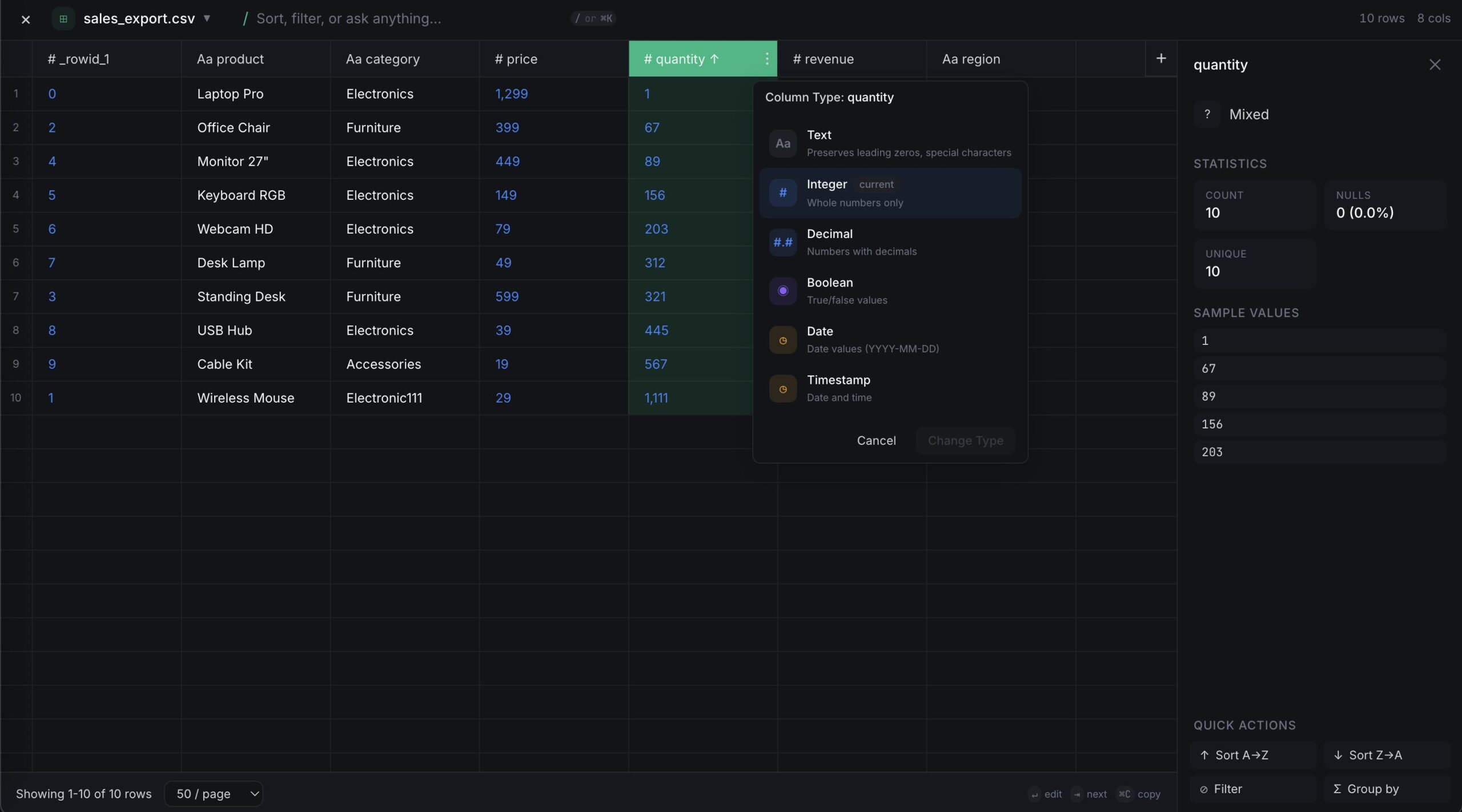
- Queryable Objects: Each file on the canvas becomes an interactive object where you can filter, sort, and inspect data without writing code.
- Focused Views: Double-click any dataset to expand it into a full spreadsheet view for deep-dive editing and analysis.
- Interactive JSON Visualization: Renders nested JSON structures in a readable, navigable format, making it easier to understand API responses.
How It Works
Users simply navigate to opensheet.app and drag-and-drop their data files directly onto the blank canvas. The files appear as interactive cards. Users can arrange these cards—grouping related datasets together (e.g., “Q1 Sales” next to “Q2 Sales”)—just like files on a desktop. Clicking a card opens a detailed spreadsheet interface to perform analysis. Since the tool uses modern web technologies (likely WebAssembly/Workers), it can parse and render large files like Parquet logs instantly without needing to install heavy desktop software.
Use Cases
- JSON/Log Analysis: Developers debugging API responses or server logs can drag a messy JSON file onto the canvas to instantly structure and explore it.
- Quick Data Triage: Data analysts receiving a dump of mixed CSV and Excel files can arrange them visually to understand the relationships before importing them into a DB.
- Privacy-First Analysis: working with sensitive financial or customer data (PII) that cannot be uploaded to cloud tools like Google Sheets.
- Parquet Viewer: Viewing the contents of big data Parquet files without spinning up a Python notebook or Spark job.
Pros and Cons
- Pros: No setup required (runs in browser); Privacy-first (local execution); Visual “Canvas” approach is superior for managing multiple related files compared to browser tabs; Supports developer formats like Parquet and JSON natively.
- Cons: Lacks advanced spreadsheet features (Pivot tables, complex formulas) found in Excel; Performance is limited by the browser’s memory (RAM) when handling massive datasets; “Canvas” interface may feel unfamiliar to strict Excel users.
Pricing
- Free: Currently available as a free browser-based tool (Launch phase).
How Does It Compare?
OpenSheet sits in a unique “Data Canvas” category, competing with both traditional spreadsheets and developer viewers.
- Excel / Google Sheets: The heavyweights. They are unmatched for deep calculation and formulas. However, they struggle with nested JSON, require “Import Wizards” for CSVs, and don’t natively open Parquet. OpenSheet is faster for viewing and exploring raw data but weaker for modeling.
- Tad / Visidata: These are specialized CSV viewers (Desktop/CLI). Tad is fast but desktop-only. Visidata is powerful but requires learning keyboard shortcuts. OpenSheet offers a friendlier, mouse-driven UI that is accessible from any browser without installation.
- JSON Crack: Excellent for visualizing JSON as graphs. OpenSheet is better if you need to view that JSON as a table or combine it with CSV data on the same screen.
- Jupyter Notebooks: The standard for Parquet/Big Data. Notebooks require coding (Python). OpenSheet allows non-technical users to “just look” at a Parquet file via drag-and-drop.
Final Thoughts
OpenSheet is the “Figma for Data Files.” By moving away from the “one file, one tab” model of Excel and towards a spatial canvas, it offers a more natural way to triage and explore the messy reality of modern data work. It bridges the gap between a developer’s raw data dump (JSON/Parquet) and a business user’s need for a readable spreadsheet, all without sending a single byte of data to the cloud. It is an essential bookmark for anyone who frequently finds themselves asking, “How do I quickly open this weird file?”