

Table of Contents
CyphrKey
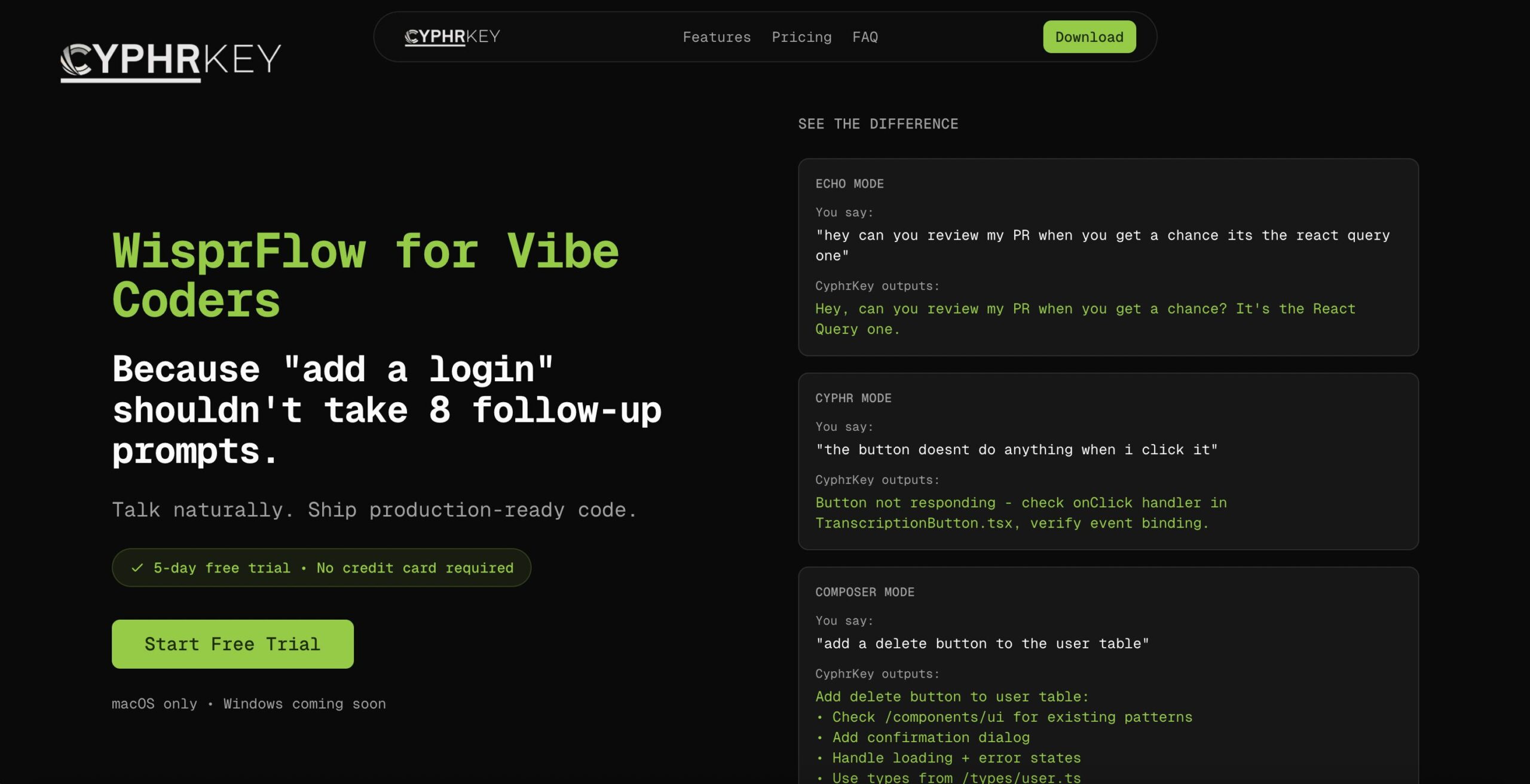
Voice-to-code prompt engineering for developers. Talk naturally, ship production-ready code. CyphrKey transforms casual speech into optimized prompts for your AI coding tools. Unlike standard dictation, it understands your project structure and formats your voice commands into structured instructions that AI agents can actually execute.
Key Features
- Echo Mode: High-speed, accurate transcription for documentation or Slack messages (similar to standard Wispr Flow).
- Cyphr Mode: Converts spoken problem descriptions into structured debugging prompts (e.g., “Fix the race condition in the auth hook”).
- Composer Mode: Generates production-ready instructions with error handling, type definitions, and accessibility requirements baked in.
- Codebase Awareness: Scans your local project files to reference specific variables and file paths in the generated prompt.
- Voice Shortcuts: Create custom triggers (e.g., “refactor mode”) to apply specific prompt engineering rules instantly.
- Universal Compatibility: Works seamlessly with Claude Code, Cursor, Windsurf, or any terminal/IDE.
How It Works
Developers speak naturally about their code or problem. CyphrKey captures the audio, transcribes it, and uses a lightweight LLM (like Claude 3.5 Sonnet) to refine the raw speech. It injects necessary context—such as “This is a Next.js project using Tailwind”—and formats the output into a polished prompt. The developer then pastes this optimized instruction into Cursor or their terminal.
Use Cases
- “Vibe Coding”: Coding while walking or away from the keyboard by dictating high-level architectural intent.
- Complex Debugging: Rapidly dumping a mental model of a bug (“I think the state isn’t updating because of the useEffect dependency…”) and having AI structure it into a solvable query.
- Reducing RSI: Minimizing typing strain by handling verbose prompt engineering via voice.
- Documentation: Dictating detailed PR descriptions or commit messages that reference specific file changes.
Pros & Cons
- Pros: Reduces friction between “thought” and “code”; Optimized prompts lead to significantly better AI code generation than raw speech; Hands-free capability allows for “walking coding”; Aware of your specific project context.
- Cons: Voice coding isn’t for open offices; Accuracy depends on clear articulation of technical terms; Niche tool for “AI-native” developers; Requires an internet connection for processing.
Pricing
SaaS Subscription.
* Trial: Free 5-day trial with full feature access.
* Pro: Monthly subscription (pricing likely competitive with Wispr Flow, approx. $10-20/mo) for unlimited transcription and custom shortcuts.
How Does It Compare?
CyphrKey is not just a dictation tool; it is a Prompt Engineer that listens.
- vs. Wispr Flow / Superwhisper:
- The Difference: Wispr Flow is a fantastic general-purpose dictation tool for emails and Slack. However, if you say “refactor the auth hook,” Wispr just types those words. CyphrKey types: “Refactor the
useAuthhook inhooks/useAuth.ts. Ensure strictly typed return values and handle the race condition on mount…” - Winner for you?: Use Wispr Flow for writing emails. Use CyphrKey for writing code.
- The Difference: Wispr Flow is a fantastic general-purpose dictation tool for emails and Slack. However, if you say “refactor the auth hook,” Wispr just types those words. CyphrKey types: “Refactor the
- vs. MacOS / Windows Dictation:
- The Difference: Native OS dictation is slow, inaccurate with technical jargon (e.g., “useEffect” becomes “use effect”), and has no intelligence. CyphrKey uses Whisper models specifically tuned for technical vocabulary.
- Winner for you?: CyphrKey is superior in every way for professional work.
- vs. Cursor’s Built-in Voice Mode:
- The Difference: Cursor has a basic voice input, but it is limited to the editor. CyphrKey is system-wide, meaning you can dictate a prompt in your terminal, then switch to Linear to update a ticket, then back to VS Code, maintaining your custom “Voice Shortcuts” everywhere.
Final Thoughts
CyphrKey solves the “Empty Prompt Problem.” Many developers struggle to write detailed context for AI, resulting in mediocre code. By allowing you to “ramble” and having the tool structure that ramble into a perfect prompt, it unlocks the true potential of tools like Claude Code. It is the missing interface layer between your brain and your IDE.