
Table of Contents
Overview
The modern digital workplace demands seamless access to artificial intelligence capabilities without the friction of switching between multiple applications and web interfaces. Alice 4.0 addresses this challenge as a comprehensive desktop AI assistant that unifies access to leading language models while providing deep customization and automation capabilities. This native application for macOS, Windows, and Linux represents a significant advancement in personal AI productivity tools, enabling users to interact with advanced AI models, create specialized assistants, and integrate complex workflows directly into their operating system environment through intuitive hotkey activation and context-aware interactions.
Key Features
Alice 4.0 delivers a sophisticated suite of AI-powered capabilities designed to enhance productivity while maintaining user control over data privacy and workflow customization.
- Universal LLM Access: Seamless connectivity to multiple AI providers including OpenAI GPT models, Anthropic Claude, Google Gemini, xAI, and offline models, with support for both personal API keys and integrated AI subscription plans.
- Intelligent Assistant Creation: Advanced system for building custom AI assistants with specialized roles, persistent memory, and context awareness that adapts to individual user requirements and project specifications.
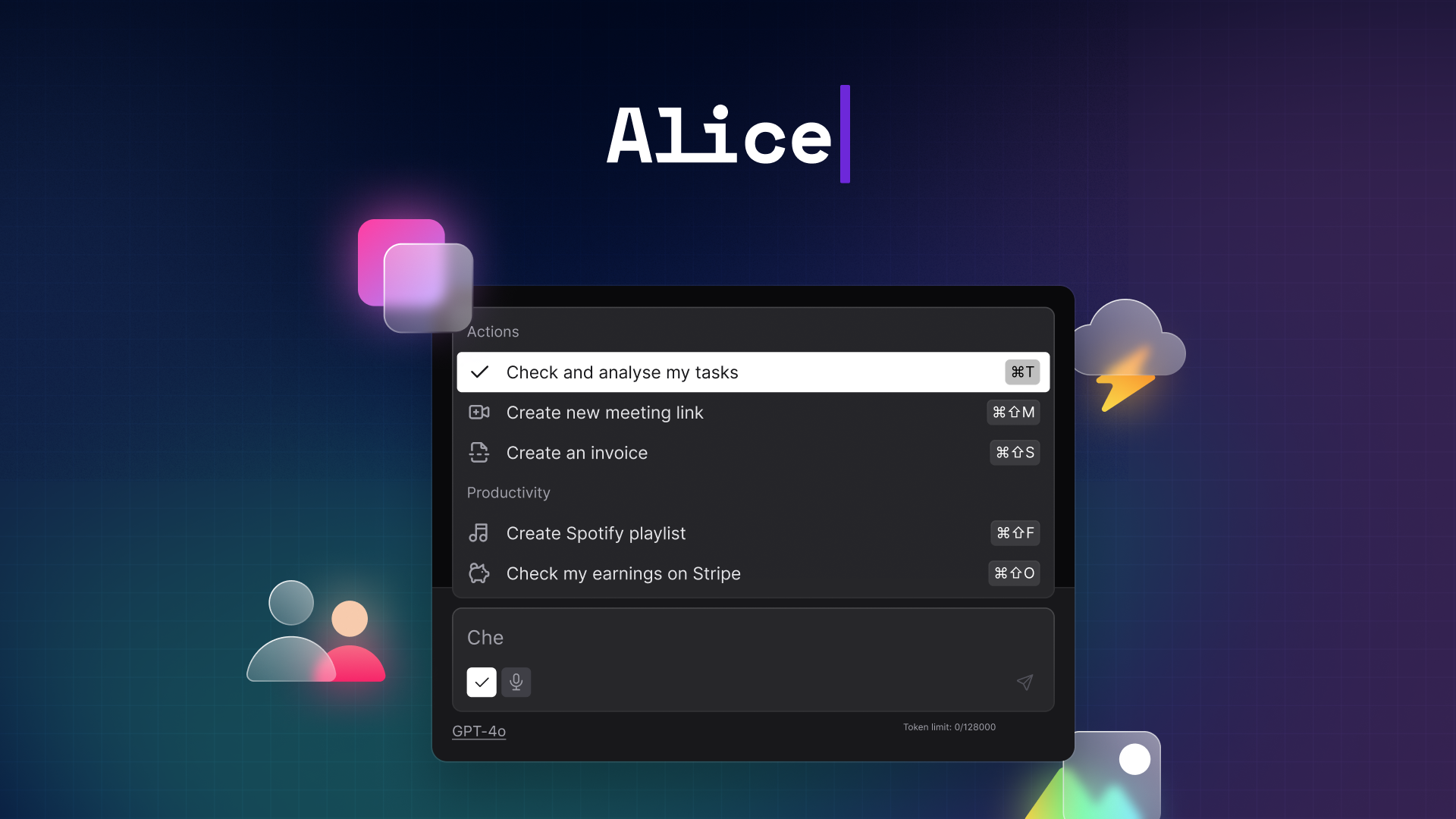
- Skills and Automation Framework: Comprehensive library of pre-built prompts and actions called “Skills” that can be activated via keyboard shortcuts, combined with remote automation capabilities through webhook and API integrations.
- Cross-Platform Workflow Integration: Native connectivity with popular automation platforms including Zapier, Make, and n8n, enabling complex multi-application workflows triggered through natural language commands.
- System-Wide Hotkey Access: Global keyboard shortcuts that summon AI assistance from any application without context switching, maintaining workflow continuity and reducing productivity interruptions.
How It Works
Alice 4.0 operates through a sophisticated desktop architecture that combines local data processing with cloud-based AI model access while maintaining user privacy through configurable data handling options. The platform centers around two core concepts: Assistants and Skills. Users create custom Assistants that function as specialized AI personas with defined roles, system instructions, and contextual knowledge bases. These Assistants can be equipped with Skills, which are either pre-defined prompts for common tasks or complex automation sequences that interact with external services and applications.
The system supports both BYOK (Bring Your Own Key) configurations for users who prefer direct API relationships with AI providers, and integrated AI plans that simplify access to multiple models through a unified subscription. All conversation history, assistant configurations, and user data remain stored locally on the device, ensuring privacy while enabling offline functionality for supported models. The automation framework utilizes webhook integrations and API calls to execute commands across connected applications, transforming natural language requests into structured actions within existing productivity workflows.
Use Cases
Alice 4.0’s versatility enables productivity enhancement across diverse professional and personal applications, addressing specific workflow challenges through AI-powered automation and intelligent assistance.
- Content Creation and Marketing Workflow: Streamline content production by creating specialized assistants for different content types, automating research gathering, generating SEO-optimized drafts, and distributing content across multiple platforms through integrated automation workflows.
- Software Development and Technical Writing: Accelerate coding tasks with context-aware code generation, debugging assistance, and technical documentation creation while maintaining integration with development tools and project management systems.
- Business Operations and CRM Management: Automate routine business processes including lead qualification, customer communication drafting, sales report generation, and CRM data updates through natural language commands that trigger complex multi-step workflows.
- Research and Knowledge Management: Enhance research productivity by deploying AI assistants that can process documents, generate summaries, conduct comparative analysis, and organize findings while maintaining connections to reference management and note-taking applications.
- Personal Productivity and Task Management: Create personalized productivity systems that combine AI-powered task planning, calendar management, email drafting, and routine automation to optimize daily workflow efficiency.
Pros \& Cons
Advantages
- Provides unprecedented customization depth through the Assistants and Skills framework, enabling highly personalized AI interactions tailored to specific professional requirements and workflow patterns
- Maintains strong privacy protection through local data storage and configurable API relationships, giving users control over data handling while accessing cutting-edge AI capabilities
- Offers extensive automation integration possibilities through webhook support and no-code platform connectivity, enabling sophisticated workflow automation without technical expertise requirements
- Delivers consistent cross-platform functionality with native performance optimization for each operating system, ensuring reliable access regardless of computing environment
- Supports both subscription and pay-per-use models through flexible AI plan options and BYOK configurations, accommodating diverse budget and usage requirements
Disadvantages
- Requires significant initial configuration time to fully leverage advanced features, as creating effective Assistants and Skills demands thoughtful setup and customization effort
- Windows installation includes security warnings due to lack of code signing, requiring users to navigate system security prompts during setup procedures
- Advanced automation capabilities depend on external service integrations that may introduce additional complexity and potential points of failure in workflow chains
- Learning curve can be substantial for users unfamiliar with automation concepts, prompt engineering, or API management, potentially limiting accessibility for non-technical users
- Offline model support requires additional technical setup and hardware resources that may not be feasible for all users or computing environments
How Does It Compare?
The AI desktop assistant landscape in 2025 features a diverse ecosystem of solutions targeting different aspects of productivity enhancement, automation, and AI accessibility, each with distinct approaches to user interface design and functionality integration.
Enterprise and Productivity-Focused Solutions: Microsoft Copilot leads the enterprise market with deep Office 365 integration, providing AI assistance directly within Word, Excel, PowerPoint, and Teams environments. Motion AI specializes in intelligent calendar and task management with predictive scheduling and project automation capabilities. These platforms excel in organizational productivity but offer less flexibility for custom AI interactions and cross-platform automation.
Official AI Provider Desktop Applications: OpenAI’s ChatGPT Desktop App provides streamlined access to GPT models with screenshot analysis and hotkey activation, though it lacks the customization depth and automation integration that Alice offers. Anthropic’s Claude desktop application similarly focuses on conversational AI without extensive workflow automation capabilities.
Specialized AI Assistant Platforms: Sintra AI offers pre-built AI specialists for specific business functions, providing ready-made solutions for common professional tasks but with less customization flexibility. Perplexity desktop features emphasize research and fact-checking capabilities with real-time web access but don’t provide the comprehensive automation framework that Alice supports.
Launcher and Command-Based Tools: Raycast AI integrates AI capabilities into a broader application launcher framework, offering quick AI access alongside system utilities and productivity commands. While powerful for Mac users, it provides less sophisticated automation capabilities and assistant customization compared to Alice’s comprehensive framework.
Automation-First AI Tools: Platforms like Lindy.ai and various RPA solutions focus primarily on workflow automation with AI enhancement, offering powerful automation capabilities but often lacking the conversational AI flexibility and multi-model access that Alice provides.
Competitive Positioning: Alice 4.0 distinguishes itself by combining comprehensive multi-model AI access with extensive customization capabilities and deep automation integration in a single desktop application. Unlike solutions that focus on either conversational AI or workflow automation, Alice provides a unified platform that addresses both requirements while maintaining user control over data privacy and model selection. This approach makes it particularly valuable for power users, developers, and professionals who need both sophisticated AI interactions and complex automation capabilities integrated into their daily workflows.
Pricing and Technical Specifications
Alice 4.0 operates on a flexible pricing model designed to accommodate different user requirements and technical preferences. The application offers a free trial period for evaluation, followed by subscription options including an \$8 monthly AI Plan that provides access to multiple models without requiring individual API key management. For users preferring direct model relationships, BYOK configurations allow unlimited usage with personal API keys from various AI providers.
Lifetime license options are available through partner platforms, ranging from \$149 for individual users to \$1299 for team deployments, providing long-term access without recurring subscription costs. The application supports MCP (Model Context Protocol) for advanced integrations and maintains compatibility with both cloud-based and offline AI models depending on user configuration preferences.
Technical requirements include modern operating system versions for macOS, Windows, and Linux, with the Windows version requiring administrator installation privileges due to unsigned executable status. The application maintains minimal system resource usage while providing consistent performance across all supported platforms.
Final Thoughts
Alice 4.0 represents a sophisticated evolution in personal AI productivity tools, successfully addressing the growing demand for customizable, privacy-conscious AI assistance that integrates seamlessly into existing workflows. By combining multi-model AI access with extensive automation capabilities and deep customization options, it provides a compelling alternative to both generic AI chat interfaces and limited single-purpose productivity tools. The platform’s emphasis on local data storage, flexible pricing models, and comprehensive automation integration makes it particularly valuable for professionals who require both sophisticated AI interactions and complex workflow automation.
While the initial setup investment and learning curve may present barriers for casual users, the long-term productivity gains and workflow optimization capabilities make Alice 4.0 a strong choice for individuals and teams committed to leveraging AI as a core component of their digital productivity strategy. As AI assistance becomes increasingly essential for maintaining competitive advantage in knowledge work, tools like Alice that provide both flexibility and control over AI interactions will become increasingly valuable for users seeking to maximize the benefits of artificial intelligence while maintaining autonomy over their data and workflows.