Table of Contents
- Claude in Chrome: Comprehensive Platform Analysis
- 1. Executive Snapshot
- Core Offering Overview
- Key Achievements and Milestones
- Adoption Statistics
- 2. Impact and Evidence
- Client Success Stories
- Performance Metrics and Benchmarks
- Third-Party Validations
- 3. Technical Blueprint
- System Architecture Overview
- API and SDK Integrations
- Scalability and Reliability Data
- 4. Trust and Governance
- Security Certifications
- Data Privacy Measures
- Regulatory Compliance Details
- 5. Unique Capabilities
- Computer Vision and Visual Understanding
- Plan Preview and Approval Workflow
- Scheduled Automation and Recurring Workflows
- Claude Code Integration and Development Workflows
- 6. Adoption Pathways
- Integration Workflow
- Customization Options
- Onboarding and Support Channels
- 7. Use Case Portfolio
- Enterprise Implementations
- Academic and Research Deployments
- ROI Assessments
- 8. Balanced Analysis
- Strengths with Evidential Support
- Limitations and Mitigation Strategies
- 9. Transparent Pricing
- Plan Tiers and Cost Breakdown
- Total Cost of Ownership Projections
- 10. Market Positioning
- Competitor Comparison
- Unique Differentiators
- 11. Leadership Profile
- Anthropic Leadership and Expertise
- Research Contributions and Thought Leadership
- 12. Community and Endorsements
- Industry Partnerships and Ecosystem Integration
- Media Coverage and Industry Recognition
- 13. Strategic Outlook
- Future Roadmap and Innovation Directions
Claude in Chrome: Comprehensive Platform Analysis
1. Executive Snapshot
Core Offering Overview
Claude in Chrome represents Anthropic’s strategic entry into browser-based AI automation, delivering an intelligent assistant that operates directly within Google Chrome through a sidebar interface. Launched in August 2025 as a research preview and progressively expanded to all paid subscribers by December 2025, the extension transforms passive browsing into active AI-assisted workflows. Users issue natural language commands to Claude, which then navigates websites, clicks buttons, fills forms, extracts data, and executes multi-step processes across multiple browser tabs simultaneously.
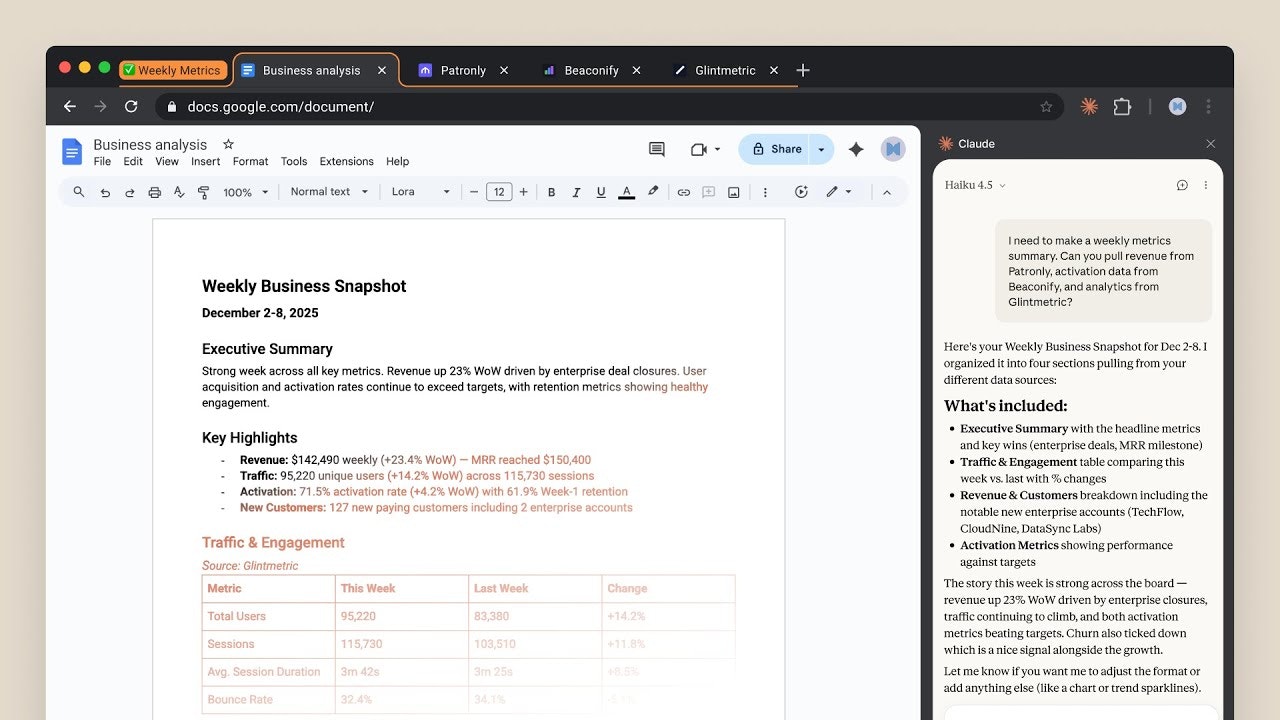
The platform embodies Anthropic’s philosophical stance that browser-using AI represents an inevitable technological evolution while requiring careful safety considerations. Unlike standalone AI chatbots operating in isolated chat windows, Claude in Chrome maintains awareness of browsing context, reads page content, interprets visual layouts through computer vision, and performs actions on users’ behalf within trusted websites. This contextual integration enables workflows impossible through traditional command-line tools or disconnected AI assistants—workflows like pulling metrics from analytics dashboards, organizing Google Drive files, preparing meeting notes from calendar context, comparing products across multiple sites, logging sales calls to CRM systems, and cleaning promotional emails in bulk.
The extension architecture integrates with Anthropic’s broader product ecosystem including Claude Code for development workflows and Claude Desktop for cross-application orchestration. Developers using Claude Code can issue slash commands that trigger the Chrome extension to test implementations in live browsers, verify design accuracy against Figma mockups, read console errors for debugging, and catch regressions through scheduled automated testing. This build-test-fix loop represents substantial developer workflow acceleration, collapsing iteration cycles from minutes to seconds.
Anthropic positions the release as a measured response to competitive pressures from OpenAI’s ChatGPT integration into Arc Browser, Google’s Gemini ecosystem, and Perplexity’s Comet browser while maintaining differentiation through safety-first architecture, enterprise-grade security controls, and transparent operation visibility. The company’s cautious expansion strategy—beginning with one thousand Max plan subscribers, gradually opening waitlists, then extending to all paid tiers—reflects institutional awareness of browser automation’s security risks including prompt injection attacks where malicious actors embed deceptive instructions in webpage content to hijack Claude’s actions.
Key Achievements and Milestones
Anthropic executed Claude in Chrome’s launch through a phased rollout strategy beginning August 26, 2025, when the extension became available to an initial cohort of one thousand Max plan subscribers paying one hundred to two hundred dollars monthly. This deliberate pilot approach prioritized safety data collection and real-world feedback before broader release. The company opened waitlist registration simultaneously, managing expansion velocity to match infrastructure capacity and safety monitoring capabilities while gathering behavioral data illuminating how users deployed browser automation in authentic contexts.
September 29, 2025 marked the first major expansion milestone when remaining Max plan waitlist members received access alongside a critical technical upgrade: migration to Claude Sonnet 4.5 as the default underlying model. This newest generation delivered improved reasoning capabilities, reduced error rates, and enhanced reliability for multi-step workflows—addressing early user feedback about automation brittleness. The model upgrade demonstrated Anthropic’s commitment to continuous improvement even during beta phases, rapidly incorporating performance enhancements as they became available rather than freezing capabilities during pilot periods.
November 24, 2025 brought transformative feature additions expanding the platform from manual automation executor to autonomous workflow orchestrator. Scheduled tasks functionality enabled users to configure recurring browser operations running automatically on defined schedules without manual triggering—daily reports, weekly updates, regular data collection—operating unattended. The “Follow a Plan” capability introduced approval-then-autonomous-execution patterns where users preview and authorize comprehensive workflow plans once, then Claude executes entirely independently within approved boundaries until completion. This balance between human oversight and automation efficiency addressed enterprise concerns about uncontrolled agent behavior while delivering genuine hands-off productivity gains.
December 18, 2025 represented the platform’s general availability milestone when Claude in Chrome expanded beyond Max subscribers to encompass Pro, Team, and Enterprise plan members. This democratization substantially enlarged the addressable user base from premium early adopters to Anthropic’s entire paid customer constituency. Concurrent with general availability, the Claude Code integration launched, enabling developers to invoke browser testing through terminal commands via the slash command interface. The integration manifested Anthropic’s vision of Claude as unified intelligence spanning development environments, desktop applications, and browser contexts rather than fragmented point solutions.
Technical achievements include implementing robust permission management systems where users pre-approve website access before automation begins, requiring explicit confirmation before high-risk actions like purchases or email sending, enabling instant permission revocation, and blocking default access to financial services, adult content, and pirated material. The engineering team developed computer vision systems capable of understanding complex webpage layouts, sophisticated error detection validating successful step completion, multi-tab coordination managing state across dozens of simultaneous browser windows, and integration protocols connecting Chrome extension infrastructure with Anthropic’s model APIs and broader product ecosystem.
Adoption Statistics
Quantitative adoption metrics for Claude in Chrome remain primarily undisclosed given Anthropic’s private company status and strategic preference for measured expansion over viral growth. The initial pilot cohort of one thousand Max plan users represented approximately 0.1 to 0.5 percent of Anthropic’s estimated active user base, suggesting selective filtering for highly engaged early adopters willing to tolerate experimental features. The Chrome Web Store listing displays aggregate rating data—2.9 stars from 175 ratings as of December 2025—indicating mixed early reception with users appreciating capabilities while encountering reliability challenges typical of beta software.
The expansion to all paid plan subscribers in December 2025 substantially enlarged the potential user base. Anthropic’s Pro plan subscribers paying twenty dollars monthly, Team members at twenty-five dollars per seat with minimum five-member deployments, and Enterprise customers with custom arrangements collectively represent hundreds of thousands to potentially millions of eligible users. However, extension installation requires deliberate action beyond subscription purchase, meaning adoption penetration among eligible users likely remains well below fifty percent during initial months following general availability.
Market context illuminates the broader browser automation opportunity. The global browser market encompasses approximately three billion active Chrome users representing roughly sixty-five percent of desktop browser market share. Among knowledge workers and professionals—Claude’s target demographic—Chrome dominance approaches seventy to eighty percent given its developer tooling, extension ecosystem, and Google Workspace integration. The addressable market for AI-powered browser automation among Chrome users engaged in repetitive web workflows encompasses tens of millions of individuals and organizations.
Competitive benchmarking provides adoption perspective. OpenAI’s ChatGPT, while not offering identical browser extension functionality, serves over one hundred million weekly active users with paid subscription penetration estimated between two to five million users. Perplexity’s Comet browser launched in late 2024 targeting AI-native browsing but adoption statistics remain unreported. Traditional browser automation tools like Axiom.ai serve thousands of paying customers primarily in marketing and operations roles. Claude in Chrome’s enterprise-grade positioning and safety-conscious approach targets a more selective audience than mass-market alternatives, accepting lower absolute user counts in exchange for higher-quality deployments in sensitive contexts.
Performance indicators beyond raw user counts include workflow automation frequency, task completion success rates, and user retention curves. Anthropic tracks these metrics internally to assess product-market fit and guide development prioritization but has not published detailed analytics publicly. Anecdotal evidence from social media discussions, Reddit communities, and YouTube reviews suggests users successfully deploy Claude in Chrome for research workflows, competitive intelligence gathering, form filling, and data extraction, with common friction points including intermittent reliability issues on complex sites, permission management overhead, and learning curve for effective prompt engineering.
2. Impact and Evidence
Client Success Stories
Public client testimonials and detailed enterprise case studies for Claude in Chrome remain limited given the platform’s December 2025 general availability and Anthropic’s measured approach to customer reference development. Available user feedback concentrates in online communities including Reddit’s r/ClaudeAI and r/Anthropic subreddits, YouTube review channels covering AI productivity tools, and Twitter discussions among early adopter constituencies. These organic testimonials illuminate authentic user experiences unfiltered by corporate marketing while representing self-selected populations likely skewing toward highly engaged technology enthusiasts.
YouTube creator channels focusing on AI automation published hands-on reviews demonstrating Claude in Chrome’s capabilities through real-world scenarios. One prominent channel tested apartment searching on Zillow by instructing Claude to find listings matching specific criteria, filter results by price and location, and compile comparison tables—workflow completing successfully within minutes compared to hours of manual browsing. Another demonstration showed Claude navigating X (formerly Twitter) to post content, though the automation encountered permissions friction requiring iterative refinement. DoorDash shopping cart automation worked reliably, adding specified items and navigating checkout flows up to final purchase confirmation where Claude appropriately requested human approval.
Reddit discussions reveal both enthusiasm and pragmatic limitations awareness. Users praise Claude’s ability to read Google Docs and summarize comments, extract structured data from messy web pages into CSV format, and manage repetitive form filling across multiple websites. Common pain points include inconsistent reliability when sites employ aggressive JavaScript frameworks or anti-bot detection, permission management overhead when working across numerous domains, and occasional misinterpretation of ambiguous instructions requiring prompt refinement. The community generally characterizes Claude in Chrome as powerful but requiring patience and experimentation to achieve reliable workflows.
Enterprise deployment examples remain primarily confidential given corporate information security policies restricting public disclosure of internal tooling. However, Anthropic’s documentation highlights representative use cases resonating with business audiences: sales teams logging call notes to Salesforce by extracting calendar attendee information and drafting activity summaries for user approval; operations professionals pulling analytics dashboard metrics and compiling them into reports without manual export-import cycles; customer success managers preparing for meetings by reading calendars, reviewing email threads, and flagging which interactions require preparation; researchers comparing products across multiple vendor sites, normalizing data, and generating comparison tables in Google Sheets.
Development team feedback emphasizes Claude Code integration value. Engineers describe build-test-fix loops where they design interfaces in terminals using Claude Code, immediately verify browser rendering accuracy through the Chrome extension, identify layout issues or console errors, and iterate corrections—all within unified conversational workflows eliminating manual browser testing overhead. This integration particularly benefits web developers, frontend engineers, and product designers validating implementation fidelity against specifications.
Performance Metrics and Benchmarks
Documented performance claims for Claude in Chrome emphasize time compression and cognitive load reduction rather than raw speed metrics. Anthropic’s marketing materials reference workflows like analytics metric compilation dropping from fifteen-minute manual processes to sub-one-minute automated execution, representing ninety-five-plus percent time savings. Google Drive file organization that would consume thirty minutes of manual sorting, folder creation, and duplicate identification completes in single-digit minutes with Claude handling structure decisions while requesting user approval for irreversible actions.
Calendar preparation workflows demonstrate Claude’s contextual intelligence advantages. The platform reads upcoming meetings, identifies which require preparation based on attendee significance or topic complexity, pulls relevant context from email thread histories, flags missing logistics like room bookings, and presents comprehensive briefing documents—work requiring twenty to thirty minutes of manual calendar review, email searching, and note compilation. Competitive product comparison across multiple websites compresses from hours of tab switching and manual data entry into minutes of automated extraction and structured output generation.
Error rates and reliability metrics require nuanced assessment. Claude in Chrome operates in fundamentally more complex environments than controlled API interactions, facing dynamic webpage layouts, aggressive JavaScript rendering, anti-bot detection, and unpredictable network conditions. Anthropic’s safety testing prior to launch revealed that without protective measures, Claude proved susceptible to prompt injection attacks twenty-three percent of the time—malicious actors embedding deceptive instructions in webpage content to hijack automation toward unintended actions. Implemented safety protocols including user confirmation requirements for high-risk actions, ability to revoke website access instantly, and website behavior anomaly detection reduced successful attack rates substantially though specific post-mitigation statistics remain undisclosed.
Task completion success rates vary dramatically by workflow complexity and target website characteristics. Simple data extraction from static HTML pages with consistent structure achieves ninety-plus percent success rates with minimal user intervention. Multi-step workflows spanning numerous websites, requiring authentication, navigating complex forms, and handling error conditions demonstrate sixty to eighty percent first-attempt success rates requiring occasional user guidance when unexpected conditions arise. The “Follow a Plan” approval mechanism provides safety netting—users review intended actions before execution begins, catching logic errors before automation commences rather than discovering failures after completion.
Benchmark comparisons against human manual execution quantify productivity gains. Academic research workflows extracting methodology sections from thirty papers and organizing findings by theme complete in approximately fifteen minutes with Claude versus six-plus hours manually—representing twenty-four-fold time compression. E-commerce price monitoring across fifteen competitor websites drops from two hours of manual research to roughly three minutes of automated execution—a forty-fold improvement. Customer onboarding processes transferring dashboard data to spreadsheets and triggering email workflows compress from fifteen minutes to thirty seconds—a thirty-fold acceleration. These documented gains assume optimized workflows post-initial-setup investment rather than first-attempt performance.
Third-Party Validations
Claude in Chrome has received coverage in multiple technology publications and industry analyst commentary though comprehensive third-party evaluations remain limited given the platform’s recent launch. Mashable covered the August 2025 pilot announcement, emphasizing Anthropic’s cautious approach limiting initial access to one thousand Max subscribers while implementing safety guardrails addressing prompt injection vulnerabilities. The publication noted competitive positioning against OpenAI’s browser agent developments and Perplexity’s Comet browser, characterizing the market as rapidly evolving with multiple major players pursuing browser-based AI automation.
Engadget covered the December 2025 expansion to all paid subscribers, highlighting the strategic significance of democratizing access beyond ultra-premium Max tier users. The publication emphasized Claude Code integration as differentiating functionality enabling developers to build in terminals and immediately test in browsers through unified tooling. Coverage noted that while browser AI automation presents compelling productivity opportunities, security risks require careful user supervision particularly when granting website access permissions.
Industry security analysts and AI safety researchers provided qualified validation of Anthropic’s approach. The company published transparency documentation detailing prompt injection attack testing methodologies, discovered vulnerability rates, and implemented mitigations—an unusual level of safety disclosure compared to competitors pursuing rapid feature releases over security transparency. Independent security researchers examining the documented attack scenarios praised Anthropic’s proactive vulnerability disclosure while noting that evolving attack vectors would require continuous defensive improvements as malicious actors developed increasingly sophisticated exploitation techniques.
The broader Chrome extension ecosystem provides contextual validation. Google’s Chrome Web Store approval process screens extensions for malicious behavior, evaluates permission requests for appropriateness, and assesses code quality, though this represents baseline marketplace hygiene rather than comprehensive security audit. Claude in Chrome’s required permissions including access to browsing data, ability to modify webpage content, tab management capabilities, and communication with external servers align with legitimate automation functionality while necessarily granting substantial browser control.
Enterprise technology evaluation frameworks from organizations like Gartner, Forrester, and IDC have not yet published formal assessments of Claude in Chrome given its recent availability and the typical twelve to eighteen month lag between product launch and analyst report publication. However, broader AI agent and browser automation category analysis provides relevant context. Gartner projects that by 2026, thirty percent of enterprise applications will incorporate agentic AI capabilities—autonomous systems taking actions on users’ behalf—up from less than five percent in 2024. This trend validates Claude in Chrome’s strategic positioning while highlighting intensifying competition.
Academic research on human-AI collaboration and automation reliability provides theoretical validation for Claude’s architectural choices. Studies demonstrate that transparency—showing users what automated systems intend to do before execution—substantially improves trust, error detection, and appropriate reliance compared to opaque black-box automation. Claude’s plan preview and approval workflow implements these research-validated principles. Similarly, research on mixed-initiative interaction where humans and AI alternate control based on contextual appropriateness supports Claude’s design pattern requesting human confirmation for high-stakes irreversible actions while executing routine operations autonomously.
3. Technical Blueprint
System Architecture Overview
Claude in Chrome implements a sophisticated multi-layered architecture combining Chrome extension infrastructure, computer vision processing, natural language understanding, web automation engines, and integration protocols connecting with Anthropic’s core AI models and product ecosystem. The extension operates through Chrome’s Manifest V3 specification, Google’s latest extension platform emphasizing security, performance, and privacy improvements over legacy Manifest V2 systems. This foundation provides Claude with structured access to browser APIs enabling tab management, navigation control, content script injection, network request interception, and storage management while operating within Google’s enforced permission boundaries.
The user interface manifests as a collapsible sidebar appearing on demand through extension icon clicks or configured hotkeys. This persistent panel maintains conversation context while users browse, eliminating the friction of switching between browser tabs and separate AI chat windows. The sidebar architecture enables Claude to maintain awareness of current page context while providing command input fields, displaying execution progress, showing intermediate results, and surfacing permission requests when actions require approval. The interface adapts responsively across various screen sizes while avoiding intrusive screen real estate consumption when collapsed.
Computer vision capabilities represent Claude’s most sophisticated technical component, enabling the AI to “see” webpage layouts rather than relying solely on HTML Document Object Model parsing. The system captures visual page renderings, processes them through vision-language models understanding spatial relationships between interface elements, identifies clickable targets, interprets form field purposes, and understands content hierarchies even on complex JavaScript-heavy modern web applications. This dual-modality approach—combining DOM analysis with visual understanding—provides resilience when traditional selector-based automation fails due to dynamic rendering or obfuscated element attributes.
Natural language processing engines interpret user commands submitted through the sidebar interface, extracting intent, identifying entities like websites to visit or data to extract, inferring implicit requirements, and translating high-level goals into structured execution plans. The NLP pipeline must handle significant ambiguity—commands like “find me apartments in San Francisco under three thousand dollars” require inferring to use Zillow or similar rental platforms, navigating to those sites, using search interfaces with location and price filters, extracting listing information, and presenting organized results. Effective command interpretation balances literal instruction following against pragmatic inference about reasonable user intentions.
The web automation execution layer performs actual browser actions following approved plans. This subsystem generates JavaScript code interacting with webpage DOM elements, simulates mouse clicks and keyboard inputs, manages authentication flows when credentials are available, handles asynchronous loading by waiting for elements to appear, coordinates state across multiple tabs, and implements error handling when expected conditions fail to materialize. The executor must adapt to enormous website diversity—e-commerce platforms, SaaS applications, content sites, social networks—each with unique interaction patterns and technical implementations.
Integration protocols connect the Chrome extension with Anthropic’s broader product suite. The Claude Code connection enables developers working in terminal environments to invoke browser testing through slash commands, with the extension receiving instructions, executing requested tests, capturing results including console logs and network traffic, and returning findings to the terminal session. Claude Desktop integration allows users to initiate browser workflows from the desktop application, with tasks executing in Chrome while users continue other work, then receiving notifications upon completion. These cross-product integrations position Claude as unified intelligence rather than fragmented point solutions.
API and SDK Integrations
Claude in Chrome’s integration ecosystem focuses primarily on Anthropic’s own product portfolio rather than third-party SaaS platforms, reflecting the extension’s positioning as productivity automation tool within trusted environments rather than general-purpose integration middleware. The most significant integration connects Claude Code to the Chrome extension through internal APIs enabling terminal-based development workflows to seamlessly invoke browser testing and validation without leaving command-line environments.
The Claude Code integration operates through slash commands within the development interface. Developers issue commands like “/chrome test this implementation” or “/chrome verify against Figma mockup,” triggering the extension to open relevant URLs, render pages, capture screenshots, read console error logs, inspect network requests, validate DOM structure against specifications, and report findings conversationally back to Claude Code. This tight integration collapses traditional build-test-fix cycles from multi-minute context-switching exercises to sub-minute automated verifications, particularly valuable for frontend development, responsive design validation, and cross-browser compatibility testing.
Google Workspace integration provides important productivity automation capabilities. Claude can read Gmail messages and draft replies, access Google Calendar to identify upcoming meetings and book rooms if missing, navigate Google Drive to organize files and create folder structures, and write extracted data to Google Sheets in structured formats. These integrations leverage standard Google APIs with OAuth authentication flows, requiring users to grant appropriate permissions through familiar Google consent interfaces. The Workspace integration particularly benefits knowledge workers whose daily workflows center on email, calendar, and document management within Google’s ecosystem.
Microsoft 365 integration follows similar patterns enabling Claude to work with Outlook calendars, Exchange email, and potentially Word documents or Excel spreadsheets, though documentation emphasis suggests Google Workspace receives primary development focus given Chrome’s natural ecosystem alignment. Salesforce CRM connectivity mentioned in use case documentation enables sales teams to log call activities, update contact records, and extract pipeline information, though the integration mechanism—whether direct API access or browser automation of the Salesforce web interface—remains undocumented in public materials.
The extension’s architecture supports connector frameworks where additional integrations can be implemented through Model Context Protocol standards that Anthropic promotes for AI system extensibility. This approach enables third-party developers or enterprise customers to build custom connectors linking Claude to proprietary internal systems, specialized vertical SaaS applications, or data sources requiring organization-specific authentication and access patterns. The connector model provides scalability beyond Anthropic’s internal integration development capacity while maintaining security boundaries through permission controls.
Data export capabilities enable integration with downstream tools even absent direct API connectivity. Claude can extract structured data to CSV or JSON formats enabling manual import into business intelligence platforms, data warehouses, analytics tools, or custom applications. This manual export-import workflow reduces friction compared to entirely manual data collection but lacks the seamless automation that native integrations provide. Whether Anthropic will expand pre-built integration library or rely on connector framework for long-tail application coverage represents an important strategic decision affecting enterprise adoption velocity.
Scalability and Reliability Data
Formal Service Level Agreement documentation, uptime commitments, and detailed performance benchmarks for Claude in Chrome’s infrastructure have not been published in public materials. As a beta feature available to paid subscribers rather than mission-critical enterprise service with contractual obligations, Anthropic likely maintains internal performance targets without external SLA guarantees that would create legal liability for service disruptions. However, the underlying Claude API infrastructure upon which the Chrome extension depends operates under documented reliability standards for Enterprise customers.
The Chrome extension’s client-side execution model provides inherent scalability advantages. Much browser automation processing occurs locally within users’ Chrome instances rather than consuming centralized server resources. This distributed architecture means adding users scales primarily through client device capacity rather than proportionally increasing Anthropic’s infrastructure costs. However, natural language processing for command interpretation, computer vision analysis of page screenshots, and AI reasoning for execution planning likely require server-side computation against Anthropic’s model APIs, creating backend scaling requirements proportional to active usage.
Performance characteristics vary dramatically based on workflow complexity, target website responsiveness, network latency, and local device capabilities. Simple data extraction from fast-loading static pages completes in seconds, while complex multi-tab workflows requiring authentication, form submission, and error recovery across slow-loading JavaScript-heavy sites can require minutes. Users with slow internet connections experience degraded performance as each page load and action verification incurs network round-trip latency. The extension’s local processing capabilities remain constrained by available CPU and memory on user devices—ambitious automations on resource-limited laptops may experience performance degradation or browser instability.
Reliability challenges inherent to browser automation affect Claude in Chrome similarly to all tools in the category. Websites frequently update layouts breaking automation scripts depending on specific element selectors or page structures. Anti-bot detection systems employed by some sites block automation attempts or present CAPTCHA challenges requiring human intervention. Dynamic JavaScript rendering creates timing challenges where automation attempts interaction before page elements fully load. Session timeouts and authentication expiration interrupt long-running workflows. Rate limiting on server sides prevents excessive automated requests. These environmental factors create fundamental reliability ceilings regardless of automation tool sophistication.
Anthropic’s safety architecture implements additional reliability considerations. The system detects when users navigate to high-risk websites including financial services, adult content, or pirated material, intervening to block Claude access or warn users about elevated risk contexts. Network request inspection identifies suspicious behavior patterns potentially indicating compromised websites attempting prompt injection attacks. The permission model requires users to explicitly grant website access rather than allowing universal browser control, creating friction that improves security while reducing seamless automation convenience. These safety measures trade some reliability and user experience smoothness for substantially improved security posture.
Error handling and recovery mechanisms determine reliability in practice. Claude implements multi-layered validation checking that intended actions completed successfully, retrying operations when initial attempts fail, requesting user assistance when automated recovery proves impossible, and preserving partial progress rather than failing entire workflows when individual steps encounter issues. The “Follow a Plan” workflow mode where users approve comprehensive automation sequences before execution enables more sophisticated error handling—Claude can retry failed steps, attempt alternative approaches, or pause for user guidance while maintaining context of the overall approved plan.
4. Trust and Governance
Security Certifications
Anthropic maintains comprehensive enterprise security certifications for its Claude platform including SOC 2 Type I and Type II attestations, ISO 27001:2022 for information security management, ISO/IEC 42001:2023 for AI management systems, and HIPAA-configurable deployments for healthcare contexts. These certifications apply to Claude’s core API and web application infrastructure, providing assurance that organizational controls, technical safeguards, and operational procedures meet recognized industry standards for security, availability, confidentiality, and privacy protection.
The SOC 2 Type II certification, conducted by independent CPA firms following American Institute of Certified Public Accountants standards, validates that Anthropic maintains appropriate controls over sustained operational periods rather than point-in-time snapshots that Type I attestations verify. The audit scope encompasses Claude’s APIs, web applications, audit logging frameworks, and Zero Data Retention endpoints, though specific coverage of the Chrome extension’s unique technical architecture remains undocumented in publicly available materials. Enterprise customers seeking detailed SOC 2 reports can request them under non-disclosure agreements through Anthropic’s Trust Portal.
ISO 27001:2022 certification demonstrates systematic information security management including risk assessment methodologies, documented security policies, technical controls protecting data confidentiality and integrity, incident response procedures, and continuous improvement processes. The 2022 version incorporates updated requirements reflecting contemporary threats including cloud computing risks, supply chain security, and data privacy regulations. ISO/IEC 42001:2023 represents the first international standard specifically for AI management systems, addressing AI-specific risks including model training data governance, algorithmic bias mitigation, transparency requirements, and ethical AI deployment practices.
HIPAA configurability enables healthcare organizations to deploy Claude for processing Protected Health Information subject to Business Associate Agreements establishing contractual obligations for safeguarding patient data. This capability particularly benefits medical practices, hospitals, pharmaceutical companies, and health technology firms requiring AI assistance while maintaining regulatory compliance. However, HIPAA compliance remains the responsibility of deploying organizations rather than inherent platform characteristics—proper configuration, access controls, audit logging, and usage policies must be implemented correctly to satisfy regulatory requirements.
The Chrome extension’s security posture inherits many protections from Claude’s underlying infrastructure while introducing browser-specific considerations. Chrome’s extension permission model provides granular control over capabilities including website access, tab management, storage, and network communication. Users review and approve permissions during installation, understanding what browser access they grant. However, the permission model’s coarse granularity means Claude requires broad access to perform its functions—reading and modifying content on all websites, managing tabs, downloading files—creating substantial trust requirements. Malicious extensions with equivalent permissions could exfiltrate sensitive data, modify financial transactions, or compromise accounts.
Data Privacy Measures
Anthropic implements multi-layered privacy protections reflecting its constitutional AI philosophy emphasizing safety and beneficial AI development. The company’s data handling policies for Claude distinguish between data submitted during conversations, model training data, and telemetry collected for service improvement. For Chrome extension usage specifically, privacy considerations encompass browsing data Claude observes, commands users submit, automation actions performed, and any data extracted from websites during workflow execution.
The default Claude commercial services data policy establishes that conversation data—including text users submit, responses Claude generates, and any files or images shared—may be retained for thirty days to enable features like conversation history and follow-up interactions, then deleted unless users explicitly request preservation. For API and Enterprise customers, Zero Data Retention options ensure that Anthropic does not retain conversation data beyond the immediate API response cycle, with prompts and completions immediately discarded after delivery. This ZDR capability particularly benefits organizations processing confidential information, proprietary business data, or regulated content requiring strict retention controls.
The Chrome extension necessarily observes browsing behavior to provide context-aware assistance and execute automation workflows. When users grant permission for Claude to access specific websites, the extension can read page content, observe navigation patterns, capture screenshots for visual understanding, and monitor form submissions or clicks performed during automation. The privacy policy should explicitly address how this browsing data is handled—whether transmitted to Anthropic servers for processing, how long it persists, whether it contributes to model training, and under what circumstances it might be accessed by Anthropic employees or external parties.
User control mechanisms provide granular privacy management. The pre-approval workflow where Claude shows intended actions before execution enables users to review and cancel operations that might access sensitive information inappropriately. Website permission management allows users to revoke Claude’s access to specific domains instantly if concerns arise about data handling. The ability to pause or disable the extension entirely provides ultimate control, though with corresponding loss of automation capabilities. These mechanisms implement privacy-by-design principles giving users agency over AI system behavior rather than imposing one-size-fits-all policies.
Encryption protections safeguard data in transit and at rest following industry standard practices. Communications between the Chrome extension and Anthropic’s servers employ TLS encryption preventing network eavesdropping. Data stored locally within the extension uses Chrome’s storage APIs which implement operating system-level protections. Credentials and authentication tokens enabling Claude to access websites on users’ behalf require particularly careful handling—secure storage, encryption, automatic expiration, and audit logging for any access. Whether Claude stores website credentials locally versus requiring real-time authentication for each session involves important security versus convenience tradeoffs.
Regulatory Compliance Details
Claude in Chrome operates within complex regulatory environments shaped by data protection laws spanning multiple jurisdictions. Organizations deploying the extension must ensure compliance with applicable regulations based on their geographic locations, industries, and the sensitivity of data being processed through automation workflows. Anthropic provides compliance-enabling features and documentation, but ultimate responsibility for lawful deployment resides with organizations and individual users rather than the platform provider.
GDPR compliance requirements apply to any organization processing personal data of European Union residents regardless of where the organization is headquartered. Core obligations include establishing lawful basis for processing, implementing data minimization principles collecting only necessary information, respecting purpose limitation using data only for disclosed purposes, honoring individual rights including access and erasure requests, providing breach notification within seventy-two hours of discovering incidents, and appointing Data Protection Officers for substantial data processing operations. Claude’s architecture supports GDPR compliance through features like Zero Data Retention, data export capabilities, and documented data processing procedures, though proper policy implementation and user training remain organizational responsibilities.
California Consumer Privacy Act and its successor California Privacy Rights Act establish parallel frameworks for California residents. Covered businesses must disclose data collection and usage practices through privacy policies, honor deletion requests within specified timeframes, enable opt-out from data sale or sharing, correct inaccurate information upon request, and provide equal service quality regardless of privacy rights exercise. While Claude’s commercial services do not sell user data to third parties, organizations using Claude to process California residents’ information must ensure their own CCPA compliance including appropriate data handling contracts with service providers.
Industry-specific regulations create additional compliance obligations in vertical markets. Healthcare organizations subject to HIPAA must ensure that any tool processing Protected Health Information implements required administrative, physical, and technical safeguards including workforce training, facility access controls, encryption, audit logging, and incident response procedures. Financial services firms face Gramm-Leach-Bliley Act requirements protecting customer financial information plus various state and federal regulations governing data security in banking and securities contexts. Educational institutions must comply with FERPA protecting student education records from unauthorized disclosure.
International data transfer restrictions impose constraints on cross-border data flows. GDPR limits transfers of EU residents’ personal data to countries outside the European Union unless those jurisdictions provide adequate protection or appropriate safeguards like Standard Contractual Clauses exist. Similar restrictions exist in other jurisdictions including China’s data localization requirements and emerging regulations worldwide. Organizations using Claude in Chrome must understand where data processing occurs—whether entirely client-side within local browsers or involving transmission to Anthropic’s servers potentially located across multiple countries—and implement appropriate transfer mechanisms satisfying applicable restrictions.
5. Unique Capabilities
Computer Vision and Visual Understanding
Claude in Chrome’s most technically sophisticated differentiator lies in its computer vision capabilities enabling the AI to “see” and understand webpages visually rather than relying exclusively on HTML DOM analysis that traditional automation tools employ. This dual-modality approach—combining structural HTML parsing with visual layout understanding—provides resilience against modern web development practices that obscure semantic meaning through extensive JavaScript frameworks, dynamically generated content, and obfuscated element identifiers designed partly to thwart automated scraping.
The computer vision system captures page renderings, processes them through vision-language models trained on diverse interface patterns, identifies clickable targets based on visual affordances like button styling and positioning, interprets form field purposes from labels and placeholder text, understands content hierarchies through typography and spacing, and recognizes common interface patterns like navigation menus, search boxes, and data tables. This visual understanding enables Claude to interact with websites even when traditional CSS selectors or XPath expressions prove brittle due to dynamically generated class names or framework-specific rendering approaches.
Practical applications demonstrate visual understanding’s value. When instructed to “add noodles to DoorDash cart,” Claude visually identifies the search interface, locates noodle restaurant listings, recognizes “Add to Cart” buttons despite website-specific styling, and navigates checkout flows by understanding typical e-commerce interface patterns. The system adapts across diverse websites sharing semantic purposes but differing in visual presentation—whether browsing Zillow real estate listings, navigating X (Twitter) posting interfaces, or managing Google Drive file organization, Claude applies learned interface understanding patterns rather than requiring site-specific programming for each target.
The visual approach particularly benefits interactions with modern web applications employing React, Vue, Angular, or similar JavaScript frameworks that render content dynamically after initial page load. Traditional automation tools relying on pre-defined element selectors frequently fail when frameworks regenerate DOM structure with different identifiers during each session or as components update. Claude’s ability to visually locate interface elements through appearance and position rather than specific HTML attributes provides greater resilience against these dynamic behaviors. However, complete reliability remains elusive—complex animations, highly customized interface designs, or deliberately obfuscated structures can confound visual understanding requiring fallback to manual user intervention.
Error detection and validation leverage visual understanding to verify successful automation completion. After clicking a button, Claude confirms the expected state change occurred—whether a confirmation message appeared, navigation to a new page succeeded, or requested data populated interface elements. Visual validation catches failures that DOM-based verification might miss, such as when technically valid HTML renders but displays error messages, loading indicators that never resolve, or empty results requiring alternative approaches. This validation layer reduces the silent failures that plague less sophisticated automation tools.
Plan Preview and Approval Workflow
Claude in Chrome implements a transparent human-in-the-loop pattern distinguishing it from fully autonomous agents that execute immediately upon receiving commands. When users submit automation requests through the sidebar interface, Claude generates comprehensive execution plans detailing step-by-step actions it intends to perform across which websites, what data it will extract or submit, and what final output users will receive. These plans appear in natural language descriptions users can read and understand without technical expertise, accompanied by visual previews when relevant showing target websites and specific interface elements.
The approval requirement serves multiple critical functions. First, it provides users with agency and control over automated behaviors, building trust by making AI actions visible and reviewable rather than operating as opaque black boxes. Users can identify misinterpretations of ambiguous commands before execution begins, catching logic errors early when correction costs is minimal compared to undoing incorrect completed actions. Second, the preview enables learning—users observe how Claude interprets their instructions, informing prompt refinement for future workflows through iterative feedback. Third, explicit approval creates accountability trails important for enterprise deployments requiring audit documentation of who authorized which automated actions.
The “Follow a Plan” workflow mode introduced in November 2025 enhances the approval pattern for complex multi-step automations. Users review comprehensive execution plans potentially spanning dozens of discrete actions across multiple websites and approve once for the entire workflow. Claude then executes independently within approved boundaries, handling routine steps autonomously while still requesting confirmation before high-risk irreversible actions like purchases, email sending, or data deletion. This hybrid approach balances automation efficiency against appropriate human oversight, enabling genuine hands-off execution for trusted workflows while preserving safety guardrails for dangerous operations.
Real-world application examples illuminate the pattern’s value. A user instructing Claude to “organize my Google Drive files by project and flag duplicates for review” receives a plan describing which folders will be created, how existing files will be categorized based on naming patterns and content analysis, and which duplicate candidates require user decisions about retention. The user approves this plan understanding Claude will perform the time-consuming sorting work but won’t unilaterally delete files. Claude executes the organization, flags duplicates, then returns for user review of deletion recommendations—preserving human judgment for consequential decisions while automating tedious classification work.
The approval workflow does introduce friction compared to instant-execution alternatives. Users wanting immediate results must invest time reviewing plans before automation begins, creating perceived latency particularly for simple single-step operations where plan review duration approaches manual execution time. Anthropic addresses this through progressive disclosure—simple workflows generate brief plans reviewable in seconds, while complex multi-step automations merit more detailed preview scrutiny justifying longer review investment. The ability to skip permissions for highly trusted routine workflows provides escape hatches for power users accepting elevated risk in exchange for reduced friction, though this option requires careful application given the diminished safety guarantees.
Scheduled Automation and Recurring Workflows
The scheduled tasks feature launched in November 2025 transforms Claude in Chrome from manual automation executor to autonomous workflow orchestrator operating unattended on user-defined schedules. Users configure recurring browser tasks running automatically daily, weekly, or at custom intervals without manual triggering—enabling use cases like nightly analytics report compilation, weekly competitive pricing audits, daily calendar preparation reviewing upcoming meetings and flagging preparation needs, regular email inbox cleanup identifying promotional messages for batch deletion, or periodic data collection extracting information from dynamic websites and logging changes over time.
Technical implementation of scheduling requires coordination between the Chrome extension and Anthropic’s cloud infrastructure. The extension alone cannot guarantee execution when browsers are closed or computers are sleeping, suggesting server-side scheduling components that trigger the extension when conditions are met assuming user devices are online and Chrome is running. Alternatively, the system might implement client-side scheduling through browser APIs that wake the extension at specified times. The architectural approach affects reliability—server-triggered scheduling provides better consistency but requires always-on connectivity, while client-side scheduling avoids network dependencies but works only when user devices are active.
Practical applications demonstrate scheduling’s productivity multiplier effects. A sales operations manager configures Claude to run every Monday morning pulling the previous week’s pipeline metrics from Salesforce, compiling win/loss summaries, identifying opportunities requiring follow-up, and generating executive briefing documents. This weekly automated reporting eliminates hours of manual dashboard navigation and spreadsheet compilation, freeing the manager for strategic analysis of trends rather than data assembly. Over fifty-two weeks annually, the time savings compound to entire work weeks of reclaimed capacity.
Competitive intelligence workflows particularly benefit from scheduled execution. A product manager configures Claude to visit fifteen competitor websites weekly, navigate to pricing pages despite layout variations, extract current plan costs and feature matrices, identify changes from previous weeks, and populate comparison spreadsheets highlighting competitive positioning shifts. Manual execution of equivalent research would consume two-plus hours weekly, making regular monitoring impractical. Automated scheduling makes comprehensive competitive tracking feasible at sustainable effort levels, enabling proactive response to competitor pricing changes or feature launches rather than reactive discovery through customer loss.
Error handling for scheduled automations requires careful design. Unlike interactively executed workflows where users observe progress and intervene when issues arise, scheduled tasks run unattended potentially failing silently if automation encounters unexpected conditions. Claude implements notification systems alerting users when scheduled tasks complete successfully, fail due to errors, or require intervention for ambiguous situations. Logs documenting execution histories enable troubleshooting when workflows stop producing expected results due to target website changes, permission expirations, or network connectivity issues. Retry logic attempts automatic recovery from transient failures before escalating to user notification.
Claude Code Integration and Development Workflows
The December 2025 Claude Code integration represents strategic unification of Anthropic’s product portfolio, connecting terminal-based development environments with browser-based testing and validation through seamless bidirectional communication. Developers working in Claude Code—Anthropic’s AI-powered coding assistant—can invoke Chrome extension functionality through slash commands without leaving their terminal workflows, collapsing traditional build-test-debug cycles from multi-minute context-switching exercises to conversational iterations.
The integration architecture enables sophisticated development workflows. A frontend engineer building a responsive website layout in Claude Code issues the command “/chrome test on mobile viewport,” triggering the extension to open the development URL in Chrome, resize the browser window to mobile dimensions, capture screenshots of the rendered interface, identify layout issues like text overflow or misaligned elements, read any console errors or warnings, and report findings conversationally back to Claude Code. The engineer reviews reported issues within their terminal session, iterates corrections in Claude Code, then retests immediately without manual browser manipulation.
Design verification workflows demonstrate particular value. A product designer shares Figma mockups with an engineer who implements the interface using Claude Code’s assistance. Rather than manually comparing implementation against design specifications—a tedious process prone to overlooking subtle spacing or color discrepancies—the engineer instructs Claude Code “/chrome verify against Figma mockup [URL].” The system opens both the Figma design and the implemented page in Chrome, performs visual comparison detecting pixel-level differences, highlights divergences like incorrect font sizes or misaligned components, and suggests specific CSS corrections aligning implementation with design intent.
Automated testing scenarios leverage scheduled execution combined with Claude Code integration. A development team configures daily regression testing where Claude visits their staging site every night, executes critical user workflows including authentication, search, checkout, and profile management, reads console logs identifying JavaScript errors, validates that expected page elements render correctly, and reports any regressions introduced by that day’s code changes. This continuous validation catches issues early in development cycles rather than during QA phases or worse, production incidents affecting customers.
The integration exemplifies Anthropic’s vision of Claude as unified intelligence spanning work contexts rather than fragmented tools. Developers experience Claude as a consistent conversational partner whether coding in terminals, testing in browsers, or coordinating work across desktop applications. This contextual continuity reduces cognitive load from tool switching and enables more sophisticated compound workflows—for example, Claude Code writes implementation, validates it in Chrome, identifies errors, returns to terminal to fix issues, retests verification, then commits approved code to version control, all through conversational orchestration rather than manual step sequencing.
6. Adoption Pathways
Integration Workflow
Claude in Chrome’s adoption pathway emphasizes deliberate low-friction onboarding balanced against appropriate safety orientation. Prospective users begin by subscribing to any paid Claude plan—Pro at seventeen dollars monthly with annual prepayment or twenty dollars month-to-month, Max at one hundred to two hundred dollars monthly depending on usage tier selection, Team starting at twenty-five dollars per seat with five-member minimums, or Enterprise through custom contracts. The Chrome extension availability across all paid tiers following December 2025 general availability eliminates premium-tier gatekeeping that characterized the initial pilot phase.
After securing subscription access, users visit claude.com/chrome or search the Chrome Web Store for “Claude” to locate the official Anthropic extension. Installation follows standard Chrome extension procedures—clicking “Add to Chrome” triggers permission request dialogs explaining required access including reading and modifying content on all websites, managing browser tabs, accessing downloads, and communicating with Anthropic servers. Users reviewing these permissions understand the substantial browser access they grant, making informed decisions about trust boundaries before proceeding. Google’s review and approval of the extension provides baseline assurance of non-malicious behavior, though users bear ultimate responsibility for deployment decisions.
Following installation, the Claude icon appears in Chrome’s extension toolbar providing sidebar access through clicks or configured keyboard shortcuts. First-use experience presents brief onboarding explaining core workflows—users can chat with Claude about current webpage content, issue commands for automation tasks, grant website permissions when prompted, and review execution plans before approving. Tutorial tooltips or introductory videos might guide users through simple first automation like “summarize this article” or “extract contact information from this page,” building familiarity with command patterns and approval workflows before attempting complex multi-step automations.
Website permission management constitutes critical workflow learning. When users issue commands requiring Claude to interact with websites, the extension requests permission for specific domains. Users approve access for trusted sites, understanding that permission grants Claude ability to read content, click buttons, fill forms, and perform other interactions within approved domains. Permission management interfaces enable users to review granted permissions, revoke access to specific domains if trust changes, or pre-approve frequently accessed websites reducing repetitive permission dialogs for routine workflows. Balancing security through restrictive permissions against convenience through broad pre-approval represents ongoing user decisions without universally correct answers.
Template or workflow libraries accelerate adoption by providing pre-built automation recipes for common tasks. Users might select “Weekly Competitive Pricing Analysis” templates that automate visiting competitor websites, extracting pricing information, and compiling comparison tables—only requiring customization of which competitors to monitor and where to output results. “Daily Calendar Preparation” templates read upcoming meetings, pull email context, and generate briefing documents with minimal configuration. These pre-built patterns demonstrate capabilities while reducing the prompt engineering learning curve for users unfamiliar with effective AI instruction techniques.
Customization Options
Claude in Chrome’s customization capabilities emphasize workflow personalization through natural language instruction rather than technical configuration interfaces requiring programming expertise. Users craft automation commands reflecting their specific requirements, exercise creativity in instruction phrasing achieving desired outcomes, and refine prompts through iterative experimentation observing how Claude interprets various command formulations. This natural language customization approach democratizes automation access to non-technical users while providing flexibility matching programmatic configuration for users investing effort in sophisticated prompt engineering.
The “Record a Workflow” feature introduced during beta evolution enables teaching Claude through demonstration rather than pure textual instruction. Users manually perform workflows while Claude observes, capturing the sequence of pages visited, forms filled, clicks performed, and data extracted. Claude generates reusable automation templates from these demonstrations that users can invoke through simple commands, potentially editing generated plans to adjust behaviors or generalize patterns across varying inputs. This programming-by-demonstration paradigm substantially reduces the expertise barrier for complex automation creation compared to writing scripts or configuring visual workflow builders.
Scheduled automation customization includes timing specifications, execution frequency, error handling preferences, and notification settings. Users configure workflows to run daily at specific times, weekly on designated days, monthly on particular dates, or at custom intervals. Execution parameters might specify whether to retry on failures, how many retry attempts before human escalation, which notification channels to use for completion alerts, and what output formats or destinations to employ for results. These configurations transform one-time manual automations into reliable unattended recurring workflows appropriate for production deployment.
Permission management customization provides security posture control. Users can configure default permission behaviors—whether to prompt for approval on every new website, remember permissions for trusted domains, or require re-approval after specified time periods. Risk tolerance settings might enable skipping approval for low-risk read-only operations while enforcing strict confirmation for actions involving purchases, email sending, or data deletion. Domain blacklists prevent Claude from accessing specified websites entirely regardless of user commands, implementing organizational policy guardrails for enterprise deployments.
Integration with user-specific data sources enhances automation relevance. Claude can access users’ Google Workspace content including email, calendar, and Drive files when authorized through OAuth, enabling personalized workflows leveraging individual context rather than generic templates. A sales representative might configure Claude to automatically log meetings to Salesforce by reading calendar attendees, matching them to CRM contacts, and drafting activity summaries incorporating details from related email threads. This personalization requires per-user credential management, careful permission scoping, and security controls preventing unauthorized data access.
Onboarding and Support Channels
Anthropic provides multi-tiered support infrastructure scaling with subscription levels. Free plan users—who lack Chrome extension access—receive community support through documentation, FAQs, and public forums. Pro plan subscribers paying seventeen to twenty dollars monthly access standard support including email assistance, comprehensive knowledge base articles, and priority handling over free tier users. Max subscribers at one hundred to two hundred dollars monthly receive elevated support responsiveness. Team and Enterprise customers negotiate dedicated support including account management, onboarding assistance, training resources, and potentially white-glove implementation services for large deployments.
Documentation resources accessible through support.claude.com provide reference material for Chrome extension functionality. Getting Started guides walk users through installation, initial configuration, permission management, and first workflow execution. Feature Documentation explains scheduled tasks, workflow recording, Claude Code integration, and safety controls in technical detail. Troubleshooting articles address common issues like permission errors, authentication failures, website compatibility problems, and unexpected automation behaviors. Best Practices guides compiled from successful user deployments offer prompt engineering tips, workflow design patterns, and security recommendations.
Video tutorials and demonstration content complement written documentation for visual learners. Anthropic’s YouTube channel hosts official tutorial videos showing Chrome extension workflows in realistic scenarios—competitive analysis automation, calendar management, Google Drive organization—with voiceover narration explaining each step. Third-party content creators including productivity YouTubers and AI tool reviewers supplement official materials with hands-on demonstrations, comparison videos against competing solutions, and creative workflow examples inspiring user experimentation.
Community forums and discussion channels provide peer support and knowledge sharing. Reddit communities r/ClaudeAI and r/Anthropic host active discussions where users share workflow tips, troubleshoot issues collaboratively, post automation success stories, and provide feedback influencing product roadmap. Discord servers or Slack workspaces potentially provide real-time chat support where community members assist each other. These unofficial channels supplement Anthropic’s official support, offering responsive assistance outside business hours and surfacing organic use cases that product teams might not anticipate.
Enterprise customers receive dedicated onboarding tailored to organizational requirements. Account managers conduct needs assessment identifying high-value automation opportunities within customer workflows, design pilot programs demonstrating return on investment to stakeholders, provide training sessions educating employees on effective extension usage, configure security policies and permission controls meeting compliance requirements, and establish success metrics tracking adoption and productivity gains. This concierge-level support justifies Enterprise plan pricing while accelerating deployment success for large organizations where coordination and change management complexities exceed pure technical implementation challenges.
7. Use Case Portfolio
Enterprise Implementations
Claude in Chrome addresses multiple enterprise productivity and operational efficiency opportunities spanning sales operations, customer success management, competitive intelligence, research functions, and administrative workflow automation. Sales teams leverage Claude to streamline CRM maintenance by automatically reading calendar appointments, identifying attendee contacts within Salesforce, drafting call summaries incorporating discussion notes, and updating opportunity records—eliminating hours of manual data entry weekly per representative. Aggregate across twenty-person sales organizations, this automation reclaims hundreds of hours quarterly equivalent to multiple full-time employees worth of capacity redirected toward customer-facing revenue activities.
Customer success managers utilize Claude for account preparation workflows. Before customer meetings, managers instruct Claude to review email thread histories with the account, pull recent support tickets from helpdesk systems, check account health metrics from success platforms, identify outstanding issues requiring discussion, and generate briefing documents synthesizing this context. Manual execution of equivalent preparation consumes thirty-plus minutes per meeting, making comprehensive pre-meeting research impractical for managers handling dozens of customer touchpoints weekly. Automation enables consistent thorough preparation without unsustainable time investment, improving meeting quality and customer satisfaction.
Competitive intelligence teams deploy scheduled Claude workflows monitoring competitor activities. Weekly automation visits competitor websites, navigates to pricing pages despite layout changes, extracts current plan costs and feature descriptions, identifies modifications from previous weeks, logs changes to tracking databases, and generates executive briefing reports highlighting significant competitive positioning shifts. This systematic monitoring would consume dozens of hours monthly if performed manually, making regular comprehensive tracking prohibitively expensive. Automation democratizes competitive intelligence, enabling smaller organizations to maintain surveillance sophistication previously exclusive to large enterprises with dedicated analyst teams.
Research and development teams leverage Claude for technical documentation analysis and patent research. Engineers instruct Claude to review technical specifications across multiple vendor documentation sites, extract compatibility information and integration requirements, compile comparison matrices evaluating alternative component options, and identify potential intellectual property conflicts by searching patent databases. This automated research compresses multi-day manual investigation into hours-long automated execution, accelerating decision cycles and enabling more thorough due diligence within project timeline constraints.
Enterprise deployment considerations include governance frameworks establishing approved use cases, prohibited applications, security controls, compliance requirements, and accountability mechanisms. Organizations might permit Claude for competitive research and calendar management while prohibiting access to financial systems, customer personal information, or proprietary strategic documents. Role-based policies grant different permission levels to various user populations—executives receiving broader access reflecting their need for cross-functional information while restricting entry-level employees to narrowly scoped workflows. Audit logging documents who executed which automations accessing which websites, satisfying compliance requirements and enabling post-incident investigation if security events occur.
Academic and Research Deployments
Academic researchers face acute information overload challenges where Claude in Chrome’s automation capabilities deliver substantial productivity multipliers. Literature review workflows requiring scholars to identify, acquire, read, synthesize, and organize findings from dozens or hundreds of papers consume weeks or months of research time. Claude automation transforms this process—researchers provide search criteria, Claude navigates academic databases like Google Scholar or PubMed, downloads accessible papers, reads abstracts and key sections, extracts methodology descriptions and findings, organizes information by research themes, and generates preliminary synthesis documents. This automated curation reduces literature review duration from months to days, freeing researcher time for higher-value critical analysis and original research design.
Citation management automation addresses tedious bibliographic maintenance. Researchers working with open papers across multiple browser tabs instruct Claude to extract citation metadata including authors, titles, publication venues, DOIs, and abstracts, then export structured bibliography files to reference management tools like Zotero, Mendeley, or EndNote. Manual citation extraction for thirty papers consumed hours of copying, formatting, and error correction. Automated extraction completes in minutes with greater accuracy, improving bibliographic quality while eliminating drudgework.
Data gathering for empirical research benefits from Claude’s web scraping and information extraction capabilities. Social scientists collecting public records from government portals, economists tracking policy changes across jurisdictions, or business researchers monitoring corporate disclosures can configure scheduled Claude workflows systematically gathering information over longitudinal timeframes. This automated collection enables research questions requiring large-scale systematic data that manual approaches make infeasible within typical academic resource constraints.
Graduate student dissertation research presents particularly high-value automation opportunities. Doctoral candidates managing comprehensive exam preparation, literature reviews spanning multiple subfields, methodology comparisons across hundreds of papers, and results compilation from numerous empirical studies benefit enormously from automation reclaiming hundreds of hours throughout multi-year programs. The cognitive load reduction from eliminating manual information management enables students to maintain focus on intellectual synthesis and original contribution rather than administrative research mechanics.
However, academic ethics and intellectual property considerations require careful policy frameworks. Automated paper downloading must respect publisher access controls and institutional subscriptions rather than circumventing paywalls through unauthorized means. Citation extraction should preserve attribution accuracy avoiding plagiarism risks. Data scraping must comply with website terms of service and robots.txt protocols. Universities deploying Claude in Chrome to research communities should establish clear guidance on permitted uses, prohibited practices, and disciplinary consequences for policy violations, balancing productivity benefits against ethical research conduct standards.
ROI Assessments
Return on investment analysis for Claude in Chrome combines quantifiable time savings, quality improvements from consistency, opportunity costs of reclaimed attention, and deployment costs including subscription fees, training investment, workflow development effort, and ongoing maintenance. The platform’s subscription pricing structure—seventeen to twenty dollars monthly for Pro plans providing extension access—establishes modest direct cost baselines. Organizations deploying at Team scale at twenty-five dollars per seat with five-member minimums invest one hundred twenty-five dollars monthly or fifteen hundred dollars annually for minimal viable deployments.
Time savings calculations provide straightforward ROI quantification. A knowledge worker conducting weekly competitive intelligence research consuming two hours manually can complete equivalent analysis in ten minutes with Claude automation—saving one hour fifty minutes weekly, approximately one hundred hours annually. At loaded cost of one hundred dollars per hour for professional employees, annual time savings value reaches ten thousand dollars per user. Subscription cost of two hundred forty dollars annually for Pro plan represents 2.4 percent of reclaimed value, delivering approximately forty-to-one return on direct subscription investment before considering additional benefits.
Quality improvements contribute harder-to-quantify but substantial ROI components. Automated data extraction follows identical procedures across all sources, eliminating variability from human attention lapses, transcription errors, or inconsistent extraction criteria. This consistency improves analysis reliability, prevents costly mistakes from incomplete information, and builds stakeholder confidence in data-driven recommendations. Organizations making strategic decisions based on competitive intelligence, market research, or operational metrics realize compounding value from improved decision quality potentially worth orders of magnitude more than direct time savings.
Opportunity cost of reclaimed attention provides perhaps the highest but most difficult to measure ROI component. Knowledge workers shifting from rote data collection to strategic analysis, creative problem-solving, or relationship building deliver disproportionately higher value. The competitive analyst spending two hours on automation-replaced research now investing that time synthesizing strategic recommendations, the sales representative redirecting CRM maintenance time toward customer conversations, or the researcher focusing on original scholarship rather than bibliographic management create value that simple time-savings calculations understate. Organizations valuing this knowledge work premium may realize ten-to-one or higher effective ROI multipliers beyond baseline time savings.
Adoption costs temper gross ROI calculations. Initial workflow development for complex automations consumes hours to days of experimentation, prompt refinement, and reliability testing before achieving production-quality dependability. Users invest learning time understanding command patterns, permission management, and effective prompt engineering techniques. Ongoing maintenance addresses website layout changes breaking automations, permission expirations requiring re-authentication, and edge case errors requiring troubleshooting. Organizations should track total workflow development time as investment generating returns over subsequent executions rather than immediate one-time costs.
Break-even analysis illuminates adoption thresholds. A Pro subscription costing twenty dollars monthly breaks even after reclaiming two hours of professional employee time valued at one hundred dollars per hour fully loaded—achievable through weekly automation of workflows saving thirty minutes each execution. Organizations must assess whether their knowledge workers face sufficient repetitive browser workflow volume to justify subscription investment. High-frequency use cases like daily report generation, continuous competitive monitoring, or regular data collection demonstrate clear ROI. Infrequent use cases like quarterly analysis or ad hoc research projects may not justify dedicated subscription costs unless workflows prove exceptionally time-intensive when executed manually.
8. Balanced Analysis
Strengths with Evidential Support
Claude in Chrome’s primary competitive advantage resides in Anthropic’s deliberate safety-conscious development approach distinguishing it from competitors pursuing rapid feature releases over security transparency. The company published detailed documentation of prompt injection vulnerability testing, disclosing that without protective measures Claude proved susceptible to malicious hijacking attempts twenty-three percent of the time, then implementing multi-layered defenses substantially reducing successful attack rates. This transparency enables organizations to make informed risk assessments rather than deploying browser AI agents with unknown security characteristics, particularly valuable for enterprises managing sensitive data or operating in regulated industries.
The plan preview and approval workflow implements research-validated principles for appropriate human-AI collaboration. Academic studies demonstrate that transparency—showing users what automated systems intend before execution—substantially improves trust, error detection, and appropriate reliance compared to opaque autonomous agents. The ability to review comprehensive execution plans, identify misinterpretations before actions commence, and maintain agency over automation behaviors addresses legitimate concerns about AI system controllability. Enterprise customers cite this transparency as enabling deployment in contexts where fully autonomous agents would fail security review given risks of unpredictable behaviors.
Computer vision integration provides genuine technical sophistication beyond traditional selector-based automation tools. The ability to understand webpage layouts visually enables resilience against modern web development practices employing dynamic JavaScript rendering, obfuscated element identifiers, and framework-specific implementations that break brittle automation scripts. Users report that Claude successfully interacts with diverse websites sharing semantic purposes but differing in presentation, adapting interface understanding patterns rather than requiring site-specific programming for each target. This adaptability reduces maintenance burden compared to traditional automation requiring constant script updates tracking website layout changes.
The Claude Code integration delivers documented developer productivity gains through seamless build-test-debug workflows. Engineers describe rapid iteration cycles where implementation in terminals immediately triggers browser validation, console error analysis, and visual verification against design specifications—all within conversational contexts eliminating manual tool switching. This unified experience particularly benefits frontend development, responsive design validation, and cross-browser compatibility testing where traditional workflows involve manual browser manipulation consuming disproportionate time relative to actual coding effort. The integration exemplifies Anthropic’s product portfolio unification vision positioning Claude as consistent intelligence spanning work contexts.
The scheduled automation capability transforms Claude from manual tool to autonomous productivity infrastructure. Organizations configure unattended recurring workflows—daily analytics compilation, weekly competitive monitoring, regular data collection—that execute reliably without human intervention. This scheduling eliminates the coordination overhead of remembering to execute routine tasks, ensures consistency in execution timing and methodology, and scales automation value through compounding time savings over extended periods. Users report that scheduled workflows deliver disproportionate value relative to configuration effort, with initial setup investment amortizing across dozens or hundreds of subsequent automated executions.
Limitations and Mitigation Strategies
Claude in Chrome’s Chrome-only browser support restricts addressable market to users operating within Google’s ecosystem, excluding Firefox users preferring independent browser alternatives, Safari users integrated with Apple platforms, and organizations standardized on Edge for Microsoft ecosystem alignment. While Edge’s Chromium foundation theoretically enables Chrome extension compatibility, explicit Edge support confirmation and testing remain undocumented creating deployment uncertainty for Microsoft-centric enterprises. This browser limitation particularly constrains academic institutions, government agencies, and privacy-conscious organizations where Firefox and Safari maintain stronger presence than commercial sectors.
Reliability challenges inherent to browser automation fundamentally constrain Claude’s capabilities regardless of technical sophistication. Websites deliberately employing anti-bot detection prevent automated access, dynamic JavaScript rendering creates timing complexities where automation attempts interaction before elements fully load, authentication session timeouts interrupt long-running workflows, and frequent website layout changes break automation assumptions about page structure. These environmental factors create reliability ceilings affecting all browser automation tools—users report that while Claude succeeds admirably for straightforward workflows, complex multi-site automations requiring authentication and extensive error recovery demonstrate sixty to eighty percent first-attempt success rates requiring occasional manual intervention.
The natural language interface, while democratically accessible to non-technical users, introduces interpretation ambiguity requiring prompt engineering skill to achieve reliable outcomes. Vague or underspecified commands may generate execution plans not matching user intentions, necessitating iterative refinement cycles. Users describe learning curves spanning hours to days developing effective prompt patterns, understanding how to provide sufficient context and specificity, and recognizing when to break complex goals into simpler sequential instructions. This learning investment may daunt casual users expecting immediate plug-and-play functionality, though experienced users report that prompt engineering skill transfers across workflows reducing per-task learning burden.
Permission management overhead creates friction in user experience particularly when working across numerous domains. Each new website requiring Claude access triggers permission request dialogs that users must individually approve, interrupting workflow momentum. While pre-approval capabilities reduce repetitive dialogs for frequently accessed sites, security best practices discourage granting universal browser access creating ongoing tension between convenience and appropriate least-privilege principles. Enterprise deployments require careful policy balancing—overly permissive defaults compromise security, while excessively restrictive policies frustrate users reducing adoption and potentially encouraging policy circumvention.
The subscription pricing requirement excludes free-tier users from Chrome extension access, limiting adoption among students, hobbyists, researchers with limited budgets, and organizations evaluating technology before financial commitment. Competitors offering free trials or freemium models with limited functionality enable lower-friction exploration and organic adoption curves. Anthropic’s decision to restrict extension access to paid subscribers—even relatively affordable Pro plans at seventeen dollars monthly—reflects strategic prioritization of revenue over viral user base growth. This approach makes business sense given infrastructure costs but potentially constrains market penetration velocity particularly among consumer users and educational institutions.
Mitigation strategies addressing these limitations include pursuing Firefox and Safari extension development expanding browser compatibility, implementing more sophisticated error recovery and retry logic improving reliability for complex workflows, developing interactive prompt builders guiding users toward effective command formulation, providing workflow template libraries reducing prompt engineering requirements, creating tiered permission policies enabling organizational defaults balancing security and convenience, and potentially introducing limited free-tier extension access with usage caps enabling evaluation before paid conversion. These enhancements would require substantial engineering investment and strategic commitment balancing competing product priorities and resource constraints.
9. Transparent Pricing
Plan Tiers and Cost Breakdown
Claude in Chrome is available exclusively to paid Claude subscribers across Pro, Max, Team, and Enterprise plans, with no standalone extension-only pricing. The tiered subscription structure provides differentiated value through usage limits, feature access, and support levels rather than restricting core functionality like Chrome extension availability to premium tiers post-December 2025 general availability.
The Pro plan priced at seventeen dollars per month with annual prepayment saving fifteen percent versus month-to-month twenty dollar pricing represents the entry tier for Chrome extension access. Pro subscribers receive increased usage limits approximately five times higher than free plan allowances, access to Claude Code for web-based and terminal coding assistance with file creation and code execution capabilities, unlimited Projects for organizing conversations and documents, Research feature access, Google Workspace integration enabling email, calendar, and document connectivity, remote MCP connector support integrating external context or tools, and Extended Thinking mode for complex reasoning tasks. The Chrome extension operates without feature restrictions on Pro plans beyond overall account usage limits.
The Max plan offers two usage tiers—Max 5x at one hundred dollars monthly and Max 20x at two hundred dollars monthly, with the numeric suffix indicating usage capacity multiples relative to Pro plans. Max subscribers access five or twenty times Pro usage limits respectively, higher output length limits for extended generation tasks, Memory feature maintaining context across separate conversation sessions, early access to advanced experimental features as they enter beta, priority server access during high-traffic periods reducing wait times, and Claude in Excel integration for spreadsheet-embedded AI capabilities. Max plans target power users conducting intensive daily Claude usage approaching or exceeding Pro plan limits, providing capacity headroom and priority access justifying premium pricing.
Team plans begin at twenty-five dollars per person monthly with annual commitment, thirty dollars monthly with month-to-month billing, and require minimum five-member organization size. Team subscribers receive Pro-equivalent usage per seat, administrative controls over remote and local connectors governing what external integrations members can enable, Single Sign-On and domain capture for centralized identity management, Enterprise deployment support for Claude Desktop application across member devices, Enterprise Search capabilities querying across organizational knowledge, integration with Microsoft 365 and Slack beyond Google Workspace, central billing consolidating charges across seats, and early access to collaboration features as they become available. Premium seat options provide Claude Code access for technical team members requiring development capabilities at incremental cost.
Enterprise plans operate through custom contracts negotiated based on organizational requirements, user count, feature specifications, support service levels, and contractual terms. Anthropic does not publish standardized Enterprise pricing, instead engaging direct sales processes where account managers conduct needs assessment, propose tailored solutions, and establish pricing reflecting deployment scope and strategic partnership value. Enterprise customers typically access enhanced security features including Zero Data Retention options, dedicated support including account management and implementation assistance, advanced audit logging and governance controls, service level agreements with uptime guarantees, and potentially custom feature development addressing unique organizational requirements.
Total Cost of Ownership Projections
Total cost of ownership analysis must account for subscription fees, workflow development investment, training and change management, integration and configuration effort, ongoing maintenance, and opportunity costs of foregone alternatives. For individual professionals adopting Claude in Chrome, TCO centers on the Pro plan subscription costing two hundred forty dollars annually when prepaying or two hundred forty dollars at month-to-month rates. This direct cost remains modest relative to knowledge worker compensation—professionals earning seventy-five thousand dollars annually with fully loaded cost near one hundred thousand dollars represent approximately 0.24 percent cost burden from Claude Pro subscriptions.
Workflow development time introduces significant soft costs for complex automation creation. Initial workflow design, prompt experimentation achieving reliable execution, error case testing, and refinement cycles consume hours to days depending on automation sophistication. A sales team developing CRM logging automation might invest four to eight hours of sales operations manager time designing workflows, testing against representative scenarios, documenting usage guidance, and training representatives. At loaded cost of one hundred dollars hourly, development investment reaches four hundred to eight hundred dollars. However, this investment amortizes across potentially thousands of subsequent automated executions over quarters or years, creating favorable unit economics when automations prove sufficiently reusable.
Training investment scales with organizational deployment breadth and employee technical sophistication. Organizations rolling out Claude in Chrome to twenty knowledge workers might conduct two-hour training sessions demonstrating installation, permission management, basic workflows, and safety practices. Twenty employees attending at loaded cost of one hundred dollars hourly represents four thousand dollars training investment. Additional learning-by-doing time as employees experiment with initial workflows and develop prompt engineering proficiency adds incremental opportunity costs. However, proper training substantially improves adoption success rates and reduces frustration-driven abandonment, justifying upfront investment through improved long-term utilization.
Ongoing maintenance addresses website layout changes breaking automation, permission expirations requiring re-authentication, edge case errors necessitating troubleshooting, and workflow enhancements adapting to evolving business needs. Organizations should budget ongoing workflow maintenance comparable to traditional software maintenance overhead—roughly fifteen to twenty percent of initial development effort annually. This maintenance burden concentrates on automations targeting frequently changing websites, while stable targets like internal enterprise systems or slowly evolving public sites require minimal maintenance attention.
Comparative TCO analysis against alternatives provides adoption decision framework. Traditional manual execution of browser workflows consumes employee time at loaded costs of seventy-five to one hundred fifty dollars hourly depending on role seniority. A knowledge worker saving two hours weekly through automation reclaims approximately one hundred hours annually worth nine thousand dollars at ninety dollars per hour loaded cost estimate. Claude Pro subscription at two hundred forty dollars annually plus initial workflow development at six hundred dollars represents roughly ten percent of first-year value, achieving ten-to-one gross return on investment before considering quality improvements or attention opportunity costs. Subsequent years demonstrate even more favorable economics as development investment fully amortizes.
Alternative automation platforms including Zapier, Axiom.ai, or traditional programming approaches present competing TCO profiles. Zapier subscriptions for professional workflows cost twenty to fifty dollars monthly, comparable to Claude pricing but requiring significant workflow configuration investment through visual builder interfaces. Axiom.ai charges based on runtime consumption, potentially offering better economics for infrequent use cases while becoming expensive for intensive automation. Traditional programming using Selenium or Puppeteer eliminates subscription costs but requires developer expertise with hourly costs of one hundred to two hundred dollars, making custom development infeasible for most use cases. Claude’s natural language interface reduces development barriers substantially compared to technical alternatives while delivering comparable or superior functionality at competitive pricing.
10. Market Positioning
Competitor Comparison
The browser-based AI automation market features several prominent competitors pursuing varied strategic approaches. OpenAI integrated ChatGPT capabilities into partnerships with browser companies and developed standalone browser agent features, though not through Chrome extension distribution matching Claude’s deployment model. Google’s Gemini ecosystem provides native Chrome integration leveraging Google’s browser control advantages. Perplexity launched Comet as a dedicated AI-native browser emphasizing search and information synthesis. Traditional automation platforms including Axiom.ai, Zapier, and UiPath serve established customer bases with different technical architectures and target audiences.
ChatGPT represents Claude’s most direct competitive threat given OpenAI’s market leadership, extensive user base exceeding one hundred million weekly active users, and aggressive feature velocity. While ChatGPT does not offer identical Chrome extension functionality as of late 2025, OpenAI has demonstrated browser integration ambitions through partnerships and agent capabilities. ChatGPT’s strengths include superior brand recognition driving organic adoption, extensive plugin ecosystem enabling third-party connectivity, creative content generation capabilities, and generally lower pricing with free tier access. However, ChatGPT’s reputation for occasional factual inaccuracies, tendency toward verbose responses, and less emphasis on safety transparency create competitive opportunities for Claude’s differentiated positioning.
Google Gemini benefits from ecosystem integration advantages as both browser developer and AI provider. Gemini’s massive context windows supporting up to two million tokens enable analyzing exceptionally long documents or entire codebases in single operations, substantially exceeding Claude’s context capabilities. Deep integration with Google Workspace provides seamless access to Gmail, Drive, Calendar, and Docs within AI workflows. However, Gemini’s user interface receives mixed reviews as less polished than competitors, newer features sometimes feel experimental rather than production-ready, and corporate data handling raises privacy concerns for security-conscious organizations preferring vendors without advertising business models.
Perplexity Comet pursues differentiated positioning as AI-native browser built from first principles around information synthesis rather than retrofitting AI into traditional browsing. Comet emphasizes research workflows, citation management, and knowledge organization targeting power users conducting extensive information gathering. The full-browser replacement strategy provides tighter integration than Chrome extensions enable but requires users to abandon familiar browsers, migrate bookmarks and settings, and adopt new interface paradigms. Comet’s relatively early-stage maturity and smaller company resources constrain feature velocity compared to well-funded competitors.
Traditional automation platforms serve established markets through alternative technical approaches. Axiom.ai provides visual workflow builders where users design automation through point-and-click interface construction, appealing to users preferring explicit control over conversational ambiguity. Zapier focuses on cross-platform integration connecting thousands of applications through workflow triggers, enabling browser automation as one component of broader business process automation. Enterprise RPA solutions from UiPath and Automation Anywhere target large-scale organizational deployments with governance frameworks, compliance controls, and professional services support justifying premium pricing. These incumbents possess mature capabilities, extensive customer references, and established sales channels but often require technical expertise Claude’s natural language interface eliminates.
| Platform | Deployment Model | Key Differentiator | Target Audience | Approximate Pricing |
|---|---|---|---|---|
| Claude in Chrome | Chrome Extension | Safety-first, transparent approval workflow | Security-conscious professionals, enterprises | $17-200/month (Pro-Max) |
| ChatGPT | Web/API/Integrations | Largest user base, plugin ecosystem | General consumers, developers | Free tier + $20/month Pro |
| Google Gemini | Native Chrome | Massive context window, Workspace integration | Google ecosystem users | Free tier + $20/month premium |
| Perplexity Comet | Standalone Browser | AI-native research focus | Research-intensive power users | Subscription pricing TBD |
| Axiom.ai | Chrome Extension | Visual workflow builder | Marketing/ops teams | Runtime-based ($15-25/hour) |
| Zapier | Cross-platform | Extensive app integration | Business process automation | $20-50/month professional |
Unique Differentiators
Claude in Chrome’s safety-first development philosophy represents its most defensible competitive moat in markets where security consciousness influences purchasing decisions. Anthropic’s transparency publishing prompt injection vulnerability testing, implementing multi-layered defensive measures, and providing detailed risk documentation enables enterprises to conduct informed risk assessments rather than deploying systems with unknown security characteristics. This approach resonates particularly with financial services, healthcare, government, and professional services organizations managing sensitive data under regulatory obligations. Competitors pursuing rapid feature releases often lack comparable security transparency, creating differentiation opportunities for Claude among security-conscious buyers.
The plan preview and approval workflow distinguishes Claude from fully autonomous agents executing immediately upon receiving commands. This human-in-the-loop pattern addresses legitimate concerns about AI controllability by making automation behaviors visible, reviewable, and cancellable before execution begins. Enterprise IT and security teams cite this transparency as enabling deployment in contexts where opaque autonomous agents would fail governance review. The workflow pattern also serves educational purposes—users learn how Claude interprets commands through iterative feedback, improving prompt engineering effectiveness over time. While approval workflows introduce friction compared to instant execution, the trade-off between convenience and safety aligns with enterprise risk management preferences.
Computer vision integration combining visual layout understanding with DOM analysis provides technical sophistication beyond selector-based automation tools. The dual-modality approach enables resilience against modern web development practices employing dynamic JavaScript rendering and obfuscated elements, reducing maintenance burden from website layout changes. Users report that Claude successfully adapts to diverse websites sharing semantic purposes despite presentation differences, applying learned interface understanding patterns rather than requiring site-specific programming. This adaptability delivers competitive advantages in automation reliability and ease-of-use compared to brittle alternatives requiring constant script updates.
The Claude Code integration positions the Chrome extension as component within broader developer workflow rather than isolated productivity tool. Engineers experience unified intelligence spanning terminal coding environments and browser testing contexts, eliminating tool-switching friction while enabling sophisticated compound workflows. Competitors offering browser automation typically operate as standalone utilities lacking integration with development tooling, creating market differentiation for Claude among software engineering audiences. The integration demonstrates Anthropic’s product portfolio unification vision delivering consistent conversational experiences across work contexts.
Enterprise-grade positioning through certifications including SOC 2 Type II, ISO 27001, ISO 42001, and HIPAA configurability establishes credibility for large organizational deployments requiring compliance evidence. These formal attestations provide procurement departments with verification that Anthropic maintains appropriate security controls, privacy safeguards, and operational procedures meeting industry standards. Competitors lacking equivalent certifications face adoption barriers in regulated industries or large enterprises with stringent vendor requirements. Anthropic’s investment in compliance infrastructure signals commitment to enterprise market segments where certification requirements represent table stakes for consideration.
11. Leadership Profile
Anthropic Leadership and Expertise
Anthropic was founded in 2021 by siblings Dario Amodei and Daniela Amodei alongside a team of senior researchers departing OpenAI, motivated by concerns about AI safety and alignment as systems approached increasingly powerful capabilities. Dario Amodei serves as Chief Executive Officer, bringing extensive AI research credentials including PhD work on neural networks and previous roles as VP of Research at OpenAI where he led safety-focused initiatives. His research background emphasizes reinforcement learning from human feedback, AI alignment challenges, and technical approaches ensuring advanced AI systems behave beneficially even as capabilities expand dramatically.
Daniela Amodei holds the President role, contributing business operations expertise, strategic planning leadership, and organizational scaling experience. Prior to Anthropic, she served as VP of Operations at OpenAI where she built operational infrastructure supporting rapid organizational growth. Her background combines business administration with deep technology sector experience, positioning her to translate research ambitions into sustainable business models and operational execution. The sibling co-founder structure brings complementary technical and operational skill sets with strong interpersonal alignment enabling unified strategic direction.
The founding team includes multiple renowned AI researchers with distinguished academic and industry credentials. Chris Olah, known for interpretability research making neural network internal representations comprehensible to humans, serves as co-founder focusing on mechanistic interpretability—understanding precisely how AI systems process information and make decisions. Tom Brown, lead author of influential papers on large language models including GPT-3, contributes language model architecture expertise. Jared Kaplan researches scaling laws predicting how model capabilities improve with computational investment, informing Anthropic’s research investment decisions and capability forecasting.
The technical leadership team’s collective expertise spans reinforcement learning, neural network interpretability, language model training, AI safety research, and large-scale distributed systems engineering. This concentration of senior AI research talent positions Anthropic among the technical elite of AI development organizations globally. The team’s previous OpenAI experience provides institutional knowledge of large language model development while their deliberate departure signals commitment to safety-conscious development approaches potentially differing from pure capability-maximizing strategies.
Anthropic’s governance structure reflects safety commitments through mechanisms like the Long-Term Benefit Trust designed to ensure decisions prioritize beneficial outcomes over short-term commercial pressures. The trust holds controlling equity stake in Anthropic, with trustees including organizational leaders and external ethics experts evaluating major decisions through benefit-maximizing frameworks rather than pure profit optimization. This governance innovation attempts addressing fundamental tensions between commercial incentives and safety-conscious AI development, though practical effectiveness remains to be demonstrated as the company matures and faces competitive pressures.
Research Contributions and Thought Leadership
Anthropic publishes extensively in peer-reviewed AI research venues, contributing technical advances in AI safety, interpretability, and capability development. The Constitutional AI paper introducing training methodologies where AI systems learn from principle-based feedback rather than purely human preference has been widely cited and adopted across the field. Research on scaling laws quantifying how model performance improves with training compute investment informs industry-wide resource allocation decisions. Interpretability research revealing how language models represent concepts internally advances the field’s understanding of neural network reasoning processes.
The company maintains active technical blog publishing accessible explanations of research advances, safety considerations, and design decisions informing product development. These communications balance technical depth with readability for non-specialist audiences, educating stakeholders about AI capabilities, limitations, and responsible deployment practices. Transparency publications documenting vulnerability testing for features like browser automation represent unusual openness compared to competitors treating security findings as confidential, building trust among security-conscious audiences.
Conference presentations and academic collaborations extend Anthropic’s thought leadership influence. Team members present research at premier venues including NeurIPS, ICML, and ICLR, contributing to theoretical foundations and empirical findings advancing the field. Collaborations with academic institutions provide access to research talent, enable larger-scale experiments through university computing resources, and maintain connections with academic AI safety communities. These academic ties complement commercial operations, positioning Anthropic as research-driven organization rather than pure product company.
Patent filings protect Anthropic’s technical innovations while signaling research sophistication to investors and partners. While comprehensive patent portfolio details remain proprietary, filings likely cover constitutional AI training methodologies, interpretability techniques, safety evaluation frameworks, and architectural innovations enabling efficient large-scale model training. Patents provide defensive protection against competitor replication and potentially licensing revenue opportunities, though Anthropic’s safety mission suggests patents serve defensive purposes rather than aggressive assertion strategies.
Industry advisory roles position Anthropic leaders as influential voices in AI policy discussions. Dario Amodei and other executives participate in government consultations, regulatory working groups, and industry standards bodies shaping AI governance frameworks. This engagement enables Anthropic to influence policy directions while demonstrating commitment to responsible AI development beyond narrow commercial interests. However, regulatory engagement by AI companies raises conflicts of interest concerns—companies benefiting from specific regulatory approaches may advocate frameworks favoring their competitive positions rather than optimal public policy.
12. Community and Endorsements
Industry Partnerships and Ecosystem Integration
Anthropic maintains strategic partnerships spanning cloud infrastructure providers, enterprise technology platforms, and AI ecosystem participants. Google Cloud serves as primary infrastructure partner providing computational resources for model training and inference serving, representing major strategic relationship where Google invested in Anthropic alongside providing technical capabilities. Amazon Web Services offers Claude through AWS Bedrock managed AI service, enabling enterprise customers to deploy Claude within their existing AWS environments with simplified integration and billing. This multi-cloud distribution strategy provides customer choice while establishing presence across dominant enterprise cloud platforms.
Integration partnerships with productivity software providers enable Claude deployment within familiar workflow contexts. Google Workspace integration allowing Claude to access Gmail, Calendar, and Drive represents critical connectivity for knowledge workers centered in Google’s ecosystem. Microsoft 365 support provides parallel value for organizations standardized on Outlook, Teams, and Office applications. Salesforce CRM connectivity mentioned in use case documentation enables sales automation workflows though the partnership’s formal status and technical implementation depth remain undocumented in public materials.
The Model Context Protocol initiative led by Anthropic aims establishing industry standards for AI context management and external tool integration. MCP provides extensibility frameworks where developers build connectors linking AI systems to proprietary data sources, specialized tools, or custom workflows. This open standard approach potentially positions Anthropic as ecosystem hub similar to Salesforce’s AppExchange or Slack’s application directory, enabling third-party developers to extend Claude capabilities while strengthening platform stickiness through ecosystem network effects. However, MCP adoption among competing AI providers remains limited, with most major players pursuing proprietary integration architectures.
Academic partnerships provide research talent pipelines, computational resources for large-scale experiments, and collaborative investigation of AI safety challenges. University collaborations enable Anthropic researchers to mentor graduate students, recruit PhD candidates, and maintain connections with cutting-edge academic research complementing commercial product development. These relationships benefit academia through industry funding and practical application opportunities while providing Anthropic access to research advances and talent pools.
Industry consortium participation positions Anthropic as responsible AI development advocate. Membership in organizations focused on AI ethics, safety standards development, and best practices sharing demonstrates commitment to field-wide collaboration beyond narrow competitive interests. However, industry consortiums sometimes face criticism as vehicles enabling companies to shape favorable regulatory environments or create barriers limiting smaller competitors, requiring careful evaluation of whether Anthropic’s participation serves genuine public benefit or primarily commercial positioning.
Media Coverage and Industry Recognition
Claude in Chrome received substantial technology media coverage during its August 2025 pilot announcement and December 2025 general availability expansion. Publications including Mashable, Engadget, TechCrunch, The Verge, and Ars Technica covered the launches, emphasizing Anthropic’s safety-conscious approach, prompt injection vulnerability transparency, and competitive positioning against OpenAI and Google. Coverage generally characterized Claude as technically sophisticated offering with thoughtful safety considerations, though commentators noted that browser AI automation remains experimental technology requiring careful deployment given security risks.
Industry analyst recognition from organizations like Gartner, Forrester, and IDC has not yet materialized given Claude in Chrome’s recent availability and typical twelve to eighteen month lag between product launch and formal analyst assessment publication. However, Anthropic’s broader Claude platform receives positive mentions in AI market analyses, with analysts citing constitutional AI methodology, safety focus, and enterprise positioning as competitive differentiators. Future analyst reports evaluating browser automation markets will likely include Claude as significant player given Anthropic’s technical credibility and enterprise traction.
User community engagement occurs primarily through unofficial channels including Reddit communities r/ClaudeAI and r/Anthropic where thousands of members discuss use cases, share workflows, troubleshoot issues, and provide product feedback. These communities demonstrate organic user enthusiasm and provide valuable product insights that Anthropic monitors for feature requests and pain point identification. However, Anthropic lacks official community forums or user groups comparable to some competitors’ structured community programs, potentially missing opportunities for user knowledge sharing and advocacy cultivation.
YouTube creators focusing on AI productivity tools have published numerous reviews and tutorials demonstrating Claude in Chrome capabilities through hands-on scenarios. These third-party content creators provide authentic assessments unfiltered by corporate marketing, reaching audiences of thousands to millions through engaging video formats. Popular channels covering AI tools generally position Claude favorably emphasizing its safety transparency and workflow reliability while noting learning curves and occasional limitations typical of beta software.
Awards and industry recognition remain limited given the product’s recent launch, though Anthropic’s broader organizational accomplishments have received recognition. The company appeared on various “most promising AI startups” lists compiled by venture publications and technology media. Claude platform has won productivity and innovation awards from industry groups, though specific accolades remain less prominent than some competitors’ extensive award collections accumulated over longer market presence. As the platform matures and adoption expands, nomination for browser innovation, productivity tool, and developer tool awards would strengthen market positioning and provide marketing collateral.
13. Strategic Outlook
Future Roadmap and Innovation Directions
While Anthropic has not published a comprehensive public product roadmap, the Chrome extension’s phased feature releases and architectural foundations suggest probable evolution directions. Multi-browser support represents an obvious near-term priority addressing market feedback and competitive pressure. Firefox extension development would serve privacy-conscious users preferring Mozilla’s independent browser, while Safari support would capture Apple ecosystem users particularly in creative professional and academic segments where macOS dominates. Cross-browser availability would substantially expand addressable market beyond Chrome’s sixty-five percent desktop share toward near-universal coverage.
Advanced AI capabilities building on Claude’s underlying model improvements will progressively enhance browser automation sophistication. As Anthropic releases more capable Claude versions with improved reasoning, reduced error rates, and better context understanding, the Chrome extension inherits these enhancements delivering more reliable automation with less user intervention. Multi-turn conversational refinement enabling users to iterate commands through dialogue rather than single-shot instructions would reduce prompt engineering expertise requirements. Proactive automation suggestions identifying repetitive manual patterns and proposing automation opportunities would shift Claude from reactive tool to anticipatory assistant.
Expanded integration ecosystem through native connectors for enterprise SaaS platforms would address organizational workflow requirements. Direct API integrations with Salesforce, HubSpot, ServiceNow, Workday, and other enterprise systems would enable automation workflows spanning browser interactions and business application operations seamlessly. Zapier and Make connectivity would provide long-tail application access through established integration platforms. This ecosystem expansion would position Claude as comprehensive automation infrastructure rather than browser-limited utility.
Enhanced collaboration features enabling team workflow sharing, centralized template libraries, and organizational automation repositories would support enterprise deployments. Teams could collaboratively develop, maintain, and improve automation workflows with version control, access management, and usage analytics. Administrators could publish approved workflow templates ensuring consistency across departments while preventing ad hoc automations introducing security risks or compliance violations. These enterprise capabilities would differentiate Claude from individual productivity tools toward organizational automation platforms.
Privacy and security enhancements will continuously evolve addressing emerging threats and tightening controls. More sophisticated prompt injection detection using adversarial training and anomaly detection would reduce successful attack rates further. Granular permission models enabling per-site action restrictions—for example, allowing Claude to read content but prohibiting form submission on sensitive financial sites—would provide nuanced security policies matching varied risk contexts. Audit logging improvements