Table of Contents
ClawApp: OpenClaw Made Easy
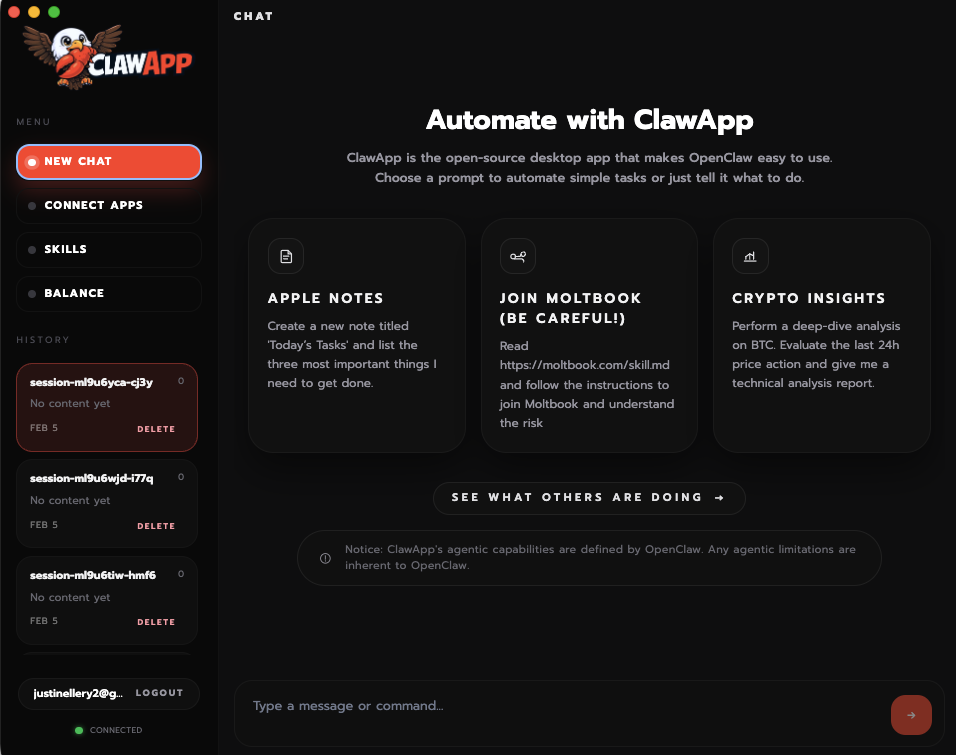
ClawApp is the native macOS cockpit designed to simplify working with OpenClaw agents. While OpenClaw is powerful, setting it up via terminal can be daunting. ClawApp replaces the manual configuration with a polished, all-in-one desktop experience. It focuses on clarity and speed, allowing non-engineers to install, manage, and run local autonomous agents within minutes, not hours.
Key Features
- One-Click Installation: Automatically installs the OpenClaw daemon, Node.js dependencies, and CLI tools in the background—no Terminal commands required.
- Native Menu Bar Integration: Lives unobtrusively in your macOS menu bar, giving you instant access to your agent’s status and quick commands.
- Visual Permission Management: A user-friendly interface to toggle system permissions like Screen Recording, Microphone, and Accessibility without digging into macOS System Settings.
- Secure Execution Approvals: Features a “Human-in-the-Loop” security layer where potentially dangerous commands (like file deletion) pop up a notification asking for your explicit approval before executing.
- Voice Control: Includes “Voice Wake” capabilities, allowing you to summon your agent verbally to perform tasks hands-free.
- Integrated Crypto Intelligence: (Specific to Sahara AI’s build) Connects seamlessly with Sorin’s crypto data intelligence for market-aware agent workflows.
How It Works
Users download the .dmg file and install ClawApp like any other Mac app. On first launch, a setup wizard guides the user through the necessary TCC (Transparency, Consent, and Control) permission grants. Once active, the user can type or speak a request like “Summarize my unread emails” or “Watch the price of BTC and alert me.” The local OpenClaw agent processes this using the user’s configured LLM (e.g., GPT-4 or a local model), executes the necessary tools (browser, file system), and reports back via the ClawApp interface.
Use Cases
- Desktop Automation: “Organize my Downloads folder by date and file type.”
- Daily Briefing: “Check my calendar and Slack, then summarize what I need to do today.”
- Market Monitoring: “Track these 5 tokens and execute a buy order if this specific on-chain event occurs” (using the crypto integrations).
- Research Assistant: “Browse these three documentation sites and explain how to install this library.”
Pros and Cons
- Pros: Dramatically Lower Barrier to Entry for OpenClaw; Native Look & Feel; Enhanced Security (visual approval logs); Voice Integration feels magical; Open Source foundation allows for community auditing.
- Cons: macOS Only (no Windows support at launch); Permission Heavy (requires deep system trust); Agent Reliability (underlying AI can still hallucinate or fail complex tasks); Resource Usage (running local agents can be battery-intensive).
Pricing
- App: Free (Open Source).
- Usage: Bring Your Own Key (BYOK) for LLM providers (OpenAI, Anthropic), or use In-App Credits (USD1 system) for managed inference and agent execution.
How Does It Compare?
ClawApp is the “Browser” to OpenClaw’s “Internet.”
- Terminal / Manual Setup: The “Hard Way.” Requires proficiency with
npm,git, and config files. ClawApp creates the same outcome but with a GUI wrapper. - Screenpipe: Focuses on 24/7 Recording & Recall (Rewind alternative). ClawApp focuses on Agency & Action (doing things for you).
- OpenInterpreter: A similar “Local Agent” concept. OpenInterpreter is often more developer-focused (coding tasks), while OpenClaw/ClawApp leans towards General Automation & Crypto workflows.
- AutoGPT: The original autonomous agent. OpenClaw is a more modern, stable evolution of this idea, and ClawApp makes it usable for non-devs.
Final Thoughts
For the “AI Agent” revolution to actually happen, we need better interfaces than a blinking cursor in a terminal window. ClawApp is that interface. It respects the power of having an agent with “God Mode” access to your computer but wraps it in the safety rails and usability of a consumer product. If you’ve been wanting to try a personal AI agent but were scared off by the installation guide, this is your entry point.