
ClawSimple
ClawSimple is a managed deployment platform that allows users to run OpenClaw (formerly Clawdbot/Moltbot) agents without technical expertise. It replaces complex command-line installations with a one-click cloud solution, deploying your AI agent to an isolated server. This ensures your bot runs 24/7 without draining your local computer’s battery or exposing your personal files to the AI agent.
Key Features
- One-Click Deployment: Automatically provisions a cloud server and installs the OpenClaw environment without requiring SSH or terminal access.
- Isolated Cloud Security: Runs the agent in a dedicated cloud sandbox, protecting your personal computer’s file system from potential AI hallucinations or errors.
- 24/7 Availability: Agents run continuously on cloud infrastructure, allowing them to respond to Telegram messages even when your laptop is closed.
- Bring Your Own Key (BYOK): Users provide their own API keys (OpenAI, Anthropic, etc.), ensuring control over AI model costs and usage limits.
- Zero-Maintenance: Handles server updates, security patches, and the complex “environment configuration” that typically breaks local installations.
- Multi-Bot Support: Capable of deploying multiple distinct agents to separate server instances for different tasks.
How It Works
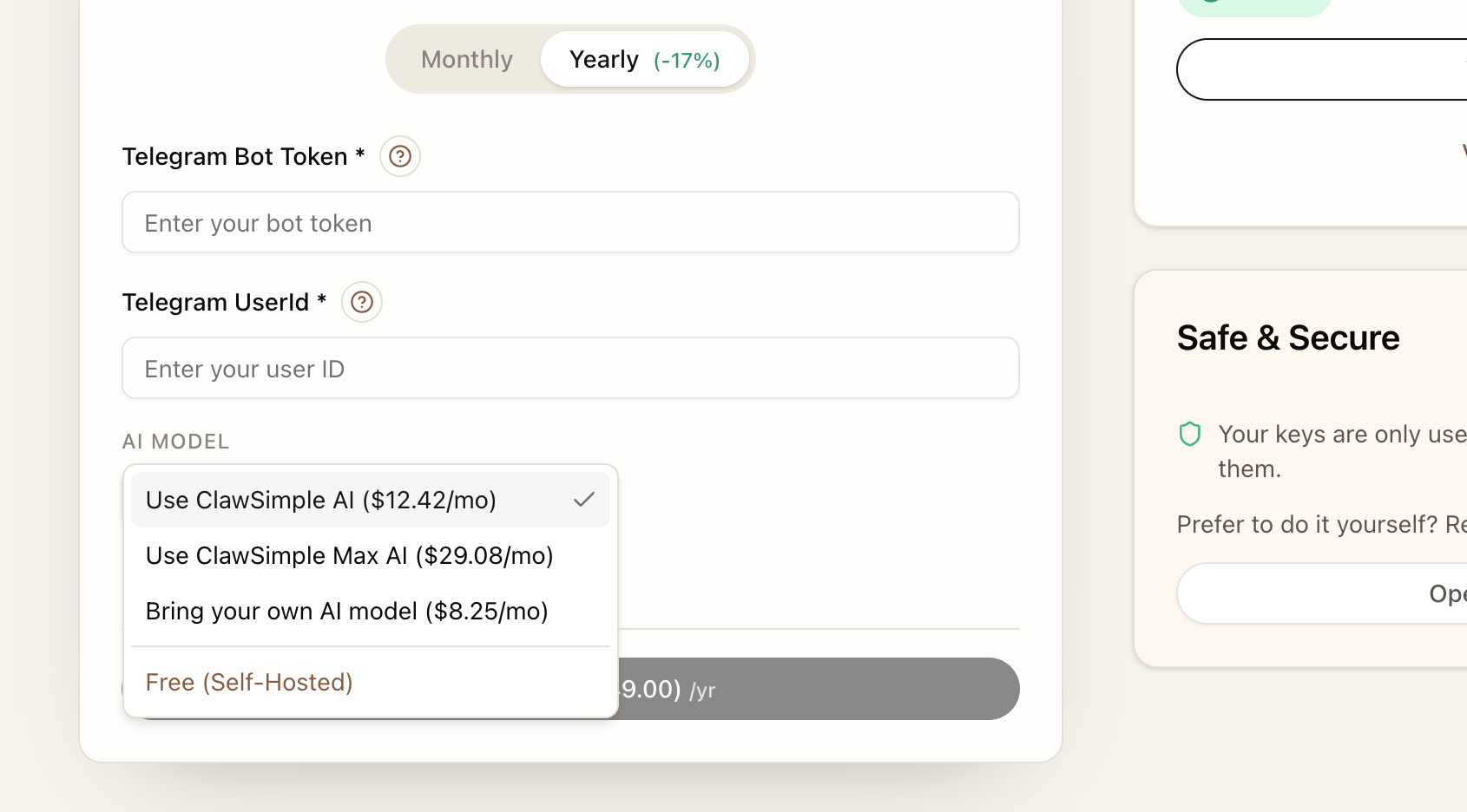
Users create an account and provide their Telegram Bot Token and preferred AI API key. ClawSimple then spins up a dedicated Linux server instance (likely on providers like AWS or DigitalOcean) and runs the automated setup scripts for OpenClaw. Within minutes, the bot becomes active on Telegram. The user manages the bot’s settings through a simplified web dashboard, completely bypassing the need to interact with a Linux terminal or manage a Virtual Private Server (VPS).
Use Cases
- Non-Technical Users: People who want the power of the viral “OpenClaw” agent but cannot navigate GitHub repositories or terminal commands.
- Always-On Assistants: Users who need a personal assistant to be responsive on Telegram while they are away from their desk or traveling.
- Risk Mitigation: Testing the capabilities of autonomous AI agents without giving them read/write access to a personal hard drive.
- Client Deployment: Agencies deploying custom branded bots for clients without teaching them how to maintain a server.
Pros & Cons
Pros:
– Eliminates the high technical barrier (Linux/SSH) required to run OpenClaw.
– Significantly safer than running autonomous agents locally on a personal device.
– “Set and forget” reliability; no need to restart scripts when your computer reboots.
– 25% launch discount currently available.
– Full ownership of AI keys (BYOK) prevents markup on token usage.
Cons:
– Cost: More expensive than a raw DIY VPS (which can cost ~$5/month).
– Control: Less granular control over the underlying OS compared to a self-managed server.
– Reliance: Dependent on ClawSimple’s platform for server uptime and dashboard access.
– Platform: Currently focused heavily on Telegram; other integrations may be limited compared to the raw CLI version.
Pricing
Pricing is segmented into a “Bring Your Own Key” model to keep base costs low.
– Self-Hosted (Free): Documentation provided for users to host themselves on their own hardware.
– Managed Plans: Likely range from $15–$30/month per agent (based on similar managed AI hosting services like xCloud or MyClaw), covering the server infrastructure and management interface.
– Launch Offer: A 25% discount is currently active for early adopters.
How Does It Compare?
ClawSimple competes primarily with “Do It Yourself” methods and emerging managed rivals.
- vs. Local Installation (Running on your Mac/PC)
- Local Install: Free, but requires your computer to be on 24/7. It poses a security risk by giving the AI access to your local files and passwords.
- ClawSimple: Costs money, but moves the risk to a disposable cloud server. It runs 24/7 even if your computer is off or broken.
- vs. DIY VPS (DigitalOcean / Hetzner / Oracle Cloud)
- DIY VPS: Extremely cheap ($4–$6/month or free on Oracle). Requires significant Linux knowledge (SSH, Docker, firewall configuration, security updates).
- ClawSimple: More expensive (premium for convenience), but requires zero knowledge. You pay to save hours of setup and maintenance time.
- vs. Replit / Railway
- Replit: Good for prototyping, but “Always On” features can get expensive ($7/mo+), and persistent storage setup for AI memory can be tricky for non-coders.
- ClawSimple: Pre-configured specifically for OpenClaw. No need to tweak config files or debug deployment errors; it is optimized for this specific application.
- vs. Other Managed Hosts (MyClaw.ai / xCloud)
- Competitors: Services like xCloud offer similar managed hosting, sometimes with “white-label” enterprise options.
- ClawSimple: Focuses on the “prosumer” individual user with a simplified BYOK (Bring Your Own Key) model, often making it more transparent for single-user deployments.
Final Thoughts
ClawSimple is the “WordPress” of OpenClaw agents—it takes a powerful but technical open-source tool and makes it accessible to everyone. While technical users can save money by setting up their own $5 DigitalOcean droplet, ClawSimple provides excellent value for anyone who views their time (and local file security) as worth more than the monthly subscription fee. It effectively democratizes access to autonomous AI agents, removing the “Linux tax” previously required to use them.