
Table of Contents
Overview
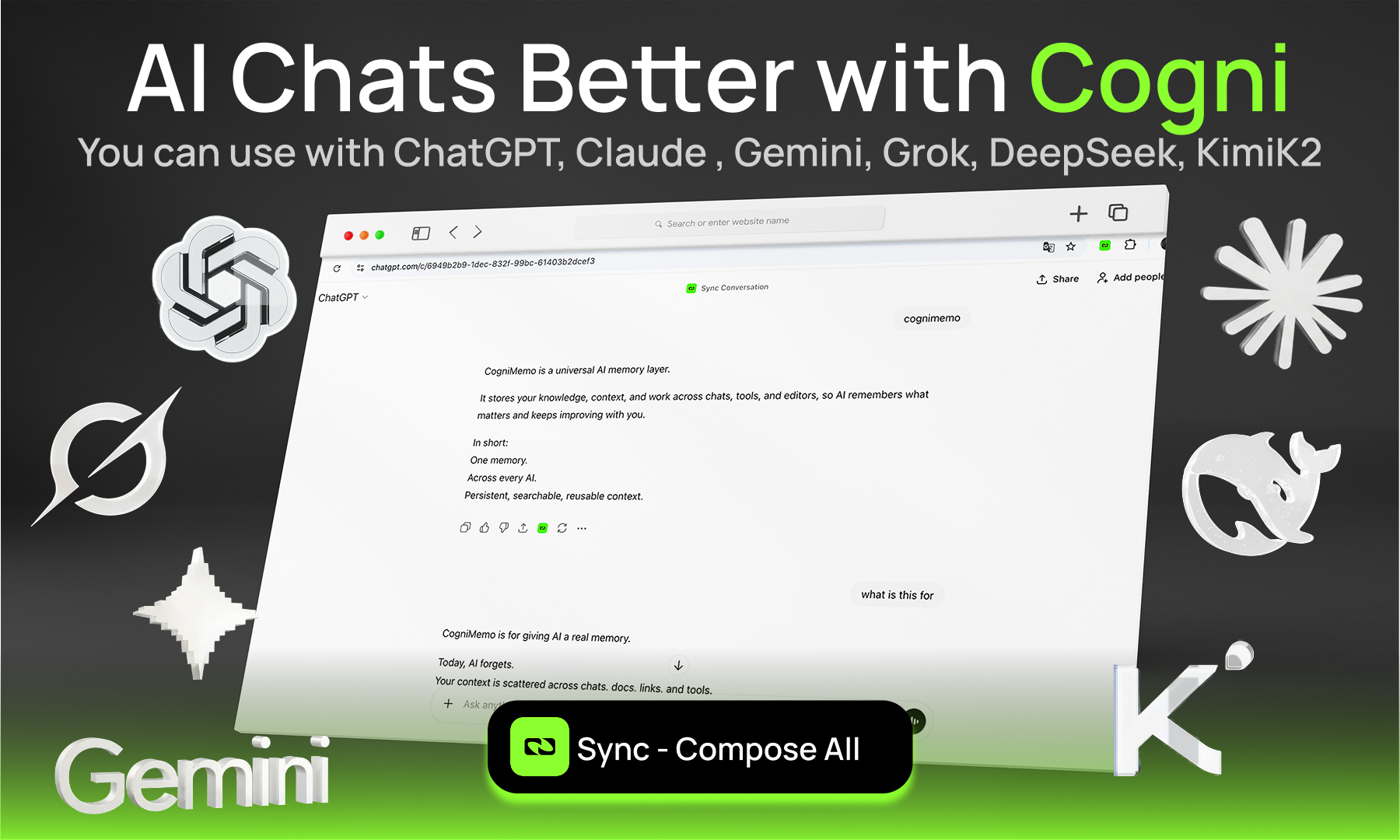
Developed by Sami Tufail and Volkan Çetin, CogniMemo addresses the “context fragmentation” problem that occurs when users switch between different AI providers or sessions. Instead of repeating instructions or project details in every new chat, users build a centralized “second brain” that the extension accesses in real-time. This persistent memory graph is built from a variety of sources, including archived AI conversations, saved posts from X (formerly Twitter), and text captured directly from websites while browsing.
The extension prioritizes a “live and inline” user experience by streaming AI replies directly back into the text fields where the prompt was written. This “AI in your flow” approach eliminates the need to switch tabs or copy-paste between windows. Furthermore, the tool includes a floating assistant that can provide explanations or draft content on any web page using the user’s previously stored knowledge, ensuring that the AI’s responses are always grounded in the user’s specific context and preferences.
Key Features
- Inline AI Command (@cogni): Type @cogni in any text field—including input boxes, textareas, or rich editors—to search your unified memory and inject relevant context or prompts directly into the workflow.
- Cross-Platform Context Stitched Memory: Unify your long-term memory across different models like ChatGPT, Claude, Gemini, and DeepSeek, allowing a project detail saved in one to be recalled in another.
- Automated Memory Sync: Archive your AI conversations and sync external data sources, such as bookmarked posts from X (Twitter), into a single, searchable memory graph.
- Floating Website Assistant: Access a contextual copilot on any webpage that can explain technical terms or draft text based on your personal knowledge repository.
- Live Inline Streaming: Sends prompts to your chosen model and streams the AI’s response directly back into the same text field in real-time.
- Web Content Capture: Select any text on a webpage to instantly capture and organize it within your “second brain” for later recall by your AI assistant.
- Memory Hygiene Controls: Manage your stored information with versioning metadata, decay settings for older memories, and full audit/edit/delete options to keep context relevant.
- Privacy-First Data Ownership: Declares that user data is not sold to third parties and remains under the user’s control, with industry-standard encryption for data at rest and in transit.
How It Works
The CogniMemo experience begins with installing the browser extension, which adds an overlay to your web-based text environments. Once authenticated, the extension starts building a memory graph as you interact with various AI tools or browse the web. You can manually save text or have the extension automatically archive your chat histories from supported LLM providers.
To use your memory, you simply type the @cogni trigger in any chat box followed by your request. For example, typing “@cogni summarizing my project notes from last week” will cause the extension to retrieve the relevant snippets from your memory graph and feed them into the AI’s current context window. The AI then generates a response that is aware of those specific past details. The response streams back into the chat box live, making the interaction feel native to the website you are using.
Use Cases
- Cross-Model Project Management: Recall technical specifications or project decisions inside Claude that were originally discussed in a ChatGPT session.
- Personalized Content Creation: Use the floating assistant to draft an email or blog post on a new website using your specific “voice” and factual data saved from previous research.
- Research Synthesis: Highlight and save key insights from multiple academic papers or news articles, then use @cogni to have an AI synthesize all those points into a single summary.
- Social Media Archiving: Save educational threads from X/Twitter and treat them as reference material that your AI can cite during future planning or writing sessions.
- Technical Learning: Use the “Explain” feature on a technical website to get a description of a concept that is specifically tailored to your current level of knowledge, as recorded in your memory history.
Pros and Cons
- Pros: Lives directly in the browser workflow, eliminating tab-switching. Successfully bridges the memory gap between competing AI models like Claude and ChatGPT. Provides a high degree of control over memory “hygiene” and versioning.
- Cons: Requires broad browser permissions to read website content and interact with text fields. As an early-stage tool, the interface for managing very large memory graphs may still be evolving.
Pricing
CogniMemo utilizes a tiered pricing model designed for individual users and professional teams:
- Free Tier: Available for individual users to experiment with core features, including basic memory sync and the @cogni trigger with limited monthly interactions.
- Pro Plan: Priced at approximately $20 per month, offering increased memory interaction limits, more model slots, and priority support for power users.
- Team/Enterprise Plans: Custom pricing tiers are available for organizations requiring dedicated onboarding, custom SLAs, and higher-grade security controls for team-wide knowledge sharing.
How Does It Compare?
- Mem0: A powerful developer-focused memory layer. CogniMemo differentiates itself by being a consumer-ready browser extension that requires zero coding to integrate with existing AI tools.
- Rewind AI: Captures everything you see and hear on your screen. CogniMemo is more focused and “active,” specifically augmenting AI chat interfaces and text boxes rather than acting as a passive screen recorder.
- Supermemory: An open-source personal knowledge hub. CogniMemo’s primary advantage is its “AI in your flow” inline streaming and the @cogni command, which integrates more deeply into the act of writing.
- Zep: Primarily a long-term memory for AI assistants and agents (developer-centric). CogniMemo is built for end-users who want to bring their own memory to third-party web chats like ChatGPT.
Final Thoughts
The CogniMemo Extension is a significant step toward a truly platform-agnostic AI experience. By decoupling long-term memory from individual AI providers, it grants users more autonomy and prevents “vendor lock-in” for their personal knowledge. Its greatest strength is its seamless integration—the @cogni command feels like a native part of the web, turning every text box into a powerful, personalized interface. As the AI market continues to fragment into specialized models, tools like CogniMemo that act as a unifying “knowledge glue” will likely become essential for professional productivity in 2026. While users must trust the extension with their browsing data, the productivity gains from having a persistent, cross-platform “second brain” are substantial.