Table of Contents
Overview
In today’s data-driven world, getting instant, reliable insights without disrupting your team’s workflow is paramount. Compass emerges as a powerful solution from Dagster Labs, bringing your data warehouse directly into Slack through an AI-powered data assistant that understands your business context. Launched on Product Hunt on December 3, 2025 (87 upvotes, 2 comments) and unveiled at a September 9, 2025 webinar by Dagster CEO Pete Hunt and Founder/CTO Nick Schrock, Compass empowers teams to ask questions in plain language and receive immediate, accurate answers whether they’re tracking sales pipelines, sourcing leads, or analyzing revenue.
By integrating seamlessly into your daily communication channels, Compass helps every team move faster while maintaining data integrity through GitOps-backed context management. This governance approach keeps your insights clean, clear, and far from the “AI chaos” often associated with uncontrolled LLM implementations. The platform connects directly to major data warehouses including Snowflake, BigQuery, Redshift, Databricks, AWS Athena, Postgres, and MotherDuck, ensuring your data stays secure within your infrastructure while enabling instant natural language access.
Key Features
Let’s dive deeper into what makes Compass stand out with its core features:
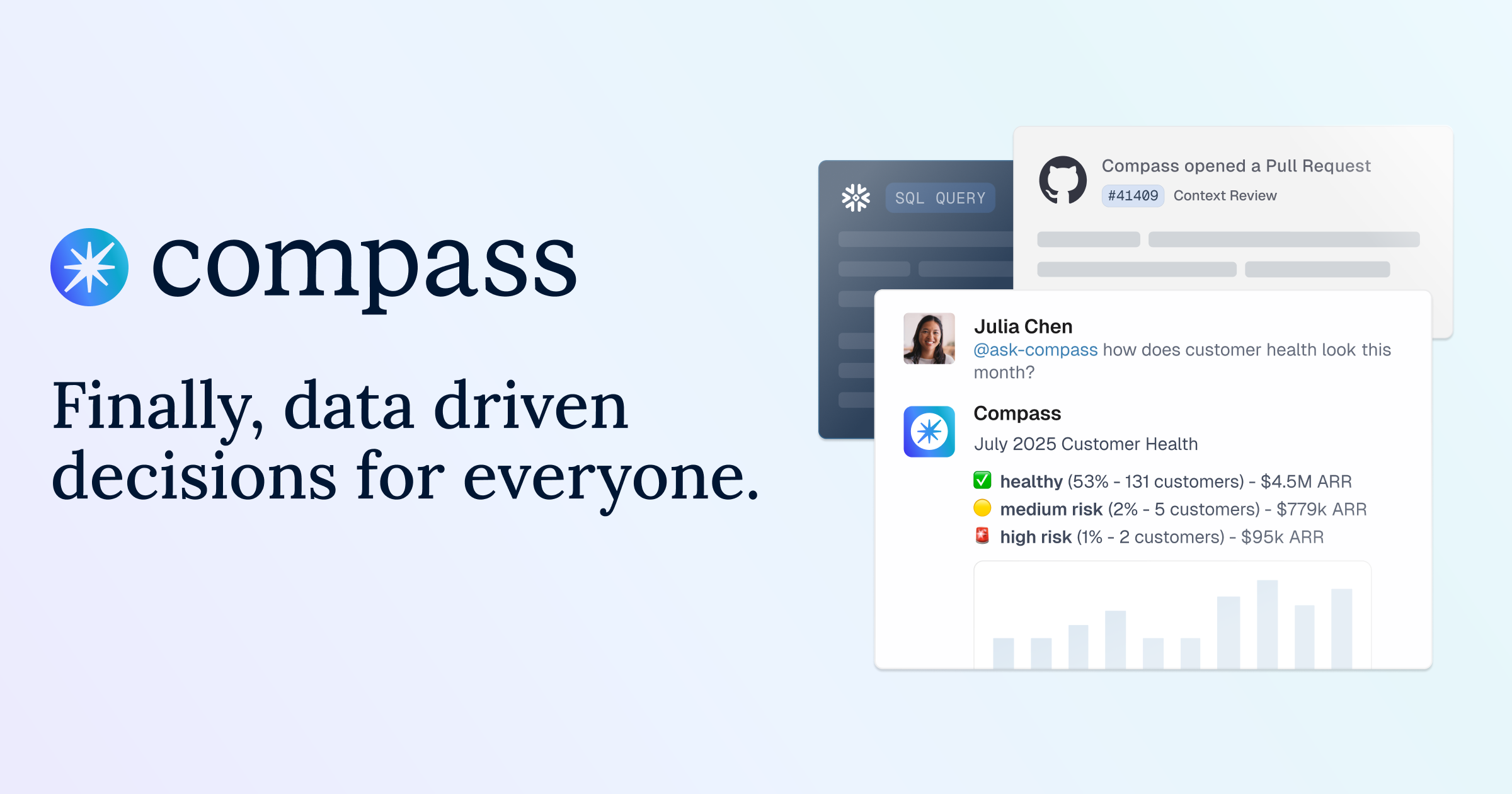
- Slack-Native Interface: Compass meets your users where they already work, allowing them to ask questions and receive insights directly within their Slack channels by simply mentioning @Compass. This eliminates context switching between BI tools and communication platforms, streamlining data access and enabling conversational, iterative exploration rather than static dashboard consumption.
- Natural Language to SQL with Multi-Step Query Generation: Forget complex queries. Users can simply ask questions in plain English, and Compass intelligently translates these requests into precise SQL queries through a sophisticated multi-step process including context search, dataset discovery, schema retrieval, SQL generation, query execution, result processing, and visualization selection. The system generates production-ready SQL optimized for your specific data warehouse dialect (Snowflake, BigQuery, Redshift syntax variations).
- GitOps-Backed Semantic Layer for Governance: Analysts maintain full control and trust with a semantic layer that’s backed by GitOps version control stored in a Git repository. This ensures consistency, complete audit trails, and transparent change management for all data definitions, metrics, and business context. Every update to the context store runs through standard Git workflows (pull requests, reviews, merges), preventing “AI slop” through structured governance while enabling the AI to learn institutional knowledge systematically.
- Agentic AI Investigation with Context Accumulation: Unlike simple chatbots that respond to isolated queries, Compass operates as an agentic analyst that investigates complex questions through multi-step reasoning, forms hypotheses, conducts analysis across different data dimensions, and synthesizes findings into coherent answers. The system learns from end-user interactions within your company, compounding context over time with each query to improve accuracy and relevance for your specific business domain.
- Integration with Existing Data Warehouses: Compass is designed to connect directly with your current data infrastructure (Snowflake, BigQuery, Redshift, Databricks, AWS Athena, Postgres, MotherDuck), leveraging your existing investments and ensuring your data remains secure and centralized. Your data never leaves your warehouse—Compass queries it in place and returns only the results, maintaining enterprise security and compliance requirements.
- Prospecting Data Access Beyond Internal Data: Beyond your internal data warehouse, Compass also provides access to global prospecting data, enabling sales and marketing teams to source leads, enrich their understanding of potential customers, identify companies matching your Ideal Customer Profile (ICP), and find key personnel working with specific technologies—all without leaving Slack. This dual-data approach (your warehouse data plus external prospecting intelligence) creates a unified insights environment.
- Automatic Visualization and Follow-Up Prompts: The system doesn’t just return raw data—it analyzes query results, summarizes key findings, generates appropriate visualizations (bar charts, line graphs, trend analyses), and suggests intelligent follow-up questions to enable iterative exploration. If your initial query was “Q3 sales by region,” Compass might prompt you to compare regions over time or drill into top-performing states, facilitating guided discovery.
- Transparent Query Methodology: Compass provides complete transparency by showing the methodology behind every answer. Users can click “See all steps” to view the context search, dataset discovery, schema retrieval, SQL generation, and execution details, enabling validation of logic and building trust in AI-generated insights. This transparency differentiates it from black-box AI systems.
- Flexible Pricing with Free Prospecting Tier: The platform offers three pricing tiers: Free (unlimited users, global prospecting data only, basic Slack integration), Pro starting around \$750/month (scaling teams with 750 answers/month, prospecting data, Slack workspace integration), and Enterprise (custom answer volume granted upfront annually, your data warehouse connection, unlimited workspace channels, AI governance customization, dedicated account manager, and contracting support).
How It Works
Understanding how Compass integrates into your existing data ecosystem is key to appreciating its efficiency. The process is straightforward and designed for maximum impact with minimal friction:
Stage 1: Connect Your Data Sources
Compass connects directly to your existing data warehouse (Snowflake, BigQuery, Redshift, Databricks, AWS Athena, Postgres, MotherDuck) and optionally your Dagster orchestration layer, establishing a robust link to your data infrastructure. Setup typically takes five minutes with standard connection credentials and permissions. Your data stays where it is—Compass queries in place and returns only results, never copying or storing your warehouse data externally.
Stage 2: Automated Context Indexing
Once connected, Compass begins analyzing, documenting, and indexing your business data automatically. It scans available datasets, retrieves schema information including table names, descriptions, column metadata, data types, constraints, and business keywords, building a comprehensive context store of your data landscape. This grounding ensures SQL generation reflects your business reality rather than generic interpretations.
Stage 3: Ask Questions in Slack
When a user has a question, they simply tag the @Compass bot in a Slack channel and pose their query in plain language (examples: “Show me Q3 sales by region,” “How’s my pipeline looking this quarter?,” “Which accounts haven’t engaged in 30 days?”). The conversational interface enables iterative exploration rather than requiring perfectly formed questions upfront.
Stage 4: Multi-Step Agentic Analysis
The bot leverages its sophisticated semantic layer through a seven-step process: (1) Context Search extracting key concepts and searching the context store for relevant definitions and clarifications, (2) Dataset Discovery scanning all available datasets to identify the most likely candidates, (3) Schema Retrieval diving deeper into schema details and metadata, (4) SQL Generation synthesizing the natural language request with business context and schema details to produce syntactically valid and semantically aligned SQL, (5) Query Execution connecting to your warehouse with appropriate drivers and handling result limits/timeouts, (6) Result Processing analyzing raw output to summarize findings and generate visualizations, and (7) Feedback Loop enabling users to request clarifications or store additional context.
Stage 5: Instant Results with Visualizations
Compass processes the data and posts the visualization, summary, or precise answer directly back into the Slack thread within seconds, providing instant insights right where the conversation is happening. Results include charts, trend analyses, and follow-up question suggestions to facilitate deeper exploration.
Stage 6: Governance Through GitOps
If Compass gets something wrong or can’t answer accurately, it opens a ticket and submits a pull request to the GitOps-backed context store for data team review. Analysts guide Compass behind the scenes using standard Git workflows, ensuring answers stay trustworthy while enabling the AI to learn from corrections systematically. This governance loop maintains data quality without slowing business users.
Use Cases
Compass offers a versatile range of applications that can benefit various teams across an organization:
Sales Teams Checking Pipeline Stats in Slack:
- Sales representatives can quickly query their current pipeline status, deal progress, individual performance metrics, deal health indicators, engagement patterns, and risk signals without leaving their communication platform
- Enable faster decision-making and follow-ups by eliminating the need to log into multiple dashboards or wait for RevOps to pull reports
- Average data request time reduced from 3-5 days to seconds, preventing lost deals while competitors close
Executives Asking Ad-Hoc Revenue Questions:
- Leaders can get immediate answers to critical business questions about revenue trends, performance against targets, market segments, win rates by deal size, conversion rate analysis, and customer health metrics
- Facilitate agile strategic planning by replacing dashboard-driven insights with conversational, iterative exploration that adapts to follow-up questions in real-time
- Move from reactive dashboard consumption to proactive investigation of business drivers
Analysts Reducing Time Spent on Repetitive Data Pulls:
- Data analysts can offload routine data requests to Compass, freeing up valuable time to focus on deeper analysis and more complex data projects rather than fulfilling repetitive ad-hoc queries that interrupt strategic work
- Scale analysis without scaling the team by handling exploratory questions, prototyping dashboards, and building a centralized context store that makes every answer smarter
- Use Compass for questions where speed matters more than perfection, reserving analyst time for high-complexity investigations
Marketing Teams Prospecting and Lead Enrichment:
- Marketing professionals can identify companies matching their Ideal Customer Profile (ICP), find key personnel working with specific technologies (e.g., data pipelines, particular tech stacks), and export prospect data for campaigns—all without switching to dedicated prospecting platforms
- Combine internal customer data with external prospecting intelligence to identify expansion opportunities or lookalike prospects
- Enrich understanding of potential customers by analyzing both internal engagement data and external firmographic/technographic attributes
RevOps and Operations Teams:
- Operations teams can monitor business health metrics, track engagement patterns across customer segments, identify at-risk accounts, and answer stakeholder questions instantly
- Reduce the backlog of data requests that traditionally bog down operations teams, enabling faster support for business needs
- Generate reports combining data from multiple systems (CRM, marketing platforms, analytics tools) with conversational context from Slack discussions
Pros \& Cons
Advantages
Compass brings several compelling benefits to the table for data-driven organizations:
- Meets Users Where They Work (Slack): By integrating directly into Slack, Compass eliminates the need for users to switch applications, reducing friction and increasing adoption for data access. The average user saves 97 minutes per week by eliminating context switching and dashboard navigation, enabling 37% faster decision-making across teams and 36% faster responses to customers.
- High Trust Due to GitOps Backing: The GitOps-backed semantic layer ensures that data definitions and metrics are version-controlled, auditable, and consistent, building high trust in the insights provided. Analysts maintain full control behind the scenes, guiding Compass through structured governance rather than allowing uncontrolled LLM hallucinations.
- Agentic Investigation Beyond Simple Chatbots: Unlike basic text-to-SQL tools that convert queries and return results, Compass investigates complex questions with multi-step reasoning, forming hypotheses and synthesizing findings like a junior analyst would—but instantly and available to every team member.
- Context Accumulation Over Time: The system learns institutional knowledge from end-user interactions, compounding context with each query. This learning loop continuously improves accuracy and relevance for your specific business domain rather than relying on generic pre-trained knowledge.
- Transparent Methodology: Complete visibility into query logic through “See all steps” functionality enables users to validate AI reasoning, building trust and enabling correction when needed. This transparency differentiates Compass from black-box AI systems.
- Dual-Data Capability: Access both your internal warehouse data and external global prospecting data within the same interface, enabling use cases spanning internal analytics and external lead generation without separate tools.
Disadvantages
While powerful, Compass does come with a few considerations:
- UI is Limited to Slack’s Capabilities: The interface is constrained by Slack’s design, which might limit the complexity or richness of visualizations compared to dedicated BI tools like Tableau or Looker. Users seeking highly customized, pixel-perfect dashboards or complex multi-chart layouts will find Slack’s rendering capabilities restrictive.
- Requires Clean Data Setup for Best Results: To fully leverage Compass’s capabilities and ensure accurate, timely insights, a well-organized and orchestrated data setup is highly recommended. Poorly documented schemas, inconsistent naming conventions, or messy data structures reduce AI accuracy and require more manual context curation by data teams.
- Governance Overhead Through GitOps: While GitOps backing ensures trust and auditability, it adds a governance layer requiring data teams to manage pull requests, review context updates, and maintain the semantic layer. Organizations without strong Git workflows or dedicated data governance resources may find this overhead challenging.
- Enterprise Pricing for Warehouse Connection: The Free tier only provides prospecting data access without connecting to your data warehouse. Connecting your internal data requires upgrading to Enterprise pricing (custom answer volume, annual contracts, dedicated support), which may be cost-prohibitive for smaller teams or startups.
- Relatively New Product: Launched in late 2025, Compass is a young product without years of battle-testing across diverse enterprise environments. Early adopters may encounter evolving features, limited integration ecosystem compared to established BI platforms, and unknown production SLA guarantees.
How Does It Compare?
Compass vs. Veezoo
Veezoo is a mature agentic analytics platform focusing on natural language to SQL visualization with sophisticated semantic modeling.
Core Focus:
- Compass: Slack-native conversational analytics with GitOps governance and dual-data capability (warehouse + prospecting)
- Veezoo: Standalone text-to-SQL platform emphasizing visual analytics and semantic layer sophistication
User Interface:
- Compass: Embedded entirely within Slack; no separate application or dashboard interface
- Veezoo: Dedicated web interface with chat-based interaction; requires logging into separate platform
Governance Model:
- Compass: GitOps-backed semantic layer with Git-based version control and pull request workflows
- Veezoo: Configurable semantic backend with knowledge graph modeling; less Git-centric governance
Prospecting Data:
- Compass: Built-in global prospecting data for lead sourcing and company intelligence
- Veezoo: Focused on internal data analysis; no external prospecting intelligence
Visualization Capabilities:
- Compass: Slack-constrained visualizations (basic charts and trend analyses)
- Veezoo: Richer visualization library with more sophisticated chart types and customization
When to Choose Compass: For teams living in Slack, needing both internal analytics and external prospecting, and prioritizing GitOps governance.
When to Choose Veezoo: For organizations requiring sophisticated visualization capabilities, dedicated analytics interface, and mature semantic layer modeling beyond Slack constraints.
Compass vs. ThoughtSpot
ThoughtSpot is an enterprise-grade search \& AI-driven analytics platform with over a decade of market leadership and comprehensive BI capabilities.
Market Maturity:
- Compass: New product launched late 2025; early-stage with growing feature set
- ThoughtSpot: Established enterprise BI leader with 10+ years of development and extensive customer base
Search Technology:
- Compass: Natural language to SQL with agentic multi-step investigation
- ThoughtSpot: Patented relational search technology with NLP at its core since inception; usage-based ranking ML algorithm improving with each use
Platform Scope:
- Compass: Lightweight Slack-native analytics focused on operational insights and conversational exploration
- ThoughtSpot: Full-fledged enterprise BI platform with comprehensive dashboards, embedded analytics, mobile apps, and extensive integration ecosystem
AI Capabilities:
- Compass: Agentic analyst conducting multi-step investigation with context accumulation
- ThoughtSpot: SpotIQ AI-driven engine analyzing millions of data points for anomaly detection, trend identification, root cause analysis, forecasting, and proactive insights
Visualization \& Reporting:
- Compass: Slack-constrained basic visualizations and summaries
- ThoughtSpot: Enterprise-grade dashboards, advanced visualizations, customizable reports, and embedded analytics for external applications
Pricing:
- Compass: Free prospecting tier; Pro ~\$750/month; Enterprise custom pricing
- ThoughtSpot: Enterprise pricing typically in the tens of thousands annually depending on usage and features
When to Choose Compass: For operational teams needing instant Slack-based insights, GitOps governance, and when conversational exploration matters more than comprehensive BI dashboards.
When to Choose ThoughtSpot: For enterprise-scale deployments requiring full BI capabilities, advanced analytics (SpotIQ), embedded analytics in external applications, and mature platform stability.
Compass vs. Definite
Definite is a lightweight AI data analysis tool emphasizing accessibility and ease of use for non-technical users.
Integration Approach:
- Compass: Deep Slack-native integration; lives entirely within communication workflow
- Definite: Standalone platform with integrations to data sources; separate application interface
Governance:
- Compass: GitOps-backed semantic layer providing analyst control and auditability
- Definite: Simpler governance model suitable for smaller teams; less structured oversight
Prospecting Data:
- Compass: Built-in global prospecting intelligence for lead sourcing
- Definite: Focused on internal data analysis without external prospecting capabilities
Use Case Focus:
- Compass: Operational insights within Slack for sales, RevOps, executives, and analysts; dual internal/external data
- Definite: General-purpose AI data analysis for business users seeking quick answers
Context Management:
- Compass: Git-based context store with pull request workflows and analyst-guided learning
- Definite: Simpler context handling without structured governance workflows
When to Choose Compass: For Slack-centric organizations, teams needing prospecting data, and when GitOps governance is critical for trust.
When to Choose Definite: For simpler use cases, organizations not centered on Slack, and when lightweight setup without governance overhead is preferred.
Compass vs. Scoop Analytics
Scoop Analytics is an AI-powered analyst specifically for Slack interpersonal analytics, focusing on team collaboration insights rather than business data.
Data Focus:
- Compass: Business data from warehouses (sales, revenue, operations) plus prospecting intelligence
- Scoop Analytics: Slack conversation data for interpersonal analytics (team communication patterns, sentiment analysis, collaboration dynamics)
Core Use Cases:
- Compass: Sales pipeline tracking, revenue analysis, lead prospecting, operational metrics
- Scoop Analytics: Team collaboration health, communication sentiment, response time analysis, interpersonal dynamics
Data Sources:
- Compass: Connects to data warehouses (Snowflake, BigQuery, Redshift) and prospecting databases
- Scoop Analytics: Analyzes Slack message data, CRM, and other collaborative tools
Analytics Type:
- Compass: Business intelligence and operational metrics
- Scoop Analytics: People analytics and team collaboration insights
When to Choose Compass: For business data analysis, sales/revenue metrics, and operational insights.
When to Choose Scoop Analytics: For understanding team collaboration dynamics, communication patterns, and interpersonal analytics within Slack.
Compass vs. Traditional BI Tools (Tableau, Looker, Power BI)
Traditional BI platforms offer comprehensive visualization, dashboarding, and enterprise reporting capabilities with decades of maturity.
Interaction Model:
- Compass: Conversational, iterative exploration through natural language in Slack
- Traditional BI: Dashboard-driven insights requiring pre-built reports and visualizations
Setup Time:
- Compass: Five minutes to connect warehouse; instant user adoption through Slack
- Traditional BI: Weeks to months for implementation, dashboard creation, and user training
User Adoption:
- Compass: Minimal training required; natural language interaction within existing workflow
- Traditional BI: Significant training investment; separate application requiring active navigation
Visualization Capabilities:
- Compass: Slack-constrained basic visualizations sufficient for operational insights
- Traditional BI: Comprehensive visualization libraries, pixel-perfect customization, complex multi-chart dashboards
Governance:
- Compass: GitOps-backed semantic layer with analyst control
- Traditional BI: Row-level security, role-based access, certified datasets, comprehensive governance frameworks
When to Choose Compass: For operational speed, conversational exploration, and Slack-centric workflows where rapid insights matter more than comprehensive dashboards.
When to Choose Traditional BI: For enterprise reporting, complex visualization requirements, executive dashboards, and when comprehensive BI capabilities justify separate platform investment.
Final Thoughts
Compass stands out as an innovative solution for organizations looking to democratize data access and accelerate decision-making directly within their daily workflows. By bringing powerful, GitOps-backed data insights into Slack, it empowers everyone from sales teams to executives to get answers quickly and reliably without leaving their primary communication platform.
The December 3, 2025 Product Hunt launch (87 upvotes, 2 comments) and strong early adoption testimonials from design partners demonstrate genuine market validation. Users report moving from anecdotal information to data-driven decisions because “asking the question is now worth the effort,” with sales leaders able to “get further without going to RevOps” and data analysts scaling analysis “without scaling the team.”
What makes Compass particularly compelling is its agentic approach—it doesn’t just convert text to SQL like basic chatbots, but investigates complex questions through multi-step reasoning, accumulates institutional context over time, and provides transparent methodology for every answer. The GitOps-backed semantic layer ensures that speed doesn’t sacrifice trust, addressing the “AI chaos” concern that plagues ungovern ed LLM implementations.
While it thrives on clean data setups and operates within Slack’s UI constraints, its ability to deliver high-trust data in plain language, right where teams collaborate, makes it an invaluable tool for enhancing operational efficiency and fostering a truly data-driven culture. The dual-data capability (internal warehouse + external prospecting intelligence) creates a unified insights environment spanning both internal operations and external market intelligence—a unique combination unavailable in most competitive offerings.
The tool particularly excels for:
- Sales teams needing instant pipeline visibility, deal health monitoring, and lead prospecting without dashboard navigation
- RevOps and operations teams handling high volumes of ad-hoc data requests that traditionally create bottlenecks
- Executives requiring rapid answers to strategic questions during live discussions and decision-making moments
- Data analysts seeking to scale their impact by offloading routine queries while maintaining governance control through GitOps
- Organizations with Slack-centric workflows where eliminating context switching drives measurable productivity gains
For enterprises requiring pixel-perfect dashboards, complex multi-chart visualizations, or comprehensive BI capabilities spanning reporting, embedded analytics, and mobile apps, traditional platforms like ThoughtSpot, Tableau, or Looker remain stronger fits. But for the specific intersection of “conversational analytics,” “Slack-native workflow,” and “GitOps governance,” Compass represents a genuinely novel approach that addresses operational speed without sacrificing trust—a balance rarely achieved in the AI analytics landscape.