
Table of Contents
DevLensPro
Type: MCP-Native Browser Debugger
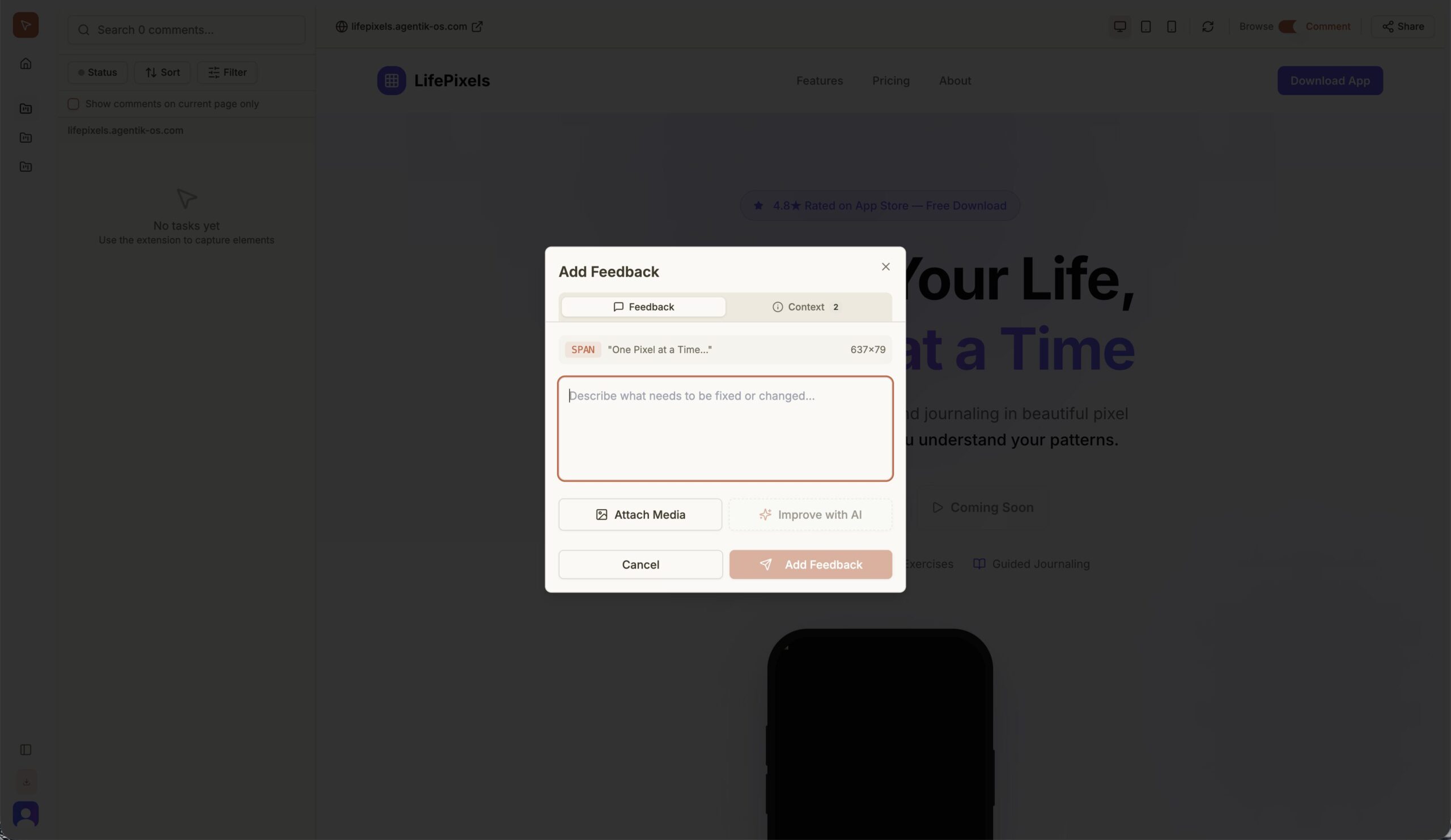
DevLensPro acts as a direct neural link between your Chrome browser and Claude Code (Anthropic’s terminal agent). Instead of manually inspecting elements, copying CSS, taking screenshots, and pasting errors into a chat window, you simply “point and shoot” at any buggy UI element. The extension instantly packages the visual state, DOM structure, React component data, and console logs into a structured context packet, feeding it directly to Claude via the Model Context Protocol (MCP) for an immediate fix.
Key Features
- Instant Context Extraction: One click captures the element’s computed CSS, HTML structure, parent containers, and relevant console errors—no copy-pasting required.
- MCP Integration: Native support for the Model Context Protocol allows Claude Code to “see” your local browser environment securely without cloud middleware.
- React Component Awareness: Automatically detects React fiber nodes to tell Claude exactly which source file (e.g.,
Header.tsx) controls the element you clicked. - Local & Private: All data processing happens on your machine (localhost); no screenshots or code snippets are sent to third-party servers.
Use Cases
- Rapid UI Debugging: Fixing a misaligned button by clicking it and asking Claude, “Why is this margin not applying?”
- Legacy Code Exploration: Quickly understanding which file controls a specific part of an unfamiliar web app.
- Frontend Refactoring: Capturing the current state of a component and asking Claude to rewrite it using a modern library (e.g., Tailwind CSS).
Pros & Cons
- Pros: Eliminates the “context gap” between the browser and the AI editor; privacy-first local architecture; completely free and open source.
- Cons: Requires users to be comfortable with the command line (CLI) and setting up an MCP server; strictly dependent on the Claude ecosystem.
Pricing
Free (Open Source)
The extension and local server are free to use. Users only pay for their own API usage if connecting to paid LLM endpoints via Claude Code.
How Does It Compare?
DevLensPro sits in a new category of “AI-Bridge” tools. Here is how it compares to other development assistants:
- vs. Chrome DevTools (Standard): Standard DevTools tell you what is happening (e.g., “margin: 0px”), but not why or how to fix it. DevLensPro takes that raw data and feeds it to an AI that explains the root cause and writes the patch for you.
- vs. Official Chrome DevTools MCP: Google’s official MCP server allows agents to control the browser headless-ly. DevLensPro is more user-centric, designed for a human to visually point at bugs rather than an autonomous agent navigating blindly.
- vs. Lovable / v0: These are generators that build new UIs from scratch. DevLensPro is a debugger for existing apps running on localhost. You use Lovable to start a project, and DevLensPro to maintain it.
- vs. GitHub Copilot: Copilot lives inside your text editor (VS Code) and often lacks context about what the app actually looks like in the browser. DevLensPro gives the AI “eyes,” allowing it to fix visual bugs that code-only tools miss.
Final Thoughts
DevLensPro is a glimpse into the future of “spatial debugging,” where developers interact with their software visually rather than just textually. By leveraging the open MCP standard, it solves the biggest friction point in AI coding: giving the AI access to the runtime environment. For frontend developers already using Claude Code, this extension is not just a utility—it’s a workflow accelerator that turns 10 minutes of investigation into a 10-second fix.