
Table of Contents
Overview
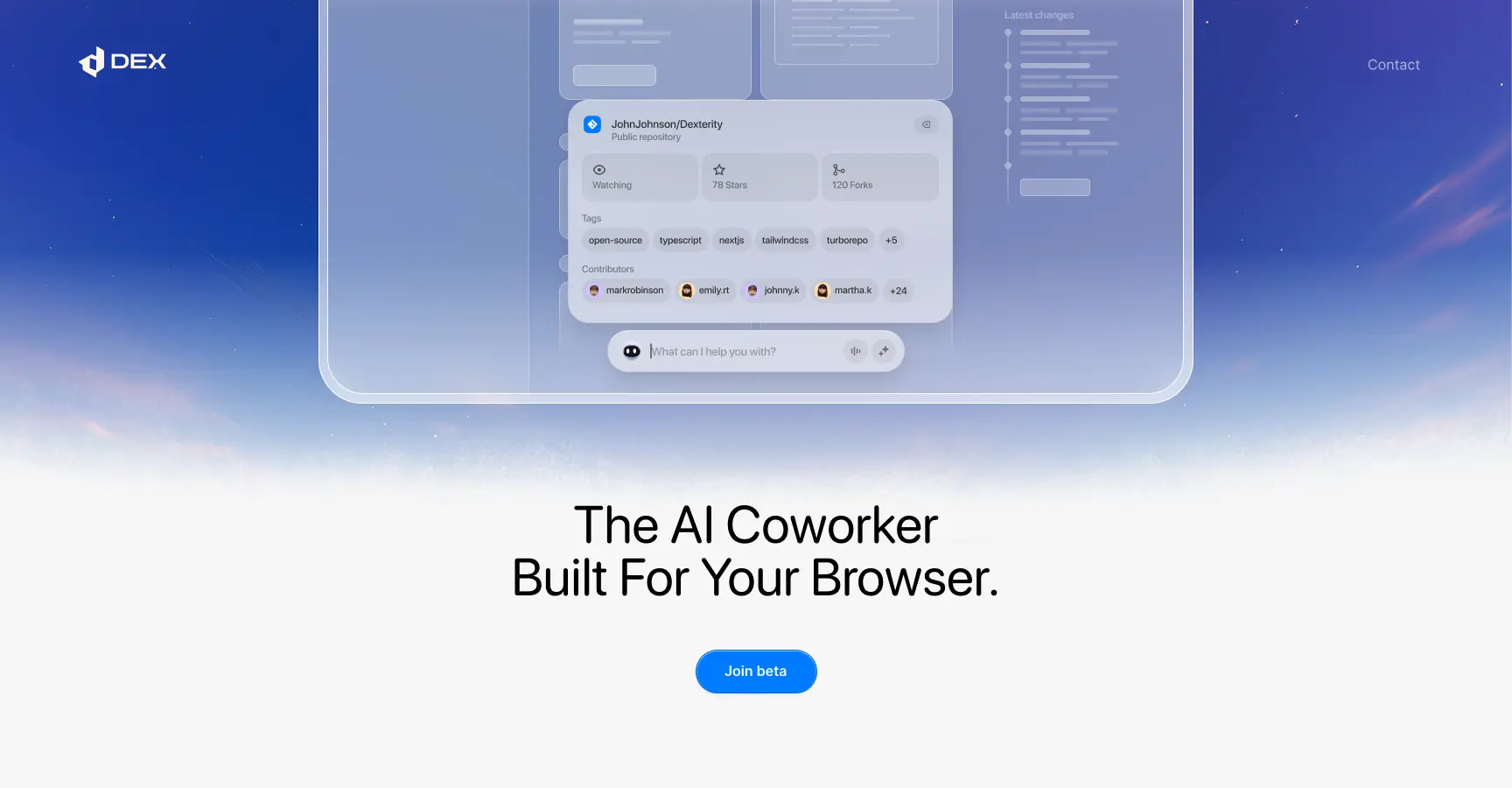
Dex by Thirdlayer is an AI browser copilot Chrome extension launched publicly December 2025 transforming browsers into intelligent personal workspaces. Rather than requiring users manually organizing tabs, switching between applications, and aggregating information, Dex operates as an always-on digital assistant understanding work context across open tabs and connected applications (14+ integrations including Gmail, Slack, Notion, Jira, Linear, Google Sheets). Founded by Kevin Gu and Regina Lin (both ex-Dexterity AI founders pivoting to build for themselves), ThirdLayer raised Y Combinator backing and launched December 2025 with strong Product Hunt reception (76+ upvotes).
The platform positions as “Cursor for the browser”—emphasizing responsive real-time collaboration with AI versus slow handoff agents. Rather than speaking to isolated AI assistants without understanding your actual work context, Dex lives within your browser window observing your actual tasks and providing intelligent suggestions and automations matching your specific situation. Available through freemium model (Free tier with Pro/Business/Enterprise tiers), Dex targets knowledge workers, founders, students, and researchers drowning in browser tab chaos.
Key Features
Proactive Tab Organization: Automatically groups related tabs intelligently understanding context relationships. Suspends unused tabs reducing memory consumption. Suggests closing dormant tabs preventing accumulation of stale tabs.
AI Command Bar (Command+J/Alt+J): Universal interface for triggering actions across all open tabs and connected applications using voice and text. Request “prepare for meeting” and Dex synthesizes calendar, LinkedIn, emails into meeting brief.
Context Awareness Across Tabs: Maintains understanding of your current task across all open windows. System learns your workflows improving suggestions over time. Remembers where you left off resuming context from previous sessions.
14+ App Integrations: Native connections to Gmail, Slack, Notion, Jira, Linear, Google Sheets, Google Calendar, GitHub, HubSpot, and others. Agents execute actions directly within these tools without requiring manual switching.
Workflow Automation: Voice and text commands trigger complex multi-step workflows. “Send personalized outreach emails from LinkedIn data in Sheets” automatically scrapes LinkedIn, pulls Sheets data, and sends customized emails via Gmail.
Memory and Context Retention: Optional browser memory system captures notes, research artifacts, and work context surfacing when relevant. Completely optional—users control all memory creation and deletion.
Research Synthesis: Pull information across multiple open tabs, papers, and documents synthesizing findings with citations. Supports academic research, financial analysis, and competitive intelligence.
Meeting Preparation: Automatically reads calendar, pulls LinkedIn profiles of meeting participants, retrieves email correspondence history, and drafts brief with talking points and context.
Real-Time Feedback: Unlike batch-mode AI agents with delayed responses, Dex provides instant feedback and action execution enabling interactive workflows. Supports real-time conversation about work context.
Voice and Text Input: Supports both voice commands and text input accommodating different work preferences and accessibility needs.
Privacy-First Architecture: Local-first data handling with granular permissions. Users control what data Dex accesses and can disconnect or delete data anytime. No tracking or analytics without explicit consent.
How It Works
Install Dex Chrome extension from Chrome Web Store. Press Command+J (Mac) or Alt+J (Windows/Linux) opening command bar. Describe what you want done in text or voice (“Prepare for tomorrow’s meeting with Sarah”). Dex analyzes open tabs, connected apps, and work context understanding your task. AI generates recommendations or directly executes requested actions. For complex workflows, enable optional browser memory letting Dex remember context and preferences improving suggestions. Actions execute across open tabs and connected applications without requiring manual switching.
Use Cases
Managing 50+ Open Tabs: Teams with dense tab environments use Dex auto-organizing related tabs and suspending unused ones. System learns task patterns organizing tabs automatically improving over time.
Speeding Up Daily Research and Admin: Researchers synthesize findings across papers and tabs extracting key information with citations. Saves hours daily replacing manual aggregation.
Organizing Browser Workspaces by Project: Users organize browser workspaces with Dex automatically grouping project-related tabs, documents, and communications. Quick context switching between projects without losing state.
Sales and Recruiting: Sales teams generate personalized outreach by pulling LinkedIn data, company information, and past correspondence. Recruiting teams build lead lists, schedule interviews, and track candidate progress.
Meeting Preparation: Professionals instantly generate meeting briefs with talking points, participant context, and relevant discussion history. Reduces meeting preparation friction.
Investment and Research: Analysts synthesize financial reports, earnings data, and research papers extracting key metrics and findings with source attribution.
Email Management: Auto-draft, categorize, and manage emails referencing full context. Send personalized bulk emails pulling data from spreadsheets.
Pros \& Cons
Advantages
Responsive Real-Time AI Interaction: Unlike slow handoff agents, Dex provides instant feedback and action execution enabling interactive workflows matching human work pace.
Understands Actual Work Context: Living inside browser enables deep understanding of real work context versus isolated AI assistants blind to actual tasks. Context-aware suggestions dramatically improve relevance.
Privacy-First Architecture: Local-first processing with granular permissions. Users maintain control over data access without requiring trust in third-party cloud services.
Integrates Entire Work Stack: 14+ app integrations consolidate workflows across email, communication, project management, documents, spreadsheets, and more. Single interface for entire tech stack.
Voice and Text Interface: Supports both modalities accommodating different preferences and accessibility needs.
Learning Over Time: System learns user workflows improving suggestions and automation recommendations progressively.
Disadvantages
Browser Extension Performance Impact: Heavy extension consuming resources impacts browser responsiveness and loading times especially on resource-constrained machines.
Limited to Browser Context: Cannot observe work happening outside browser (desktop apps, mobile, video calls) limiting full-picture understanding of work.
Privacy Paradox: Accessing browser history, tabs, and integrations requires extensive permissions creating privacy surface despite privacy-first positioning.
Requires Correct Context: AI suggestions depend on accurately understanding task context. Misinterpretation leads to irrelevant or harmful suggestions.
Early-Stage Stability: December 2025 launch means untested reliability at scale, unknown edge case handling, and limited customer validation.
Learning Curve for Complex Workflows: Maximizing value requires understanding how to structure commands and workflows. Non-technical users need learning period.
How Does It Compare?
Dex by Thirdlayer vs Arc Browser
Arc is modern Chromium-based browser with native tab organization, spaces, and AI features (Instant Links, Live Folders, Call Arc) designed as complete browser alternative.
Architecture:
- Dex: Extension layered on Chrome
- Arc: Complete browser replacement
Tab Organization:
- Dex: AI-powered automatic organization
- Arc: User-controlled spaces and pinning
AI Capabilities:
- Dex: Workflow automation and context synthesis
- Arc: Search summarization and conversation
Integration with Tools:
- Dex: Integrates external apps (Gmail, Slack, Sheets)
- Arc: Built-in features without external integrations
Learning Curve:
- Dex: Requires learning command syntax
- Arc: Familiar browser interface
Customization:
- Dex: Configuration through commands
- Arc: Visual customization with boosts and themes
When to Choose Dex: For workflow automation with existing browser and tools.
When to Choose Arc: For complete modern browser with native organization.
Dex by Thirdlayer vs Workona
Workona is tab management and workspace organization tool organizing work by project with tab suspension and resource saving.
Focus:
- Dex: AI-powered workflow automation
- Workona: Manual tab and project organization
Automation:
- Dex: Autonomous task execution with voice/text
- Workona: Manual organization with auto-save
AI Intelligence:
- Dex: Context-aware suggestions and actions
- Workona: No AI component
Workspace Management:
- Dex: Automatic tab grouping and organization
- Workona: User-controlled workspace creation
Tab Suspension:
- Dex: Automatic based on patterns
- Workona: User-initiated suspension
App Integrations:
- Dex: 14+ integrations with action execution
- Workona: No external app integrations
When to Choose Dex: For AI-powered automation across apps.
When to Choose Workona: For manual workspace organization with auto-save.
Dex by Thirdlayer vs OneTab
OneTab is lightweight extension converting excess tabs into organized lists enabling memory savings and tab sharing.
Approach:
- Dex: AI-powered contextual automation
- OneTab: Lightweight manual list saving
Automation:
- Dex: Automatic tab organization and workflow execution
- OneTab: Manual list creation
Memory Efficiency:
- Dex: Automatic suspension of unused tabs
- OneTab: Batch conversion to lists (up to 95% memory savings)
Feature Depth:
- Dex: Complex workflow automation and integrations
- OneTab: Simple list saving and sharing
Learning:
- Dex: Learns user patterns
- OneTab: No learning
Cost:
- Dex: Freemium with Pro tiers
- OneTab: Completely free
Complexity:
- Dex: Requires learning to maximize value
- OneTab: Minimal learning curve
When to Choose Dex: For intelligent workflow automation and task execution.
When to Choose OneTab: For simple lightweight tab saving.
Dex by Thirdlayer vs Toby
Toby is visual bookmark and collection management tool organizing websites into visual collections and sharing bookmarks across devices.
Organization Model:
- Dex: Context-aware AI-driven organization
- Toby: Visual collection-based organization
Automation:
- Dex: Complex workflow automation with action execution
- Toby: Manual collection and grouping
Intelligence:
- Dex: AI understanding context and suggesting actions
- Toby: No AI component
App Integrations:
- Dex: 14+ work app integrations
- Toby: Website collection only
Use Case:
- Dex: Daily workflow automation
- Toby: Website bookmarking and sharing
Sync:
- Dex: Local-first with optional cloud
- Toby: Cloud-based sync across devices
Learning:
- Dex: Improves with usage
- Toby: Static collections
When to Choose Dex: For intelligent automation of complex workflows.
When to Choose Toby: For visual website bookmarking and sharing.
Final Thoughts
Dex by Thirdlayer represents compelling response to persistent knowledge worker productivity problem: browser tab explosion, context switching, and manual task aggregation across scattered applications consuming disproportionate time. By embedding AI directly inside the browser with deep app integrations, Dex enables responsive collaboration with AI matching human work pace versus slow async handoffs.
The December 2025 launch with Y Combinator backing and strong Product Hunt reception indicates market validation. The “Cursor for the browser” positioning—emphasizing responsive real-time interaction versus slow batch-mode agents—reflects product philosophy prioritizing developer experience as precedent for workflow automation.
However, December 2025 early-stage status creates adoption risk. Browser extension performance impact, privacy surface despite privacy-first claims, and integration reliability across 14+ external services untested at scale. The requirement that users learn command syntax and workflow structuring limits adoption to power users willing investing learning effort.
For knowledge workers, founders, students, and researchers suffering from tab chaos and app context switching, Dex provides compelling infrastructure automating workflow coordination across entire tech stack. The combination of AI context awareness, 14+ app integrations, privacy-first architecture, and responsive real-time interaction creates unique system unavailable from traditional tab organizers or standalone AI assistants.
The positioning distinctly addresses the “slow AI agent” problem where batch-mode automation provides wrong output by the time returned because context changed. Dex’s responsive real-time interaction enables back-and-forth collaboration matching human work pace, transforming browser from passive content consumption tool into active AI-powered workspace designed for knowledge work.