Table of Contents
Overview
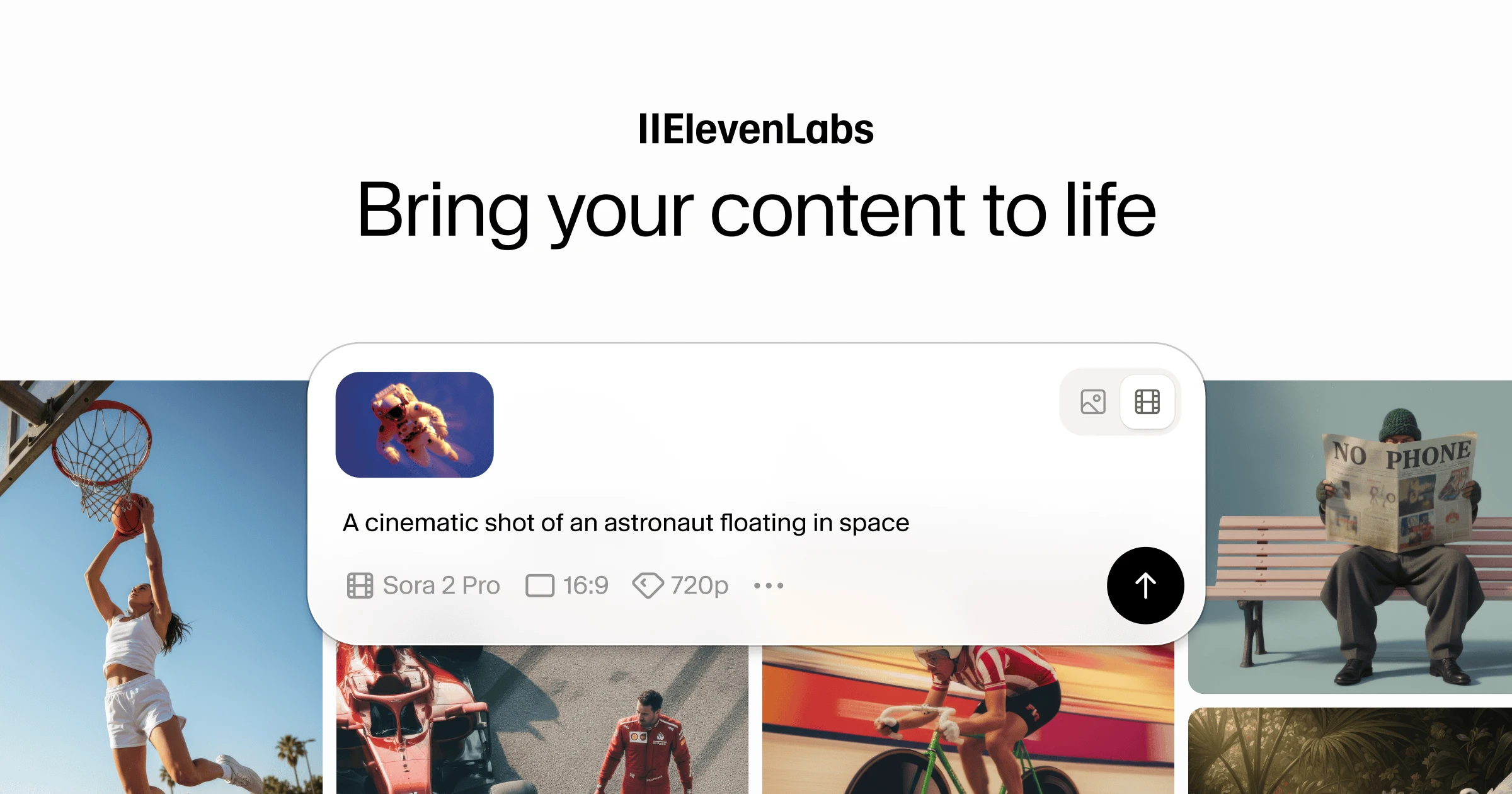
ElevenLabs, already established in AI voice generation, expanded into visual media in November 2025. The platform now allows users to generate images and videos alongside audio content, creating a unified creative workspace. Users can generate visuals using multiple AI models and export them to Studio for voiceovers, music, AI sound effects, and captions. This update transforms the tool into a multimodal creative platform currently in Beta.
Key Features
- Multimodal Generation: Generate high-resolution images and dynamic videos from text prompts, reference images, or start frames, then refine them with additional prompts.
- Access to Multiple Visual Models: The platform integrates several visual models including Sora 2 Pro, Google Veo 3 and 3.1, Kling 2.5, Wan 2.5, and Seedance 1 Pro, each optimized for different use cases.
- Image Generation Models: Includes Nano Banana, Flux Kontext, GPT Image, and Seedream 4 for creating still images, thumbnails, and storyboards.
- Video Enhancement Tools: Upscale resolution by up to 4x, add lip-sync to videos using ElevenLabs voices, and apply realistic lip-sync with audio.
- Integrated Post-Production Studio: Export visuals directly into ElevenLabs Studio to layer voiceovers, background music, AI-powered sound effects, captions, and adjust timing on a multi-track timeline.
- Reference Support: Guide generation with start frames, end frames, style references, and negative prompts for creative control.
- Batch Creation: Generate up to 4 variations simultaneously for efficient iteration and testing.
How It Works
The workflow moves from inspiration to finished asset in four stages:
First, explore community creations in the gallery to find inspiration and study effective prompts. Then generate by entering a detailed text prompt describing your desired output and select your preferred model with settings for aspect ratio, resolution, duration, and audio options. Video generation costs start at 2,500 credits for Seedance 1 Pro, 4,000 credits for basic models, and 8,000 credits for premium models like Veo 3.1.
After generation, iterate and enhance by reviewing outputs, creating variations, and applying enhancements like upscaling and lip-syncing. Finally, export finished assets as standalone files or import them directly into Studio projects where you can add narration, music, sound effects, and captions before final export.
Use Cases
This unified platform serves various professionals:
- Content Creators: Produce videos for YouTube, TikTok, and social platforms by combining custom visuals with AI voiceovers without multiple software tools. Batch creation enables efficient A/B testing of thumbnails and hooks.
- Marketing Professionals: Develop ad creatives and promotional videos rapidly. Generate multiple visual variations, add brand-consistent voiceovers, and export polished content for campaigns.
- Creative Studios: Accelerate pre-production with AI-generated storyboards and concept visuals. Create draft videos with scratch audio for client reviews, saving production time and resources.
- Educators and Trainers: Generate instructional videos with consistent narration, visuals, and captions for multilingual learning materials.
Pros \& Cons
Advantages
- Unified Creative Hub: Handles video, image, voice, music, and sound effects in a single platform with timeline-based editing, reducing workflow friction.
- Multiple AI Model Access: Provides choice across different visual models optimized for speed, quality, or specific use cases like cinematic content or rapid iteration.
- Seamless Workflow: Direct pipeline from visual generation to audio post-production eliminates file transfers between separate tools.
- Cost-Effective Entry: Free tier includes 10,000 credits monthly, allowing experimentation before committing to paid plans.
- Reference Image Support: Start frames and style references enable more consistent branding and creative control compared to text-only prompting.
Disadvantages
- Beta Status: As a newly launched feature, some capabilities may evolve, and long-term stability is not yet proven through extensive user feedback.
- Credit-Based Pricing: High-volume creators may find costs accumulate quickly, with premium models requiring 8,000+ credits per generation and no unlimited generation plans.
- Learning Curve: Understanding which model works best for specific use cases requires experimentation. Advanced features like negative prompts and sound control need technical familiarity.
- Limited Video Lengths: Most models support fixed durations of 4-8 seconds, requiring users to stitch multiple clips for longer content.
- No End Frame Support: Sora 2 Pro and some models cannot use end frames, limiting creative control for video transitions.
How Does It Compare?
Runway ML
- Pricing: Free tier with limited credits; Standard at \$12/month (625 credits); Pro at \$28/month (2,250 credits); Unlimited at \$76/month
- Strengths: Established leader in AI video with Gen-2 and Gen-3 Alpha; strong inpainting and motion brush features; active creative community; longer video generations (up to 18 seconds)
- Weaknesses: More expensive per generation; audio capabilities limited compared to ElevenLabs; voice generation not native
- Best For: Professional filmmakers and studios needing advanced video editing features and longer generations
Pika Labs
- Pricing: Free tier with daily credits; Basic at \$8/month (700 credits); Pro at \$28/month (3,000 credits); Unlimited at \$70/month
- Strengths: Strong motion dynamics and camera control; Pikaffects for creative transformations; Discord community for collaboration
- Weaknesses: Image generation not as robust; audio post-production requires external tools; limited voice synthesis
- Best For: Social media creators focused on dynamic video content with creative effects
Stable Video Diffusion
- Pricing: Open source and free to run locally; API access through various providers at competitive rates
- Strengths: Fully open source with no vendor lock-in; customizable and privacy-focused; can run on local hardware
- Weaknesses: Requires technical expertise to set up; video quality lags behind closed-source alternatives; no integrated audio tools
- Best For: Developers and researchers needing full control over generation pipeline
Haiper
- Pricing: Free tier available; subscription plans with varying credit amounts
- Strengths: Good video quality and motion; user-friendly interface; active development
- Weaknesses: Fewer model options; limited image generation capabilities; no native audio integration
- Best For: Casual creators wanting straightforward video generation without complexity
Luma AI Dream Machine
- Pricing: Free tier (30 generations/month); Standard at \$30/month (120 generations); Pro at \$100/month (400 generations)
- Strengths: High-quality video generation; good prompt adherence; 5-second generations with quick turnaround
- Weaknesses: No image generation; limited to video only; no integrated audio or editing suite
- Best For: Users focused specifically on video generation quality over multimodal workflow
Leonardo.Ai
- Pricing: Free tier (150 tokens/day); Apprentice at \$10/month (8,500 tokens); Artisan at \$24/month (25,000 tokens); Maestro at \$48/month (60,000 tokens)
- Strengths: Excellent image generation with multiple models; strong fine-tuning capabilities; canvas editor for iterative refinement
- Weaknesses: Video generation limited to Motion feature; audio capabilities non-existent; token system can be confusing
- Best For: Artists and designers prioritizing image generation with some video capability
Krea.ai
- Pricing: Free tier; Pro at \$30/month; Max at \$60/month
- Strengths: Real-time generation and editing; multiple model access; canvas-based workflow
- Weaknesses: Video features still developing; no native audio generation; smaller community
- Best For: Designers wanting real-time iteration and visual exploration
Play.ht, Murf AI, Speechify
These tools specialize in text-to-speech only:
- Strengths: Focused voice synthesis with various accents and languages
- Weaknesses: No visual generation capabilities; cannot create complete multimedia content
- Best For: Users needing only voice generation without visuals
Descript
- Pricing: Free tier; Creator at \$12/month; Pro at \$24/month
- Strengths: Powerful audio/video editing with transcription; Overdub voice cloning; screen recording
- Weaknesses: Relies on user-uploaded or stock media; no native generative video creation; AI features limited to audio
- Best For: Podcasters and video editors focused on editing existing content rather than generation
Final Thoughts
ElevenLabs is making a strategic move, evolving from a voice AI platform into a comprehensive multimodal creative suite. By integrating multiple image and video generation models alongside its industry-leading audio tools, it offers a compelling solution for producing multimedia content within a single workflow.
The platform’s strength lies in combining generation and post-production rather than specializing in one area. For creators already using ElevenLabs for voiceovers, the addition of visual generation eliminates the need for separate video tools. For new users, the free tier provides a low-risk entry point to experiment with various models.
However, the Beta status means users should expect evolution in features and pricing. While it competes with established video generation platforms, ElevenLabs differentiates through its audio integration rather than matching every video editing feature. Runway and Pika offer more mature video-focused tools, but lack native voice synthesis.
For creators, marketers, and studios ready to embrace AI-assisted content creation, ElevenLabs provides a unique value proposition: generating complete multimedia projects without leaving the platform. The key consideration is whether the convenience of a unified workflow outweighs the specialized capabilities of dedicated video or audio tools. As the platform matures beyond Beta, its success will depend on maintaining competitive generation quality while deepening the integration between visual and audio elements.