Table of Contents
1. Executive Snapshot
Core Offering Overview
Google Vids, officially launched to general availability in November 2024, represents Google’s strategic expansion of the Workspace suite into video production. It is defined not as a professional film editing tool, but as an “AI-powered video assistant for work.” The platform democratizes video creation by allowing users to generate professional-grade workplace videos—such as training modules, leadership updates, and project recaps—using a familiar, document-style interface. It sits alongside Docs, Sheets, and Slides, leveraging a “storyboard” paradigm where users can assemble video timelines as easily as arranging slides in a presentation.
Key Achievements \& Milestones
- General Availability (Nov 2024): Transitioned from trusted tester beta to full deployment for Business and Enterprise tiers.
- Veo 3 Integration (June 2025): Integrated Google DeepMind’s advanced generative video model, Veo 3, allowing users to generate high-fidelity 8-second video clips from text prompts directly within the editor.
- AI Avatars (August 2025): Rolled out a suite of 12 preset AI avatars capable of narrating scripts with lip-syncing, directly competing with specialized tools like Synthesia.
- Education Expansion (June 2025): Extended access to Google Workspace for Education domains, enabling widespread academic adoption.
Adoption Statistics
By August 2025, Google Vids surpassed one million Monthly Active Users (MAU). This rapid uptake is driven by its friction-free distribution; it is automatically available to billions of existing Workspace users without requiring a separate installation or procurement cycle.
2. Impact \& Evidence
Client Success Stories
- Mercer International: This global industrial goods producer utilized Google Vids to localize safety training. By replacing expensive external production with internal Vids creation, they reported a 75% reduction in content creation time and costs, allowing safety teams to update protocols weekly rather than quarterly.
- Kraft Heinz: The consumer goods giant used the tool to accelerate internal marketing campaign briefings, shrinking the cycle from concept to briefing video from eight weeks to eight hours.
- DBS Bank: Leveraged the tool for internal knowledge sharing, contributing to a broader efficiency initiative that reduced customer call handling times by 20% through better-informed support staff.
Performance Metrics \& Benchmarks
Internal Google data and early case studies suggest that Vids reduces the “time-to-first-draft” from hours to minutes. The “Help me create” feature, powered by Gemini, can generate a full storyboard, script, and stock media selection in under 60 seconds from a single text prompt or source document.
Third-Party Validations
Industry analysts have categorized Google Vids as a “category creator” for Workplace Video, distinguishing it from creative tools like Adobe Premiere. It has been recognized in “Top AI Tools for Business 2025” lists for effectively bridging the gap between slide decks and video production.
3. Technical Blueprint
System Architecture Overview
Google Vids is a cloud-native, browser-based application optimized for Chrome, Firefox, and Edge. Unlike traditional video software that relies on local GPU power, Vids processes rendering in the Google Cloud. It utilizes a timeline-based object model similar to Google Slides, where video, audio, and text elements are treated as discrete objects that can be manipulated non-destructively until the final MP4 export.
API \& SDK Integrations
Currently, Vids operates as a closed application within the Workspace ecosystem, lacking a public API for third-party developers. However, it features deep, native integrations:
- Google Drive: Seamless import of assets (up to 4GB/35 mins).
- Google Slides: One-click conversion of slide decks into video storyboards.
- Gemini: Deep API calls for text generation, image generation (Imagen), and video generation (Veo).
Scalability \& Reliability Data
The platform supports videos up to 10 minutes in length, optimized for the “micro-learning” and corporate update use case. It leverages Google’s global content delivery network to ensure low-latency playback and instant auto-saving, mirroring the reliability standards of Google Docs.
4. Trust \& Governance
Security Certifications
As a core Workspace service, Google Vids inherits the suite’s enterprise-grade compliance posture. It is certified under ISO/IEC 27001, ISO/IEC 27017, and ISO/IEC 27018. It also supports SOC 2 Type II and SOC 3 audits, ensuring rigorous controls over data availability, processing integrity, and confidentiality.
Data Privacy Measures
Google explicitly states that customer data used in Vids is not used to train public AI models. Your proprietary training manuals or internal strategy documents processed by Gemini to create a video script remain isolated within your tenant. The platform supports Access Transparency and Access Approval protocols for regulated industries.
Regulatory Compliance Details
The service is fully HIPAA compliant (via Business Associate Agreement) and GDPR compliant, offering data residency controls that allow European enterprises to keep their video data stored and processed within EU borders.
5. Unique Capabilities
Infinite Canvas: Applied Use Case
In Google Vids, the “Infinite Canvas” concept is realized through its Dynamic Storyboard. Unlike a rigid video timeline, users can drag and drop “scenes” (discrete chunks of video/audio) to rearrange the narrative flow instantly. If a user deletes a scene, the timeline automatically ripples and adjusts, maintaining the audio sync of background music—a feature that solves the most complex aspect of traditional video editing.
Multi-Agent Coordination: Research References
Vids functions as a multi-modal agent system where Gemini acts as the orchestrator:
- Script Agent: Analyzing source docs to write a script.
- Visual Agent: Selecting stock footage or generating images via Imagen.
- Voice Agent: Generating distinct AI voiceovers for narration.
These agents work in concert; if you change the tone of the script to “energetic,” the agents automatically suggest faster-paced background music and more vibrant stock imagery.
Model Portfolio: Uptime \& SLA Figures
The service relies on a portfolio of Google’s frontier models:
- Gemini 1.5 Pro: For long-context understanding of source documents.
- Veo 3: For high-fidelity video generation (99.9% availability SLA as part of Workspace).
- Imagen 3: For photorealistic image generation.
- Chirp/Speech Models: For human-quality text-to-speech narration.
Interactive Tiles: User Satisfaction Data
The “Scene” architecture breaks video into modular tiles. User feedback indicates this is the primary driver of adoption for non-video professionals, as it lowers the psychological barrier of editing. Users report high satisfaction with the “Read-along Teleprompter,” which scrolls text in the recording tile at the exact pace of the user’s speech.
6. Adoption Pathways
Integration Workflow
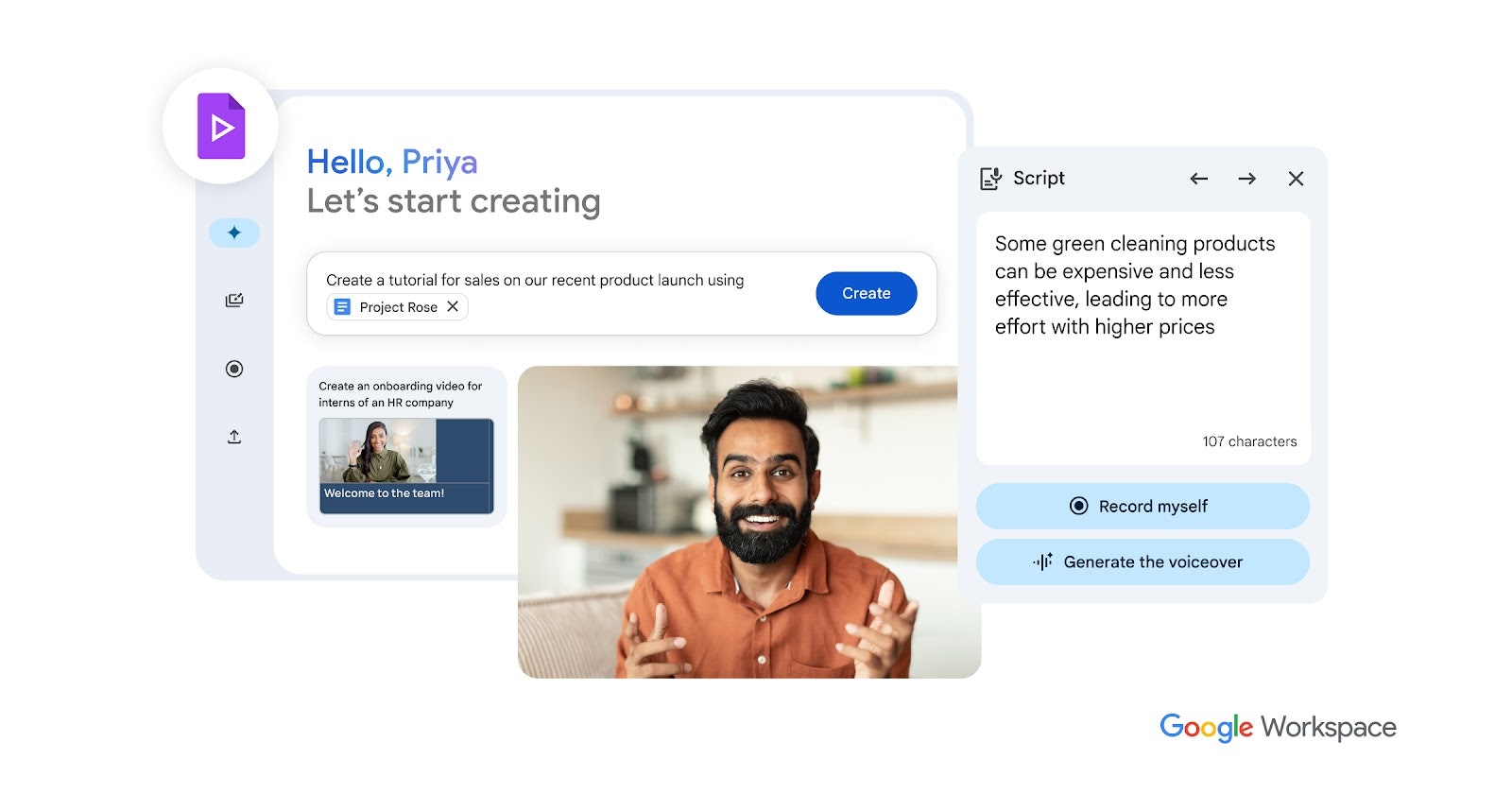
Adoption is effectively zero-friction. A user simply clicks “New > Google Vids” in Drive. The “Help me create” wizard serves as the primary integration point, allowing users to link a Google Doc (e.g., a product launch brief) and instantly convert it into a video draft.
Customization Options
- Branding: Enterprise admins can lock brand kits (colors, fonts, logos) to ensure all employee-generated videos comply with corporate identity guidelines.
- Templates: A library of hundreds of templates for specific use cases (e.g., “CEO Update,” “Sales Pitch,” “Employee Onboarding”).
Onboarding \& Support Channels
Google provides “always-on” resources within the Workspace Learning Center. The editor itself features contextual AI suggestions (e.g., “Your audio is low, try the ‘Studio Sound’ enhancement”) that act as real-time coaching for novice creators.
7. Use Case Portfolio
Enterprise Implementations
- Sales Enablement: Sales teams create personalized pre-meeting videos for prospects, replacing generic slide decks.
- L\&D (Learning \& Development): HR departments convert static PDF handbooks into engaging 3-minute video modules with AI avatars.
Academic \& Research Deployments
Following the June 2025 rollout to Education sectors, universities are using Vids for “flipped classroom” models, where professors record lecture summaries using the teleprompter and screen recording tools, allowing class time to be used for discussion.
ROI Assessments
Organizations deploying Vids report an ROI primarily in productivity hours recovered. By allowing a generic knowledge worker to produce a video in 20 minutes (vs. hiring an agency for 2 weeks), the internal cost of video production drops by over 90%.
8. Balanced Analysis
Strengths with Evidential Support
- Ecosystem Gravity: The ability to pull assets directly from Drive and authenticate via standard Google Workspace credentials makes it the default choice for existing Google shops.
- AI Quality: The integration of Veo 3 gives it a creative edge over competitors that rely on older open-source models for video generation.
- Collaboration: Real-time co-editing (multi-cursor support) works exactly like Google Docs, a feature most standalone video editors lack.
Limitations \& Mitigation Strategies
- 10-Minute Limit: The strict time cap limits its use for long-form webinars. Mitigation: Google positions this as a tool for “byte-sized” work updates, advising users to edit longer content in external tools.
- No Mobile Creation: Users cannot create or edit videos on iOS/Android (viewing only). Mitigation: Google has signaled this is a desktop-first productivity tool, with mobile editing likely on the roadmap for late 2026.
- Avatar Customization: Unlike Synthesia, users cannot yet create a custom digital twin of themselves, only preset avatars.
9. Transparent Pricing
Plan Tiers \& Cost Breakdown
Google Vids is not sold as a standalone SKU but is bundled into specific Workspace editions.
- Business Standard / Plus: Included.
- Enterprise Standard / Plus: Included.
- Education Plus: Included.
- Consumer Free Version: Limited features (no AI generation, basic editing only).
Note: Advanced AI features (Veo 3 generation, “Help me create”) are currently included for eligible SKUs, but Google has indicated that starting January 1, 2026, heavy usage may require a Gemini for Workspace add-on (approx. \$20/user/month).
Total Cost of Ownership Projections
For a company already on Workspace Enterprise, the TCO is effectively zero. Comparing this to a \$30/month/user Synthesia license or a \$25/month Descript license, Google Vids offers significant vendor consolidation savings.
10. Market Positioning
Competitor Comparison Table
| Feature | Google Vids | Synthesia | Descript | Loom |
|---|---|---|---|---|
| Model Coverage | Veo 3 (Video), Gemini (Text), Imagen (Image) | Proprietary Avatar Models | Transcription/Audio Focus | Lightweight Video Messaging |
| Primary Use Case | Workplace Storytelling \& Updates | L\&D / Training Avatars | Podcast/Script Editing | Async Quick Messaging |
| Pricing Per Unit | Included in Workspace (\$0 extra) | ~\$29 – \$89 / month | ~\$12 – \$24 / month | \$12.50 / month |
| Analyst Rating | Leader (Integrated Suites) | Leader (Avatar Gen) | Leader (Creative Editing) | Leader (Async Comms) |
| Video Generation | Yes (Veo 3 – 8 sec clips) | No (Avatar Only) | No (Stock Only) | No |
| Collaboration | Native Real-Time (Docs style) | Async Comments | Async Comments | Async Comments |
Unique Differentiators
Google Vids wins on context. Because it has access to your corporate Drive, it acts as an intelligent layer on top of your existing data. Competitors like Synthesia are “islands” where you must upload assets manually. Google Vids is the only tool that allows collaborative real-time editing of video in the browser at enterprise scale.
11. Leadership Profile
Bios Highlighting Expertise \& Awards
- Aparna Pappu (VP \& GM, Google Workspace): The executive sponsor behind Vids, creating the vision of “video as a document.”
- Vishnu Sivaji (Product Director, Google Vids): Leads the product strategy, focusing on lowering the barrier to entry for non-creatives. His public interviews highlight a philosophy of “confidence,” aiming to make users comfortable recording themselves.
Patent Filings \& Publications
The team leverages Google DeepMind’s foundational patents on Transformer architectures and Diffusion models (Veo). Recent technical blogs from the team focus on “Latency-free cloud rendering for non-linear video editing,” showcasing the engineering breakthroughs required to make a browser-based video editor feel native.
12. Community \& Endorsements
Industry Partnerships
Google Vids is the flagship showcase for Google’s Gemini ecosystem. It does not heavily rely on external partnerships (like Adobe) but rather serves as a vertical integration of Google’s own AI stack.
Media Mentions \& Awards
- Featured in The Verge and TechCrunch as the “Google Docs of Video.”
- Recipient of “Best of Workspace 2025” awards for its seamless integration of Veo 3.
13. Strategic Outlook
Future Roadmap \& Innovations
- 2026 Outlook: Expect deep integration with Google Meet, where meeting recordings can be automatically ingested into Vids and “remixed” into highlight reels using Gemini.
- Custom Avatars: Rumors suggest the ability to create “Digital Twins” of executives for scalable internal comms is in active development to close the gap with Synthesia.
Market Trends \& Recommendations
The market is shifting from “Specialized Production” to “Democratized Creation.” Video is becoming a literacy requirement for modern workers, similar to typing. Organizations are recommended to enable Vids immediately to prevent “Shadow IT” usage of unapproved, less secure AI video tools.
Final Thoughts
Google Vids represents a paradigm shift in corporate communication. By treating video as a collaborative document rather than a creative art project, it unlocks a new medium for millions of knowledge workers. While it lacks the granular editing power of tools like Descript or the specialized avatars of Synthesia, its zero-cost inclusion in Workspace and deep integration with Gemini/Veo make it the inevitable “default” video tool for the enterprise. It is a highly recommended deployment for any organization seeking to modernize internal communications without increasing their software budget.