Table of Contents
Overview
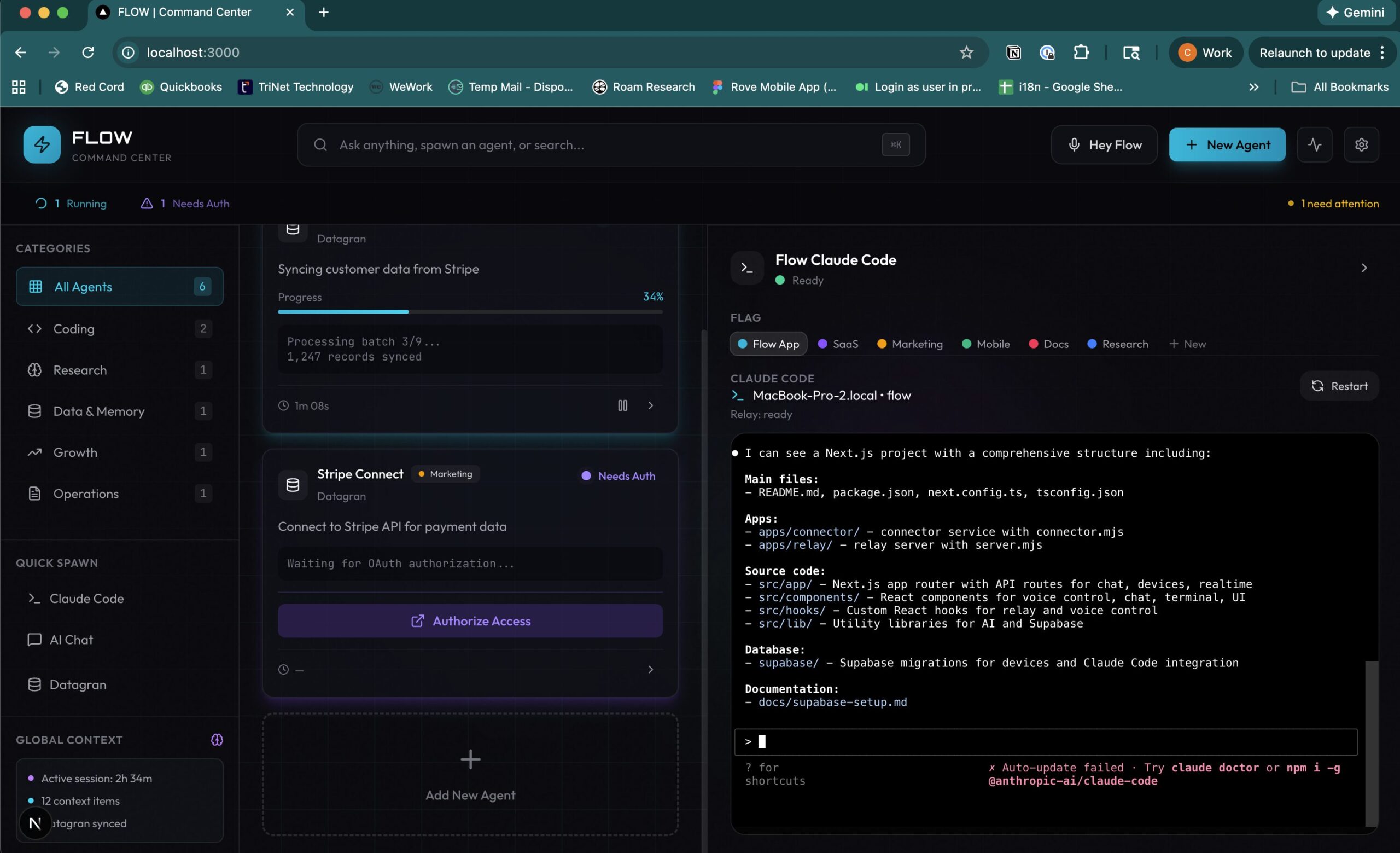
GROOVY is the “Command Center” for the modern AI workflow, designed to solve the fragmentation of using dozen different AI tools. It is not just another chat interface; it is a unified workspace that aggregates your conversational agents (like Claude and ChatGPT) with your development tools (like Cursor and Claude Code). By bringing chat, coding, and data processing into one “Single Pane of Glass,” Groovy allows knowledge workers—from developers to marketers—to maintain their “flow state” without constantly context-switching between browser tabs and terminals.
Key Features
Groovy unifies scattered AI capabilities into a cohesive dashboard:
- Unified Agent Dashboard: Access top-tier models (OpenAI, Anthropic) and specialized agents in one place. No more toggling between ChatGPT and Claude web interfaces.
- Developer Tool Integration: A major differentiator—Groovy integrates directly with Claude Code and Cursor. You can monitor background coding agents, track their progress, and provide input without leaving the Groovy interface.
- Browser Automation: Utilizing the Claude Chrome extension, Groovy enables agents to “see” your browser. They can debug localhost errors, test form validations, and fix DOM issues by reading the actual console output.
- Universal Search: Instantly search across all your past conversations, code generations, and agent outputs from a single search bar, preserving your institutional knowledge.
- Data Processing: Upload complex documents (Excel, PDF) and let the “Document Processing Powerhouse” (powered by Claude Opus) analyze data and generate charts using code execution.
Use Cases
The platform is built for high-performance knowledge work:
- AI-Native Development: A developer can have Cursor refactoring a module in the background while asking Groovy to write the documentation for it, all while monitoring a “Claude Code” agent debugging a frontend error in the browser.
- Cross-Functional Ops: A founder can generate a sales report from a CSV, draft an email about it, and ask a coding agent to update the company dashboard—all in one session.
- Web Testing: Automating QA tasks where an agent opens a URL, tries to break a form, and reports the specific console errors it found back to the developer.
Pros & Cons
A balanced look at the tool’s strengths and limitations.
Advantages
- Context Retention: By keeping all AI interactions in one place, you lose less context than when jumping between isolated apps.
- Deep Dev Integration: Unlike generic chat aggregators, it actually hooks into the CLI and browser, making it useful for real engineering work.
- Visual Signaling: “Color-coded indicators” let you know at a glance which agents are working and which are waiting for your input.
Disadvantages
- Setup Complexity: To get the full value (especially browser automation), you need to install specific CLIs (Claude Code v2.0+) and extensions, which is a barrier for non-technical users.
- Browser Dependency: The automation features are currently optimized for Google Chrome, limiting users of other browsers (Safari/Firefox).
How Does It Compare?
Groovy sits in the new “AI Orchestration” category. Here is how it stacks up:
- Vs. Poe / TypingMind:
Poe and TypingMind are excellent Chat Aggregators—great for talking to GPT-4 and Claude in one UI. However, they are isolated from your actual work. They cannot see your VS Code terminal or debug your localhost. Groovy connects to your local dev environment, making it a workspace, not just a chat window. - Vs. OpenAI Desktop App:
The ChatGPT Desktop App is polished but single-vendor (OpenAI only). Groovy allows you to use Claude for coding (often preferred by devs) and GPT for general tasks side-by-side, preventing vendor lock-in. - Vs. Cursor (Standalone):
Cursor is an IDE. Groovy is a Dashboard that sits alongside it. You code in Cursor, but you manage the “business logic” and “background agents” in Groovy. They are complementary, not competitive.
Final Thoughts
GROOVY creates the “Mission Control” layer that has been missing from the AI stack. For power users who feel overwhelmed by managing five different AI tabs and a terminal window, Groovy offers a way to regain control and focus. It transforms AI from a collection of scattered tools into a unified workforce.
Disclaimer: Features such as “Claude Code” integration require specific CLI versions (v2.0.73+) and API access. Verify compatibility with your development stack before deep integration.