Table of Contents
MemoryPlugin for OpenClaw
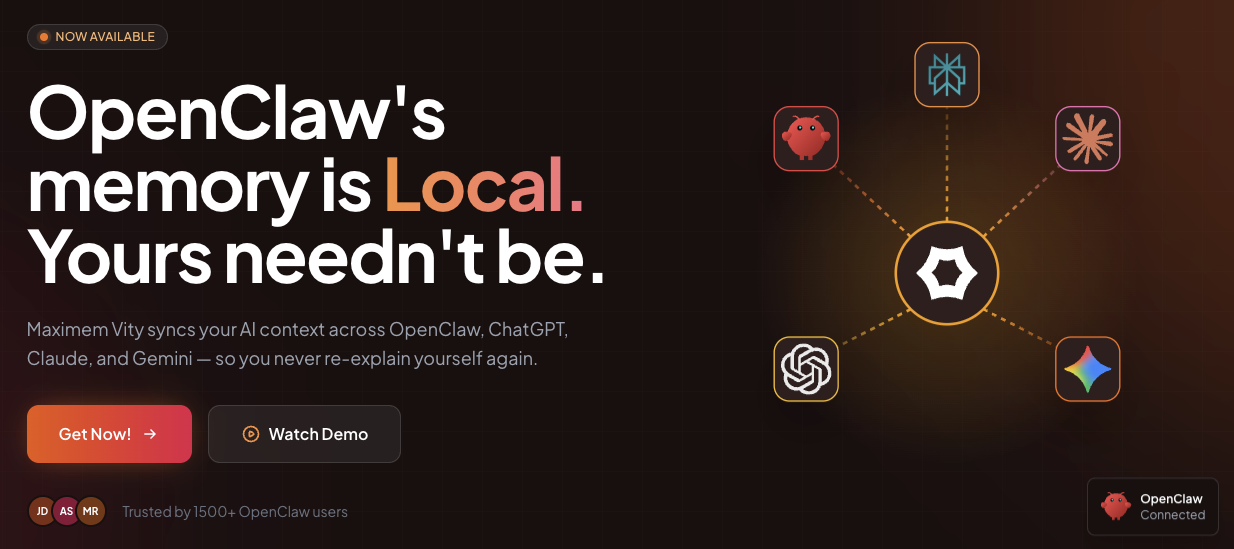
MemoryPlugin creates a unified, persistent memory layer that works across OpenClaw (formerly Clawdbot), ChatGPT, Claude, and Gemini. By connecting a Chrome extension to these platforms, it injects relevant context into new chats, makes past conversations searchable, and synchronizes bookmarks from Chrome and X (Twitter). It also converts key insights into WaitPro flashcards, allowing you to retain your best prompts and research through spaced repetition.
Key Features
- Unified Memory Layer: Creates a single “brain” accessible across 4 major platforms (OpenClaw, ChatGPT, Claude, Gemini).
- Context Injection: Automatically injects relevant past details into new sessions to prevent repetition.
- WaitPro Flashcards: Automatically converts saved insights and prompts into flashcards for spaced repetition learning.
- Bookmark Sync: Synchronizes and organizes bookmarks from Chrome and X/Twitter into your memory graph.
- Secure Cloud Vault: Uses encryption-at-rest for cloud storage (Note: While OpenClaw itself is local-first, this plugin utilizes a secure cloud vault for cross-device syncing, distinguishing it from purely air-gapped offline tools).
- API Integration: Connects directly to OpenClaw via API while using a browser extension for web-based LLMs.
- Session Capture: Capable of capturing context from supported browser activities with user permission.
How It Works
Users install the Chrome extension and connect it to their AI accounts. The MemoryPlugin operates in the background, capturing conversation context, key decisions, and research outcomes, which are stored in an encrypted cloud vault.
When a user starts a new conversation on any supported platform (e.g., switching from ChatGPT to Claude), the extension retrieves relevant context from the vault and injects it into the new session. Additionally, users can search their entire conversation history, sync external bookmarks, and export learning materials to the WaitPro system for review.
Use Cases
- Cross-Platform Continuity: Developers and researchers can switch between ChatGPT for coding and Claude for writing without losing project context.
- Knowledge Retention: Automatically generating flashcards from complex research prevents knowledge loss over time.
- Prompt Library Management: Saves successful prompt structures for reuse across different models.
- Bookmark Intelligence: Turns static bookmarks from Twitter and Chrome into searchable, context-aware memory entries.
- Workflow Efficiency: Eliminates the need to copy-paste “Catch me up on what we discussed…” prompts when starting new threads.
Pros & Cons
Pros:
– Unified context across multiple isolated AI silos.
– “Write once, remember everywhere” workflow efficiency.
– Unique integration of bookmark syncing (X/Twitter) with LLM memory.
– Integrated learning tool (WaitPro) adds value beyond simple storage.
– High security standards with encryption-at-rest.
Cons:
– Requires a Chromium-based browser (Chrome, Brave, Edge) for web integrations.
– “Air-gapped” claims in marketing are technically limited to the local OpenClaw instance; the plugin requires cloud sync to function across devices.
– Pricing is not transparently disclosed (likely SaaS model).
– Dependency on third-party platform DOM structures (if ChatGPT updates its UI, the extension may need updates).
Pricing
Pricing is not publicly disclosed on the main landing page. Based on similar “second brain” AI tools, it likely follows a freemium model with a subscription tier (estimated $10-20/month) for unlimited memory storage and advanced WaitPro features.
How Does It Compare?
MemoryPlugin enters a competitive market but differentiates itself through its specific focus on OpenClaw integration and Flashcard learning.
- vs. ChatGPT Memory (Native)
- ChatGPT Memory: Strictly limited to OpenAI’s ecosystem. It cannot carry context to Claude or Gemini.
- MemoryPlugin: Platform-agnostic. It takes what you tell ChatGPT and makes it available when you open Claude, preventing platform lock-in.
- vs. Claude Projects
- Claude Projects: Requires manual uploading of documents to create a “Project” context. It is excellent for static knowledge but doesn’t automatically “learn” from your casual daily conversations across other tools.
- MemoryPlugin: Automatic and dynamic. It captures flow from conversation to conversation without manual file management.
- vs. Mem0 (formerly Embedchain)
- Mem0: Primarily a developer API for building memory into applications. It requires coding knowledge to implement effectively.
- MemoryPlugin: A consumer-ready product (Browser Extension) that requires no coding, designed for end-users to install and use immediately.
- vs. Recall.ai / Heyday
- Recall/Heyday: These tools focus heavily on capturing your browsing history and web reading. They are “passive” monitors of what you read.
- MemoryPlugin: Focuses specifically on active conversations with AI agents. It prioritizes your prompts, decisions, and AI outputs rather than just tracking the websites you visit.
- vs. Notion AI / Web Clipper
- Notion: A static knowledge base. You must explicitly choose to “save” something to Notion.
- MemoryPlugin: Operates as a fluid memory stream. While it has bookmark syncing, its core value is the “injectable context” for LLMs, whereas Notion is for document storage.
Final Thoughts
MemoryPlugin for OpenClaw addresses a specific pain point for power users who juggle multiple AI models (“LLM fatigue”). By unbundling memory from the model providers, it offers a layer of ownership over your data—ensuring that if you switch from OpenAI to Anthropic, your “digital brain” moves with you. While the reliance on a browser extension introduces some platform risk, the addition of WaitPro flashcards transforms it from a simple storage tool into an active learning assistant, making it a compelling option for researchers and students.