Nativeline
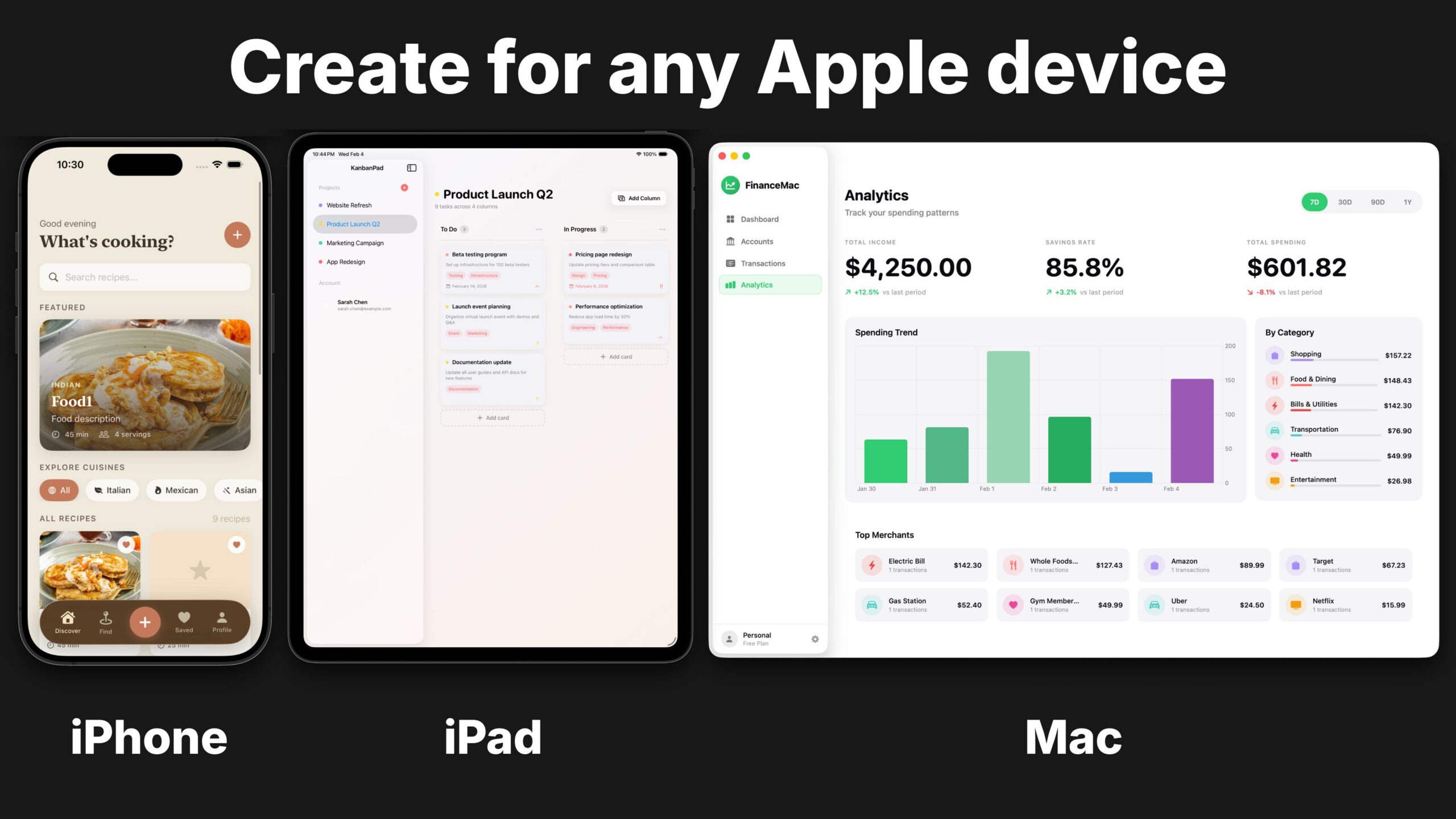
Nativeline is an AI-powered platform that builds native Swift applications for iPhone, iPad, and Mac through conversational prompts. The platform generates production-grade SwiftUI code rather than web wrappers or cross-platform frameworks, targeting developers and non-technical users who want to create apps for the Apple ecosystem without extensive coding knowledge.
What It Does
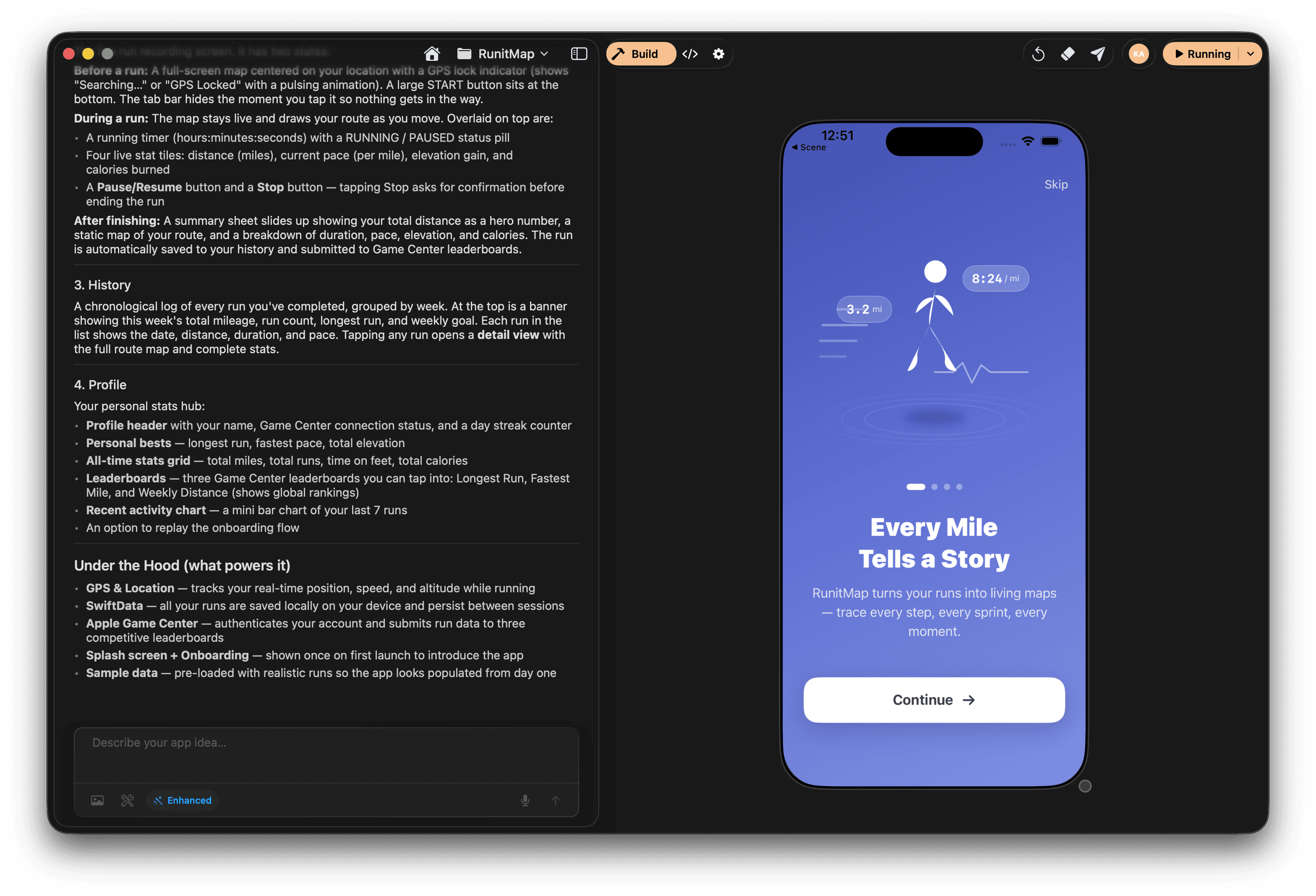
Users describe their app concept in plain English through a conversational interface. The AI interprets the requirements and generates native Swift code in real-time, creating SwiftUI-based applications optimized for each Apple platform. The system handles project structure, code generation, compilation, and deployment workflows automatically.
Key Features
- Native Swift Output: Generates 100% SwiftUI code optimized for Apple platforms, not React Native or web-based wrappers
- Multi-Platform Support: Builds applications for iPhone, iPad, and Mac with platform-specific UI patterns and behaviors
- Liquid Glass Design System: Incorporates Apple’s latest design language and UI components automatically
- Real-Time Code Editor: Provides full access to view and edit generated Swift code with console logs and debugging tools
- TestFlight Deployment: One-click deployment to TestFlight for beta testing
- Database Integration: Includes database setup and configuration as part of the build process
- Code Ownership: Users retain full ownership of generated Xcode projects with no vendor lock-in
- Iterative Development: Supports conversational refinement where users can request changes through natural language
How It Works
Users begin by describing their app idea in conversational English. The platform creates the Xcode project structure, generates SwiftUI code, and compiles the application. Users can preview the app in real-time, request modifications through additional prompts, and access the full codebase for manual editing. Once satisfied, apps can be deployed directly to TestFlight or submitted to the App Store.
Who It’s For
- First-Time App Creators: Individuals without coding experience who want to build iOS applications
- Entrepreneurs and Founders: Business owners needing MVP development without hiring development teams
- Swift Developers: Experienced developers looking to accelerate workflows by automating boilerplate code
- Indie App Makers: Solo developers building and shipping apps quickly
Pricing
Nativeline operates on a subscription model with usage-based “Bits” credits:
- Builder Plan: $25/month with 1,000 Bits, includes app creation, database setup, automatic TestFlight upload, code ownership, and standard support
- Pro Plan: $50/month with 2,250 Bits, includes everything in Builder plus full code editor access, real-time console logs, and priority support
- Scale Plan: Custom pricing with 4,800+ Bits, includes dedicated support and adjustable bit limits
Advantages and Limitations
Advantages:
- Produces genuine native Swift code rather than cross-platform frameworks, resulting in better performance and more authentic iOS user experiences
- Supports the full Apple ecosystem including Mac apps with menus and windows, and iPad apps with full-screen layouts
- Faster deployment compared to traditional development workflows
- Professional-quality output with modern SwiftUI architecture
- No vendor lock-in since users receive complete Xcode projects
Limitations:
- Limited to Apple ecosystem only; cannot build for Android or web platforms
- Subscription-based pricing model requires ongoing costs
- May require Swift knowledge for advanced customization beyond AI-generated code
- Relatively new platform with smaller community compared to established tools
How Does It Compare?
vs. FlutterFlow
- Nativeline: Native SwiftUI code for iOS, iPadOS, and macOS only; superior iOS performance and platform integration
- FlutterFlow: Cross-platform Flutter framework targeting iOS, Android, and web; single codebase for multiple platforms but uses framework layer rather than native code
vs. iSwift.dev
- Nativeline: Conversational AI platform with deployment automation and database setup included
- iSwift.dev: SwiftUI-focused AI code generator emphasizing code quality and developer control; more developer-oriented approach
vs. Draftbit
- Nativeline: Native Swift output for Apple platforms exclusively
- Draftbit: React Native visual builder supporting iOS and Android; offers visual drag-and-drop interface with code export but not native Swift
vs. Replit Agent
- Nativeline: Specialized for native Apple app development with integrated TestFlight deployment
- Replit Agent: General-purpose cloud IDE supporting multiple languages and frameworks; broader scope but less specialized for iOS workflows
vs. Bolt.new
- Nativeline: Native mobile app deployment to App Store
- Bolt.new: Web application generator focused on Next.js and React; browser-based prototyping without mobile app store deployment
vs. Lovable
- Nativeline: Native iOS applications with Swift code
- Lovable: Full-stack web applications using React and Supabase; no native mobile app generation
vs. Natively
- Nativeline: Native Swift code for Apple platforms
- Natively: React Native code generator for iOS and Android; cross-platform but not native Swift
Final Thoughts
Nativeline addresses a specific gap in the AI app builder market by focusing exclusively on native Swift development for Apple platforms. While cross-platform tools like FlutterFlow and Draftbit offer broader platform coverage, Nativeline prioritizes authentic iOS experiences through native code generation. The platform is particularly valuable for founders validating iOS-first ideas, developers wanting to skip Xcode setup overhead, and anyone committed to the Apple ecosystem who values native performance over cross-platform portability. However, teams needing Android support or those building web applications should consider alternative platforms. The subscription pricing and Apple-only limitation make it a specialized tool rather than a universal solution, but for its target use case, it delivers genuine native apps with production-ready Swift code and simplified deployment workflows.