Table of Contents
Overview
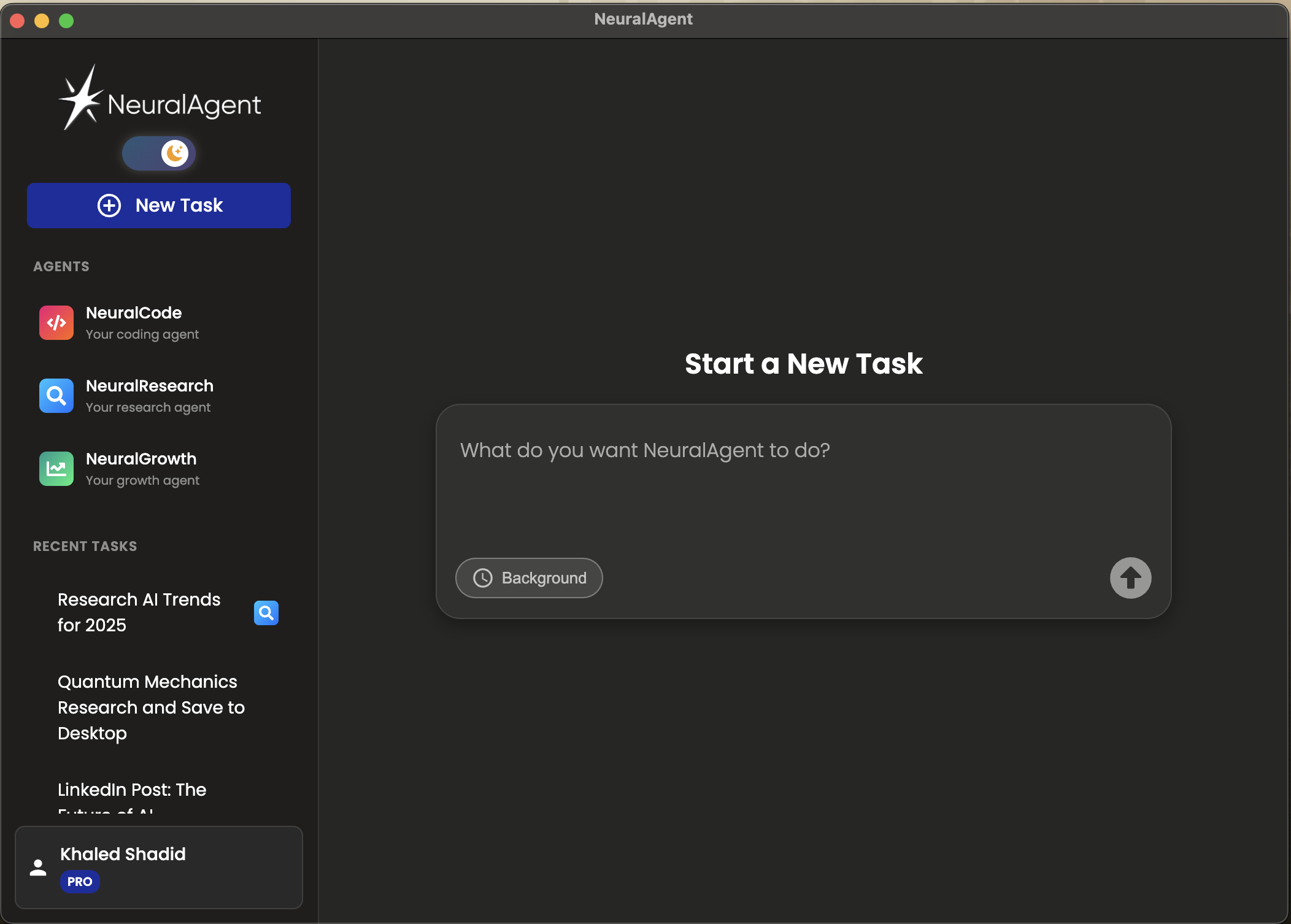
NeuralAgent is an AI-powered desktop automation tool designed to perform tasks on your computer by controlling your mouse and keyboard. Unlike chatbots that operate within sandboxed environments, NeuralAgent can see your screen and interact with your system directly—opening applications, clicking buttons, typing text, and navigating between windows. The platform positions itself as an AI teammate that handles real work across any application, with recent updates introducing background mode capabilities and specialized agents for specific task categories.
Key Features
NeuralAgent offers a distinctive set of capabilities for desktop automation:
Full Desktop Control: The core functionality enables NeuralAgent to physically control your mouse cursor, click interface elements, type text, scroll, and switch between windows and applications. It operates on your actual desktop environment rather than in a virtual machine or cloud sandbox.
Background Mode: Available on both Windows and macOS, this feature allows NeuralAgent to execute tasks without taking over your screen. On Windows, background mode uses WSL to control the browser even when minimized. On macOS, the implementation uses accessibility APIs for background operation, enabling users to continue working while the AI handles delegated tasks.
Specialized Agents: The platform includes domain-specific agents optimized for particular task categories. NeuralCode focuses on programming-related tasks, NeuralResearch handles information gathering and compilation, and NeuralGrowth addresses marketing and sales automation workflows.
LIVE Feed: Users can watch NeuralAgent’s actions and reasoning in real-time through a feed that shows what the AI is doing and how it approaches tasks during execution.
Cross-Platform Support: NeuralAgent runs on Windows, macOS, and Linux, with the full-featured background mode currently most mature on Windows and macOS.
Open Source Option: The core technology is available as an open-source project on GitHub, allowing developers to examine, modify, and contribute to the codebase under the MIT license.
How It Works
NeuralAgent uses multimodal AI models (such as GPT-4V or Claude) that can interpret visual information from screenshots of your screen. When given a task in natural language, the system captures your screen, analyzes the visual context, and determines the appropriate actions to take. It then executes those actions through pyautogui for mouse and keyboard control.
The architecture consists of several components: an Electron-based frontend providing the desktop interface, a FastAPI backend handling authentication and task queuing, and a Python-based agent core that manages screen capture and input control. Multiple specialized AI modules (Planner, Classifier, Suggestor, and Computer-Use agents) work together to determine what actions to take and how to execute them.
The system processes tasks iteratively—taking a screenshot, analyzing the current state, planning the next action, executing it, then repeating until the task is complete or encounters an issue requiring user input.
Use Cases
NeuralAgent’s ability to automate tasks across any desktop application opens several practical applications:
Cross-Application Workflow Automation: Orchestrate complex workflows spanning multiple tools. For example, connecting HubSpot, Shopify, and Meta Ads to build integrated sales processes, or automating data transfer between spreadsheets, web forms, and internal software.
Legacy System Automation: Interact with older software lacking modern APIs through their graphical interfaces. This includes automating tasks on government portals, legacy ERP systems, or older internal tools that only support manual interaction.
Research and Data Compilation: Assign research topics for the agent to browse multiple sources, gather relevant information, and compile findings into documents.
Software Testing: Run through application flows, clicking through interfaces, and logging results for quality assurance purposes.
Pros and Cons
Advantages
Because it mimics human computer interaction, NeuralAgent can automate tasks in virtually any application regardless of API availability. If a task can be performed with mouse and keyboard, the agent can potentially automate it. Background mode provides genuine multitasking capability, allowing users to work on their primary tasks while the AI handles time-consuming operations separately. The open-source availability provides transparency and customization options for technical users.
Disadvantages
Granting an AI autonomous control over your computer introduces security considerations that users must evaluate carefully. Visual AI agents can make unintended clicks or misinterpret interface elements, meaning critical tasks may require supervision. Background mode on Windows currently relies on WSL for browser control, which adds setup complexity. The system’s effectiveness depends heavily on the underlying AI model’s visual understanding capabilities, and performance can vary across different application interfaces.
How Does It Compare?
The desktop automation AI agent space includes several approaches with different strengths:
Anthropic Claude Computer Use
- Type: API capability for Claude models to control computers
- Focus: Developer-focused API for building computer use applications
- Availability: Public beta through Anthropic API; requires developers to build their own interface
- Key Differentiator: Powers the underlying capability in many computer use agents; Claude 3.5 Sonnet is currently the model offered for this feature
- Pricing: API usage-based pricing through Anthropic
- Best For: Developers building custom computer use applications who want API-level control
OpenAI Operator
- Type: Cloud-based browser automation agent
- Focus: Automating web-based tasks through a cloud browser
- Availability: Currently available to ChatGPT Pro subscribers; planned expansion to Plus users
- Key Differentiator: Runs in OpenAI’s cloud environment; specializes in web tasks like reservations, shopping, and form filling
- Pricing: Included with ChatGPT Pro subscription (\$200/month)
- Best For: Users wanting browser automation without local installation; web-focused tasks
Agent S / Agent S2
- Type: Open-source framework for computer use agents
- Focus: Research-grade autonomous computer interaction through GUI
- Availability: Fully open-source on GitHub; supports Windows, macOS, and Linux
- Key Differentiator: Achieves state-of-the-art results on OSWorld benchmarks; operates solely on raw screenshots without accessibility tree data
- Pricing: Free (open-source)
- Best For: Researchers and developers seeking high-performance open-source computer use capabilities
OpenAdapt
- Type: Open-source generative process automation
- Focus: Learning workflows from human demonstrations
- Availability: Open-source under MIT license; supports Windows and macOS
- Key Differentiator: Records user actions and learns to replicate them; emphasizes privacy with local data processing
- Pricing: Free (open-source); professional services available separately
- Best For: Users who prefer demonstration-based workflow training over natural language commands
UiPath AI Agents
- Type: Enterprise robotic process automation platform with AI capabilities
- Focus: Large-scale enterprise automation with AI agent extensions
- Availability: Commercial platform with multiple tiers
- Key Differentiator: Enterprise-grade infrastructure, governance, and compliance features; consumption-based AI pricing
- Pricing: Basic \$25/month; Standard and Enterprise tiers require sales quotes (typical enterprise deployments run \$50,000-100,000+ annually)
- Best For: Large enterprises requiring compliance, audit trails, and extensive support infrastructure
Automation Anywhere AI Agents
- Type: Enterprise RPA platform with agentic AI capabilities
- Focus: Enterprise-scale automation with AI-driven agents
- Key Differentiator: Established enterprise RPA vendor with AI agent extensions; suited for complex multi-phase automation
- Pricing: Community Edition (free with limits); Cloud Starter Pack \$750/month; Enterprise pricing is custom
- Best For: Organizations already invested in enterprise RPA seeking AI enhancement
NeuralAgent’s Position
NeuralAgent differentiates itself by targeting individual users, developers, and small teams rather than enterprise customers. It provides a consumer-friendly interface with natural language commands and operates directly on your local desktop rather than in cloud sandboxes. The combination of background mode, specialized agents, and open-source availability makes it accessible for personal productivity use without enterprise pricing. However, unlike enterprise platforms, it lacks built-in compliance features, audit trails, and dedicated support infrastructure.
Final Thoughts
NeuralAgent represents an accessible approach to AI-powered desktop automation for individual users and small teams. Its ability to control your desktop directly through visual understanding enables automation across any application without requiring APIs or technical integration work. The background mode on Windows and macOS addresses a practical limitation of earlier computer use agents that required full screen control.
The security implications of granting autonomous desktop control deserve serious consideration—users should evaluate their comfort level with AI accessing their system before deployment. The potential for misclicks or misinterpreted interfaces means supervision remains advisable for consequential tasks.
For technically inclined users comfortable with these trade-offs, NeuralAgent offers a practical tool for automating repetitive digital workflows. The free tier and open-source availability lower the barrier to experimentation, while the Pro tier (\$20/month) provides extended capabilities for heavier usage. As visual AI models continue improving, the effectiveness of tools like NeuralAgent is likely to increase, making this category worth monitoring for anyone interested in productivity automation.