Overview
NocoBase is an open-source no-code and low-code application platform designed for building business applications and internal tools without extensive coding. Released with a focus on data model-driven architecture rather than spreadsheet or form-centric approaches, NocoBase emphasizes extensibility through a microkernel plugin architecture, team collaboration, and self-hosted deployment. The platform targets development teams seeking control over their infrastructure, cost reduction, and rapid application deployment with a data-first approach rather than UI-first constraints.
Key Features
NocoBase delivers focused functionality centered on data modeling and extensibility:
- Data model-driven architecture: Separates data structure from user interface, enabling multiple blocks and views for the same data source without the constraints of spreadsheet or form-driven approaches.
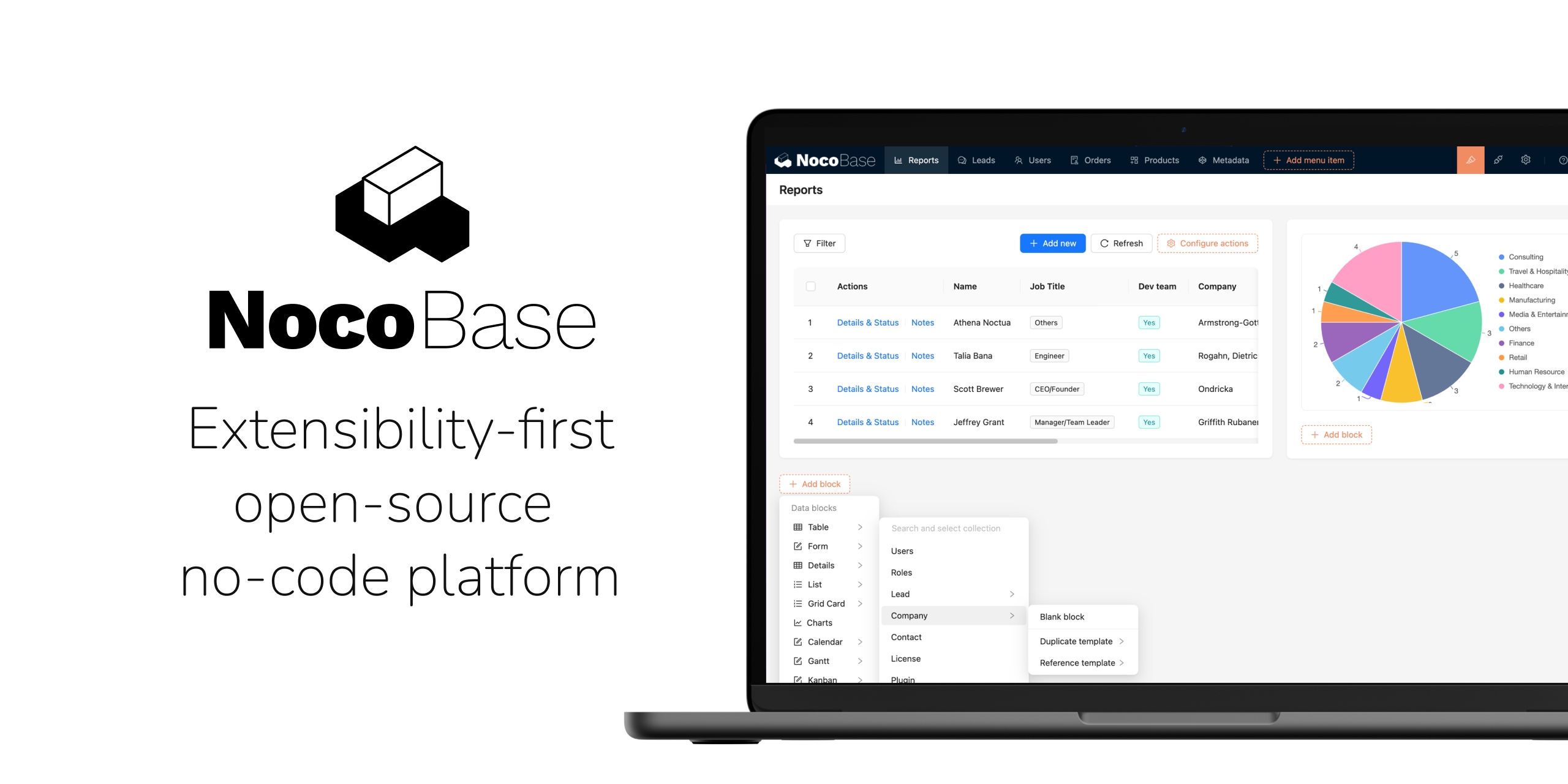
- Visual application builder: Intuitive drag-and-drop interface for designing data models, building user interfaces, and configuring workflows without requiring code writing.
-
Workflow automation engine: No-code workflow orchestration with support for triggers, conditions, notifications, API calls, and complex business logic execution.
-
Plugin-based extensibility: Microkernel architecture enabling unlimited extensibility through custom or third-party plugins for data sources, blocks, actions, APIs, and business logic.
-
Integrated AI employees: Customizable AI assistants embedded directly in workflows and interfaces, trained on your business context for relevant assistance rather than generic suggestions.
-
External data source support: Connect to external databases (MySQL, PostgreSQL, etc.), third-party APIs, and existing business systems without data migration.
-
Self-hosted and open-source: Available under open-source license (GitHub repository) with full deployment control, supporting Docker and other deployment methods.
How It Works
Getting started with NocoBase involves three primary stages. First, you deploy NocoBase to your infrastructure (via Docker, CLI, or other methods), gaining complete control over your platform and data. Second, you define your data model visuallyâstructuring databases, relationships, and fields without writing SQL. Third, you build user interfaces using the visual builder to interact with that data, configure workflows for automation, and extend functionality through plugins.
The platform’s distinctive feature is its data model-driven approach: rather than building forms or tables first, you define data structure and relationships, then create unlimited views and interfaces on top of that data. Workflows run autonomously based on triggers and conditions, and AI employees provide assistance by understanding your business context and data structure.
Use Cases
NocoBase addresses specific scenarios where infrastructure control, data sovereignty, and rapid customization are priorities:
- Internal tool and dashboard development: Build admin panels, CRM interfaces, project management tools, and other internal systems rapidly without vendor dependency or data migration.
-
Business process digitization: Convert manual workflows, spreadsheet processes, and paper-based operations into automated digital systems with full customization.
-
Team workflow automation: Automate approval workflows, notifications, data transformations, and complex business processes without custom coding.
-
Enterprise data applications: Develop applications that interface with existing databases and systems while maintaining data control and security on your infrastructure.
Pros & Cons
Advantages
NocoBase offers meaningful benefits for organizations prioritizing control and rapid development:
- Full infrastructure and data control: Self-hosted deployment ensures your data remains on your infrastructure with complete ownership, eliminating vendor lock-in concerns.
-
Rapid development and deployment: Build applications in hours or days rather than weeks, with visual builders and pre-built templates reducing development cycles.
-
Cost-effective scaling: Open-source foundation with flexible deployment enables scaling without per-user licensing fees that accumulate with proprietary platforms.
-
Deep extensibility: Plugin-based microkernel architecture enables unlimited customization for even highly specialized requirements without being constrained by platform limitations.
-
Data model-driven design: Separating data structure from UI provides more flexibility and power than spreadsheet-driven or form-driven alternatives.
Disadvantages
While offering significant advantages, NocoBase has meaningful considerations:
- Infrastructure management requirement: Self-hosting demands operational overhead for deployment, updates, backups, and infrastructure managementâsuitable for technical teams but not for non-technical organizations.
-
Learning curve for non-technical users: While visual builders reduce coding, the data model-driven approach and plugin ecosystem require more technical understanding than fully managed alternatives.
-
Smaller ecosystem than established platforms: Fewer pre-built plugins and integrations compared to mature platforms with larger user bases and commercial backing.
-
Community support focus: Open-source community support model differs from enterprise support offerings of commercial platforms, though commercial support tiers are available.
How Does It Compare?
The no-code and low-code platform landscape includes tools serving different purposes and target audiences.
Retool targets developer-centric teams building internal tools with a focus on JavaScript customization and extensive UI component libraries. Unlike NocoBase’s data model-driven philosophy, Retool emphasizes rapid dashboard and admin panel creation through component composition. Retool serves 150,000+ organizations, primarily in enterprises with developers. Where NocoBase emphasizes extensibility and data sovereignty, Retool emphasizes developer experience and managed cloud infrastructure. Retool’s main limitation is pricing complexityâper-user licensing escalates quickly in organizations with many users.
Airtable functions primarily as a spreadsheet-database hybrid focused on collaboration and simplicity. Airtable’s strength lies in accessibilityânon-technical users can build databases and simple applications intuitively. However, Airtable constrains power usersâcreating complex applications or workflows requires working within the spreadsheet paradigm. Airtable is cloud-only, raising data sovereignty concerns for regulated industries. NocoBase’s data model-driven approach provides significantly more power for complex applications while Airtable excels at simple database interfaces and team collaboration.
Appsmith provides an open-source, developer-focused low-code platform emphasizing JavaScript customization and Git integration. Like NocoBase, Appsmith is open-source and self-hosted. However, Appsmith focuses on low-code (JavaScript is encouraged) rather than pure no-code, making it more developer-oriented. Appsmith excels for developers comfortable with code who want low-code acceleration. NocoBase serves non-developers more effectively through purely visual building, though both platforms enable code customization for advanced use cases.
Microsoft Power Apps represents the enterprise alternative with Azure integration, advanced governance, and commercial support. Power Apps appeals to enterprises already committed to Microsoft ecosystems. NocoBase appeals to organizations prioritizing infrastructure control, avoiding ecosystem lock-in, and managing costs through open-source software.
NocoBase’s distinctive positioning centers on data model-driven architecture with complete infrastructure control and open-source transparency. For teams prioritizing data sovereignty, unlimited extensibility, and avoiding vendor lock-in, NocoBase represents a compelling alternative to managed platforms. For organizations prioritizing ease-of-use without infrastructure management, Airtable remains more accessible. For developers seeking code-friendly platforms, Retool or Appsmith may align better with workflows.
Final Thoughts
NocoBase emerges as a powerful choice for development teams seeking to build sophisticated business applications while maintaining complete control over infrastructure and data. Its data model-driven approach provides more power than spreadsheet-centric alternatives, while its open-source foundation eliminates vendor lock-in and enables unlimited customization.
The platform works best for technical teams comfortable managing their own infrastructure, organizations in regulated industries requiring data sovereignty, and teams valuing extensibility over managed convenience. Non-technical teams or organizations without infrastructure expertise should evaluate more managed alternatives like Airtable or Retool.
For organizations combining needs for rapid development, complete infrastructure control, and extensibility, NocoBase merits serious evaluation as a foundation for building sophisticated business applications on your own terms.