Table of Contents
Pastey Extension
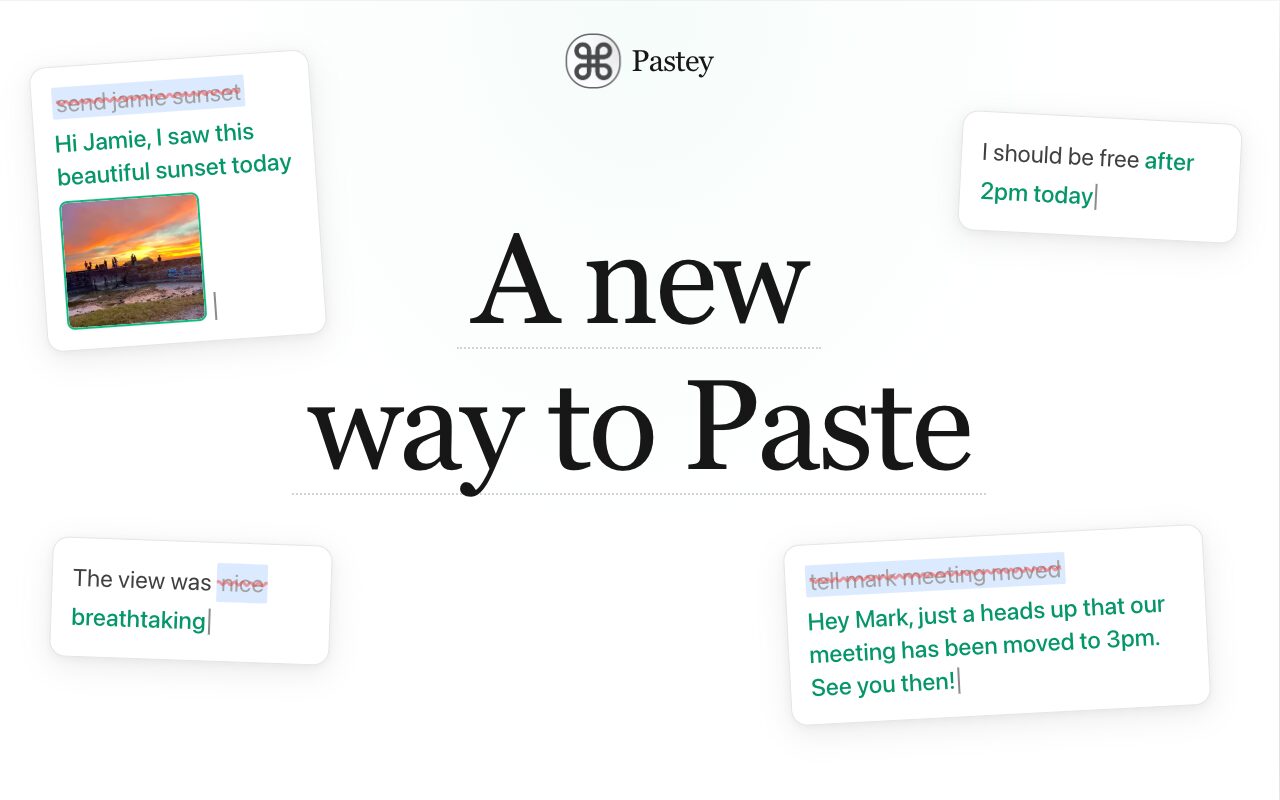
Pastey reimagines the most used shortcut in history: ⌘+V. Believing that AI shouldn’t be a separate chat window but woven into your flow, Pastey transforms your browser’s clipboard into a context-aware engine. It runs locally and privately, upgrading your standard paste into a smart action.
Key Features
- Smart Paste (Hold
⌘+V): Instead of just pasting, hold the shortcut to let AI adapt the text to the destination—whether it’s formatting a snippet for an email, adding comments for code, or structuring data for a document. - Inline Rewrite: Select any text in your browser and re-paste to instantly transform its tone (e.g., “Make polite,” “Summarize,” “Fix grammar”) without switching tabs.
- Context-Aware Memory: A searchable clipboard history that understands what you saved.
- Auto-Detected 2FA: Automatically identifies and isolates 2FA codes from copied text for quick, secure pasting.
- Local-First Privacy: Your clipboard data stays on your device. Sensitive info (like passwords or PII) is masked before processing.
How It Works
Users install the Pastey extension in their browser. The workflow remains natural: copy text as usual. When pasting, you can either perform a standard paste or hold ⌘+V to trigger the “Smart Paste” menu. This allows the AI to analyze where you are pasting (e.g., Gmail vs. GitHub) and format the clipboard content accordingly. You can also select existing text and use the extension to rewrite it in-place. All clipboard history is stored locally, allowing for semantic search (searching by concept rather than exact keywords).
Use Cases
- Email Drafting: Copying rough bullet points and pasting them into Gmail as a fully fleshed-out email.
- Coding: Copying a documentation snippet and pasting it into a web-based IDE (like VS Code for Web) where it automatically formats as a code comment.
- Tone Adjustment: Quickly softening a harsh Slack message reply before hitting send.
- Security: Copying raw SMS content and having Pastey automatically extract just the 6-digit 2FA code.
Pros and Cons
- Pros: Seamless integration into the existing copy-paste workflow (no new tools to learn); Privacy-focused (local-first approach reduces data leak risks); Eliminates the “Copy -> ChatGPT -> Paste -> Copy -> Paste” loop; Context-awareness saves formatting time.
- Cons: Browser-limited (as an extension, it may not work in native desktop apps like Xcode or Microsoft Word); “Hold to paste” interaction might conflict with other system shortcuts; Heavy reliance on browser permissions for clipboard reading can be a security concern for some users.
Pricing
- Free / Not disclosed: Currently available as a browser extension (likely free during initial launch/beta phase).
How Does It Compare?
Pastey sits at the intersection of Clipboard Managers and AI Writing Assistants. Here is how it differentiates itself:
- vs. Traditional Clipboard Managers (Paste, Pastebot, Maccy):
- Competitors: Focus on storage, visual history, and syncing across devices.
- Pastey: Focuses on transformation. While Paste stores your text, Pastey rewrites it to fit the destination. However, Pastey is limited to the browser, whereas Paste works system-wide.
- vs. System-Wide Launchers (Raycast, Alfred):
- Competitors: Raycast offers “AI Chat” and “Clipboard History” via a command bar.
- Pastey: Offers a faster, mouse-free flow by binding directly to
⌘+V. You don’t need to open a command bar; you just interact with the paste action itself.
- vs. AI Writing Assistants (Grammarly, Wordtune, Compose AI):
- Competitors: Typically use floating widgets or “highlight” icons to suggest edits.
- Pastey: Is invisible until you need it. It doesn’t clutter your UI with floating buttons; it only activates when you intentionally interact with your clipboard.
Final Thoughts
Pastey Extension is a clever “micro-tool” that fixes a specific broken workflow: the friction of context switching between your work and your AI. By upgrading the ⌘+V shortcut itself, it makes AI feel like a native browser feature rather than an external consultant. While its limitation to the browser (vs. a native Mac app) is a significant drawback for power users who live in desktop apps, for anyone whose work revolves around Chrome (Gmail, Google Docs, Linear, Notion), this is a massive productivity booster that makes “copy-paste” feel like a superpower.