Table of Contents
Overview
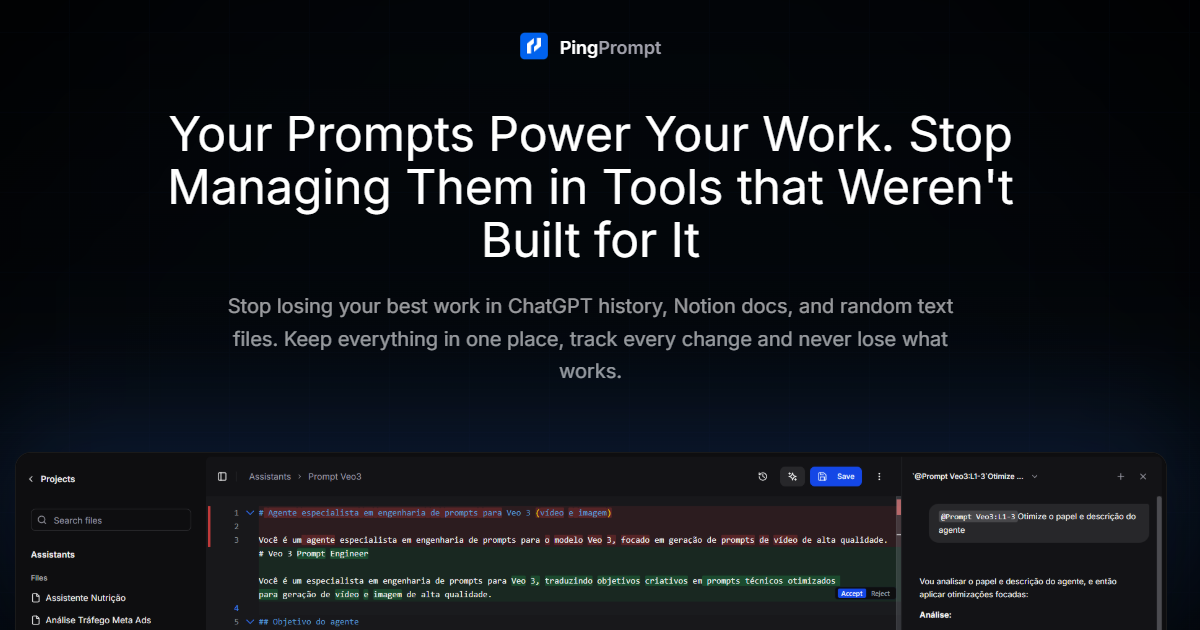
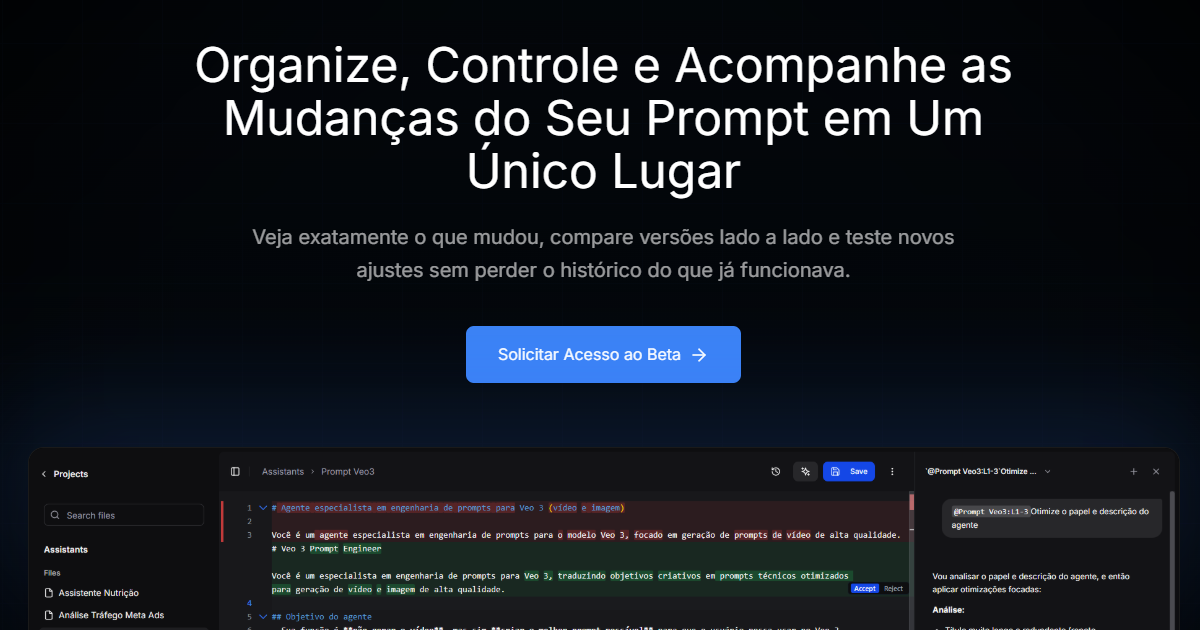
Designed for power users, agencies, and prompt engineers, PingPrompt treats prompts as vital business assets rather than temporary text. It introduces software engineering principles to the prompting workflow, such as visual diffing to track exactly what changed between iterations and a robust version history for instant rollbacks. By allowing users to connect their own API keys (BYOK), the platform provides a secure, vendor-agnostic environment where prompts can be tested, refined with the help of an AI-powered Copilot, and stored as a single “source of truth” for consistent results across different AI projects.
Key Features
- Prompt Version Control: Tracks every single character change in a prompt, maintaining a searchable history that allows you to revert to any previous version instantly.
- Side-by-Side Visual Diff: Provides a “Git-like” comparison view to see exactly which instructions were added or removed between two different prompt iterations.
- AI-Assisted Prompt Refiner: Features a built-in Copilot that analyzes your current prompt and suggests targeted edits to improve clarity, logic, or output quality.
- Multi-Model Testing Environment: Allows you to test a single prompt across different LLMs simultaneously to evaluate performance differences without switching tabs.
- Secure API Management (BYOK): Enables users to use their own credentials for providers like OpenAI and Anthropic, ensuring privacy and eliminating markup fees.
- Categorization & Tagging: Organizes hundreds of prompts into specific projects, clients, or functional categories for rapid retrieval.
- Dynamic Variable Support: Supports structured templates with variables, making it easy to test prompts with different data inputs in a controlled setting.
- Mobile-Responsive Interface: Provides a streamlined dashboard for reviewing and slightly tweaking prompts while on the go.
How It Works
The workflow begins by importing or creating a prompt within the PingPrompt dashboard. As you refine the instructions, the platform automatically saves snapshots of your progress. Before deploying a prompt to an application or client, you can use the built-in testing suite to send the prompt to multiple models to compare responses. If a new edit results in lower-quality output, the visual diff tool helps you identify the problematic line, and the rollback feature restores the prompt to its highest-performing state. All your prompt logic is safely stored in an encrypted vault, accessible via the cloud for collaborative use.
Use Cases
- Agency Client Management: Maintaining distinct, version-controlled prompt libraries for dozens of different clients to ensure brand voice consistency.
- Prompt Engineering Debugging: Isolating exactly which change in a complex system prompt caused a specific hallucination or logic error.
- Low-Code/No-Code Workflows: Serving as a central repository for prompts used in automation tools like Zapier or Make, ensuring that the “logic” is never lost.
- Marketing Campaign Iteration: Testing five different variations of an ad-copy prompt to determine which tone produces the highest conversion rate.
Pros and Cons
- Pros: Eliminates “prompt chaos” and accidental data loss. Visual diffs are invaluable for debugging complex instructions. Significant cost savings through the BYOK model.
- Cons: Requires a dedicated workspace separate from the primary chat UI. Collaboration features for large-scale enterprise teams are still evolving as of the early 2026 launch phase.
Pricing
- Founding Member Plan: $8/month (billed annually). Includes unlimited prompts, full version control, side-by-side comparisons, and multi-model testing.
- Standard Team Plan: Custom pricing. Designed for small teams needing shared access to prompt repositories and project organization tools.
- Enterprise Solutions: Custom pricing. Offers advanced security, priority support, and dedicated cloud environments for large organizations.
How Does It Compare?
- PromptLayer: A developer-centric platform that integrates deeply with production APIs for logging and monitoring. PingPrompt is more focused on the creative and iterative phase of prompt engineering rather than just API observability.
- PromptHub: A strong competitor in version control and collaboration. PingPrompt differentiates itself with a lower-cost “Founding Member” entry point and its integrated AI Copilot for real-time prompt optimization.
- Helicone / LangSmith: These are full-scale LLM observability suites. While they offer prompt management, they are often too complex for individual creators or marketers who just need a stable repository for their instructions.
- TextExpander: A general-purpose snippet manager. PingPrompt is vastly superior for AI work because it supports model-specific testing and structured variables that TextExpander cannot handle.
- Portkey: Focused on the production gateway and reliability. PingPrompt serves as the “design studio” that happens before a prompt reaches the Portkey gateway.
Final Thoughts
PingPrompt is a timely solution for the “PromptOps” era of 2026. As prompts become longer and more complex, the ability to track changes with mathematical precision is no longer a luxury but a necessity for professional work. By bridging the gap between a simple scratchpad and a full-scale developer monitoring suite, PingPrompt provides exactly what most AI practitioners need: a safe, intelligent, and organized space to build the logic that powers their agents. For those who depend on AI for their daily output, PingPrompt is an essential guardrail against the entropy of rapid iteration.