
Table of Contents
Overview
In an era where data privacy is paramount, the thought of sending your sensitive writing to the cloud for proofreading can be significant concern. Enter Proofly, a revolutionary free and open-source Chrome extension launched on Product Hunt December 6, 2025 (achieving 88 upvotes and 37 comments) that redefines on-device proofreading. Developed by Önder Ceylan as alpha release demonstration of Chrome’s Built-in AI capabilities, Proofly addresses fundamental privacy problem plaguing traditional writing assistants: cloud-based tools like Grammarly, ProWritingAid, and LanguageTool transmit your every keystroke to remote servers for processing, creating persistent privacy risks especially concerning for sensitive corporate communications, confidential documents, personal journaling, or classified information requiring air-gapped security.
Built leveraging Chrome’s new Built-in AI models (specifically Gemini Nano proofreader API currently in origin trial requiring Chrome 141+), Proofly offers industry-class correction capabilities without ever transmitting your text to external servers, ensuring your words remain entirely private on your device. The extension employs on-device AI inference eliminating cloud dependencies, works completely offline after initial model download (approximately 1.8GB footprint), requires zero account registration or user tracking, and provides professional-grade proofreading detecting spelling, grammar, punctuation, capitalization, preposition errors, and missing words. Unlike traditional writing assistants collecting usage data for AI training or business analytics, Proofly maintains absolute privacy through local processing—your keystrokes, personal information, document contents never leave your machine creating genuinely private writing assistance impossible with server-dependent alternatives.
Key Features
- 100% Local, On-Device Processing with Zero Data Transmission: All proofreading happens directly on your computer leveraging Chrome’s Built-in Gemini Nano AI model running locally, meaning your text never leaves your device. Every correction suggestion, grammar analysis, and error detection occurs entirely within your local Chrome instance using on-device machine learning inference. No text fragments, no keystroke logs, no usage analytics transmit to Proofly servers (which don’t exist—extension is purely client-side) or third-party services eliminating privacy risks inherent in cloud-based alternatives. This architecture enables absolute data sovereignty where you maintain complete control over sensitive information—confidential business documents, personal health records, legal contracts, classified materials never expose to external parties.
- Offline Functionality Enabling Air-Gapped Usage: Write and proofread with confidence, even without internet connection once initial model download completes. After Chrome downloads Gemini Nano proofreader model (approximately 1.8GB one-time download managed by Chrome itself, not Proofly extension), the entire proofreading system operates completely offline. This offline capability proves critical for air-gapped security environments, traveling without connectivity, sensitive government/military contexts, or simply avoiding unnecessary network dependencies. The local inference ensures consistent proofreading performance regardless of internet quality or availability unlike cloud-based tools degrading or failing without stable connections.
- No Account Registration, Tracking, or Telemetry: Enjoy seamless, anonymous proofreading with zero sign-ups, user tracking, or data collection. Proofly implements strict privacy-first design philosophy collecting absolutely no user information—no email addresses, no usage analytics, no error reports, no A/B testing data, no behavioral tracking. The extension never phones home, never sends telemetry, never stores identifiable information. This zero-data approach contrasts dramatically with commercial writing assistants monetizing through user data collection, AI training datasets, or analytics-driven product development. Your writing remains your business exclusively.
- Comprehensive Spelling, Grammar, and Punctuation Fixes: Catch and correct wide range of writing errors from basic typos to complex grammatical mistakes. Proofly’s on-device Gemini Nano model detects spelling errors (typos, homophones, commonly confused words), grammar issues (subject-verb agreement, tense consistency, sentence fragments, run-ons), punctuation errors (missing/misplaced commas, periods, semicolons, quotation marks), capitalization mistakes (proper nouns, sentence starts, title case), preposition usage errors (incorrect preposition choices, missing prepositions), and missing words (omitted articles, conjunctions, auxiliary verbs). The model employs transformer-based natural language understanding achieving professional-grade accuracy rivaling cloud-based alternatives despite running entirely on-device with limited computational resources.
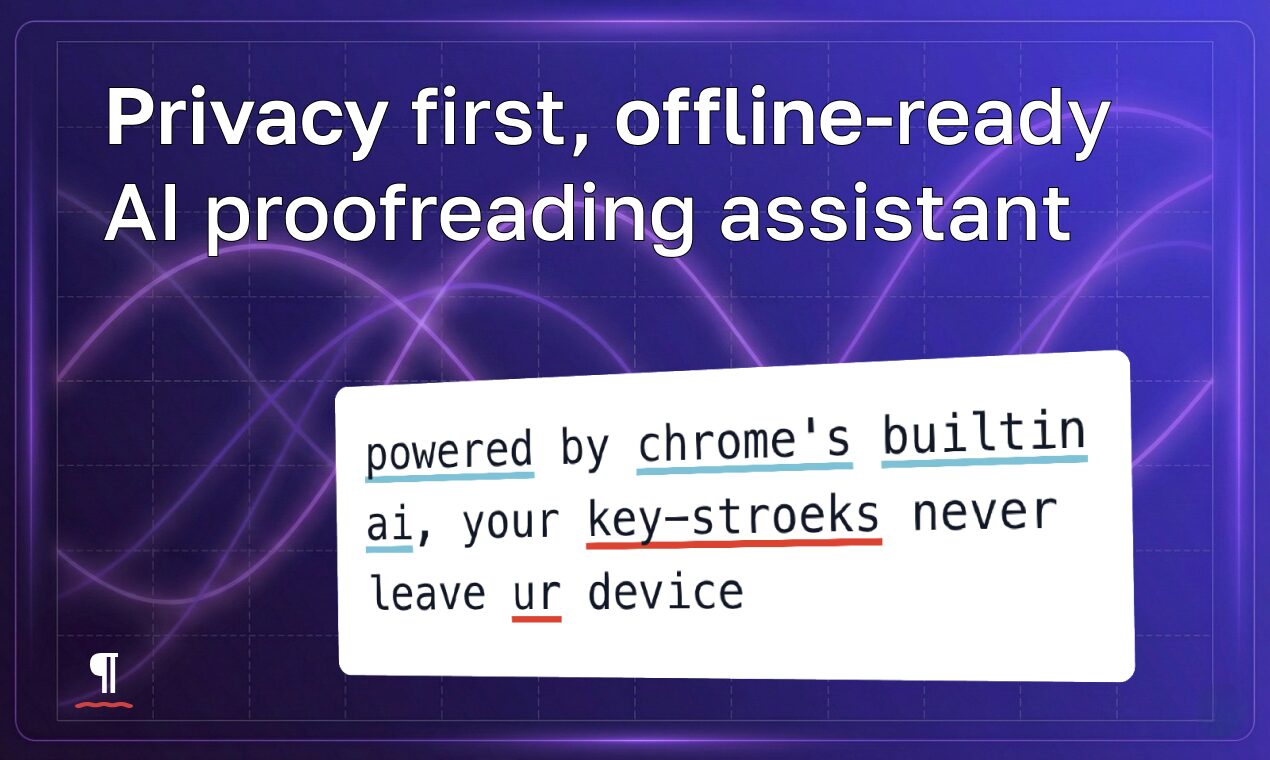
- Lightweight, Non-Invasive UI Respecting Workflow: The extension is designed to be unobtrusive, respecting your workflow and focus without cluttering your screen or modifying page structures. Proofly employs Shadow DOM isolation ensuring highlights and UI components never interfere with website functionality or visual layout. Issues display through subtle underlines (color-coded by error type—customizable) with inline correction popovers appearing on hover. The minimalist interface provides focused proofreading experience without overwhelming users with aggressive marketing, upsell prompts, or feature bloat characteristic of commercial alternatives. Multiple interaction modes accommodate different workflows: real-time checking as you type, on-demand triggered checking via keyboard shortcuts (customizable), context menu right-click activation for selected text, or dedicated sidebar for centralized issue review and batch processing.
- Granular Customization and Configuration Options: Proofly offers extensive personalization enabling users defining exactly how assistant behaves. Configurable correction types allow enabling/disabling specific issue categories (check grammar but ignore capitalization, monitor spelling but skip punctuation), custom highlight colors personalizing visual appearance for each error type matching user preferences, underline styles (solid, wavy, dotted) adjusting visual prominence, keyboard shortcuts customization creating personalized trigger mechanisms, and autofix options toggling between automatic correction on double-click versus manual review and approval. This granular control respects user autonomy enabling workflows ranging from minimal-intervention assistance to comprehensive automated correction.
- Works Across Input Fields, Textareas, and Contenteditable Elements: Proofly provides universal coverage checking text across standard HTML input fields, textarea boxes, and contenteditable divs (rich text editors like Gmail compose, Medium editor, content management systems). The extension employs sophisticated DOM monitoring detecting text changes across various input types, uses CSS Highlights API for contenteditable fields enabling performant highlighting without DOM mutation, implements mirror+anchor fallback system for input/textarea fields where CSS Highlights unavailable, and maintains highlight positioning accuracy even during typing, scrolling, or window resizing. This comprehensive field support ensures Proofly works seamlessly across virtually any website requiring text input.
- Dedicated Sidebar for Centralized Issue Review: Beyond inline highlights, Proofly provides Chrome Side Panel UI offering centralized issue overview. The sidebar lists all detected errors across current page enabling systematic review, supports batch processing applying multiple corrections efficiently, provides issue filtering by error type focusing attention on specific problems, and offers full revision history with undo/redo support enabling experimental correction exploration without permanent consequences. This sidebar mode suits finalization workflows where writers complete drafts then systematically review all flagged issues rather than addressing them real-time during composition.
- Free, Open-Source, and Auditable Distribution: Proofly maintains complete transparency through open-source codebase (GitHub: onderceylan/proofly) enabling community inspection, security audits, and contributions. The free licensing (no hidden costs, premium tiers, or feature limitations) democratizes access to private AI proofreading regardless of financial resources. Open-source distribution provides reassurance through auditability—security researchers and privacy advocates can verify Proofly truly performs local processing without hidden telemetry or backdoors, impossible with proprietary closed-source alternatives requiring trust in corporate claims.
How It Works
Proofly operates through sophisticated client-side architecture leveraging Chrome’s experimental Built-in AI capabilities:
Step 1: Chrome Built-in AI Model Download
Upon first installation, Proofly detects whether Chrome has downloaded Gemini Nano proofreader model. If unavailable, extension guides users through model download process (managed by Chrome itself, approximately 1.8GB one-time download). Chrome’s Built-in AI system handles model distribution, updates, and lifecycle management independently from Proofly extension. This separation ensures Proofly remains minimal lightweight wrapper around browser-native capabilities rather than bundling large AI models within extension package.
Step 2: Real-Time Text Monitoring and Analysis
As you type within your browser across input fields, textareas, or contenteditable elements, Proofly’s content scripts monitor text changes through event listeners and DOM observation. The extension batches read/write operations via requestAnimationFrame preventing performance degradation, employs debouncing/throttling strategies avoiding excessive processing during rapid typing, and maintains text snapshots enabling efficient change detection comparing current state against previous analysis.
Step 3: Local AI Inference Using Gemini Nano
When text requires proofreading (automatically in real-time mode, manually via keyboard shortcut, or through sidebar trigger), Proofly invokes Chrome’s Built-in Proofreader API passing current text for analysis. The Gemini Nano model processes text entirely within Chrome’s sandboxed AI runtime leveraging device CPU/GPU for inference without network communication. The model returns structured error data including issue type (spelling, grammar, punctuation, capitalization, preposition, missing word), error location (character offsets within text), severity classification, and suggested corrections with explanatory context. Processing completes typically within hundreds of milliseconds for paragraph-length text enabling responsive real-time experience despite on-device constraints.
Step 4: Visual Highlighting and UI Presentation
Proofly renders detected issues through non-invasive UI overlays. For contenteditable elements, extension employs CSS Highlights API creating highlight ranges without mutating underlying DOM preserving website functionality and editability. For input/textarea elements where CSS Highlights unavailable, Proofly implements mirror+anchor fallback system creating precisely positioned highlight overlays matching text layout. Error underlines display with color-coding (red for spelling, blue for grammar, yellow for style—customizable) and styling (solid, wavy, dotted). Hovering over highlighted errors triggers popover displays (using Popover API for fast, anchored positioning) showing correction suggestions and explanatory context.
Step 5: User Correction Review and Application
Users interact with detected issues through multiple workflows. Inline mode: hover over highlight to see suggestions, click to apply correction, or dismiss/ignore. Sidebar mode: review all issues in centralized panel, navigate between errors systematically, apply corrections individually or in batches. Context menu mode: right-click selected text triggering immediate proofreading and correction options. The extension maintains revision history tracking all applied corrections enabling undo/redo through chronological change log. Configuration options allow autofix-on-double-click for power users preferring rapid iteration versus cautious manual review.
Step 6: Language Detection and Multilingual Support
Proofly employs Chrome’s Language Detection API automatically identifying text language enabling appropriate model selection. While Gemini Nano proofreader primarily supports English at current origin trial stage, the architecture accommodates future multilingual expansion as Chrome extends Built-in AI language coverage. Language-specific processing ensures grammar rules, spelling dictionaries, and style conventions match detected language rather than applying English-centric corrections universally.
Use Cases
Given its specialized 100% private on-device capabilities, Proofly addresses scenarios where cloud-based proofreading creates unacceptable privacy or security risks:
Secure Corporate Communication for Confidential Information:
- Draft sensitive emails and documents involving trade secrets, M\&A negotiations, unreleased product details, financial forecasts, or strategic planning with assurance that confidential information remains private
- Comply with corporate security policies prohibiting transmission of proprietary information to third-party cloud services
- Enable employees handling classified materials to benefit from AI writing assistance without violating data handling protocols
- Protect against corporate espionage or competitive intelligence gathering through writing assistant telemetry
- Meet regulatory compliance requirements (HIPAA healthcare, FINRA financial services, ITAR defense) restricting cloud data processing
Private Journaling or Drafting for Personal Sensitive Content:
- Keep your personal thoughts, therapeutic writing, mental health journaling, or creative writing completely secure and offline without exposing intimate details to corporate data collection
- Write about sensitive personal topics (health issues, relationship challenges, financial difficulties, controversial opinions) without privacy concerns
- Maintain diary or memoir documentation knowing entries never upload to external services potentially breached or subpoenaed
- Create fiction manuscripts with proprietary world-building, character development, or plot twists without leaking creative IP to AI training datasets
Offline Writing for Connectivity-Constrained Environments:
- Work on projects anywhere, anytime without needing internet connection for proofreading—airplanes, remote locations, travel abroad, unstable networks
- Enable productivity during network outages or infrastructure failures where cloud-dependent tools become useless
- Support field work scenarios (journalism, research, military deployment) where connectivity unavailable or unreliable
- Maintain writing flow without interruptions from network latency, authentication errors, or service outages plaguing cloud tools
General Email and Document Proofreading with Privacy Mindfulness:
- Enhance clarity and professionalism of everyday writing with reliable on-device checks for privacy-conscious individuals uncomfortable with keystroke logging
- Proofread job application materials, cover letters, resumes without employers’ personal information entering commercial databases
- Review academic assignments, research papers, or thesis drafts without content leaking to plagiarism detection services or AI training corpora
- Write communications about sensitive personal matters (legal disputes, medical consultations, financial arrangements) with absolute discretion
Air-Gapped Security Environments for Classified/Restricted Data:
- Enable proofreading in government, military, defense contractor, or research environments requiring air-gapped systems completely isolated from networks
- Support intelligence analysts, classified document authors, or security clearance holders needing writing assistance without compromising operational security
- Meet zero-trust security architectures prohibiting external dependencies or network connections from sensitive workstations
- Provide writing quality assurance in high-security contexts where traditional cloud-based assistants categorically prohibited
Privacy-Focused Individuals Minimizing Digital Footprints:
- Support privacy advocates, journalists protecting sources, whistleblowers, or activists requiring absolute communication security
- Enable users concerned about AI training dataset ethics avoiding contribution of personal writing to commercial model improvement
- Reduce attack surface minimizing cloud service dependencies potentially compromised through supply chain attacks, nation-state actors, or insider threats
- Exercise data sovereignty maintaining control over personal information rather than surrendering to surveillance capitalism business models
Pros \& Cons
Advantages
- Superior Privacy Eliminating Data Exposure: Your data is never shared, transmitted, stored externally, or exposed to third parties offering unparalleled peace of mind impossible with cloud-based alternatives. The 100% local processing provides absolute privacy guarantees—no trust required in corporate promises, privacy policies, or security practices since no external communication occurs. For sensitive information requiring maximum confidentiality, Proofly’s architecture provides gold standard privacy protection.
- Free and Open-Source Democratizing Access: Accessible to everyone regardless of financial resources eliminating subscription fees draining budgets, and benefits from community contributions enabling transparency, security audits, and collaborative improvement. The open-source model (GitHub: onderceylan/proofly) allows technical users verifying privacy claims, security researchers auditing implementation, and developers contributing enhancements creating ecosystem accountability impossible with proprietary closed-source tools.
- Works Offline Eliminating Connectivity Dependencies: Uninterrupted proofreading regardless of internet availability or quality once initial model download completes. This offline capability provides reliability cloud-dependent tools cannot match—no service outages, no authentication failures, no network latency, no data caps consumption. Perfect for travel, remote work, unstable connections, or air-gapped security environments.
- Zero Account Registration, Tracking, or Telemetry: No sign-up friction delaying usage, no password management burden, no email verification, no tracking cookies, no behavioral analytics, no A/B testing. Install extension and immediately begin private proofreading without surrendering personal information or consenting to data collection practices. The zero-data philosophy respects user autonomy completely.
- Lightweight Non-Invasive Interface: Minimal screen clutter, no aggressive marketing prompts, no upsell interruptions, no feature bloat. The Shadow DOM isolation ensures Proofly’s UI never interferes with website functionality, styles, or layouts—highlights overlay cleanly without breaking page interactions. Users control engagement through customizable triggers (real-time, on-demand, sidebar) matching individual workflow preferences.
- Comprehensive Customization Options: Granular configuration enabling users defining assistant behavior precisely—toggle specific correction types, customize colors and underline styles, set keyboard shortcuts, choose autofix versus manual review modes. This flexibility accommodates diverse workflows from aggressive automated correction to conservative manual suggestion review.
- Leverages Chrome’s Native AI Infrastructure: By building on Chrome’s Built-in AI rather than bundling proprietary models, Proofly remains lightweight extension (minimal code footprint) benefiting from Google’s investment in on-device AI optimization, model updates, and platform improvements. Future Chrome AI enhancements automatically benefit Proofly without extension updates.
- Universal Website Coverage: Works across virtually any site with text input including Gmail, social media, CMS platforms, documentation tools, web apps—anywhere you type in Chrome. The comprehensive field support (inputs, textareas, contenteditable divs) provides consistent experience eliminating per-site configuration.
Disadvantages
- Limited by Browser’s Local Model Capabilities: The accuracy and scope of corrections depend entirely on capabilities of Chrome’s Gemini Nano proofreader model, which while impressive, may not match sophistication of large cloud-based models accessing massive computational resources. Complex grammatical analysis, nuanced style suggestions, or context-dependent corrections might prove less comprehensive than specialized cloud services like Grammarly Premium or ProWritingAid’s advanced reports.
- Chrome 141+ Dependency Limiting Availability: Currently Proofly requires Chrome 141+ (Canary/Dev channels as of December 2025 with stable release expected early 2026) and devices capable running Chrome’s Built-in AI models. Older devices, unsupported operating systems, or users preferring stable Chrome versions cannot access Proofly yet. The origin trial status of Proofreader API creates uncertainty around long-term availability and feature stability.
- Chrome-Only Restriction Excluding Other Browsers: Exclusively available as Chrome extension preventing usage on Firefox, Safari, Edge (Chromium-based but may lack Built-in AI), Brave, or other browsers. Cross-platform users or organizations standardized on non-Chrome browsers cannot leverage Proofly despite interest. The Chrome dependency creates vendor lock-in and platform fragmentation.
- Large Initial Model Download Footprint: The one-time Gemini Nano model download (approximately 1.8GB) creates friction for users with limited disk space, metered connections, or slow internet. While subsequent usage requires no bandwidth, initial setup burden may deter adoption compared to instant-start cloud services requiring no downloads.
- Alpha Release Status with Limited Battle Testing: Launched December 2025 as alpha demonstration, Proofly lacks extensive production usage, comprehensive bug reports, or proven reliability across diverse edge cases. Early adopters face risks around undiscovered issues, compatibility problems with specific websites, or unexpected behaviors requiring ongoing development attention. The developer notes “last minute project” and “not battle tested on the web” acknowledging maturity limitations.
- Origin Trial API Uncertainty: Chrome’s Proofreader API remains experimental origin trial (not stable production API) creating uncertainty around future availability, breaking changes, or potential deprecation. Google could modify or discontinue Built-in AI features impacting Proofly’s functionality without warning. Production deployments face risk building on unstable platform foundations.
- Limited Advanced Features Versus Commercial Tools: Proofly focuses narrowly on core proofreading (spelling, grammar, punctuation) without advanced capabilities commercial tools offer: style analysis, readability scores, tone detection, vocabulary enhancement, plagiarism checking, genre-specific writing guidance, integration with writing workflows (Scrivener, Google Docs native editing). Users requiring comprehensive writing assistance beyond basic correction may find feature set insufficient.
- No Streaming API Support Yet: Current implementation lacks proofreadStreaming() capability enabling progressive result delivery during processing. For longer texts, users must wait for complete analysis before seeing any results rather than progressive feedback accelerating workflow. Developer notes streaming support as future enhancement indicating current limitation.
- Single-Platform Support (Desktop Chrome Only): No mobile support (Android Chrome, iOS Safari), no tablet optimization, no cross-device sync. Users wanting proofreading across all devices face fragmented experience requiring alternative solutions for non-desktop contexts limiting Proofly to desktop Chrome workflows exclusively.
How Does It Compare?
Proofly vs. Grammarly (Market Leader in Cloud-Based Writing Assistance)
Grammarly is dominant cloud-based writing assistant with 40+ million daily users offering comprehensive grammar, spelling, style, tone, and plagiarism checking across platforms.
Privacy Architecture:
- Proofly: 100% local on-device processing; zero data transmission; no servers
- Grammarly: Cloud-based processing sending all text to Grammarly servers; data encrypted in transit (TLS 1.2) and at rest (AES-256) but externally stored
Data Collection:
- Proofly: Zero data collection; no accounts, tracking, or telemetry
- Grammarly: Collects device/app usage data, error reports, performance logs, anonymized analytics; temporary text retention during checking; deletion after analysis
Feature Depth:
- Proofly: Core proofreading (spelling, grammar, punctuation, capitalization, prepositions, missing words)
- Grammarly: Comprehensive writing assistance including tone detection, clarity suggestions, engagement metrics, vocabulary enhancement, plagiarism checking, genre-specific guidance, writing statistics
Accuracy and Sophistication:
- Proofly: Limited by on-device Gemini Nano capabilities; good for common errors but may miss nuanced issues
- Grammarly: Advanced cloud-based models with extensive training data; catches sophisticated style/tone issues beyond basic grammar
Platform Availability:
- Proofly: Chrome 141+ only (desktop); no mobile, no other browsers
- Grammarly: Cross-platform (Chrome, Firefox, Safari, Edge, iOS, Android, desktop apps, web editor, Microsoft Office, Google Docs)
Pricing:
- Proofly: Free; open-source; no premium tiers
- Grammarly: Free tier (basic checks); Premium \$30/month (advanced features); Business \$15/user/month (team features)
Compliance Certifications:
- Proofly: None (no external processing requiring certification)
- Grammarly: SOC 2 Type 2, GDPR, CCPA, HIPAA (for enterprise), PCI DSS compliance
Offline Capability:
- Proofly: Full offline functionality after model download
- Grammarly: Requires internet connection; no offline mode
When to Choose Proofly: For maximum privacy (sensitive documents, corporate security, personal confidentiality), offline writing, zero-data philosophy, or free solution without feature upsells.
When to Choose Grammarly: For comprehensive writing assistance, cross-platform consistency, advanced style/tone guidance, mobile support, or established enterprise solution with compliance certifications.
Proofly vs. LanguageTool (Open-Source Multilingual Grammar Checker)
LanguageTool is open-source grammar and style checker supporting 25+ languages available as cloud service, self-hosted solution, or browser extensions.
Processing Model:
- Proofly: 100% local on-device using Chrome Built-in AI; no cloud option
- LanguageTool: Hybrid approach—free tier uses cloud processing; premium offers on-device checking for supported platforms; self-hosting available
Language Support:
- Proofly: Currently English (Gemini Nano limitation); future multilingual support depends on Chrome AI expansion
- LanguageTool: 25+ languages including English, Spanish, French, German, Polish, Russian; distinguishes American/British English variants
Privacy Options:
- Proofly: Absolute privacy through mandatory local processing
- LanguageTool: Cloud processing for free tier (data sent to servers); premium on-device option; self-hosted deployment for maximum privacy
Registration Requirements:
- Proofly: No account, registration, or sign-up ever
- LanguageTool: No registration needed for free tier; premium requires account
Browser Support:
- Proofly: Chrome 141+ exclusively
- LanguageTool: Chrome, Firefox, Edge, Safari, Opera extensions; cross-browser compatibility
Feature Comparison:
- Proofly: Core proofreading (spelling, grammar, punctuation, capitalization, prepositions)
- LanguageTool: Grammar/spelling checking, style suggestions, punctuation oversight, commonly confused words, paraphrasing tool, personal dictionary
Self-Hosting:
- Proofly: Not applicable (purely client-side extension)
- LanguageTool: Self-hosted option available for organizations requiring on-premise deployment
Pricing:
- Proofly: Free; open-source
- LanguageTool: Free tier (basic checks, 10k characters/check); Premium ~\$20/month (advanced checks, unlimited); Business ~\$80/month (team features)
When to Choose Proofly: For absolute privacy guarantee through mandatory local processing, Chrome-native experience, or free solution without cloud dependencies.
When to Choose LanguageTool: For multilingual support, cross-browser compatibility, self-hosted deployment option, or mature open-source alternative with established community.
Proofly vs. ProWritingAid (Comprehensive Writing Analysis Platform)
ProWritingAid is robust writing software offering grammar checking, style improvement, plagiarism detection, and detailed manuscript analysis targeting authors and long-form writers.
Core Focus:
- Proofly: Real-time proofreading during browsing; lightweight minimal intervention
- ProWritingAid: Comprehensive manuscript analysis; detailed reports for serious editing; writing coach functionality
Feature Depth:
- Proofly: Basic proofreading (spelling, grammar, punctuation)
- ProWritingAid: 25+ detailed reports including grammar, style, overused words, clichés, readability, sentence structure, consistency, pacing, dialogue tags, plagiarism, thesaurus, contextual thesaurus
Privacy Model:
- Proofly: 100% local processing; zero cloud transmission
- ProWritingAid: Cloud-based processing; text sent to servers for analysis; encryption in transit/rest
Target Users:
- Proofly: General writing across websites; privacy-conscious individuals; casual writers
- ProWritingAid: Authors, novelists, academic writers, long-form content creators requiring manuscript-level analysis
Platform Integration:
- Proofly: Chrome extension only; works on any website in Chrome
- ProWritingAid: Chrome/Firefox/Safari/Edge extensions, desktop app (Windows/Mac), Microsoft Word/Outlook integration, Google Docs, Scrivener plugin, web editor
Analysis Depth:
- Proofly: Real-time inline corrections; immediate feedback
- ProWritingAid: Deep manuscript analysis with comprehensive reports; slower batch processing for thorough review
Pricing:
- Proofly: Free; open-source; no premium tiers
- ProWritingAid: Free tier (500-word limit, basic checks); Premium \$30/month or \$120/year or \$399 lifetime; Premium Pro \$40/month (plagiarism checks)
Learning Resources:
- Proofly: Minimal documentation; GitHub README
- ProWritingAid: Extensive tutorials, webinars, writing academy, explanation articles for each suggestion
When to Choose Proofly: For privacy-first real-time proofreading across web browsing, free solution, or lightweight minimal-intervention assistance.
When to Choose ProWritingAid: For serious manuscript editing, comprehensive style analysis, long-form writing projects, educational writing improvement, or authors wanting detailed feedback.
Proofly vs. Microsoft Editor (Built-in Office Grammar Checker)
Microsoft Editor is AI-powered writing assistant integrated into Microsoft 365 (Word, Outlook, Edge browser) offering grammar, clarity, and style suggestions.
Integration Model:
- Proofly: Chrome extension working across any website
- Microsoft Editor: Native integration in Microsoft products (Word, Outlook, Edge); extension for other browsers
Privacy:
- Proofly: 100% local on-device processing
- Microsoft Editor: Cloud-based processing through Microsoft Azure; Microsoft 365 data governance applies
Platform Ecosystem:
- Proofly: Chrome 141+ exclusively; no Microsoft product integration
- Microsoft Editor: Deeply integrated with Microsoft 365 ecosystem; Edge browser native; extensions for Chrome/Firefox
Feature Set:
- Proofly: Core proofreading (spelling, grammar, punctuation, capitalization, prepositions)
- Microsoft Editor: Grammar/spelling, clarity suggestions, conciseness, formality level, vocabulary suggestions, similarity checker (plagiarism), writing statistics
Licensing:
- Proofly: Free; open-source; standalone extension
- Microsoft Editor: Basic features free; advanced features require Microsoft 365 subscription (\$69.99/year personal, \$99.99/year family)
Offline Capability:
- Proofly: Full offline functionality
- Microsoft Editor: Requires internet for cloud processing; limited offline spell check in Word
Language Support:
- Proofly: English (Chrome AI limitation currently)
- Microsoft Editor: 80+ languages
When to Choose Proofly: For maximum privacy, Chrome-based workflow outside Microsoft ecosystem, or free alternative avoiding Microsoft 365 subscription.
When to Choose Microsoft Editor: For Microsoft 365 subscribers, deep Office integration, multilingual support, or users already invested in Microsoft productivity ecosystem.
Final Thoughts
Proofly represents meaningful innovation in writing assistance technology by addressing the persistent privacy paradox: traditional AI proofreading tools require surrendering text to commercial cloud services undermining confidentiality fundamental to sensitive communication. The December 6, 2025 Product Hunt launch demonstrates viability of genuinely private on-device AI proofreading leveraging Chrome’s Built-in AI capabilities—validating that professional-grade writing assistance need not compromise data sovereignty or require trust in corporate privacy promises.
The 100% local processing architecture creates categorical privacy advantages impossible for cloud-based competitors to replicate. While Grammarly, ProWritingAid, and LanguageTool employ strong encryption and compliance certifications, fundamental reality remains: text must transmit to external servers for processing creating attack surface, insider risk, subpoena vulnerability, and dependency on corporate data handling practices. Proofly eliminates these concerns entirely through on-device inference—your words physically never leave your machine creating absolute privacy guarantee requiring zero trust in external parties.
The platform particularly excels for:
- Privacy-conscious individuals and organizations handling confidential information (corporate secrets, legal matters, health records, personal sensitive content) where cloud transmission creates unacceptable exposure risks
- Security-regulated environments (government, defense, healthcare, finance) requiring air-gapped systems, zero-trust architectures, or compliance with data sovereignty regulations prohibiting external processing
- Offline writers working in connectivity-constrained scenarios (travel, remote locations, unreliable networks, field work) requiring reliable proofreading without internet dependencies
- Open-source advocates and transparency supporters prioritizing auditability, community governance, and freedom from proprietary vendor lock-in
- Budget-conscious users seeking professional-grade proofreading without ongoing subscription costs draining resources
For users requiring comprehensive writing assistance beyond basic proofreading, Grammarly’s advanced style analysis, tone detection, vocabulary enhancement, and plagiarism checking justify cloud dependency tradeoffs. For multilingual authors or cross-platform consistency (mobile, web, desktop), LanguageTool’s 25+ language support and universal browser compatibility provide superior breadth. For serious manuscript editing with detailed analysis reports, ProWritingAid’s comprehensive feedback targeting long-form writing justifies specialized focus. For Microsoft 365 subscribers deeply integrated into Office ecosystem, Microsoft Editor’s native integration and 80+ language support leverage existing licensing.
But for the specific intersection of “absolute privacy guarantee,” “zero data transmission,” and “free open-source accessibility,” Proofly addresses capabilities no cloud-dependent alternative can replicate regardless of encryption sophistication or compliance certifications. The platform’s primary limitations—Chrome 141+ dependency limiting device/browser availability, alpha release status lacking extensive production validation, feature depth constrained by on-device model capabilities, and origin trial API uncertainty creating long-term stability questions—reflect expected constraints of cutting-edge technology pioneering new paradigm in privacy-first AI assistance.
The critical strategic insight Proofly validates is that meaningful AI can be local-first rather than cloud-dependent—you don’t need to sacrifice privacy to gain intelligent writing assistance. As Chrome’s Built-in AI matures expanding language support, improving model sophistication, and reaching stable API status, Proofly’s architecture positions it as reference implementation for privacy-preserving browser-native AI tools. The open-source model invites community contributions accelerating feature development, browser compatibility expansion, and robust testing impossible for solo developer sustaining project alone.
If your writing involves sensitive information precluding cloud transmission, if corporate security policies restrict external data processing, if privacy philosophy prioritizes data sovereignty over feature maximalism, or if free accessible tools without vendor lock-in appeal—Proofly provides genuine alternative to surveillance-capitalism-funded commercial assistants. The zero-cost, zero-data, zero-trust architecture eliminates adoption friction enabling immediate private proofreading for anyone running Chrome 141+ on compatible hardware.
For early adopters accepting alpha-stage limitations (origin trial API, Chrome-only support, feature constraints versus mature tools), Proofly delivers on revolutionary promise: professional AI proofreading that truly respects privacy not through policy promises but through architectural impossibility of data exposure—your writing remains exclusively yours, always.