Table of Contents
Overview
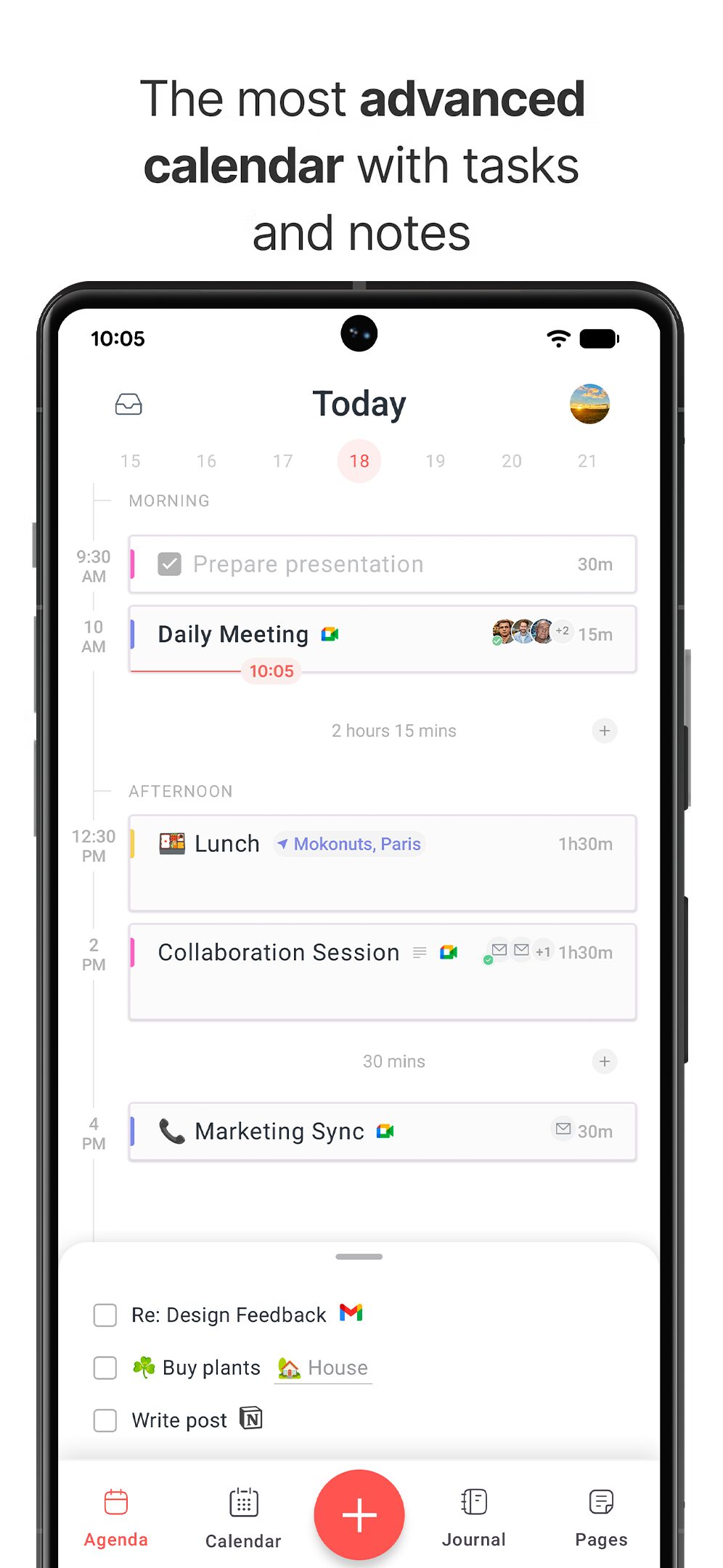
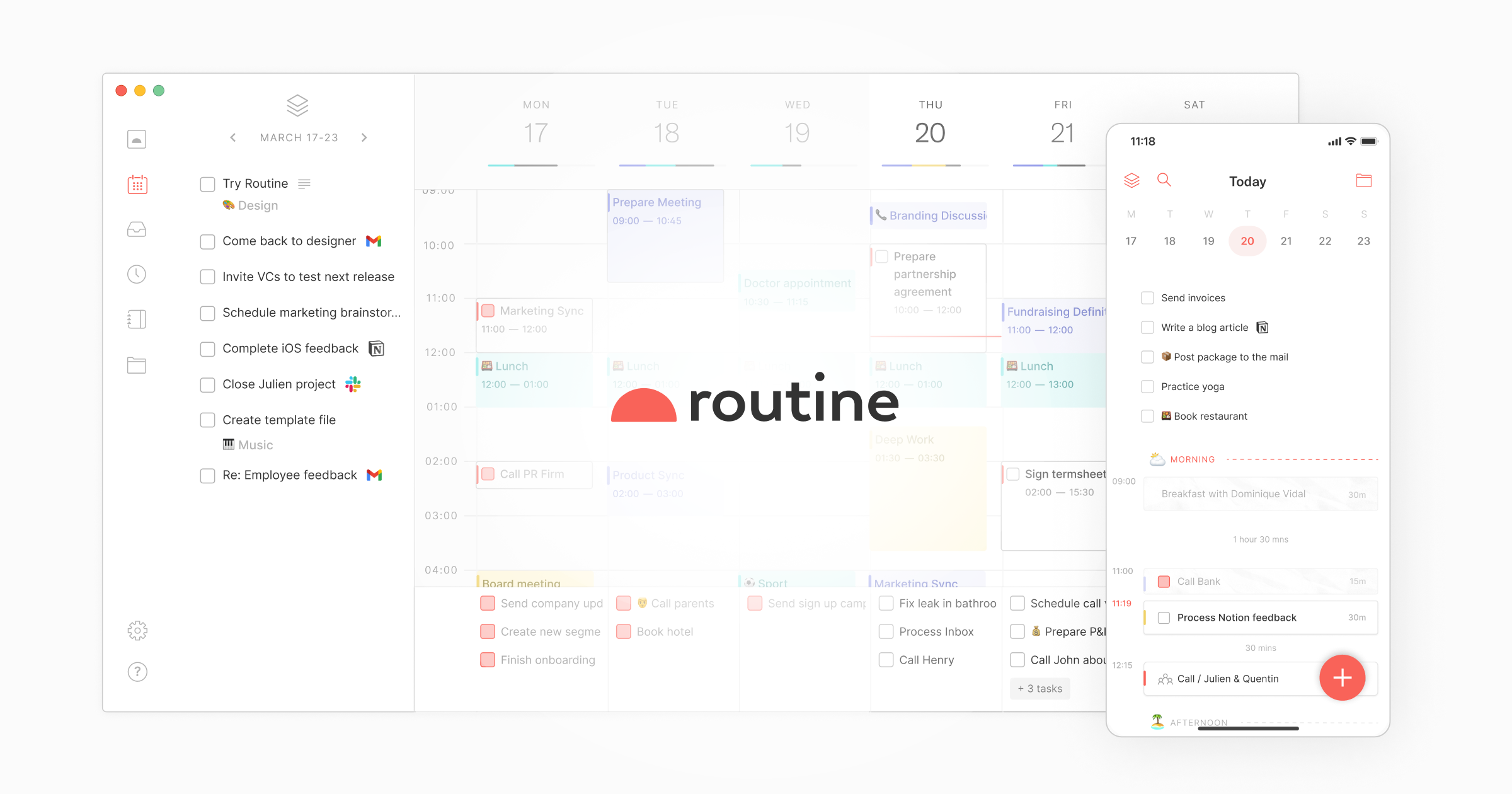
Routine now supports the Android platform, allowing you to manage all your tasks, calendars, projects, notes and more through Routine’s local-first and AI-powered workspace. Released on February 11, 2025, the Android version completes Routine’s availability across all major platforms: macOS, Windows, Linux, Web, iOS, and Android.
Key Features
AI Meeting Notes: Automatically summarize meetings and convert action items into tasks to ensure nothing falls through the cracks. Works on all platforms without requiring any meeting bot, providing seamless integration with your existing video conferencing tools.
Quick Capture Functionality: Capture thoughts, URLs, and contexts rapidly through a single desktop hotkey without switching context and losing focus. On Android, quick capture allows fast task and note entry directly from the mobile interface.
Universal Inbox: Centralize all your tasks, incoming messages, and notifications in one location. Stop wasting time switching between apps and services by consolidating everything into Routine’s unified workspace.
Comprehensive Planning Tools: Features a planner with time blocking, labels, and task recurrences. Plan your entire week through a single screen, blocking time for your most important tasks to ensure they get completed.
Deep Integrations: Connects bidirectionally with Google Calendar, Slack, Linear, Asana, Notion, and numerous other productivity tools you use daily. Synchronizes data across all connected services to maintain consistency.
Custom Types and Advanced Data Modeling: Define your own data types to represent entities you manipulate daily such as customers, projects, candidates, or investors. Create custom views to visualize information from multiple sources and make better decisions.
Local-First Architecture: Launched in July 2025, Routine’s local-first design ensures the app runs extremely fast and works reliably even without internet connectivity, such as in subway commutes or during travel.
How It Works
Users create tasks, schedule events, and capture quick notes via keyboard shortcuts on desktop or through the mobile interface on Android. Routine syncs data across all devices using its local-first synchronization engine, ensuring your information remains accessible even offline. The AI engine automatically summarizes meetings, surfaces relevant contexts from connected apps, and helps organize information intelligently without manual effort.
Use Cases
Founders Managing Multiple Projects: Maintain focus across numerous initiatives without losing track of critical tasks and deadlines. Use custom types to represent different projects, investors, or product initiatives.
Freelancers Tracking Work: Centralize time tracking, client communications, and task management in one application. Block time for client work and personal projects while maintaining clear separation through labels and custom views.
Investors Managing Deal Flow: Consolidate calendar appointments, meeting notes, and contact information for portfolio companies and potential investments. Use custom types to track companies at different funding stages.
Managers Coordinating Teams: Delegate tasks and follow up on action items without micromanaging. AI meeting notes automatically capture decisions and create tasks for team members, ensuring accountability without constant check-ins.
Pros and Cons
Advantages
Offline-First Design Ensures Continuous Access: Local-first architecture guarantees data access and full functionality without internet connectivity. Work seamlessly during flights, commutes, or in areas with poor network coverage.
Deep Tool Integrations Reduce Context Switching: Bidirectional synchronization with popular productivity tools eliminates the need to switch between applications. View and manage information from multiple sources within a single interface.
AI Meeting Notes and Universal Inbox Streamline Workflows: Automated meeting summaries with action item extraction save hours of manual note-taking. The universal inbox consolidates notifications and tasks from all connected services, reducing cognitive load.
Cross-Platform Availability: With the February 2025 Android launch, Routine now runs on all major platforms, ensuring consistent productivity workflows regardless of device.
Disadvantages
Advanced Features Require Premium Plans: Custom types, advanced views, AI meeting notes, time tracking, and menu bar widgets are gated behind Professional, Business, or Enterprise tiers. The free Starter plan has limited history and fewer collaboration features.
Learning Curve for Data Modeling Customization: While custom types offer powerful flexibility, configuring them requires understanding Routine’s data model. Users seeking simple task management may find these features overwhelming initially.
Limited Android Feature Set: The initial Android release includes Agenda and Inbox views but lacks some desktop features. Full feature parity across platforms is still in development.
Pricing
Free Starter Plan: Available forever with core features including tasks, calendars, notes, contacts, custom types, natural language input, unlimited integrations, collaboration tools, and offline mode. Limited to basic history retention and standard support.
Professional Plan: \$12 per month billed monthly, or \$10 per month when billed annually at \$120 per year. Includes all Starter features plus AI meeting notes, menu bar widget, time tracking, contextual capture, 30-day history retention, and premium support. Ideal for executives, freelancers, and managers.
Business Plan: \$15 per user per month billed monthly, or \$12 per user per month when billed annually at \$144 per year. Adds workspaces, access control, AI agents, versioning, 90-day history retention, and priority support. Designed for effective teams requiring collaboration features.
Enterprise Plan: Custom pricing for organizations requiring unlimited history, compliance features, audit logs, analytics, user provisioning, and dedicated success manager support.
How Does It Compare?
Routine occupies a unique position in the 2025 productivity app landscape, blending calendar management, task tracking, and note-taking with AI capabilities. Here is how it compares to major competitors:
vs. Time-Blocking and AI Planning Tools
Motion: Motion uses AI to automatically schedule tasks based on priorities and deadlines, optimizing your calendar without manual time blocking. Routine provides more manual control over planning while offering AI meeting notes rather than AI scheduling. Motion is more automation-focused; Routine emphasizes user-directed planning with AI assistance.
Sunsama: Sunsama emphasizes mindful daily planning with work-life balance focus, guided daily shutdown rituals, and reflection prompts. Routine focuses more on operational efficiency and data consolidation rather than mindfulness practices. Sunsama costs \$20-26 per month versus Routine’s \$10-12 per month professional tier.
Akiflow: Akiflow consolidates tasks from multiple sources with keyboard-first workflows for power users, priced at \$19-34 per month. Both apps target similar audiences, but Akiflow emphasizes ultra-fast keyboard navigation while Routine offers deeper data modeling with custom types and AI meeting notes.
Morgen: Morgen provides scheduling links, calendar management, and task integration with energy-based time blocking suggestions. Routine offers comparable calendar integration but adds note-taking, custom data types, and more extensive AI features beyond basic scheduling.
Reclaim AI: Reclaim automatically defends time for habits, tasks, and meetings using AI-powered smart scheduling. Routine requires manual time blocking but provides more flexibility for users who prefer controlling their schedules directly.
vs. Project Management Platforms
Notion: Notion excels as an all-in-one workspace with unlimited customization for documentation, databases, and wikis. Routine focuses specifically on daily planning and execution with stronger calendar integration and AI meeting notes. Notion is better for knowledge management; Routine is optimized for time-based task execution.
Asana: Asana is a comprehensive project management tool designed for team collaboration on complex projects with multiple dependencies, timelines, and reporting. Routine targets individual productivity and small team coordination rather than enterprise project management. Asana emphasizes project tracking; Routine emphasizes daily planning and time management.
ClickUp: ClickUp offers extensive project management features with high customization but faces criticism for complexity and overwhelming interfaces. Routine provides simpler daily planning workflows with cleaner interfaces, trading comprehensive project management capabilities for ease of use in time management.
Monday.com: Monday.com focuses on visual project tracking and team workflows with extensive automation and reporting. Routine targets personal productivity and daily planning rather than team-wide project oversight.
vs. Task Management Apps
Todoist: Todoist is a minimalist task manager with straightforward project organization, recurring tasks, and natural language input. Routine is more comprehensive, adding calendar management, note-taking, meeting summaries, and deeper integrations. Todoist is simpler and more focused; Routine is an all-in-one workspace. Todoist costs \$4-5 per month versus Routine’s \$10-12 per month.
TickTick: TickTick combines task management with habit tracking, Pomodoro timer, and calendar view at \$2.99 per month. Routine offers more sophisticated meeting notes, custom data modeling, and deeper tool integrations but at higher cost.
Structured: Structured provides visual timeline-based planning optimized for Apple devices with beautiful interfaces. Routine offers cross-platform support including Android and more extensive integration ecosystem.
vs. AI Meeting Note Takers
Fireflies.ai: Fireflies specializes exclusively in AI meeting transcription and summaries with deep CRM integrations, priced from \$10 per month. Routine includes AI meeting notes as one feature within a broader productivity suite, making it more cost-effective for users needing both meeting intelligence and task management.
Otter.ai: Otter provides real-time transcription with speaker identification and collaborative editing, starting at \$8.33 per month. Routine’s meeting notes focus on summaries and action item extraction rather than detailed transcription services.
Fathom: Fathom offers free AI meeting summaries for individual users with focus on Zoom. Routine provides meeting notes across platforms as part of a complete productivity workspace.
Key Differentiators
Routine distinguishes itself through its combination of local-first architecture for offline reliability, custom data types for advanced information organization, and unified interface blending calendars, tasks, and notes with AI capabilities. It targets users seeking more structure than simple task managers like Todoist, more daily planning focus than project tools like Asana, and more data modeling flexibility than calendar apps like Motion, all while maintaining cleaner interfaces than comprehensive platforms like ClickUp.
Final Thoughts
Routine represents a compelling option for professionals and teams seeking an integrated productivity workspace that emphasizes daily planning, time management, and meeting intelligence. The February 2025 Android launch completes its cross-platform availability, making it accessible regardless of device preference.
The local-first architecture ensures reliable performance even without internet connectivity, addressing a common frustration with cloud-dependent productivity tools. AI meeting notes provide genuine value by automating summary creation and action item extraction without requiring meeting bots, respecting privacy and reducing meeting friction.
For users requiring simple task management, Routine may present unnecessary complexity. However, for founders, freelancers, investors, and managers coordinating multiple projects with numerous integrations, Routine’s custom types and unified workspace deliver significant time savings by eliminating context switching.
The pricing structure positions Routine competitively in the mid-tier professional productivity market, offering more features than basic task managers while remaining more affordable than enterprise project management platforms. Organizations should consider the learning investment required for advanced data modeling features when evaluating Routine against simpler alternatives.
As Routine continues developing its Android feature set and expanding AI capabilities, it has strong potential to become a central productivity hub for ambitious professionals and effective teams worldwide.
Major Corrections Summary
- Pricing – “Believe” plan: Completely removed non-existent plan name; corrected to accurate Professional and Business pricing with both monthly and annual options
- Pricing details: Added complete pricing tiers including annual billing discounts
- Android launch date: Added specific February 11, 2025 launch date
- Local-first architecture: Added July 21, 2025 launch date for major architectural update
- How Does It Compare section: Completely restructured with organized categories and 15+ current 2025 competitors including Motion, Sunsama, Akiflow, Morgen, Reclaim AI, Fireflies, Otter, Fathom, TickTick, Structured, and others
- Feature clarifications: Specified that desktop has hotkey but Android has quick capture interface
- Platform coverage: Added complete list of supported platforms (macOS, Windows, Linux, Web, iOS, Android)