
Table of Contents
screenpipe
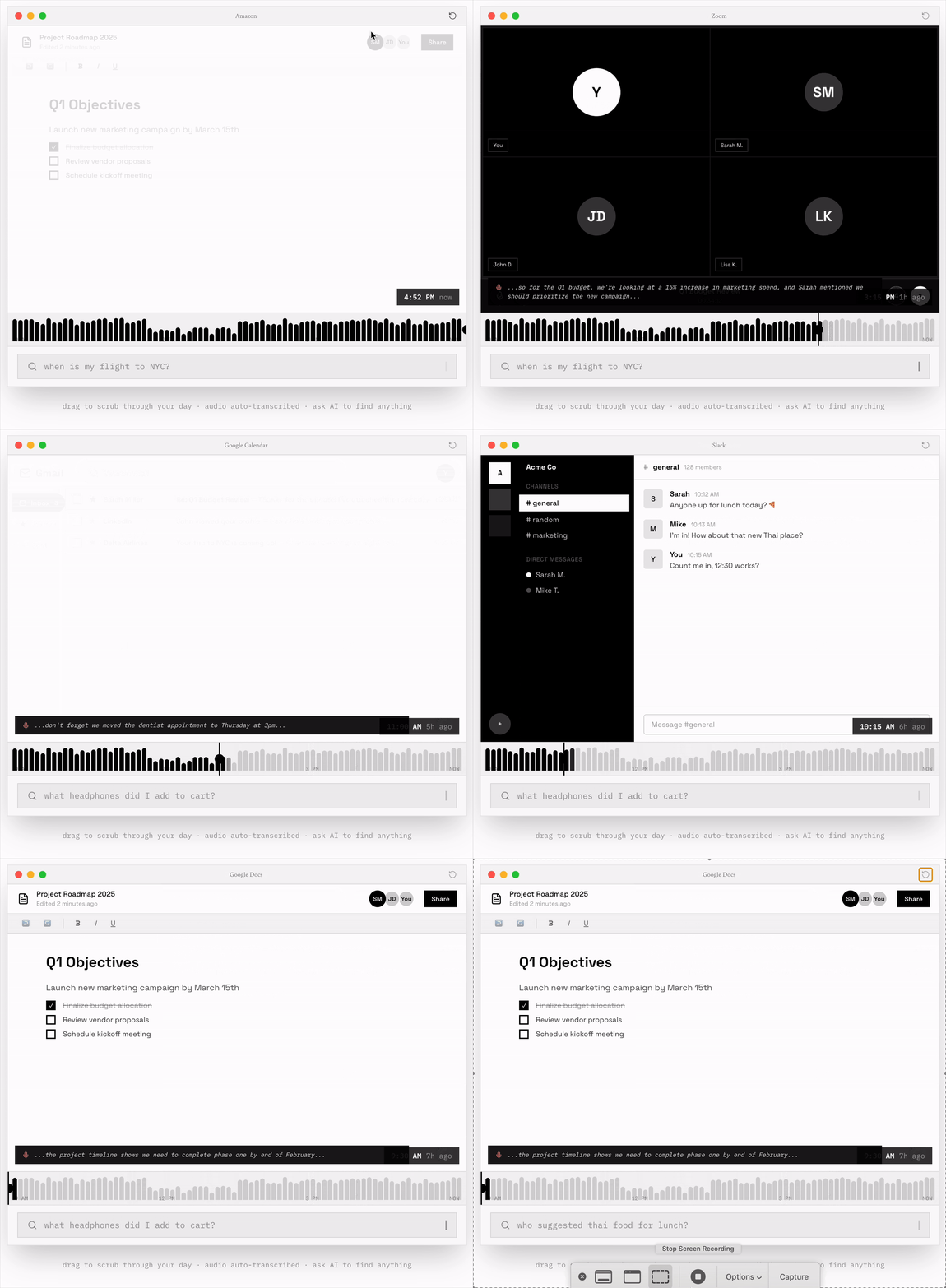
screenpipe turns your computer into a fully local, searchable memory bank. It continuously records your screen and audio 24/7, indexing everything you see and say into a local database. Unlike cloud-based AI tools, it processes all OCR (Optical Character Recognition) and Speech-to-Text on your own device, ensuring total privacy. It serves as an open-source alternative to Microsoft Recall or Rewind, giving developers a “Pipe” API to build custom AI automation on top of their own history.
Key Features
- 24/7 Local Capture: continuously records screen activity and microphone audio (with permission) without sending data to the cloud.
- Universal Search: Uses OCR and transcription to make every meeting, document, and video frame searchable via natural language.
- Cross-Platform: Native support for Windows, macOS, and Linux (a key differentiator from Mac-only competitors).
- “Pipes” Plugin System: Allows developers to write custom TypeScript/JavaScript scripts (Pipes) that react to screen data (e.g., “If I visit LinkedIn, summarize the profile”).
- Local SQLite & MP4: Data is stored in standard formats (SQLite database + MP4 video files), giving users full ownership and exportability.
- Open Source: The core core library is MIT licensed, allowing users to audit the code or build it themselves for free.
How It Works
Once installed, screenpipe runs in the background as a lightweight daemon. It takes snapshots of the screen and records audio segments, processing them through efficient local AI models (like Whisper for audio and Tesseract/custom OCR for text).
This metadata is indexed into a local SQLite database. Users can interact with this data through the desktop app to search for “that budget spreadsheet I saw last Tuesday,” or query the API programmatically. Because it is local, it works offline and incurs no monthly cloud storage fees.
Use Cases
- Meeting Recall: searching for specific phrases said in a Zoom meeting three weeks ago without having recorded it manually.
- Developer Automation: Writing a script to automatically log billing hours by querying how long VS Code was active on a specific project.
- Knowledge Recovery: Finding a specific research paper or Tweet you scrolled past but forgot to bookmark.
- Context-Aware AI: Feeding the last hour of screen activity into a local LLM to ask, “What was I just working on?” after a break.
Pros & Cons
Pros:
– 100% Privacy: No data ever leaves your machine; you own the SQLite database file.
– Cross-Platform: The only major tool of this type that supports Linux and Windows alongside macOS.
– No Subscriptions: The core functionality is local, so there are no recurring cloud costs.
– Hackable: The API-first design makes it a dream for developers who want to build custom workflows.
Cons:
– High Storage Usage: 24/7 video recording consumes significant disk space (roughly 10-30GB/month depending on quality).
– Confusing Pricing: The pre-compiled desktop app uses dynamic “FOMO” pricing (often >$200), though the source code is free.
– Resource Heavy: Continuous OCR and video encoding can drain battery life on laptops compared to OS-native features.
– Technical Setup: While the app helps, getting the most value (Pipes) often requires some developer knowledge.
Pricing
Screenpipe employs a unique, aggressive pricing model for its pre-built desktop application, while keeping the source code free.
– Build-from-Source: Free (MIT License). Requires Rust/technical knowledge to compile and update.
– Desktop App License: A one-time purchase that fluctuates, often priced between $200 – $350. This includes the installer, auto-updates, and priority support.
– “Community” License: Often available for free if the user posts about the tool on social media (a growth hacking tactic).
How Does It Compare?
screenpipe is the “Linux/Hacker” answer to proprietary memory tools.
- vs. Microsoft Recall
- Microsoft Recall: Integrated into Windows 11 Copilot+ PCs. It is efficient but proprietary, controversial for privacy, and Windows-only.
- screenpipe: Open-source and transparent. You know exactly where data goes (nowhere), and it works on Mac and Linux too.
- vs. Limitless (formerly Rewind AI)
- Limitless: Pivoted to a hardware pendant and cloud-based meeting recording. The original “Rewind” Mac app is in maintenance mode.
- screenpipe: Sticks to the original “local screen recorder” vision that Rewind abandoned. It is purely local, whereas Limitless pushes users toward cloud processing.
- vs. Recall.ai / Granola
- Recall.ai / Granola: These are primarily meeting notetakers that join your Zoom calls as bots.
- screenpipe: Records everything, not just meetings. It captures solo research, coding sessions, and browsing history.
- vs. OBS Studio
- OBS: Records raw video files but makes them unsearchable “dumb” pixels.
- screenpipe: Indexes the video content, turning pixels into searchable text and database entries.
Final Thoughts
screenpipe is a powerful tool for the privacy-conscious power user who wants a “Second Brain” without handing their life log over to Big Tech. While its pricing model for the pre-built app is controversial and the storage requirements are heavy, it remains the only viable cross-platform, open-source option for 24/7 digital memory. It is best suited for developers and data hoarders who want to build their own automation on top of their usage history.