
Table of Contents
Overview
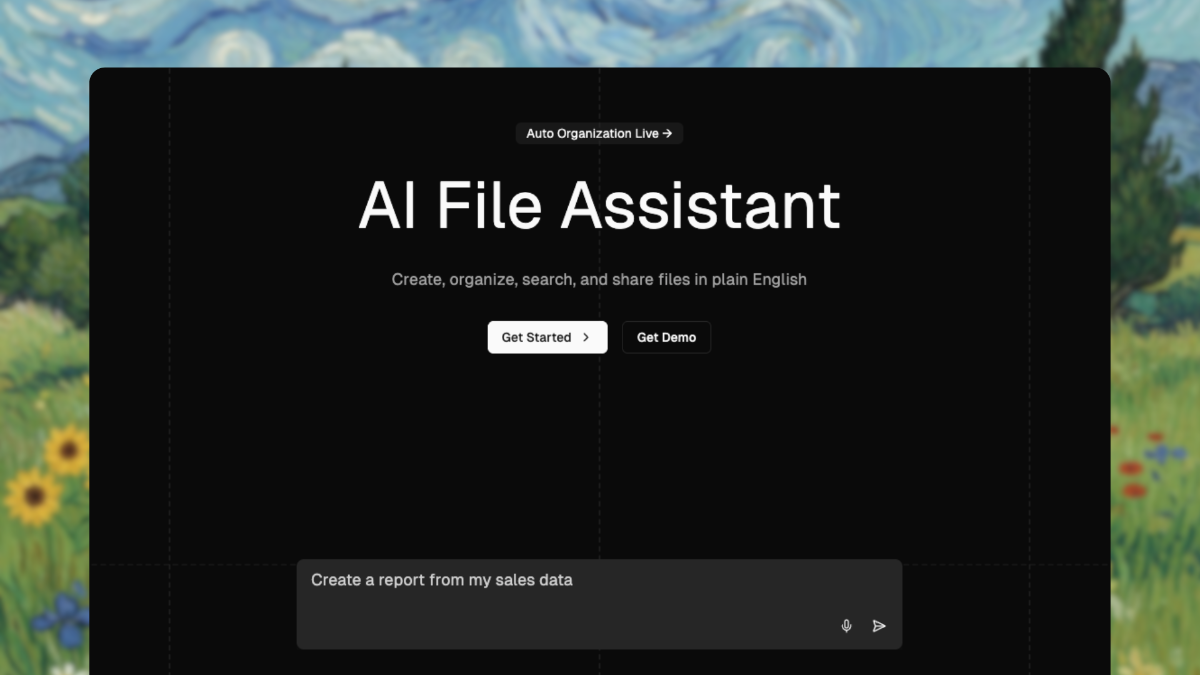
The Drive AI redefines file management through autonomous AI agents that understand file content and execute complex operations through natural language commands. Rather than requiring manual folder creation, renaming, and organization, The Drive AI analyzes file content semantically and organizes intelligently—creating nested folder structures automatically, understanding relationships between files, and executing sophisticated multi-step operations instantly. Launched publicly in November 2025 following Product Hunt debut, The Drive AI positions itself as the world’s first agentic workspace, with core capabilities including auto-organization (subsecond analysis and categorization), multimodal processing (handling PDFs, images, audio, video), voice-driven commands, and seamless integration with Google Drive, Dropbox, and OneDrive. The platform claims to deliver 70% reduction in file management time and enables teams to execute operations in seconds that would previously require hours of manual work.
Key Features
The Drive AI combines multimodal AI processing with autonomous file operations:
- Auto-Organization with Content Understanding: Drag and drop files or folders into The Drive AI and the system analyzes content, understands context, generates nested folder structures, and organizes automatically in under one second. Unlike keyword-based systems, the AI reads actual file content—extracting meaning from document text, analyzing images, transcribing audio, understanding meeting context—to organize intelligently.
- Multimodal AI Processing: Handles PDFs, documents, images, audio files, video recordings, and spreadsheets. Extracts text from scanned documents via OCR, transcribes audio with speaker identification and timestamps, analyzes images for object detection and content, and understands structured data in spreadsheets.
Natural Language and Voice Commands: Execute complex file operations through conversational interface—”Create 100 client folders with subfolders for 2024, 2025, and 2026″ or “Organize my Q4 sales files by region” or “Show me all contracts expiring this quarter.” Both text and voice commands execute identical operations.
Automated Duplicate Detection and Removal: Identifies true duplicates and near-duplicates, then consolidates files and reclaims storage. Organizations typically accumulate 30-40% of storage in duplicate files; The Drive AI identifies and eliminates these automatically.
Intelligent Version Control: Automatic versioning tracks changes without requiring manual version naming. System maintains complete change history, identifies current version, and enables restoration without “final_v2_REAL_final.docx” naming chaos.
Smart Permission Management: Set, audit, and manage file permissions based on user roles and project context. Automatically updates access controls as team structure changes, preventing permission sprawl and unauthorized access.
Meeting Automation and Transcription: Process meeting recordings automatically—generating transcripts, extracting action items, identifying speakers, and creating timestamped summaries. Integration with recorded meetings provides complete meeting documentation automatically.
Autonomous Background Operations: Agents execute scheduled operations continuously—weekly archiving of old files, monthly cleanup of duplicates, continuous analysis of new uploads. Tasks run even when users are offline or away from devices.
Cross-Platform Integration: Native support for Google Drive, Dropbox, and OneDrive enables unified management across multiple cloud storage providers without requiring migration or duplicate uploads.
Team Collaboration and Shared Organization: Multiple team members benefit from shared organization structure automatically. When one person organizes files intelligently, the entire team accesses organized structure without individual setup.
Gmail Integration: Automatically organize email attachments—analyzing attachments, extracting from email context, and filing into appropriate project folders automatically.
How It Works
The Drive AI operates through autonomous agent execution:
Describe Your File Task: Provide instructions in natural language or voice—describing organization structure, operations needed, conditions for file handling. More specific descriptions yield more tailored execution, though system infers intent from general descriptions.
AI Analyzes and Plans: The system analyzes your description, considers your existing file structure and usage patterns, and develops execution plan including which files to categorize, how to structure folders, what operations to execute in sequence.
Autonomous Execution: Agents execute plan automatically—reading file content, analyzing context, creating folder structures, moving files, updating permissions, generating documentation. Complex operations that would require dozens of clicks execute instantly.
Continuous Learning and Optimization: System learns from every interaction—understanding your preferences, organizational logic, frequently accessed patterns—and improves future organization suggestions accordingly.
Results Verification and History: Complete action logs show exactly what agents executed—files processed, folders created, permissions changed, duplicates removed. Users verify results and can rollback if needed.
Use Cases
The Drive AI serves diverse organizational scenarios:
- Legal Teams: Bulk organize contracts by client and case, extract and summarize contract clauses, manage sensitive document permissions, perform automated document review across hundreds of contracts. What previously required weeks of manual document review now occurs automatically.
Student and Academic Organizations: Organize lecture notes and readings automatically, rename files for consistency, generate summaries and flashcards from PDFs, manage group project permissions and access. Particularly valuable for managing large quantities of research papers and course materials.
Financial Analysis Teams: Automatically create folder structures for each client or quarter, rename and tag financial statements for retrieval, analyze and summarize financial reports, share findings with appropriate permissions. Accelerates month-end close and quarterly reporting.
Marketing and Creative Teams: Auto-organize campaign assets by project or channel, rename and tag creative files for rapid retrieval, analyze survey results and generate reports, share assets with granular permission controls. Manages massive quantities of creative files and versions.
Distributed Remote Teams: Ensure consistent file organization and accessibility across distributed team regardless of location. Enables seamless collaboration without requiring team members to understand organizational logic or perform manual organization.
Product and Engineering Teams: Organize specs, designs, and feedback automatically by feature or release, rename and version files for clarity, analyze feedback documents and auto-summarize insights, manage stakeholder access and permissions.
Compliance and Audit-Heavy Organizations: Maintain audit-ready file organization with complete permission audits and action history. Automatically enforce organization standards and access controls across teams.
Pros & Cons
Advantages
- Semantic Content Understanding: True content analysis enables intelligent organization—not just keyword matching or metadata examination. System understands meaning within files and organizes accordingly.
Subsecond Auto-Organization: Files automatically organize within seconds—dramatically faster than manual organization. Complex structures that would require hours of manual work execute instantly.
Autonomous Continuous Operation: Background agents work continuously—no manual scheduling or triggering required. Tasks execute automatically even when users are offline or away.
True Multimodal Support: Handles diverse file types—documents, images, audio, video—with appropriate analysis for each. Single system manages entire digital asset library.
Voice and Natural Language Interface: Non-technical users accomplish complex operations through conversational interface. No configuration expertise or technical knowledge required.
Significant Time Savings: Teams report 70% reduction in file management time, enabling focus on strategic work rather than digital housekeeping.
Cross-Platform Unification: Manages Google Drive, Dropbox, and OneDrive without requiring migration. Unified interface despite multiple underlying storage platforms.
Disadvantages
Requires Clear Instruction: While system infers intent, highly ambiguous or vague instructions may produce suboptimal results. Complex organizational preferences require explicit articulation.
Learning Curve for Complex Workflows: While simple tasks are intuitive, designing sophisticated multi-step workflows with conditional logic and specific organizational rules may require understanding system capabilities.
Data Privacy Considerations: Platform analyzes file content to enable intelligent organization—requiring trust in data handling practices. Organizations with extreme data sensitivity should review security details.
Integration Coverage Limits: While supporting major platforms (Google Drive, Dropbox, OneDrive), custom or specialized storage solutions may not be supported.
Early-Stage Maturity: Platform publicly launched November 2025—capabilities and stability continue evolving. Teams with mission-critical workflows should validate thoroughly before full reliance.
How Does It Compare?
The Drive AI occupies distinctive position within file management and automation landscape, emphasizing autonomous file-specific operations rather than general workflow automation or meeting transcription.
Zapier functions as general-purpose workflow automation connecting 8,000+ apps through trigger-action patterns. Zapier excels at connecting disparate business tools and automating data flow between systems. However, Zapier focuses on app-to-app connections rather than file content analysis or intelligent file organization. Zapier automates business workflows; The Drive AI automates file management specifically. Zapier connects apps; The Drive AI understands files. Organizations often use both—Zapier for business processes, The Drive AI for file management.
Bardeen specializes in GTM (go-to-market) automation through Chrome browser extension, automating sales workflows including lead discovery, CRM data enrichment, and outreach sequencing. Bardeen focuses on sales and marketing team efficiency. While Bardeen can extract data and automate workflows, it specializes in lead and sales operations rather than file management. Bardeen targets go-to-market teams; The Drive AI targets anyone managing files. They serve different organizational functions and user personas.
Otter.ai specializes in meeting transcription and summarization—recording meetings, generating transcripts, extracting action items, and providing meeting insights. Otter focuses exclusively on meeting-generated content. While Otter outputs create files (transcripts), its primary function is meeting capture and analysis rather than file management and organization. Otter is meeting-focused; The Drive AI is file-focused. Otter generates content; The Drive AI organizes existing content.
Traditional File Management Approaches remain baseline comparison—requiring manual folder creation, file naming, renaming, archiving, and permission management. The Drive AI delivers efficiency through automation that traditional approaches cannot match.
The Drive AI’s distinctive positioning emerges through: autonomous file-specific operations (not general workflow automation), semantic content understanding (reading actual file content rather than metadata), multimodal processing (handling diverse file types with appropriate analysis), voice and natural language interface (genuine conversational operation), and continuous background execution (agents work autonomously without scheduling). While Zapier automates business processes, Bardeen automates sales workflows, and Otter.ai automates meeting processing, The Drive AI uniquely automates intelligent file management at scale.
Final Thoughts
The Drive AI addresses genuine productivity drain—the hours teams spend organizing, finding, managing, and sharing files. Its combination of semantic content understanding, autonomous agents, multimodal processing, and natural language interface enables teams to delegate file management entirely rather than spending time on digital housekeeping.
For organizations managing large file quantities, distributed teams requiring consistent organization, or anyone frustrated with inefficient file management workflows, The Drive AI delivers practical efficiency improvements through automation that traditional file storage solutions cannot match.
However, organizations with highly specialized file organization requirements, those preferring maximum manual control, or those with extreme data privacy constraints should carefully evaluate platform fit. The Drive AI optimizes specifically for intelligent autonomous file management rather than providing comprehensive organization infrastructure or supporting all possible storage and file type combinations.