
Overview
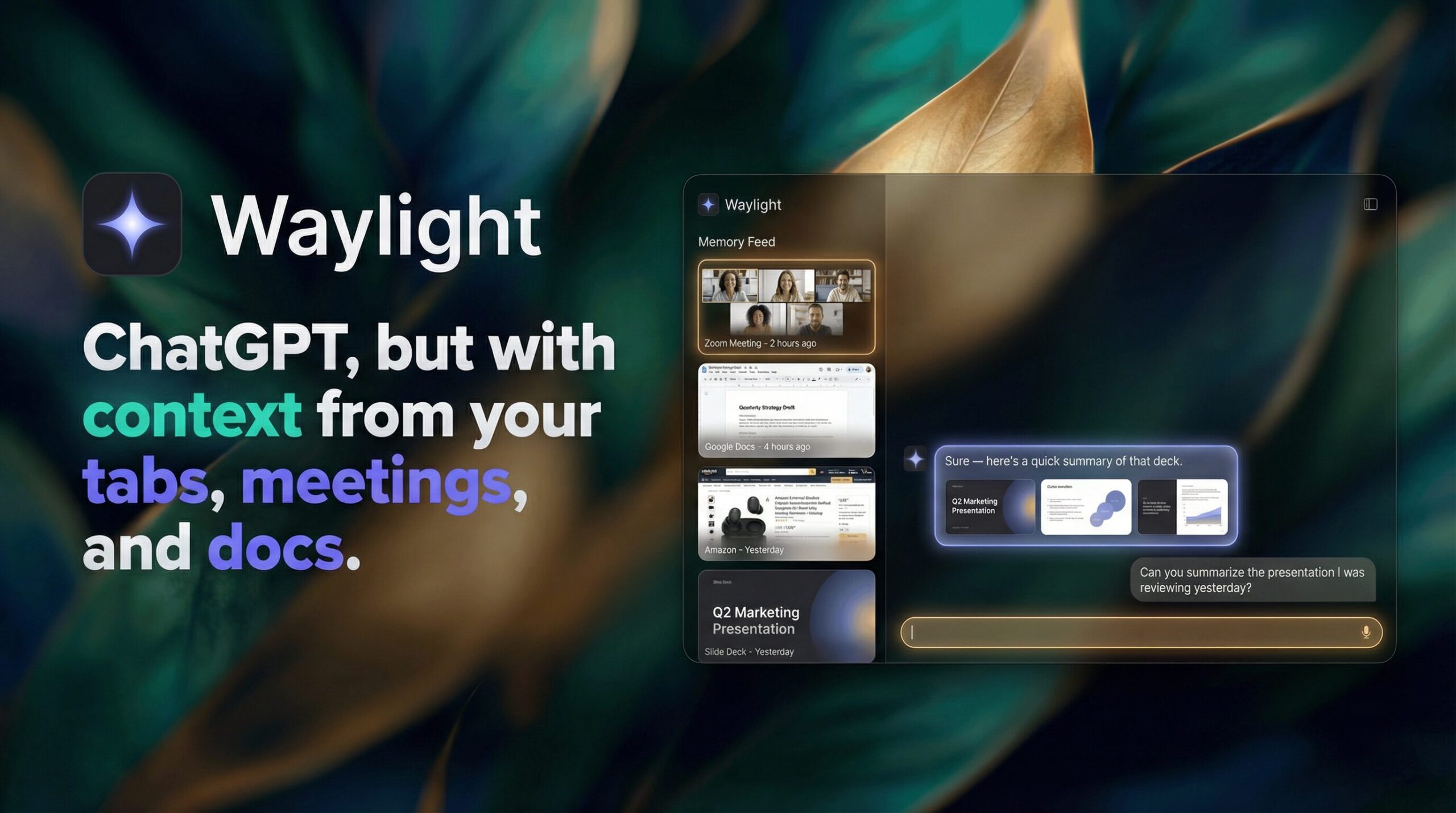
In today’s fast-paced digital world, retaining every detail from hours of screen time is nearly impossible. Waylight is an AI assistant designed to function as a secure, private memory extension for your computer. Unlike standard cloud-based bots, it runs locally to observe your meetings, documents, browser tabs, and messages, building a searchable on-device index. This allows users to query their digital history using natural language to instantly retrieve forgotten details without manual searching.
Key Features
Waylight distinguishes itself through a privacy-centric architecture and deep context awareness. Here’s what makes it stand out:
- Private, On-Device Intelligence: A core differentiator is its commitment to local processing. Waylight captures and indexes activity data exclusively on your machine’s hard drive. This ensures that sensitive business data, personal messages, and browsing history are never transmitted to external cloud servers for storage.
- Multimodal Context Indexing: The tool goes beyond simple file search by indexing the content of your activity. It captures context from live meetings (transcripts), active browser tabs, open documents, and communication apps, creating a unified knowledge graph of your workday.
- Natural Language Recall: Instead of using keywords or filenames, users can query the system conversationally. Questions like “What was the budget cap mentioned in the marketing sync last Tuesday?” trigger the AI to semantic-search its local index and provide a precise answer with context.
How It Works
Waylight operates as a background agent that utilizes accessibility APIs and screen context analysis to “read” your workflow. It continuously captures text and metadata from active applications—such as meeting platforms, web browsers, and document editors—and processes this stream into a structured, vector-based database stored locally. When a user asks a question, the on-device LLM (Large Language Model) queries this private database to retrieve the exact information snippet, ensuring both speed and privacy since no data round-trip to the cloud is required for the recall process.
Use Cases
Waylight is optimized for knowledge workers who manage high volumes of ephemeral information:
- Recovering Unrecorded Meeting Details: If you forgot to write down a specific KPI or deadline discussed in a Zoom or Teams call, Waylight allows you to ask for that detail days later, even if you didn’t record the session explicitly.
- Contextual Tab \& Document Retrieval: Rather than bookmarking every interesting page, you can rely on Waylight to “remember” content. A query like “Show me the article about solid-state batteries I read yesterday morning” will surface the exact tab.
- Project Workflow Reconstruction: For users juggling multiple projects, Waylight can summarize actions taken on a specific task—such as “What files did I modify for the Alpha Project on Monday?”—helping to resume work without losing context.
Pros \& Cons
While powerful, the “always-watching” nature of the tool presents trade-offs.
Advantages
- Absolute Data Sovereignty: By keeping the index and processing local, Waylight mitigates the risk of corporate data leaks associated with cloud-based AI assistants.
- Cognitive Offloading: It effectively eliminates the mental burden of “remembering where you saw something,” freeing up cognitive resources for active problem-solving rather than information retrieval.
Disadvantages
- System Resource Intensity: Continuous indexing of screen text and audio requires local compute power. This may lead to noticeable battery drain on laptops or reduced performance on older hardware with limited RAM.
- Local Security Vector: While data is safe from cloud breaches, it creates a “honey pot” on the local device. If the physical machine is stolen or compromised by malware, the comprehensive activity history could be exposed if not properly encrypted at rest.
How Does It Compare?
The “AI Memory” sector is becoming crowded. Here is how Waylight compares to its primary rivals:
Vs. Limitless (formerly Rewind AI)
- Data Capture: Limitless (Rewind) is famous for recording compressed video of your screen and audio of your meetings. Waylight appears to focus more on semantic indexing (text/metadata) of tabs and docs rather than storing months of video footage. This likely results in a smaller storage footprint for Waylight but potentially less visual context than Rewind’s “scrubbable timeline.”
- Platform Focus: Limitless has expanded into a wearable device (the Limitless Pendant) for real-world meeting capture. Waylight remains strictly a desktop software solution focused on your digital computer activity.
Vs. Microsoft Recall
- Integration Level: Microsoft Recall is a native Windows 11 feature deeply integrated into the OS (Copilot+ PCs) that takes snapshots every few seconds. Waylight operates as a third-party application, which may offer it more flexibility to work across different browsers or OS versions (pending Mac/Windows support) but lacks the system-level optimization and battery efficiency of a native Microsoft tool.
- Privacy Control: Recall faced significant backlash for its initial lack of security (storing data in plain text), though this has been addressed. Waylight builds its entire brand identity around privacy-first design from day one, potentially appealing more to users who fundamentally distrust “Big Tech” OS-level surveillance.
Vs. Granola
- Scope: Granola is hyper-focused purely on meeting notes—it listens to calls and writes structured summaries. Waylight is broader; it acts as a general “memory” that includes your web browsing, slack messages, and documents, not just your calendar events. If you only need better meeting notes, Granola is more specialized; if you need total digital recall, Waylight is the superior choice.
Final Thoughts
Waylight represents a promising evolution in the “quantified self” and productivity space. By solving the universal problem of digital forgetfulness with a privacy-first architecture, it addresses the biggest objection users have to AI monitors: data security. While users with older hardware should be mindful of potential performance impacts, for busy professionals who constantly switch context between hundreds of tabs and meetings, Waylight offers a compelling safety net that ensures no critical detail is ever truly lost.