Overview
AI-powered creative tools proliferate rapidly, yet most occupy distinct categories: template-based design platforms (Canva), standalone image generators (Midjourney), enterprise video tools (Runway), or technical workflow systems (ComfyUI). This fragmentation forces creators to manually chain tools—generating an image in one platform, editing in another, applying effects elsewhere, exporting and re-importing repeatedly. Complex creative visions requiring multi-step AI orchestration become exercise in context-switching, version control chaos, and inconsistent outputs.
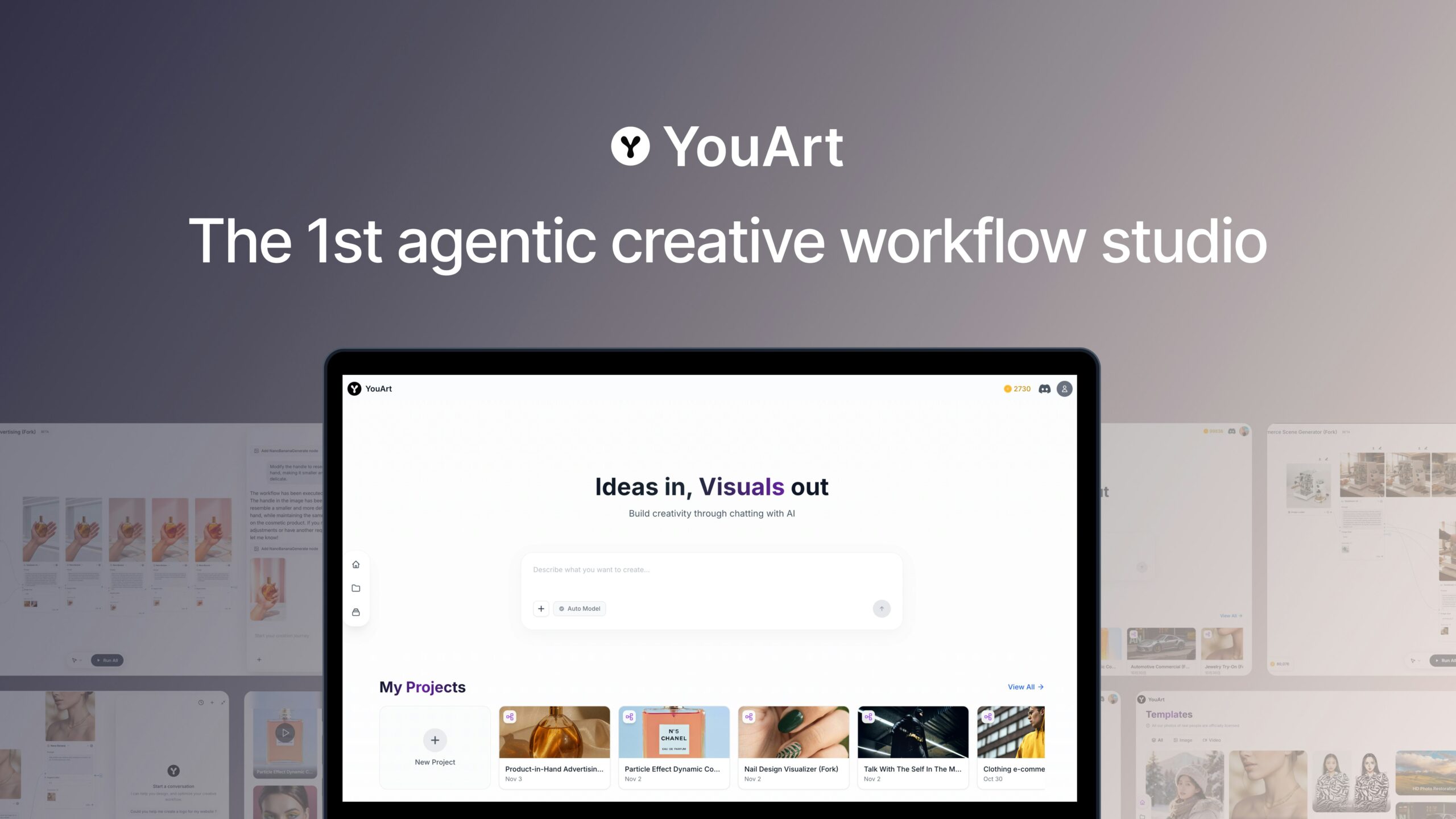
YouArt addresses this through an agentic creative workflow studio that orchestrates multiple AI models, traditional tools, and prompt sequences into unified, reusable pipelines. Rather than treating each AI generation as isolated output, YouArt enables creators to build automated creative workflows—chaining image generation, style transfer, background manipulation, video conversion, and effects application into single processes executable through conversation or visual node editing. The platform targets “vibe-driven” designers and creators who prioritize consistent aesthetic outcomes, rapid iteration, and production-ready results over manual tool coordination.
Key Features
YouArt delivers comprehensive workflow automation capabilities bridging conversational AI creation and technical pipeline control:
- Multi-Model Orchestration: Access 20+ specialized AI models within unified workflows including GPT-4o for text understanding, Midjourney and DALL-E for image generation, Stable Diffusion for customization, Nano Banana for photorealism, Sora 2 and Veo 3.1 for video generation, Seedream for scene creation, and Wan for style adaptation. Each model contributes specific capabilities to workflow sequences—photorealistic base imagery, artistic style application, motion generation—without requiring separate platform subscriptions or manual output transfers.
- Conversational Workflow Generation: Chat-to-workflow agent interprets natural language descriptions and automatically builds complete creative pipelines. Describing “Create a cyberpunk makeup ad” generates a workflow sequencing appropriate models for base imagery (Seedream), dynamic transitions (Veo 3.1), and precision editing (product placement tools)—eliminating manual node configuration for common creative patterns.
- Visual Workflow Editor: Node-based interface provides granular control over every workflow step. Configure model parameters, adjust prompt variations, set conditional logic, define iteration loops, and fine-tune handoffs between models. This empowers advanced users to optimize pipelines beyond automated generation while maintaining visual clarity absent in code-based approaches. Platform draws inspiration from ComfyUI’s flexibility and n8n’s workflow logic while specializing for creative content production.
- Intelligent Prompt Orchestration: Beyond single-prompt generation, YouArt sequences prompts across workflow stages. An initial prompt generates base composition; subsequent prompts refine lighting, adjust color harmony, add specific elements, or modify style—each step informed by previous outputs, creating coherent multi-stage transformations impossible through isolated generations.
- Professional Template Library: Free templates encode proven creative workflows—product photography enhancement with dual modes (light social media optimization vs. professional retouching), e-commerce scene generation with automated background and lighting variation, age transformation maintaining facial identity markers, celebrity pose matching with lighting alignment logic. Templates serve as starting points for customization or learning resources demonstrating workflow construction.
- Version-Controlled Reusability: Save workflows as modifiable assets supporting iterative refinement. A “product ad” workflow created for footwear adapts to cosmetics by adjusting product swapping parameters and scene aesthetics while retaining core lighting, composition, and motion logic. This “build once, deploy many” approach standardizes creative production across campaigns.
- Cross-Modal Output Synchronization: Proprietary technology maintains consistency when workflows span multiple output types. Facial features preserve identity markers when transforming portraits across age ranges; lighting alignment persists when integrating products into generated scenes; style attributes transfer coherently from static images to video motion—solving the coherence breakdowns typical of manual multi-tool workflows.
- Production-Grade Export: Generate assets suitable for immediate professional use supporting major image formats (JPG, PNG, WEBP, GIF) and video formats (MP4, MOV) with resolution options up to 4K. Batch processing capabilities enable generating 100+ variations from single workflows—different backgrounds, lighting configurations, product placements—through automated parameter iteration.
- Credit-Based Flexible Pricing: Consumption-based model charges per operation based on model complexity and resolution. Simple upscaling consumes fewer credits than multi-model video workflows, enabling cost-efficient experimentation. Free tier (40 credits) supports platform evaluation; paid plans (\$9.99-\$49.99/month) provide 1000-8000 credits monthly with access to all premium models.
How It Works
YouArt transforms creative execution from sequential manual tool usage to automated workflow orchestration through two complementary interaction modes.
For creators preferring conversational interfaces, workflow creation begins by describing creative intent in natural language: “Transform this product photo into a dynamic social media ad with particle effects.” YouArt’s agent analyzes the request, identifies required operations (image upscaling for quality, particle effect generation, camera motion application, format optimization), selects appropriate models for each task, and automatically constructs a workflow pipeline orchestrating these steps. The agent presents the generated workflow visually—users review the automated pipeline, provide feedback (“make particle effects more subtle”), and the agent refines accordingly.
For creators seeking technical control, visual workflow editor provides node-based pipeline construction. Users drag model nodes onto canvas—image generator, style transfer, background replacement, video converter—connecting outputs from one node to inputs of subsequent nodes. Each node exposes configurable parameters: model selection, prompt specification, resolution settings, effect intensity, iteration count. Users define conditional branches (if color palette is warm, apply sunset lighting; if cool, apply moonlight), iteration loops (generate 50 background variations), and quality checks (only export outputs meeting composition standards).
Both modes produce identical outcome: executable workflows combining multiple AI models and tools into unified processes. Once constructed, workflows run end-to-end automatically. Upload a product image, execute workflow, receive final ad video—no manual intervention between steps. Intermediate outputs (upscaled image, particle-enhanced frame, motion-applied sequence) remain accessible for review but don’t require manual coordination.
The platform’s intelligence emerges through model handoff optimization. When workflow transitions from image generation to style transfer, YouArt maintains consistent lighting parameters. When converting static imagery to video, motion generation respects composition alignment from previous steps. This contextual awareness prevents the disjointed aesthetics typical of manually chaining disconnected tools.
Creators iterate by adjusting workflow parameters and re-executing—modifying prompts, swapping models, changing effect intensity—observing how variations affect final outputs. Successful workflows save as reusable templates applicable to future projects: a “product hero shot” workflow developed for cosmetics applies to electronics by updating product category parameters while retaining lighting, composition, and enhancement logic.
Use Cases
YouArt’s workflow automation addresses diverse creative production scenarios requiring multi-step AI coordination:
- Brand Visual Identity Systems: Marketing teams develop comprehensive brand asset workflows generating logos, color-consistent social graphics, product photography variations, and video snippets from unified style guidelines. Single workflow produces entire visual identity system—maintaining cohesive aesthetic across Instagram posts, YouTube thumbnails, website headers, email banners—through automated brand parameter application.
- E-Commerce Product Visualization: Retailers automate product photography variations at scale. Upload product image; execute workflow generating 50+ scene variations (outdoor environment, indoor studio, lifestyle context) with automated background generation, lighting adjustment, and perspective optimization. Single product shoot yields hundreds of marketing-ready assets through batch workflow execution.
- Social Media Content Production: Creators establish templated workflows for recurring content formats—tutorial thumbnails with consistent typography and color grading, reaction video intros with signature motion graphics, podcast episode art maintaining brand cohesion. Workflow reuse ensures visual consistency across content libraries while accelerating production through automation.
- Concept Iteration for Client Presentations: Agencies rapidly generate design concept variations for client review. Describe creative direction; workflow produces 20 stylistic interpretations exploring color palettes, compositional approaches, typography treatments, and mood variations. Clients provide feedback on preferred directions; refined workflows iterate on selected concepts—compressing weeks of manual iteration into hours.
- Cinematic Storyboard Development: Filmmakers generate pre-visualization assets illustrating scene compositions, lighting setups, camera movements, and character blocking. Workflows combine scene generation models, camera path tools, lighting controls, and character positioning—creating cinematic reference imagery guiding production planning without expensive live shoots.
- Educational Content Enhancement: Instructors create visually engaging educational materials through automated diagram generation, concept illustration, and explanatory animation workflows. Complex scientific concepts transform into visual explanations through workflows combining text-to-image generation, style application matching educational tone, and annotation overlay—making abstract ideas concrete.
Advantages
- Multi-Model Workflow Unification: Access 20+ specialized AI models within single workflows eliminates platform-switching, manual export/import cycles, and version control fragmentation. Creators orchestrate Midjourney quality, DALL-E accessibility, Stable Diffusion customization, and video model capabilities within unified pipelines.
- Conversational Accessibility with Technical Depth: Chat-to-workflow agent lowers entry barriers for non-technical creators while visual node editor satisfies power users requiring granular control. This dual approach serves broader audience than purely technical (ComfyUI) or purely simplified (template platforms) alternatives.
- Reproducible Creative Processes: Workflow saving transforms one-off creative successes into repeatable systems. Brand visual guidelines become executable workflows rather than written documents; successful ad formats become templates rather than manual recreation; proven production techniques systematize through parameterized pipelines.
- Coherent Multi-Step Outputs: Proprietary cross-modal synchronization maintains aesthetic consistency across workflow stages—lighting coherence when integrating elements, identity preservation across transformations, style persistence through output types—avoiding disjointed results from manual tool chaining.
- Rapid Iteration Velocity: Automated workflow execution accelerates creative exploration. Modify single parameter (color palette, composition rule, effect intensity); re-execute workflow; compare results—enabling hundreds of variations in timeframes previously requiring weeks of manual work.
- Production-Scale Batch Processing: Workflow cloning supports generating thousands of asset variations from single templates. E-commerce retailers produce complete product catalogs; marketers generate localized campaign variations; content creators build comprehensive social media libraries—through automated parameterization of proven workflows.
- Cost-Efficient Credit System: Consumption-based pricing charges per actual generation rather than fixed subscriptions regardless of usage. Creators experimenting infrequently avoid wasted subscription fees; high-volume users optimize costs through model selection (Turbo modes for iteration, Alpha models for finals).
Considerations
- Learning Investment for Advanced Workflows: While chat-to-workflow agent simplifies basic use cases, mastering node-based editor for complex, multi-branch workflows requires time investment understanding model capabilities, parameter effects, and optimization techniques. Creators seeking maximum platform value benefit from workflow logic comprehension.
- Creative-Specific Optimization: Platform architected exclusively for visual content production—image generation, video creation, style transfer, scene composition. Teams requiring general-purpose workflow automation (data processing, API integration, business logic) find specialized creative focus limiting compared to general platforms (n8n, Zapier).
- Early Platform Maturity: As emerging tool, YouArt may lack integration breadth, workflow debugging sophistication, or feature polish compared to established platforms. Users should anticipate iterative refinement as platform matures and potentially encounter limitations requiring workarounds.
- Model Dependency and Cost Variability: Workflow quality depends on underlying model capabilities. As AI models evolve, workflows may require adjustment to leverage newer capabilities or adapt to model behavior changes. Credit consumption varies significantly by model selection—complex Gen-4 video workflows consume substantially more credits than lightweight image upscaling.
- Output Consistency Challenges: Despite synchronization technology, complex workflows chaining many models may occasionally produce unexpected coherence breaks. Users may need to add validation steps, adjust prompts, or manually review intermediate outputs for mission-critical productions.
How It Compare
YouArt operates at the intersection of AI creative tools, workflow automation, and agentic platforms—positioned distinctly from both end-user design tools and technical workflow systems:
Integrated Creative Platforms (Canva, Adobe Express): Canva’s Creative Operating System (Creative OS) unifies Visual Suite 2.0 with world-first design AI models, conversational design through Canva AI, and productivity integrations. Users describe vision conversationally; Canva generates fully editable designs with brand kit application, template fallback, and seamless editing. Adobe Express combines AI Assistant (October 2025) with Firefly generative models enabling conversational design editing—describe desired changes, AI modifies specific layers while preserving remainder, drawing from Adobe font/stock libraries or generating assets. Both excel at accessible, template-driven design with AI enhancement. YouArt differentiates through workflow orchestration philosophy: rather than generating single outputs (design, image, video), YouArt builds repeatable multi-step pipelines chaining specialized models. Canva/Adobe prioritize ease over workflow systematization; YouArt inverts this—initially steeper learning for reusable automation payoff.
AI Video Generation Platforms (Runway): Runway leads AI video generation through Gen-3 Alpha (camera path control, keyframing), Gen-3 Turbo (rapid iteration), Gen-4 (character/scene consistency via reference images), and Aleph (multi-task video editing including object addition/removal, angle generation, style/lighting modification). Platform offers text-to-video, image-to-video, video-to-video with 4K upscaling, dialogue addition, backdrop changes, and relighting—specialized for cinematic pre-visualization and establishing shots. Runway excels at advanced video generation with directorial controls. YouArt positions differently: rather than maximizing single-model video capabilities, YouArt orchestrates multiple models (including Runway-class tools like Sora 2/Veo 3.1) within broader creative workflows combining image generation, editing, video conversion, and batch processing—serving creators needing end-to-end automation over maximum single-task sophistication.
Node-Based Workflow Systems (ComfyUI, n8n): ComfyUI pioneered node-based stable diffusion workflows giving technical users complete control over generation pipelines through visual programming. Users construct complex graphs combining models, samplers, upscalers, and post-processors with granular parameter control—enabling reproducible, optimized generation pipelines impossible through web UIs. However, ComfyUI requires technical sophistication and focuses exclusively on Stable Diffusion ecosystem. n8n provides general-purpose workflow automation connecting diverse services (APIs, databases, apps) through visual node editor with conditional logic, branching, and iteration—excelling at business process automation but lacking creative-specific capabilities. YouArt bridges this gap: ComfyUI-inspired visual control + n8n-inspired workflow logic + creative-specific model orchestration (not just Stable Diffusion) + conversational accessibility (chat-to-workflow agent)—targeting creators wanting workflow power without pure technical tools.
Standalone AI Generators (Midjourney, Leonardo.ai): Midjourney delivers state-of-the-art AI image generation through Discord interface with prompt engineering culture and consistent aesthetic quality. Leonardo.ai provides creative AI platform combining image generation, editing tools, and fine-tuned models for specific styles (game assets, character design). Both excel at their specialized domains—Midjourney for prompt-driven artistry, Leonardo for creative flexibility. YouArt integrates these tools rather than replacing them: workflows can leverage Midjourney-quality generation as one step within larger pipelines combining style transfer, background manipulation, video conversion—positioning as orchestration layer above specialized generators.
YouArt’s competitive differentiation centers on agentic workflow orchestration: conversational workflow generation (chat-to-workflow agent) lowering technical barriers; visual node editor providing ComfyUI-level control for power users; 20+ model integration avoiding single-vendor lock-in; cross-modal synchronization maintaining coherence across multi-step pipelines; and template-driven reusability systematizing creative production. For designers and creators prioritizing repeatable, consistent creative processes over one-off generation quality—particularly those producing at scale (brand systems, e-commerce catalogs, content libraries)—YouArt delivers specialized automation bridging accessible AI tools and technical workflow systems.
Final Thoughts
Creative AI adoption faces fundamental workflow friction: tools proliferate rapidly while integration lags, forcing creators into manual coordination of disconnected platforms. Each new model launch (video generator, style transfer, upscaler) adds potential capability but also another context switch, another subscription, another export/import cycle. This fragmentation taxes cognitive load and prevents creative systematization—successful processes remain manual rather than automated, limiting production velocity and consistency.
YouArt addresses this through workflow-first philosophy: treating creative processes as orchestratable pipelines rather than isolated tool invocations. By combining conversational accessibility (chat-to-workflow agent), technical control (visual node editor), model diversity (20+ integrated generators), and template reusability, the platform enables creators to systematize creative production at unprecedented scale. For brands maintaining visual identity across hundreds of assets, e-commerce retailers generating thousands of product variations, content creators producing recurring formats, or agencies iterating concepts rapidly—workflow automation delivers compounding value absent from one-off generation tools. While platform maturity remains evolving and learning investment exceeds simple template tools, YouArt represents meaningful evolution toward creative systematization: transforming ephemeral creative successes into reproducible, scalable workflows that compound rather than reset with each new project.