

Table of Contents
Overview
In today’s fast-paced digital environment, Windows users need sophisticated tools that enhance productivity without disrupting workflow. WindowSill addresses this need as a comprehensive universal command bar designed specifically for Windows 10 and 11 systems. This innovative productivity solution integrates AI-powered text assistance, intelligent clipboard management, seamless media controls, and meeting management capabilities into a single, customizable interface. While the core features are available through a free tier, advanced AI functionality requires either a one-time lifetime purchase or monthly subscription, making it accessible for both casual users and professionals seeking enterprise-grade productivity enhancement.
Key Features
WindowSill delivers a comprehensive suite of productivity-enhancing tools designed for seamless Windows integration:
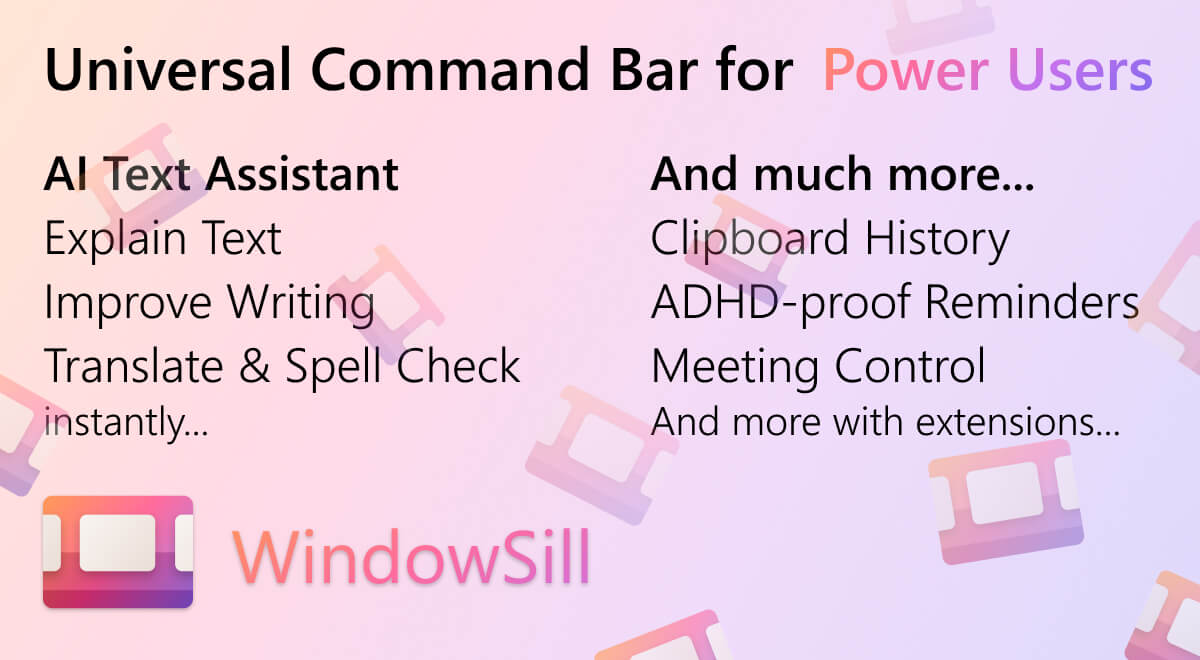
AI-Powered Text Assistant: Transform your writing workflow with intelligent text processing capabilities. Select any text across applications to instantly summarize, rewrite, translate into 35+ languages, or perform grammar corrections without interrupting your current task. The system supports multiple AI providers including OpenAI, Anthropic, and local Large Language Models for enhanced privacy and security.
Advanced Clipboard History Management: Maintain comprehensive access to your digital clipboard with support for text, images, URLs, colors, and more. The system includes Screen Recording Protection that automatically hides sensitive clipboard data during screen recordings, ensuring privacy protection during presentations or content creation.
Universal Media Controls: Control audio and video playback across popular applications including Spotify, YouTube, Netflix, Apple Music, and Deezer without switching windows. This feature maintains focus on your primary work while managing background entertainment or reference materials.
Intelligent Meeting Management: Currently supports Microsoft Teams with comprehensive call control capabilities including mute/unmute, camera toggle, reactions, and meeting departure functions, all accessible while the meeting application runs in the background. Zoom, Discord, and WhatsApp integrations are planned for future releases.
ADHD-Optimized Reminders: Create attention-grabbing, full-screen notifications designed specifically for users with ADHD or anyone requiring unmissable task prompts. Alternative traditional toast notifications are available for less intrusive reminders.
Extensible Architecture: Built with a robust SDK allowing third-party applications to integrate directly with WindowSill, creating a unified productivity ecosystem tailored to individual workflows.
How It Works
WindowSill operates as a persistent yet unobtrusive command bar that integrates seamlessly with the Windows desktop environment. The application responds instantly to customizable hotkeys, providing immediate access to its feature set without disrupting active workflows. Users can highlight text in any application to trigger AI-powered analysis and transformation, access clipboard history through keyboard shortcuts, control media playback from background applications, and manage video conferencing tools while maintaining focus on primary tasks. The system’s context-aware design ensures relevant features appear based on current user activity and application focus.
Pricing Structure and Value Proposition
Free Tier: Includes media controls, clipboard history, meeting controls, short-term reminders, URL utilities, image utilities, web browser controls, and third-party extensions
Lifetime License (\$29.99): Unlocks AI writing and analysis, custom prompts, local AI model support, access to 350+ AI models from multiple providers, and removes API key requirements
Subscription Plan (\$4.99/month): Provides the same premium features as the lifetime option with simplified setup and no upfront investment
This pricing model makes advanced AI-powered productivity accessible to individual users while offering enterprise-grade capabilities for professional environments.
Use Cases and Practical Applications
WindowSill addresses diverse productivity scenarios across professional and personal contexts:
Professional Writing Enhancement: Instantly improve email clarity, translate foreign correspondence, or adapt document tone without leaving your current application, significantly reducing context switching and maintaining writing momentum.
Research and Content Creation: Quickly translate foreign language sources, summarize lengthy documents, or extract key information from web content directly within your browser or research applications.
Digital Asset Management: Efficiently locate previously copied links, images, or text snippets from comprehensive clipboard history, even hours after initial copying, eliminating the frustration of lost information.
Remote Work Optimization: Manage video conference controls while actively working in other applications, maintaining professional presence during calls while continuing productive tasks.
Focus Management for Neurodivergent Users: Utilize full-screen reminders and distraction-free interfaces designed to support ADHD and other attention-related challenges, improving task completion rates and deadline adherence.
Pros \& Cons
Advantages
Comprehensive Feature Integration: Combines multiple productivity tools into a single, coherent interface, reducing the need for separate applications and minimizing system resource usage.
Advanced AI Capabilities: Offers sophisticated text processing with support for multiple AI providers and local models, providing flexibility and privacy options not available in many competing solutions.
Accessibility-Focused Design: Includes specific features for users with ADHD and other attention-related challenges, demonstrating commitment to inclusive productivity solutions.
Cost-Effective Pricing: Offers substantial functionality through the free tier with reasonable pricing for premium features, making advanced productivity tools accessible across different budget ranges.
Limitations
Platform Restriction: Exclusively available for Windows systems, limiting adoption for users in mixed-platform environments or those using macOS or Linux systems.
Meeting Integration Limitations: Currently supports only Microsoft Teams for video conferencing controls, with other platforms planned but not yet available.
AI Feature Paywall: While basic productivity features remain free, the most compelling AI-powered capabilities require paid tiers, potentially limiting adoption among cost-conscious users.
How Does It Compare?
The Windows productivity landscape in 2025 features numerous sophisticated command bar and launcher solutions, each targeting specific user needs and preferences. WindowSill competes primarily with Microsoft PowerToys Run and Flow Launcher, though the competitive dynamics have evolved significantly.
Microsoft PowerToys Run maintains strong integration with Windows systems and offers solid basic functionality with plugin support. However, it lacks the centralized plugin store and extensive customization options that define modern productivity tools.
Flow Launcher has emerged as a particularly strong competitor, featuring a comprehensive plugin ecosystem accessible through an integrated store, extensive community development, and superior file search capabilities through Everything integration. Its Python-based plugin architecture accelerates community contributions and feature development.
Emerging Competition in 2025: The productivity tool market has expanded to include specialized solutions like Wox (lightweight alternative), Listary (file-focused operations), Ueli (clean interface design), and various AI-integrated launchers responding to the growing demand for intelligent automation.
WindowSill’s Differentiation Strategy: Unlike competitors that focus primarily on application launching and file management, WindowSill emphasizes AI-powered text processing and multi-application integration. This positions it as a comprehensive productivity suite rather than a simple launcher, appealing to users seeking intelligent workflow automation over basic system navigation.
Market Context: The 2025 productivity tool market increasingly emphasizes AI integration, with users expecting intelligent assistance across all productivity applications. WindowSill’s strength lies in its comprehensive approach to AI integration combined with traditional productivity features, though it faces growing competition from both specialized AI tools and established productivity platforms adding AI capabilities.
Industry Context and Implementation Considerations
The Windows productivity market in 2025 reflects broader trends toward AI integration and workflow automation. Research indicates that professionals lose an average of 21 minutes per day to context switching, making tools like WindowSill increasingly valuable for maintaining focus and productivity.
Enterprise adoption considerations include security implications of AI integration, particularly regarding data privacy when using cloud-based AI providers. WindowSill’s support for local AI models addresses these concerns, positioning it well for organizations with strict data governance requirements.
The growing recognition of neurodiversity in workplace design makes WindowSill’s ADHD-optimized features particularly relevant, as organizations increasingly seek inclusive productivity solutions that support diverse cognitive styles and working preferences.
Final Assessment
WindowSill represents a well-executed approach to modern Windows productivity enhancement, successfully combining traditional utility functions with contemporary AI capabilities. Its strength lies in comprehensive feature integration and thoughtful design for diverse user needs, including specific accommodations for neurodivergent users.
The application’s pricing model strikes an effective balance between accessibility and sustainability, offering substantial free functionality while providing clear value propositions for premium features. The lifetime licensing option particularly appeals to individual users seeking long-term productivity solutions without ongoing subscription commitments.
While facing strong competition from established tools like Flow Launcher and emerging AI-integrated alternatives, WindowSill’s focus on intelligent text processing and multi-application integration creates a distinct market niche. Success will likely depend on continued development of the AI integration capabilities and expansion of the plugin ecosystem to match competitors’ extensibility.
For Windows users seeking a comprehensive productivity solution that combines traditional utility functions with modern AI assistance, WindowSill offers a compelling option that balances functionality, accessibility, and innovation in the evolving productivity tool landscape.