
Table of Contents
Overview
Imagine an AI assistant deeply integrated into your daily workflow—one that comprehends your context from the screen itself, offers instant guidance, and automates repetitive tasks across your applications. Loophole delivers precisely this experience: a discreet desktop AI that reads your screen in real-time, providing proactive assistance and intelligent automation without requiring manual prompts. By integrating seamlessly with essential workplace tools like Slack, Notion, and Google Drive, Loophole transforms how teams coordinate and work, remaining completely invisible during screen shares and recordings—your confidential information stays private while you receive context-aware AI support.
Key Features
Loophole combines intelligent screen analysis with seamless workplace integration:
- Real-Time Screen Analysis: Intelligently interprets your current screen context, understanding your activity and anticipating the information or assistance you need without manual queries.
- Slack/Notion/Google Drive Integration: Deep connections with essential workplace applications enable cross-platform automation and information retrieval, making your entire digital workspace more cohesive.
- Proactive Guidance and Onboarding: Intelligently guides new team members through complex systems and processes, dramatically accelerating their learning curve and preventing common implementation mistakes.
- Intelligent Error Prevention: Offers real-time guidance and warnings that help users avoid mistakes before they occur, boosting accuracy and eliminating rework.
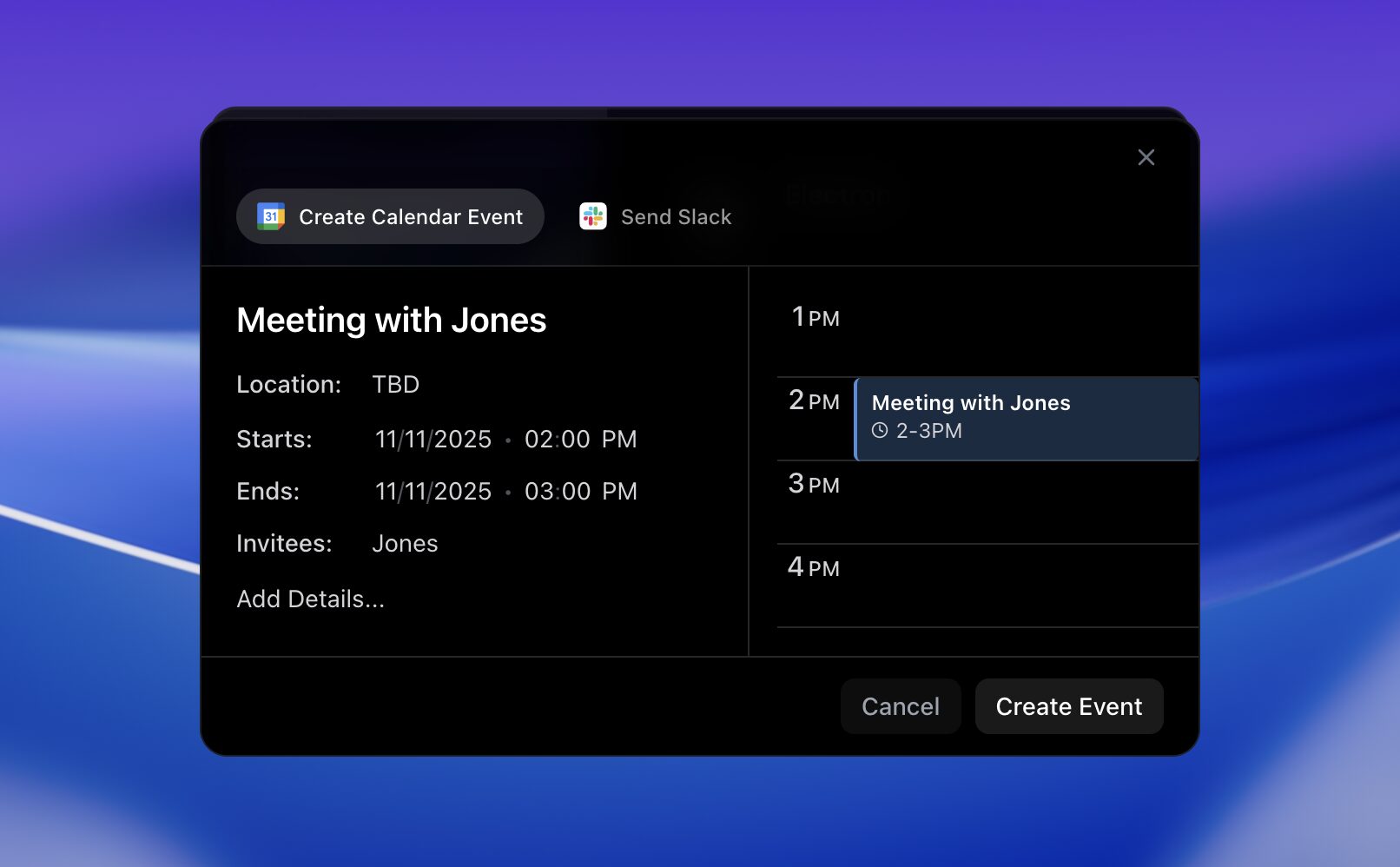
- Routine Task Automation: Handles repetitive actions—sending messages, scheduling events, updating documentation—based on understanding your work context.
- Background Operation: Functions silently and efficiently in the background, remaining available without consuming screen space or disrupting focus.
- Privacy-Respecting Architecture: Designed with comprehensive privacy safeguards, ensuring your data receives secure handling while the AI reads your screen, with complete invisibility during screen shares.
How It Works
Loophole operates through an elegantly simple yet powerful process:
Silent Background Monitoring: Loophole remains discreetly active in the background as you work. It continuously interprets your current screen context in real-time, comprehending what you’re doing and anticipating what information or assistance you might need.
Real-Time Contextual Response: Based on this real-time understanding, Loophole offers instant guidance, suggests logical next steps, and can even complete automatable tasks on your behalf without requiring explicit requests.
Cross-Platform Integration: Deep integrations with workplace tools like Slack, Notion, and Google Drive enable Loophole to act across your entire digital ecosystem, making workflows more seamless and efficient while maintaining security and privacy.
Invisible During Collaboration: When you share your screen with colleagues or present to stakeholders, Loophole remains completely hidden—your AI assistance continues without being visible to others, ensuring your confidential interactions remain private.
Use Cases
Loophole’s sophisticated capabilities benefit numerous scenarios:
- Employee Onboarding at Scale: Drastically reduce time and effort for new hire integration by providing proactive, step-by-step guidance within applications they’re learning.
- Error Prevention and Quality Assurance: Function as an intelligent safety net by preventing mistakes in complex workflows through real-time advice and issue flagging before errors occur.
- Accelerated Task Completion: Automate routine actions and provide instant information access, enabling users to complete tasks significantly faster.
- SaaS Platform Enhancement: Improve user experience within SaaS applications by providing contextual help and automating common actions, increasing efficiency.
- Intelligent Task Management: Help teams stay organized by automating reminders, scheduling, and task status updates based on work context and patterns.
- Complex Workflow Simplification: Transform intricate processes by breaking them down, guiding users through each step, and ensuring compliance throughout.
Pros & Cons
Advantages
- Always-Available Intelligence: Provides continuous, real-time assistance without requiring explicit prompts or user initiation.
- Completely Invisible: Operates discreetly in the background, never obstructing your workflow or being visible to others during screen shares.
- Accuracy Enhancement: Proactively prevents errors before they occur, resulting in higher-quality output and reduced rework.
- Context-Aware Assistance: Understands your current activity deeply, offering highly personalized and relevant guidance.
Disadvantages
- High Privacy Trust Requirement: Users must have substantial trust in Loophole’s privacy protocols, as the tool reads screen content; transparency about data handling is essential.
- MacOS-Only Availability: Currently available exclusively on macOS; Windows users are unable to use the platform.
- SaaS-Optimized Design: Full potential is realized primarily within environments heavily reliant on SaaS applications with strong API integrations.
- Emerging Platform Stage: As a newer platform, feature breadth and ecosystem maturity remain limited compared to established productivity suites.
How Does It Compare?
Loophole operates within a rapidly evolving landscape of screen-reading and AI-assisted productivity tools. Understanding its positioning requires acknowledging significant recent developments in 2024-2025.
Microsoft Copilot Vision (launched July 2025 for Windows 11) represents the most direct competitive alternative. Copilot Vision enables users to share their entire desktop with an AI assistant that can see and discuss what’s on screen in real-time. Like Loophole, Copilot Vision provides guidance while remaining optional and controllable. However, Copilot Vision requires explicit sharing activation—it doesn’t run silently in the background like Loophole. Copilot Vision benefits from Microsoft’s vast Windows ecosystem integration but is limited to Windows 11 environments.
Claude Computer Use API (available since June 2024 via Anthropic) represents another important competitive capability. Claude can read screenshots, understand screen content, and take automated actions on your behalf. Claude Computer Use offers sophisticated screen understanding through Anthropic’s vision model, though it requires different integration and usage patterns compared to Loophole’s background operation.
Rewind.AI focuses on personal memory—capturing your screen to create a searchable, encrypted record of everything you’ve seen. While Rewind shares Loophole’s privacy-first approach and background operation, Rewind emphasizes historical recall rather than real-time proactive guidance. They serve complementary needs rather than competing directly.
SaneBox specializes exclusively in email management—applying AI to inbox organization and email filtering. While respected in its category, SaneBox addresses a narrow vertical rather than cross-platform workplace automation, making it orthogonal to Loophole’s broader workspace focus.
Gong concentrates specifically on sales conversation intelligence—analyzing calls, meetings, and communications for revenue teams. Gong serves a distinct vertical use case (sales operations) rather than general productivity across teams.
Loophole’s distinctive positioning emerges from combining background-always-on screen understanding with cross-tool workplace automation. While Microsoft Copilot Vision and Claude Computer Use offer screen-reading capabilities, they require different usage patterns (explicit sharing or conversational prompting). Loophole differentiates through its silent, anticipatory operation and seamless integration into existing workplace tools. However, Loophole’s macOS-only availability currently limits its addressable market compared to Windows-focused alternatives.
Final Thoughts
Loophole represents a thoughtful approach to invisible AI assistance, offering genuinely proactive support that integrates into existing workflows without disruption. Its combination of background screen understanding, cross-tool automation, and privacy-first architecture addresses real productivity pain points for teams reliant on SaaS platforms.
For macOS-using teams working extensively within SaaS applications like Slack, Notion, and Google Drive, Loophole offers a distinctive value proposition. However, organizations with Windows requirements or those seeking conversational AI interaction (like Claude or Copilot) should carefully evaluate whether Loophole’s specific approach aligns with their needs. The rapidly evolving landscape of screen-reading AI assistants offers multiple solutions; Loophole’s success depends on its ability to deepen integrations and maintain privacy assurances while delivering measurable productivity improvements.
https://www.getloophole.com/