

Table of Contents
Overview
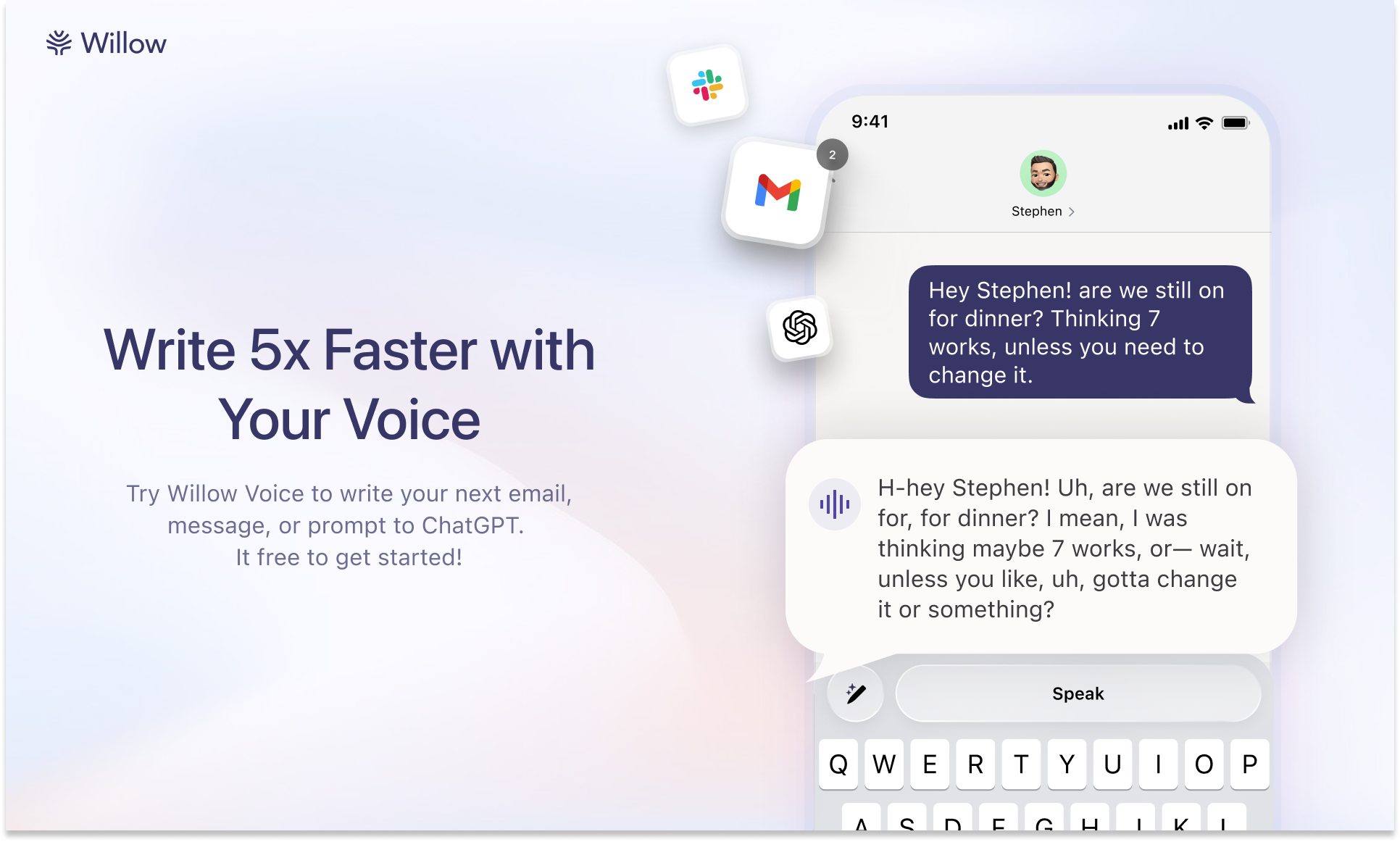
Tired of your iPhone’s built-in dictation mishearing you or struggling to keep up with your thoughts? Meet Willow for iOS, an advanced voice-first keyboard designed to revolutionize how you write on your mobile device. By combining sophisticated speech recognition technology with AI-powered writing assistance, Willow delivers a significantly faster and more accurate dictation experience than Apple’s native solution. The app seamlessly integrates auto-formatting, intelligent corrections, and context-aware text refinement capabilities. Cross-platform synchronization between Mac and iOS through a unified account ensures consistent settings and personalized vocabulary across your entire Apple ecosystem.
Key Features
Willow offers a comprehensive suite of intelligent dictation and writing tools optimized for mobile communication.
- Full Custom Keyboard with Real-Time Speech-to-Text: Replaces your standard keyboard with an intelligent dictation interface that converts your voice to text instantly, without requiring app switching or manual activation delays.
- Superior Accuracy Compared to Apple’s Built-In Dictation: According to independent testing and user feedback, Willow consistently delivers three times higher accuracy than Apple’s native dictation, particularly for proper nouns, technical terminology, and rapid speech patterns.
-
Automatic Text Formatting: Intelligently applies correct punctuation, capitalization, and paragraph structure to your dictated content, significantly reducing post-dictation editing time.
-
Complete Keyboard with Seamless Switching: Access a full letter keyboard for quick corrections and edits without interrupting your workflow, plus robust auto-correct functionality that adapts to your patterns.
-
Personalized Dictionary System: Build custom vocabulary entries to recognize industry-specific terminology, product names, personal contacts, and unique phrases with consistent accuracy.
-
AI-Powered Text Refinement: Instantly transform your initial dictation through AI-assisted rewriting, allowing you to adjust tone, length, and clarity without manually editing each word.
-
Intelligent Context-Aware Styling: Automatically analyzes your active application and adapts formatting and tone accordingly, ensuring casual texts feel natural while professional emails maintain appropriate formality.
-
Synchronized Cross-Platform Experience: Maintain identical settings, custom dictionaries, and personalized preferences across both your iPhone and Mac using a single account, enabling seamless device transitions.
How It Works
Getting started with Willow integrates naturally into your existing iOS workflow. After installing Willow as a custom keyboard on your iOS device and optionally on macOS, you activate it through standard keyboard settings. Once enabled, Willow captures your spoken words and processes them through its advanced speech recognition and AI infrastructure. The result is accurately formatted text that appears instantly in any active text field. Beyond basic transcription, Willow’s integrated AI layer enables sophisticated text rewriting with contextual tone adjustments, while its custom dictionary feature ensures consistent recognition of specialized terminology and proper nouns specific to your work and communication style.
Use Cases
Willow’s comprehensive capabilities make it valuable for diverse user types and communication scenarios.
- Hands-Free Communication for Messages, Email, and Note-Taking: Compose messages, draft professional emails, and capture quick notes using voice alone, perfect for situations where typing is impractical or your hands are occupied.
-
Accelerated Writing for Business Professionals: Streamline your mobile writing process significantly, whether you’re composing client communications, drafting project updates, or responding to complex business correspondence while traveling.
-
Rapid Idea Capture: Record thoughts, brainstorm concepts, and document sudden inspirations the moment they occur, ensuring valuable ideas remain captured rather than lost to memory.
-
Enhanced Accessibility for Dictation Users: Delivers a substantially more accurate and responsive dictation experience for users who find traditional typing challenging or prefer voice-based input methods.
-
In-App Text Editing and Enhancement: Refine your written content using AI assistance directly within any application without requiring tool switching or complex workflows.
-
Unified Apple Ecosystem Workflows: Leverage consistent dictation capabilities and synchronized custom terminology across both Mac and iPhone, maintaining productivity continuity throughout your workday.
Pros & Cons
Advantages
- Demonstrably higher accuracy and processing speed relative to Apple’s default dictation capability.
- Universal functionality across all iOS applications through seamless keyboard integration, providing comprehensive utility.
- Integrated AI text refinement and context-aware styling built directly into the typing interface, enhancing writing efficiency.
- Advanced personalization through custom dictionaries, auto-correct training, and application-specific preferences.
- Synchronized accounts between Mac and iOS platforms deliver consistent experience and settings across devices.
- Enterprise-grade security with SOC 2 compliance ensures organizational data protection and privacy standards.
Disadvantages
- Requires granting full access permissions to enable optimal functionality, which may create reasonable privacy concerns for certain users.
- Relies on internet connectivity for cloud-based processing, which may limit performance in offline environments or areas with poor connectivity.
- Subscription model required for unlimited access and advanced features, representing an ongoing cost compared to free built-in alternatives.
- Third-party keyboard permissions may present privacy considerations for security-conscious users relative to Apple’s native solutions.
- Language support, while extensive at 100+, may not cover every regional dialect or highly specialized linguistic variation.
How Does It Compare?
Willow establishes a distinctive position within the expanding voice dictation market. While competing against Apple’s built-in dictation as a direct alternative, Willow also differentiates itself from an increasingly diverse competitive landscape. Traditional meeting-focused tools like Otter.ai and Notta excel at post-meeting transcription but lack real-time mobile keyboard integration. Writing-focused solutions such as Grammarly Keyboard emphasize grammar correction rather than voice-first input. Google’s Gboard provides free voice typing but operates within a predictive keyboard framework rather than specialized dictation architecture.
More recent competitors directly address mobile voice dictation: Wispr Flow delivers context-aware keyboard integration across Apple devices but offers limited typing capability for corrections; Monologue provides intelligent context recognition with privacy-first offline processing; Aqua Voice emphasizes real-time command processing and editable dictation through linguistic integration; and Superwhisper focuses on offline processing with extensive AI model integration.
Willow distinguishes itself through its comprehensive feature integration: the consistent claim of three times superior accuracy compared to Apple’s dictation represents a meaningful performance advantage. Willow’s architecture uniquely combines AI text refinement capabilities directly within the typing interface, eliminating the need for external editing tools or application switching. The seamless cross-platform experience using a single account between Mac and iOS remains uncommon among competitors, as does the full keyboard access for quick manual corrections. Unlike voice-only competitors, Willow’s integrated approach positions it as a professional-grade solution targeting users who demand precision, sophisticated functionality, and unified experience across their Apple devices.
Final Thoughts
Willow for iOS represents a substantial advancement for anyone seeking to enhance mobile writing productivity. By integrating superior dictation accuracy with intelligent text assistance and cross-platform convenience, it effectively addresses persistent frustrations users encounter with standard dictation tools. While considerations like keyboard permission requirements and subscription costs deserve evaluation, the promise of faster, more intelligent, and personalized text creation delivers compelling value for mobile-first writers. If you prioritize hands-free text entry combined with sophisticated writing assistance across your Apple devices, Willow merits serious exploration as a transformative addition to your digital communication workflow.