
Table of Contents
Overview
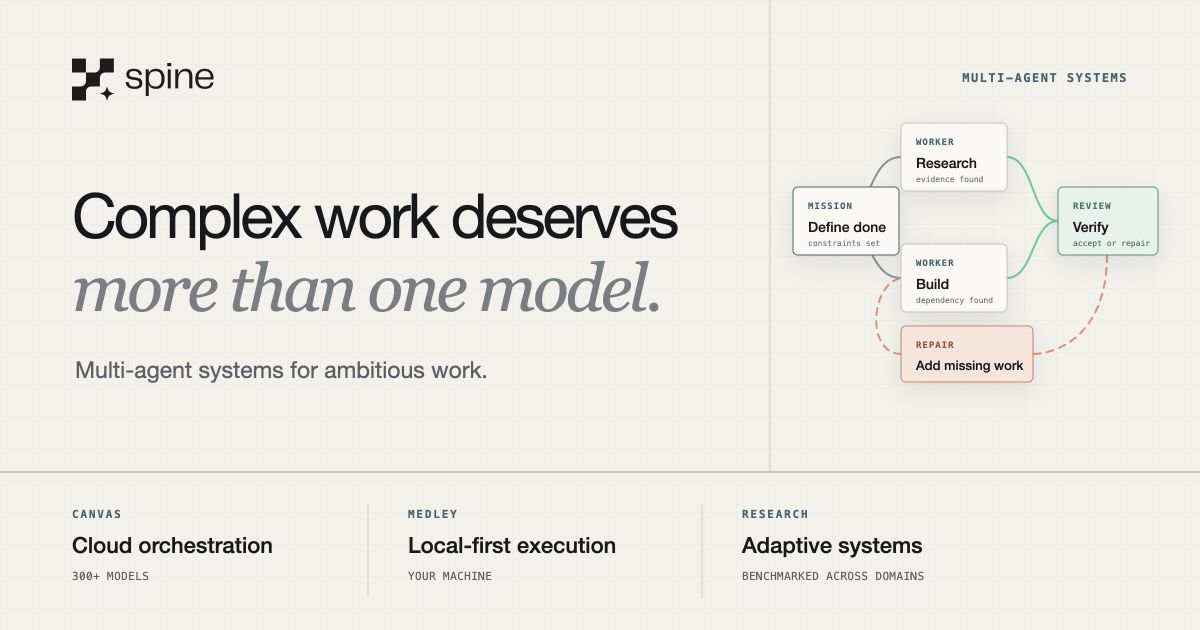
Spine Canvas addresses a fundamental limitation of traditional AI chat interfaces: real-world work rarely follows a linear path. This visual workspace platform enables users to orchestrate over 500 AI models within a single subscription, moving beyond simple question-and-answer exchanges to support complex, multidimensional thinking. The platform provides an infinite canvas where users can construct, branch, and execute sophisticated AI workflows in parallel while maintaining contextual connections across all elements. Rather than treating AI as the workspace itself, Spine positions AI models as tools within a collaborative visual environment designed for deep thinking and creation.
Key Features
Unlimited Visual Canvas: The platform offers an infinite workspace that transcends text-based prompts. Users can organize their workflows through AI-powered blocks designed for specific tasks including Chat, Deep Research, Apps, Memos, Images, and Slides, enabling visual representation of complex thought processes.
500+ Integrated AI Models: Access a comprehensive library of AI models through a unified subscription. Spine Canvas supports leading language models like GPT-5, Claude, Gemini, Grok, Llama, specialized vision models, image generators like Flux, and domain-specific tools, allowing users to select the optimal AI for each specific task.
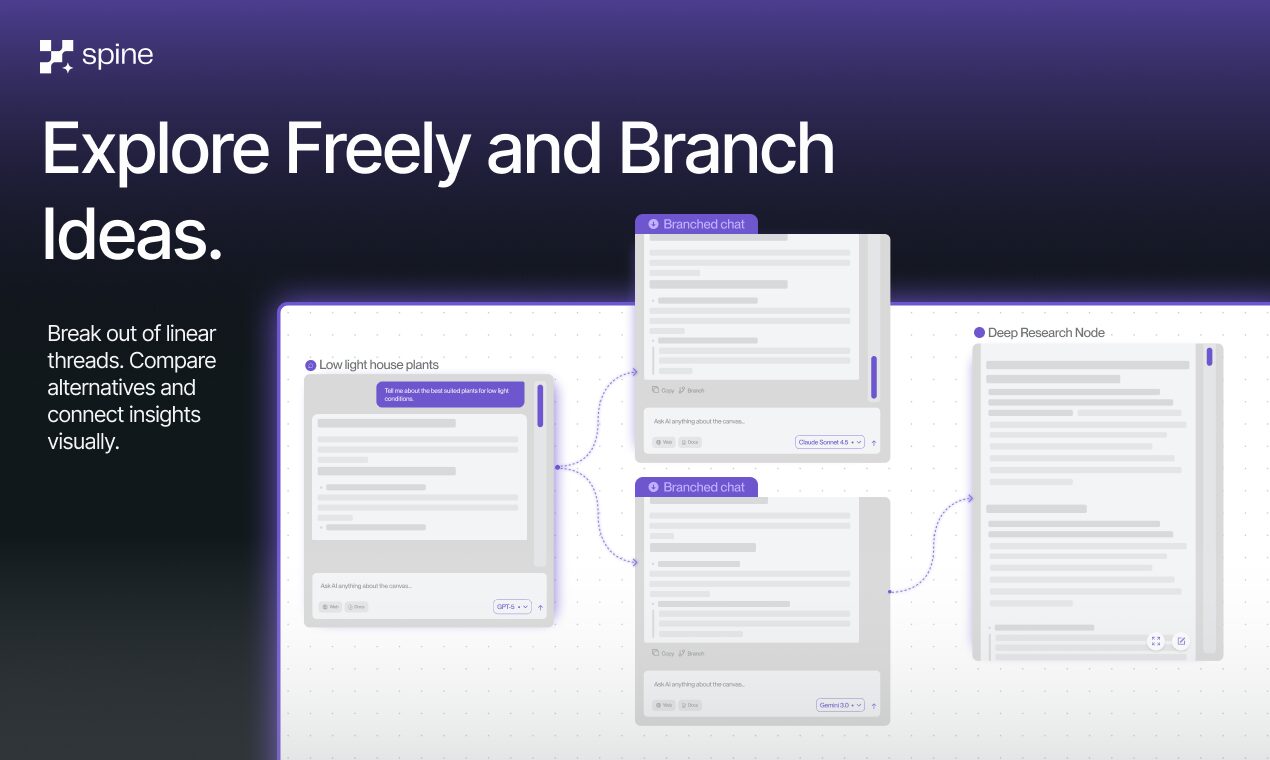
Nonlinear and Branching Workflows: The platform breaks free from linear chat constraints by enabling safe exploration through branching. Users can run multiple processes simultaneously and construct complex, multi-step workflows with visual clarity, making it easier to explore alternative approaches without losing the original direction.
Visual Content Creation: Move directly from conceptualization to finished products. Generate and refine diverse content types including memos, presentations, visual applications, images, and slides directly on the canvas, streamlining the creative process.
Real-Time Collaboration: Work seamlessly with team members in a shared visual space. The collaborative canvas allows multiple users to contribute, edit, and orchestrate AI workflows together, transforming the platform into a powerful hub for team-based projects.
Context Management: Information flows visually between connected blocks through explicit context passing. Users maintain complete control over which components share context, ensuring that different threads of thought remain connected without creating confusion or losing important details.
Import Capabilities: Bring existing content into your workspace by importing documents, PDFs, YouTube videos with transcripts, webpages, and even past conversations from ChatGPT, Gemini, and Claude, treating them as native blocks that can be referenced and utilized throughout your workflow.
How It Works
Spine Canvas operates through an intuitive, block-based visual system. Users build projects by placing and connecting different blocks on an infinite canvas, where each block functions as a self-contained unit capable of running specific AI models or applications. For instance, a Deep Research block might feed analyzed information into a Chat block for summarization, which then channels key insights to a Slides block for presentation creation. The platform maintains explicit context between connected blocks while supporting parallel execution, allowing users to manage remarkably complex processes with visual clarity and control within a unified workspace. Blocks can be modified, re-run, or branched independently, enabling iterative refinement without disrupting the overall workflow structure.
Use Cases
Spine Canvas supports a wide range of professional applications across various domains:
Multi-Faceted Research: Combine web search capabilities, data analysis, and summarization across multiple AI models to conduct comprehensive research projects on a single organized canvas, maintaining clear connections between sources and insights.
Data Analysis Workflows: Chain together specialized AI models to ingest raw data, process it through various analytical lenses, analyze patterns, and visualize results, creating transparent and repeatable analytical workflows that can be refined over time.
Complex Workflow Automation: Build sophisticated chains of connected blocks that automate multi-step processes, reducing time spent on repetitive tasks while maintaining the ability to review and adjust each stage of the workflow.
Visual Brainstorming and Ideation: Utilize the infinite canvas as a shared space where teams can visually explore concepts, with AI blocks instantly available to expand on ideas, generate supporting images, research unfamiliar concepts, or test different approaches in parallel.
Strategic Planning and Prototyping: Map out project plans, user flows, system architectures, or application prototypes visually, leveraging AI to generate content, refine structural elements, and explore multiple scenarios simultaneously.
Content Engine Development: Create reusable workflows that transform research into polished content by chaining research blocks with writing, editing, and visual generation blocks, establishing consistent content production pipelines.
Pros \& Cons
Advantages
Exceptional Flexibility: The unlimited canvas combined with the modular block-based system enables nearly limitless workflow configurations, adapting to diverse working styles and project requirements.
Comprehensive AI Access: A single subscription provides access to over 500 AI models and tools, eliminating the need for multiple subscriptions and allowing users to leverage the specific strengths of different AI systems within one environment.
Advanced Nonlinear Capabilities: The ability to branch workflows and run processes in parallel represents a significant advancement for complex problem-solving, enabling safe exploration of alternatives while preserving original work.
Collaboration-Centric Design: Real-time collaborative editing combined with visual context sharing makes this an exceptionally powerful tool for team-based projects, enabling collective intelligence that goes beyond individual AI interactions.
Transparent Process Management: Visual representation of workflows makes it easy to understand, audit, and refine complex processes, providing clarity that text-based chat interfaces cannot match.
Disadvantages
Steeper Learning Curve: While the interface is intuitive, mastering the creation of complex, efficient workflows requires time and experimentation. Users accustomed to simple chat interfaces may initially find the additional capabilities overwhelming.
Potential Complexity Overhead: For straightforward tasks requiring simple question-and-answer interactions or basic text generation, the extensive features and visual workspace may introduce unnecessary complexity compared to streamlined chat interfaces.
Choice Paralysis: Access to 500+ AI models, while powerful, can create decision fatigue as users must determine which models work best for specific tasks, though this becomes easier with experience.
Desktop Optimization: The platform is optimized for desktop workflows, which may limit accessibility for users who primarily work from mobile devices or tablets.
How Does It Compare?
Spine Canvas enters a competitive landscape with several distinct categories of tools, each approaching visual collaboration and AI integration differently:
Visual Whiteboard Platforms with AI Features
Miro: Miro has evolved from a collaborative whiteboard into an AI Innovation Workspace featuring Sidekicks, Flows, and visual context processing. While Miro excels at traditional whiteboarding, diagramming, and team collaboration with recently added AI capabilities for sticky note clustering, diagram generation, and content analysis, it primarily positions AI as an enhancement to collaboration rather than as the core orchestration layer. Spine Canvas differentiates itself through native multi-model AI orchestration, allowing users to run and compare outputs from hundreds of different AI models simultaneously within the same workspace.
FigJam: Figma’s collaborative whiteboard offers FigJam AI with features like sticky note summarization, template generation through Jambot, and real-time collaboration tools. FigJam emphasizes design team workflows and brainstorming sessions with AI as a supportive feature. Unlike Spine Canvas, FigJam does not provide access to multiple competing AI models or support complex, branching AI workflows as a primary function.
Whimsical: This visual workspace tool focuses on flowcharts, wireframes, and mind maps with AI-assisted generation from text prompts. Whimsical AI helps users quickly create diagrams and organize information visually, but operates with a single AI model and lacks the multi-model orchestration, parallel processing, and complex context management that define Spine Canvas.
Document and Productivity Platforms with AI Integration
Notion AI: Notion offers AI-powered writing assistance, content generation, and database automation within its all-in-one workspace. While Notion excels at documentation, project management, and knowledge organization with AI enhancements, it does not provide a visual canvas for orchestrating multiple AI models or creating complex branching workflows. Notion positions AI as a writing and organizational assistant rather than a multi-model thinking environment.
Technical Diagramming with AI Capabilities
Eraser.io: Specializes in AI-powered technical diagrams, particularly for developers creating architecture diagrams, flowcharts, and system designs through natural language prompts or diagram-as-code. Eraser focuses specifically on technical diagramming with GitHub integration, whereas Spine Canvas offers broader capabilities across research, content creation, image generation, and strategic planning with access to a wider array of AI models.
Multi-LLM Visual Workspaces
Jeda.ai: Positions itself as an agentic visual AI canvas supporting multiple LLMs including GPT-4, Claude, DeepSeek, and others for generating infographics, diagrams, wireframes, and strategic templates. Jeda.ai targets consultants, strategists, and business leaders with features for document analysis and visual intelligence. While sharing the multi-model approach with Spine Canvas, Jeda.ai emphasizes business intelligence and consultant-focused outputs, whereas Spine Canvas provides a more general-purpose thinking workspace with broader block types and workflow automation capabilities.
AI Artifact Creation Tools
Claude Artifacts: Anthropic’s Claude offers Artifacts as a dedicated workspace for creating standalone, reusable content pieces including documents, code snippets, interactive components, and visualizations. Artifacts excel at generating self-contained outputs that can be shared and modified, but operate within Claude’s ecosystem using a single model. Spine Canvas extends beyond this by enabling orchestration across hundreds of models with explicit context flow between different components.
Napkin AI: Transforms text into visual content like diagrams, flowcharts, and infographics with a no-prompt workflow, ideal for business storytelling and visual communication. Napkin AI specializes in converting existing text to polished visuals with brand consistency features, whereas Spine Canvas serves as a comprehensive thinking workspace where visual generation is one component among many AI-powered capabilities.
Key Differentiators
What distinguishes Spine Canvas from these alternatives is its fundamental design philosophy: AI model orchestration as the primary function rather than a supplementary feature. The platform enables users to access GPT-5, Claude 4, Gemini 3, Grok, specialized models, and hundreds of others within a single visual workspace, running them in parallel, comparing outputs, and maintaining explicit context across complex multi-step workflows. This positions Spine Canvas as a thinking environment rather than simply a whiteboard with AI features, a document editor with AI assistance, or a specialized diagramming tool.
Platform Availability and Pricing
Spine Canvas launched on Product Hunt on November 20, 2025, ranking fourth for the day with 227 upvotes and garnering recognition as part of the Y Combinator Summer 2023 batch.
The platform operates as a web-based application optimized for desktop workflows, accessible through modern browsers without requiring downloads or installations. Users can begin exploring immediately through a guest mode that allows trying the canvas without account creation.
Free Plan: Provides 2,000 monthly credits plus 500 daily credits, with credits scaling based on the computational cost of underlying AI models used. The free tier includes access to the full range of 500+ AI models, unlimited canvas data uploads including files, LLM chat histories, and YouTube videos, and access to templates for jumpstarting workflows.
Paid Plans: Spine Canvas offers Pro plans with expanded credit allocations for users requiring higher usage volumes, though specific pricing details are customized based on organizational needs.
The credit system ensures fair resource allocation, with more computationally intensive models consuming more credits while lighter tasks remain affordable even for free users.
Final Thoughts
Spine Canvas represents a thoughtful evolution in how we interact with AI, recognizing that meaningful work requires more than sequential question-and-answer exchanges. By providing a visual environment where users can orchestrate hundreds of AI models, maintain explicit context across interconnected components, and explore ideas through branching and parallel processing, the platform addresses genuine limitations of chat-based interfaces.
The ability to access leading models from OpenAI, Anthropic, Google, and specialized providers within a single workspace eliminates subscription fragmentation while empowering users to leverage each model’s unique strengths. This multi-model approach, combined with the visual canvas metaphor, creates an environment where complex thinking becomes more manageable and collaborative work gains transparency.
While the platform demands more upfront learning than simple chat interfaces, this investment pays dividends for users tackling sophisticated challenges in research, strategy, content creation, and technical planning. The visual nature of workflows makes processes auditable, improvable, and shareable in ways that linear chat histories cannot match.
For teams, developers, researchers, and strategic thinkers whose work extends beyond simple queries into multi-faceted projects requiring iteration, comparison, and synthesis across different AI capabilities, Spine Canvas offers compelling advantages. The free tier provides generous access for exploration, making it accessible to evaluate whether the platform’s approach aligns with your workflow needs. As AI capabilities continue advancing, having a flexible workspace that can incorporate new models and adapt to evolving requirements positions users to leverage these developments without platform lock-in.