
Table of Contents
Overview
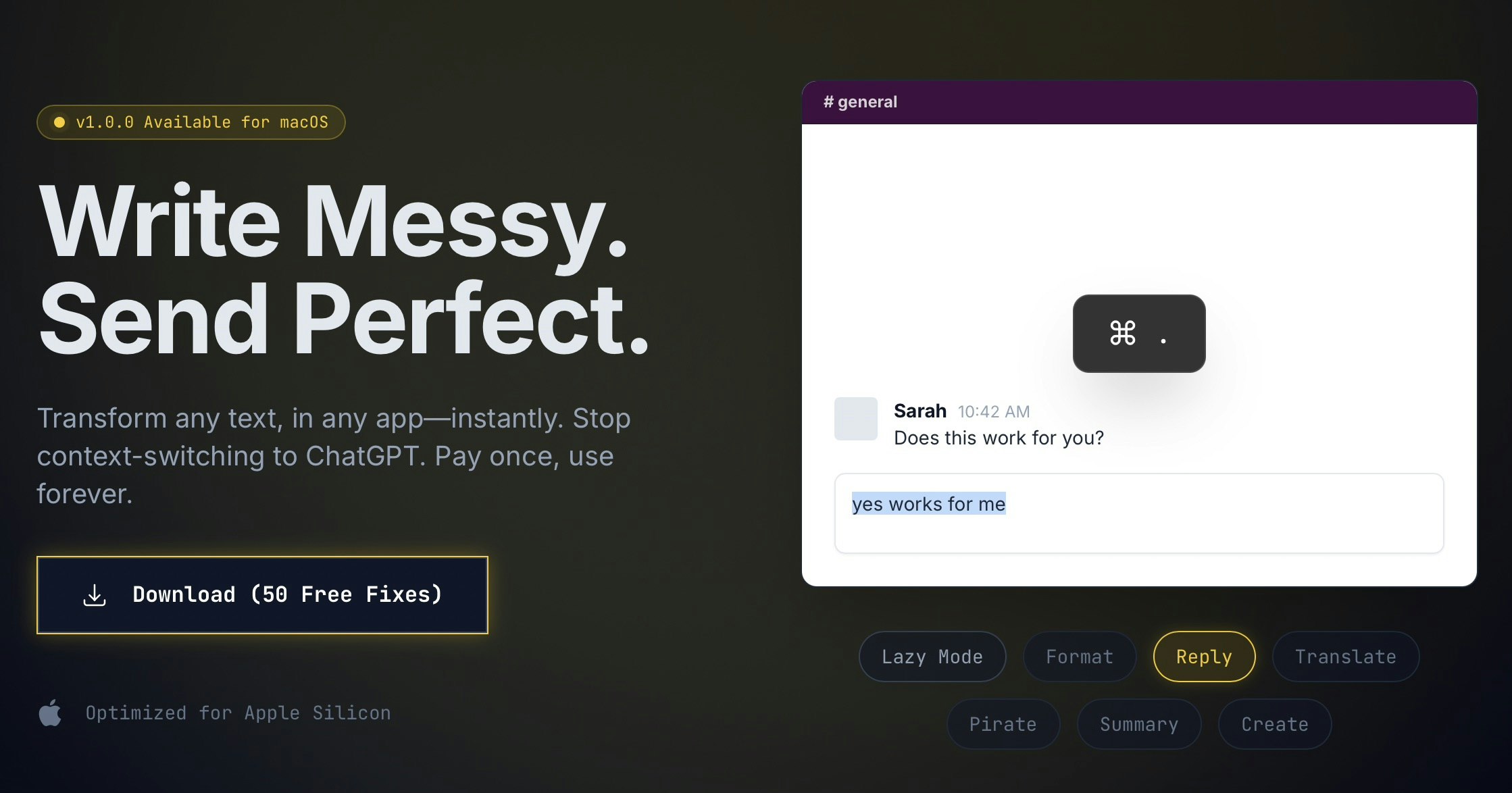
Constantly switching between your work and ChatGPT just to fix a sentence or change tone breaks focus and wastes time. Rephrase is a native macOS utility designed to eliminate that context-switching friction. It brings AI-powered text transformation directly into any application on your Mac through customizable hotkeys. Whether you are drafting messages in Slack, writing code comments in Xcode, or composing emails in Mail, Rephrase lets you fix grammar, adjust tone, translate text, or apply custom transformations without leaving your current window.
Key Features
Rephrase provides a focused set of features designed for quick, in-context text editing:
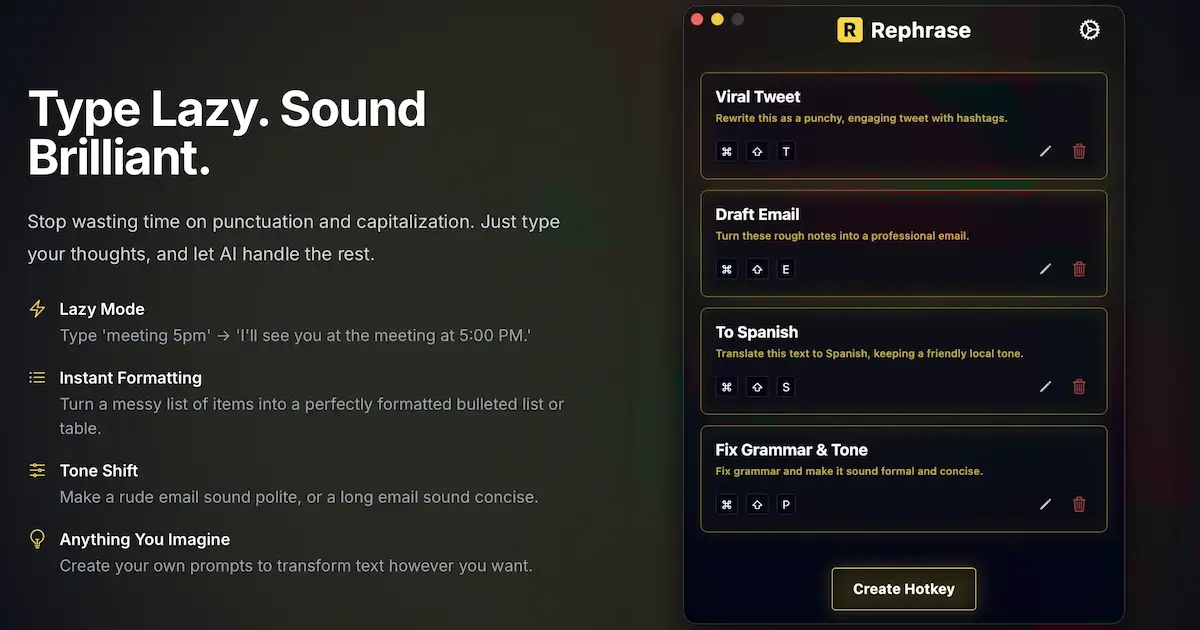
Global Hotkeys: Assign any keyboard shortcut to specific text transformations. For example, set Cmd+Shift+G to fix grammar or create custom hotkeys for your most-used prompts. The shortcuts work system-wide across all applications.
Works in Any App: Rephrase operates at the macOS system level, not within individual applications. This means it functions in Slack, Notion, Mail, Discord, Xcode, Notes, and virtually any app where you can type text.
Customizable AI Prompts: Beyond pre-built transformations like grammar fixing and tone shifting, you can create your own prompts to transform text however you want. Examples include converting messy notes into formatted lists, making emails sound more polite or concise, or creating custom formatting rules.
Lazy Mode and Instant Formatting: Type casually without worrying about punctuation or capitalization, and let the AI clean it up. Turn unstructured text into properly formatted bullet points, tables, or professional messages with a single hotkey.
Privacy-First Approach: According to the developer, your text stays private and is not used to train AI models.
One-Time Purchase: Rephrase uses a lifetime pricing model rather than a subscription. After purchasing, you have unlimited access to transformations with no monthly fees.
How It Works
Rephrase is designed for a simple, repeatable workflow:
- Create custom prompts for your most common text transformations, such as fixing grammar, making text more polite, or translating to another language.
- Assign a global hotkey to each prompt.
- Select any text in any application and press the assigned hotkey.
- The transformed text replaces your selection instantly.
The process is designed to be fast and stay out of your way until needed. Because it operates at the system level, you do not need to copy text to a browser, wait for a response, and paste back.
Use Cases
Rephrase fits into several common workflows where quick text refinement is valuable:
Professional Communication: Quickly refine emails and Slack messages before sending. Fix grammar errors, adjust tone from casual to professional, or make a long message more concise.
Code Comments and Documentation: Developers can clean up typos in code comments or documentation directly in Xcode, VS Code, or any IDE without leaving the editor.
Translation and Multilingual Work: Highlight text in one language and translate it to another with a single hotkey. Useful for international teams or reading content in other languages.
Content Creation: Writers and content creators can use custom prompts to expand ideas, rephrase sentences for clarity, or apply consistent style rules across documents.
Pros and Cons
Advantages
The one-time payment model provides long-term value without recurring fees, and includes future updates. As a native macOS application optimized for Apple Silicon, Rephrase is fast and responsive with minimal latency compared to web-based tools. The system-wide hotkey approach keeps you in your current application and eliminates context-switching to a browser tab or separate tool.
Disadvantages
Rephrase is built exclusively for macOS, so Windows and Linux users cannot use it. The tool focuses on quick text transformations rather than comprehensive document analysis. It does not include features like plagiarism detection, in-depth style guides, or the detailed writing feedback found in full writing suites like Grammarly.
How Does It Compare?
The text editing and writing assistance space on macOS includes several different approaches:
Grammarly (Desktop App)
- Type: Comprehensive AI writing assistant with system-wide integration
- Focus: Grammar, spelling, style, tone, and plagiarism checking
- macOS Integration: Desktop app works in Apple Mail, Microsoft Word, Slack, and most other apps; also available as browser extension
- Key Differentiator: In-depth writing analysis with detailed explanations, style guides, and plagiarism detection; works across multiple platforms
- Pricing: Free tier available; Premium \$12/month (billed annually) for advanced features; Business plans available
- Best For: Users who want comprehensive writing feedback with detailed explanations and cross-platform support
Raycast AI
- Type: Productivity launcher with built-in AI features
- Focus: macOS launcher with AI chat, AI commands, and text transformations
- AI Features: Includes built-in commands like “Improve Writing,” “Fix Spelling and Grammar,” and custom AI commands; supports multiple AI models (GPT-4o, Claude, etc.)
- Key Differentiator: AI is one part of a broader productivity launcher; requires Raycast Pro subscription for AI features
- Pricing: Free for basic launcher; Pro \$8/month or \$96/year for AI features
- Best For: Users who want a general-purpose macOS launcher with AI capabilities built in
PopClip
- Type: Contextual text action tool
- Focus: Instant text actions that appear when you select text
- AI Features: Extensions available for ChatGPT integration, translation, and text manipulation
- Key Differentiator: Mouse-driven interface that shows available actions when you select text; extensive extension library
- Pricing: \$17 one-time purchase; also available via Setapp
- Best For: Mouse-oriented users who prefer contextual menus over keyboard shortcuts
LanguageTool (macOS App)
- Type: Grammar and style checker with AI paraphrasing
- Focus: Grammar, spelling, style checking in 30+ languages
- macOS Integration: Works in Apple Mail, Microsoft Word, Slack, Teams, Messages, and Notes; also available as browser extension
- Key Differentiator: Strong multilingual support; open-source core; detailed grammar explanations
- Pricing: Free tier available; Premium starting around \$5/month for advanced features
- Best For: Multilingual writers who need grammar checking across many languages
Pastebot
- Type: Clipboard manager with text filters
- Focus: Clipboard history and text transformation filters
- Text Features: Built-in filters for case conversion, rich-to-plain text, URL encoding, custom multi-step filters
- Key Differentiator: Combines clipboard management with text manipulation; stores clipboard history
- Pricing: \$13 one-time purchase
- Best For: Users who want clipboard management with text transformation capabilities
Rephrase’s Position
Rephrase differentiates itself through its singular focus on hotkey-triggered AI text transformations with a one-time payment model. Unlike Grammarly, it does not provide detailed grammar explanations or plagiarism checking. Unlike Raycast, it is not a general-purpose launcher. Rephrase is designed specifically for users who want the fastest possible path from messy text to polished output, with fully customizable prompts and no subscription fees. The 50 free fixes trial allows users to evaluate whether the workflow fits their needs before purchasing.
Final Thoughts
Rephrase is a focused macOS utility for users who frequently need quick text transformations without leaving their current application. Its strength lies in the combination of system-wide hotkeys, customizable AI prompts, and a lifetime pricing model that eliminates ongoing subscription costs.
The tool works best for users who have identified specific, repeatable text transformation needs: fixing grammar before sending messages, adjusting tone for professional communication, or applying custom formatting rules. It is not designed to replace comprehensive writing assistants that provide detailed feedback and educational explanations.
For Mac users tired of copy-pasting text to ChatGPT for simple refinements, Rephrase offers a more streamlined alternative. The free trial with 50 transformations provides a practical way to evaluate whether the hotkey-driven workflow matches your writing habits. At \$29.99 (currently discounted from \$59.99), the lifetime purchase model represents good value for users who find themselves frequently reaching for AI text assistance.