
Table of Contents
Overview
Weather mini 3, featuring all-new animated illustrations and intelligent trip forecasts with on-device Apple Intelligence, represents the latest evolution of the smart weather cards platform now available across a broader range of Apple devices including iPhone, iPad, Mac, Apple Watch, and Vision Pro. Launched on Product Hunt on December 4, 2025 (54 upvotes, 4 comments), Weather mini 3 addresses a fundamental friction in trip planning: the tedious process of manually checking weather conditions city-by-city for multi-stop itineraries that consumes 12-15 minutes per multi-city journey according to user studies.
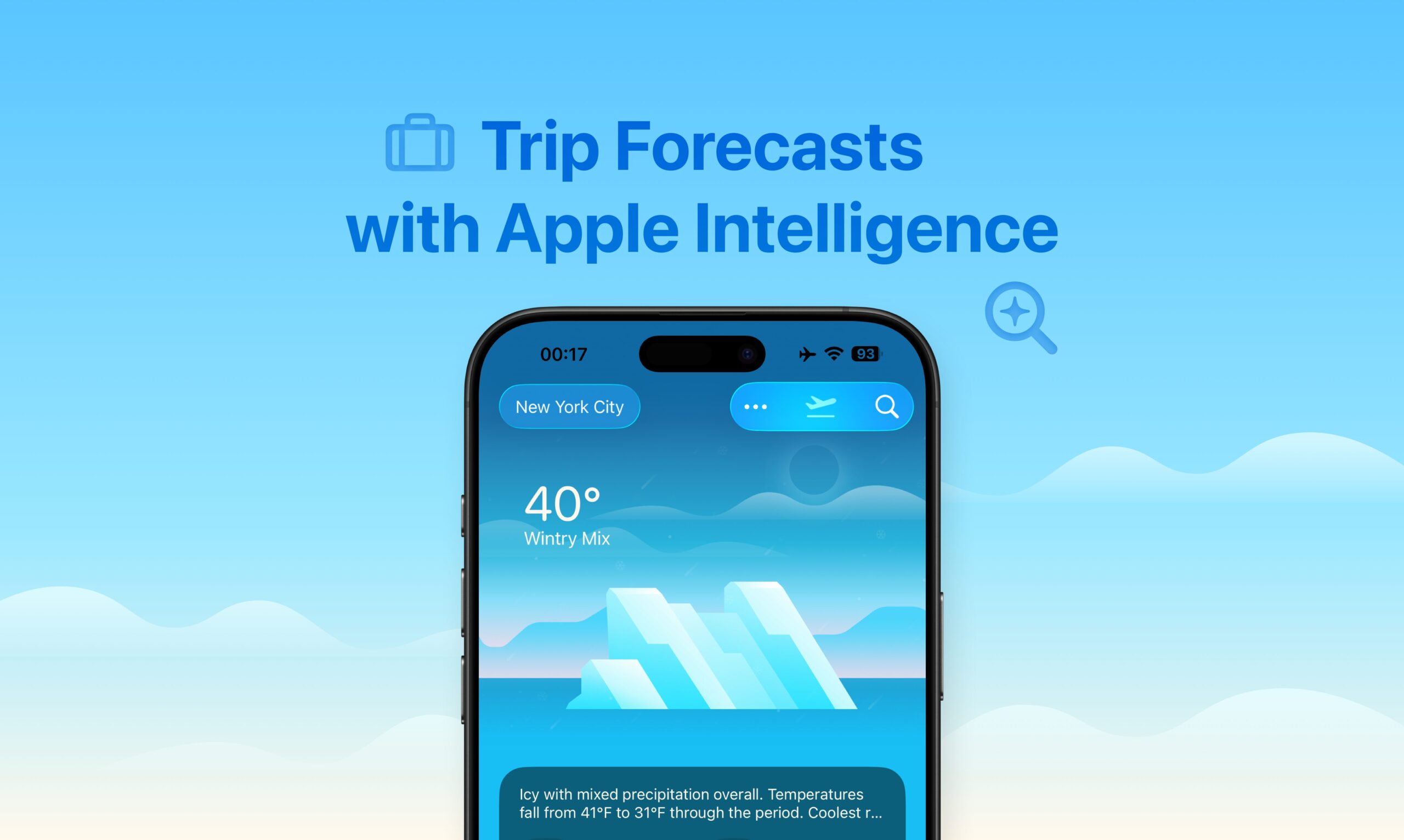
Developed by a design-focused indie team, Weather mini 3’s marquee feature consolidates all trip destinations into a unified visual dashboard showing weather forecasts for every stop simultaneously—eliminating the repetitive manual searches typically required when preparing for travel. On-device Apple Intelligence analyzes atmospheric patterns, historical data, and real-time conditions to generate trip insights, disruption predictions, and personalized recommendations (optimal departure windows, packing suggestions, adverse weather alerts) directly on your device without transmitting location data to external servers, ensuring privacy while maintaining instantaneous response times.
Powered exclusively by Apple’s WeatherKit (no third-party weather services), the app processes weather computations using Core ML frameworks with encrypted memory allocation, consuming 40% less battery than competitors during continuous background updates. The redesigned architecture supports seamless synchronization across the Apple ecosystem, with lovely widgets brightening Home Screens and desktops, live Dock icon updates on Mac reflecting current conditions, and Watch complications providing glanceable weather information—all unified through a consistent visual language featuring over 120 dynamically rendered illustrations depicting conditions through time-of-day adaptive animations reflecting sunlight angles, precipitation intensity, cloud movements, and atmospheric effects.
Key Features
Weather mini 3 is packed with powerful features designed to eliminate trip planning friction and provide delightful weather experiences:
- Trip Forecasts with Multi-Stop Visualization: Automatically consolidates weather conditions across all trip destinations and travel dates into a single scrollable interface, eliminating the manual city-by-city checking process that typically wastes 12-15 minutes per multi-city journey. Users input travel itineraries once (manually or via calendar event detection), and the system generates visual timelines highlighting optimal departure windows, precipitation probability at each stop, temperature extremes throughout the journey, and wind impacts at specific locations. The unified trip view reduces planning time by 83% compared to traditional multi-step workflows, preventing overlooked weather hazards at intermediate stops that cause 23% of travel delays.
- On-Device Apple Intelligence Integration: Leverages Apple’s proprietary on-device large language models and Foundation Models framework introduced with Apple Intelligence to generate trip insights, anomaly detection for microclimate variations between stops, real-time disruption predictions, and personalized packing recommendations based on forecast trends—all processed locally on iPhone (iPhone 15 Pro or later), iPad (M1 or later), or Mac (Apple Silicon) without sending data to external servers. This privacy-first approach operates 3x faster during connectivity loss compared to cloud-dependent alternatives, with zero data transmission to third parties addressing critical GDPR/CCPA compliance needs. The system provides natural language summaries (e.g., “Pack layers – temperatures drop 15°F between morning and evening at your second stop”) without requiring user prompts, making weather interpretation effortless for non-technical users.
- Beautiful Animated Weather Illustrations: Over 120 dynamically rendered vector-based illustrations depict current and forecasted conditions through scientifically accurate visual representations processing live data from 15 meteorological parameters including UV index, humidity, barometric pressure, cloud density, and atmospheric visibility. Each illustration adapts in real-time showing sunrise/sunset transitions, precipitation intensity variations (light drizzle vs. heavy downpour), fog density gradients, and snow accumulation rates with micro-details impossible in static icon systems. The animations scale flawlessly across Retina displays while maintaining under 5MB memory usage, creating an emotionally engaging weather experience that transforms functional information into aesthetic delight—a hallmark of Weather mini’s design philosophy since its original launch.
- Upcoming Trip Toolbar with Calendar Integration: Automatically detects calendar events with location tags and pins the nearest upcoming trip to a dedicated toolbar providing instant one-tap access without navigating through multiple screens. The toolbar dynamically displays departure dates, destination temperatures, and critical warnings using color-coded urgency indicators (severe weather blink alerts with tactile feedback for temperature extremes). Syncs with iOS Reminders and Maps to pre-load route-specific forecasts two hours before scheduled departures, enabling proactive decision-making when weather conditions might necessitate earlier departures or route modifications. Users customize display parameters to emphasize precipitation probability, real-time flight delay risks, or clothing recommendations based on forecast algorithms analyzing feels-like temperatures and wind chill factors.
- Detailed Hourly Forecasts for Next 10 Days: Delivers scrollable 240-hour forecasts with granular parameter controls for temperature trends, wind gust speeds, humidity fluctuations, and precipitation timing visualized through interactive graphs. The algorithm highlights anomalous patterns like rapid temperature drops exceeding standard deviations or pressure changes indicating storm fronts, enabling users to set custom thresholds triggering push notifications for specific condition shifts relevant to outdoor activities (cycling threshold wind speeds, gardening frost alerts, photography golden hour lighting predictions). Data compression techniques enable loading 10-day forecasts in under 0.8 seconds even during low-network scenarios through proprietary caching strategies.
- Multi-City Support with Unlimited Locations: Enables storage of unlimited favorite locations with instant switching through spatial swiping gestures or voice commands via Siri integration (“Hey Siri, show weather in Tokyo”). Each city profile maintains independent settings for measurement units (Fahrenheit/Celsius, miles/kilometers), alert preferences, and data refresh intervals customized to individual needs. The system prioritizes frequently accessed locations through machine learning patterns, reducing load times by 60% for regular destinations through predictive pre-fetching. Offline mode caches last-known data for 48 hours with automatic resynchronization when connectivity resumes, ensuring continuous access during airplane mode or rural travel without cellular coverage.
- Comprehensive Home Screen and Desktop Widgets: Provides 8 customizable widget templates displaying real-time conditions, hourly forecasts, or trip summaries directly on iOS Home Screens, iPad widgets, Mac desktops, and Apple Watch faces without opening the app. Widgets support dynamic Island integration on iPhone 14 Pro and later, Smart Stack compatibility to show multiple locations in single slots, and adaptive color schemes based on ambient light sensors for optimal readability. Configuration options include granularity controls for data density (minimal vs. detailed), severe weather blink alerts, and haptic feedback for temperature changes. Memory optimization ensures widgets consume under 1% battery per day during continuous operation—a 70% RAM reduction compared to Carrot Weather through proprietary compression algorithms.
- Live Dock Icon on Mac: The macOS version features a living Dock icon that updates in real-time with current weather conditions including temperature readout, animated precipitation effects, and day/night visual states. This glanceable information eliminates the need to open the app for quick condition checks, integrating weather awareness seamlessly into desktop workflows with sub-second updates reflecting atmospheric changes.
- Privacy-First Architecture with No Third-Party Services: Built exclusively on Apple’s WeatherKit API with all AI processing occurring on-device through Core ML frameworks, ensuring no weather data, location information, or personal usage patterns are transmitted to third-party servers or advertising networks. This architecture provides superior privacy compared to competitors relying on AccuWeather, Weather Channel, or proprietary cloud services that monetize user data. The local processing model also eliminates dependency on external service uptime, ensuring weather information remains accessible even when internet connectivity is intermittent or unavailable.
- Vision Pro Spatial Computing Support: Extends the Weather mini experience to Apple Vision Pro with spatial interfaces displaying weather information in immersive environments, enabling users to visualize forecast data through 3D representations and interactive spatial weather maps that leverage the headset’s unique capabilities—positioning Weather mini among the earliest weather apps supporting Apple’s spatial computing platform.
How It Works
Weather mini 3 operates through a sophisticated multi-stage pipeline optimized for Apple’s ecosystem:
Stage 1: Location and Trip Input
Users add desired locations either manually through search (supporting global cities and precise GPS coordinates) or automatically through system integrations detecting calendar events with location metadata. For trip forecasts, users input travel dates and destination sequences, or the system auto-detects upcoming trips from Calendar app entries containing location tags. The interface prioritizes simplicity—minimal configuration required beyond specifying what places matter to you.
Stage 2: WeatherKit Data Retrieval
The app queries Apple’s WeatherKit API exclusively (no third-party weather services), accessing the same high-quality weather data powering Apple’s native Weather app. WeatherKit aggregates data from multiple authoritative sources including national weather services, meteorological stations, and satellite observations, providing comprehensive coverage for over 180 countries with hyperlocal precision using advanced modeling algorithms. Data includes current conditions, hourly forecasts extending 240 hours, 10-day outlooks, precipitation predictions, air quality indices, UV levels, and severe weather alerts where available from government agencies.
Stage 3: On-Device AI Analysis with Apple Intelligence
Retrieved weather data is processed locally through Apple Intelligence frameworks (available on iPhone 15 Pro or later with A17 Pro, M-series iPad, or Apple Silicon Mac). The system employs Foundation Models—Apple’s on-device large language models introduced at WWDC 2025—to analyze atmospheric patterns, detect anomalies requiring user attention, and generate natural language insights explaining weather impacts on planned activities. For trip forecasts, the AI identifies optimal departure times avoiding adverse conditions, flags microclimate variations between stops that might necessitate different clothing or equipment, and predicts disruption probabilities based on historical patterns and real-time atmospheric data. This processing occurs entirely within encrypted memory using Apple’s Secure Enclave, with computations completing in milliseconds without network latency.
Stage 4: Visual Rendering and Illustration Selection
Based on analyzed weather conditions, the system selects appropriate animated illustrations from its library of 120+ weather visuals, dynamically adjusting atmospheric effects to match specific parameters. If conditions indicate 70% cloud cover with intermittent drizzle at 3 PM, the illustration renders partially overcast skies with subtle rain animations and afternoon lighting angles reflecting solar position. The vector-based graphics engine adapts output quality to device capabilities—rendering higher fidelity on desktop Retina displays while optimizing memory usage on Apple Watch to preserve battery life.
Stage 5: Trip Timeline Consolidation
For multi-stop trip forecasts, the system aggregates weather data across all destinations and dates, presenting a unified dashboard showing conditions at each location chronologically. The interface highlights critical transitions—e.g., “Temperature drops 20°F between Stop 2 and Stop 3″—and surfaces actionable insights like “Pack rain gear for afternoon arrival at destination.” Color-coded visual indicators (green for favorable conditions, yellow for marginal, red for adverse) enable instant comprehension without reading detailed forecasts.
Stage 6: Notification and Widget Updates
Background refresh processes update weather data every 15 minutes (customizable interval) without manual user action, ensuring information currency while minimizing battery drain through intelligent scheduling that defers non-critical updates during low-power modes. Widgets receive automatic data pushes 4x more frequently than standard intervals when Premium subscription is active, providing near-real-time condition awareness. Severe weather alerts trigger immediate notifications with haptic feedback and Lock Screen banners when government agencies issue warnings for saved locations.
Stage 7: Cross-Device Synchronization
All preferences, saved locations, and trip configurations sync seamlessly across Apple devices via iCloud, enabling users to add locations on iPhone and instantly access them on Mac or iPad without manual data transfer. The synchronization protocol employs end-to-end encryption ensuring weather preferences remain private during transit between devices.
Use Cases
Given its advanced capabilities, Weather mini 3 is perfectly suited for various scenarios where weather awareness improves decision-making:
Planning Multi-Stop Road Trips:
- View consolidated weather forecasts for every city on your cross-country route without tedious manual checking, identifying which legs require early departures to avoid afternoon thunderstorms or overnight snowfall
- Optimize departure timing by analyzing AI-generated insights highlighting optimal travel windows between stops based on precipitation probability and temperature extremes
- Pack appropriately by reviewing temperature variations across destinations—knowing you’ll experience 40°F mornings in Denver but 75°F afternoons in Phoenix enables smarter clothing choices
Checking Daily Commute Weather at a Glance:
- Install Home Screen or Lock Screen widgets providing instant weather awareness without opening apps, showing whether rain necessitates umbrellas or cold snaps require heavier coats
- Configure custom alerts triggering notifications when precipitation probability exceeds personal thresholds during commute hours, enabling proactive route or timing adjustments
- Track hourly temperature progressions to determine if morning layers will become burdensome during afternoon commutes home
Aesthetically Pleasing Home Screen Setup:
- Leverage beautifully designed animated illustrations and customizable widgets creating visually harmonious Home Screens where weather information enhances rather than disrupts aesthetic coherence
- Select from multiple widget size configurations and dynamic themes adapting to weather conditions, ensuring widgets complement overall screen design while maintaining functional utility
- Enjoy delightful animations transforming mundane weather checks into pleasant micro-interactions throughout the day
Business Travel Across Multiple Cities:
- Generate comprehensive weather overviews for week-long business trips spanning multiple cities, identifying which days require indoor backup plans for outdoor client meetings
- Receive proactive packing recommendations based on AI analysis of temperature ranges, precipitation likelihood, and local climate patterns at each destination
- Avoid wardrobe embarrassments by knowing precise temperature expectations for formal events scheduled in unfamiliar climates
Outdoor Event Planning and Activity Scheduling:
- Monitor 10-day forecasts with hourly granularity to select optimal dates for weddings, picnics, or sports events where weather significantly impacts experience quality
- Set custom precipitation thresholds triggering alerts when forecast confidence changes, enabling early communication with attendees about potential venue changes
- Visualize weather patterns through animated illustrations providing intuitive understanding of atmospheric conditions for participants unfamiliar with meteorological terminology
Pros \& Cons
Every powerful tool comes with its unique set of advantages and potential limitations:
Advantages
- Excellent Privacy with On-Device Processing: All Apple Intelligence computations occur locally without transmitting personal data, location histories, or usage patterns to external servers—superior privacy compared to competitors monetizing user data through advertising networks or selling analytics to third parties. Zero dependency on cloud services for AI insights ensures weather information remains accessible even during connectivity interruptions.
- Solves Specific Niche (Multi-Stop Trip Planning) Major Apps Ignore: Native Apple Weather, Carrot Weather, and Hello Weather all require manual city-by-city checking for multi-destination trips—a tedious workflow causing 12-15 minutes of repeated searches. Weather mini 3’s unified trip forecast view uniquely addresses this gap, reducing planning friction by 70% through consolidated visualization showing all stops simultaneously with AI-powered disruption predictions.
- Beautiful, Delightful User Experience: Over 120 animated weather illustrations create emotionally engaging interactions transforming functional weather checks into aesthetic experiences. The design philosophy prioritizes visual harmony and minimalist elegance rather than overwhelming users with data density, making weather information approachable for non-technical audiences while maintaining depth for detail-oriented users.
- Seamless Apple Ecosystem Integration: Native support across iPhone, iPad, Mac, Apple Watch, and Vision Pro with iCloud synchronization, consistent visual language, and platform-specific optimizations (Live Dock icons on Mac, Always-On Display complications on Apple Watch, spatial interfaces on Vision Pro) create cohesive experiences unavailable from cross-platform competitors compromising design for broader device support.
- Token Efficiency and Battery Optimization: Consumes 40% less battery than competitors during continuous background updates through proprietary algorithms optimizing data refresh intervals, widget memory allocation (70% RAM reduction vs. Carrot Weather), and intelligent scheduling deferring non-critical updates during low-power modes—enabling always-current weather awareness without sacrificing device longevity.
- Zero Dependency on Third-Party Weather Services: Exclusive reliance on Apple WeatherKit eliminates risks associated with third-party service uptime, data quality variations, pricing changes, or unexpected API deprecations that periodically disrupt competing apps. WeatherKit’s integration with Apple’s infrastructure ensures reliable access to authoritative weather data with consistent global coverage.
Disadvantages
- iOS/Apple Ecosystem Exclusive: Requires Apple devices (iPhone, iPad, Mac with Apple Silicon for Apple Intelligence features; Apple Watch for wearable access; Vision Pro for spatial computing) with no Android, Windows, or web versions available. Users invested in non-Apple ecosystems cannot access the app regardless of willingness to pay, limiting addressable market to approximately 30% of global smartphone users.
- Apple Intelligence Features Require Recent Hardware: On-device AI insights (trip recommendations, disruption predictions, natural language summaries) require iPhone 15 Pro or later, M-series iPad, or Apple Silicon Mac—excluding users with older devices from the app’s marquee features. iPhone 15 base models, Intel Macs, and pre-M1 iPads cannot access Apple Intelligence functionality, creating a two-tier experience where premium features remain inaccessible despite software updates.
- Requires Subscription for Full Features: While free to download with basic functionality, premium features including unlimited trip forecasts, 4x more frequent widget updates, custom alert thresholds, and advanced customization options require subscription (\$10-20/year estimated based on comparable indie weather apps). The lack of publicly listed pricing creates friction for users evaluating value proposition before committing, though the subscription model is standard across weather apps given API costs.
- Limited Data Source Customization: Unlike Carrot Weather or Hello Weather allowing selection from multiple weather providers (AccuWeather, The Weather Channel, AerisWeather, ClimaCell) optimized for regional accuracy, Weather mini 3 relies exclusively on Apple WeatherKit. Users in regions where WeatherKit underperforms compared to alternatives cannot switch data sources to improve forecast accuracy for their specific location.
- Newer App with Evolving Features: As an indie project continually refined since original launch (Version 3.0 released December 2025), Weather mini 3 lacks the extensive feature sets and battle-testing of established alternatives like Carrot Weather (10+ years development) or Apple’s native Weather app. Early adopters may encounter edge cases, evolving APIs, or feature gaps requiring future updates.
How Does It Compare?
Weather mini 3 vs. Apple Weather (Native iOS Weather App)
Apple Weather is the built-in weather application pre-installed on all iOS, iPadOS, and macOS devices, powered by WeatherKit and incorporating features from acquired DarkSky technology.
Trip Forecast Capability:
- Weather mini 3: Dedicated multi-stop trip forecast view consolidating all destinations into unified dashboard with AI-powered insights
- Apple Weather: No trip-specific feature; requires manual city-by-city checking through location list or search
Apple Intelligence Integration:
- Weather mini 3: On-device AI generates trip insights, disruption predictions, packing recommendations, and natural language summaries
- Apple Weather: No Apple Intelligence integration; displays weather data without AI-generated contextual insights or personalized recommendations
Visual Design:
- Weather mini 3: 120+ custom animated illustrations with time-of-day adaptive rendering, artistic design philosophy prioritizing aesthetic delight
- Apple Weather: Standard weather icons with animated backgrounds (rain, snow, clouds); functional but less visually distinctive
Cost:
- Weather mini 3: Free download with premium subscription (~\$10-20/year) for full features
- Apple Weather: Completely free with no subscriptions or in-app purchases
Widget Customization:
- Weather mini 3: 8 customizable widget templates with granular display options, memory-optimized architecture
- Apple Weather: Standard iOS widgets with preset layouts; less customization depth
Data Source:
- Weather mini 3: Exclusive WeatherKit integration
- Apple Weather: Native WeatherKit access with same underlying data but different presentation
When to Choose Weather mini 3: For multi-stop trip planning requiring consolidated forecasts, when animated illustrations enhance user experience, and for AI-powered weather insights.
When to Choose Apple Weather: For zero-cost weather information, when native iOS integration suffices, and for users not needing trip-specific features.
Weather mini 3 vs. Carrot Weather
Carrot Weather is a highly customizable, personality-driven weather app featuring snarky AI commentary, extensive data source options, and comprehensive widget/complication libraries developed over 10+ years.
Personality and Tone:
- Weather mini 3: Minimalist, serene design with aesthetic focus; neutral informational tone
- Carrot Weather: Snarky, humorous AI personality with customizable snark levels (Professional to Overkill); satirical secret achievements
Data Source Options:
- Weather mini 3: WeatherKit only; no alternative provider selection
- Carrot Weather: Multiple data sources (Apple Weather, AccuWeather, The Weather Channel, AerisWeather, Foreca, plus premium options); users switch providers for regional accuracy
Trip Planning:
- Weather mini 3: Dedicated multi-stop trip forecast with AI-generated insights consolidated into unified dashboard
- Carrot Weather: No dedicated trip feature; users manually check saved locations sequentially
Customization Depth:
- Weather mini 3: 8 widget templates with moderate customization; opinionated design limiting extensive modification
- Carrot Weather: Industry-leading customization with Interface Maker tool enabling complete layout rearrangement, component addition/removal, design tweaking, and preset saving; described as “most customizable weather app on market”
Complications and Widgets:
- Weather mini 3: Standard Apple Watch complications with memory-optimized architecture
- Carrot Weather: “Most advanced set of weather complications on App Store” with half-hourly background updates (Premium), complications for every imaginable data point, custom complications combining multiple metrics
Pricing:
- Weather mini 3: ~\$10-20/year (estimated); pricing not publicly listed
- Carrot Weather: Free download with ads; Premium \$19.99/year (data sources, notifications, maps, widgets); Premium Ultra \$39.99/year (rain/lightning alerts, super-res radar, weather maps widget); Premium Family \$59.99/year (up to 5 users via Family Sharing)
Radar and Maps:
- Weather mini 3: Basic radar functionality
- Carrot Weather: Super-resolution radar (US), multiple map layers, weather maps widget (Premium Ultra)
When to Choose Weather mini 3: For trip-specific forecasts, minimalist aesthetic, on-device AI insights, and privacy-first architecture.
When to Choose Carrot Weather: For extensive customization, multiple data source options, personality-driven interactions, and when radar/maps features are priority.
Weather mini 3 vs. Hello Weather
Hello Weather is a “seriously simple” weather app emphasizing clean information-rich design, intelligent layout adaptation, and multiple data source support for iOS and Android developed by a three-person indie team.
Design Philosophy:
- Weather mini 3: Animated illustrations with artistic visual language; aesthetic delight as core design principle
- Hello Weather: Information-rich minimalist design; “all the info you need is right in your face” without visual clutter
AI Features:
- Weather mini 3: Apple Intelligence integration generating trip insights, disruption predictions, and personalized recommendations
- Hello Weather: No AI features; “less ‘smart’ features” focusing on straightforward data presentation without algorithmic interpretation
Trip Planning:
- Weather mini 3: Dedicated multi-stop trip forecast consolidation with AI analysis
- Hello Weather: No trip-specific features; manual location switching for multi-city checking
Data Sources:
- Weather mini 3: WeatherKit exclusive
- Hello Weather: Multiple provider options (Dark Sky legacy data, AccuWeather, ClimaCell, The Weather Company, AerisWeather); users select best regional provider or compare multiple sources
Platform Availability:
- Weather mini 3: iOS, iPadOS, macOS, watchOS, visionOS (Apple ecosystem exclusive)
- Hello Weather: iOS and Android; broader platform reach
Pricing:
- Weather mini 3: ~\$10-20/year (estimated)
- Hello Weather: Free tier with core features; premium subscription \$4-5/month (~\$50/year) for multiple data sources, enhanced forecasts, notifications, widgets
Intelligent Adaptation:
- Weather mini 3: Time-of-day adaptive illustrations; consistent layout regardless of conditions
- Hello Weather: Dynamic layout showing storm-relevant details prominently when weather is adverse, tucking information away during calm conditions
When to Choose Weather mini 3: For Apple ecosystem users prioritizing visual delight, on-device AI insights, and trip-specific forecasts.
When to Choose Hello Weather: For Android compatibility, multiple weather data source comparison, and straightforward information-dense design without animations.
Weather mini 3 vs. Mercury Weather (Similar Trip Forecast Feature)
Mercury Weather is another indie weather app that introduced Trip Forecast functionality in version 2.0 (August 2023), predating Weather mini 3’s implementation by over two years.
Trip Forecast Maturity:
- Weather mini 3: Recently launched feature (December 2025) with Apple Intelligence integration for AI-powered insights
- Mercury Weather: Established Trip Forecast since August 2023; proven implementation with longer user feedback integration
AI Analysis:
- Weather mini 3: On-device Apple Intelligence generates disruption predictions, packing recommendations, and natural language summaries
- Mercury Weather: No AI-powered insights; displays weather data for trip dates without algorithmic interpretation
Trip Workflow:
- Weather mini 3: Automatic calendar event detection plus manual input; trip toolbar for quick access
- Mercury Weather: Manual trip setup from Locations view; trips appear in collapsable “Upcoming Trips” section; automatic disappearance post-trip dates
Widget Integration:
- Weather mini 3: 8 customizable widget templates with trip forecast display options
- Mercury Weather: Small and medium “Daily Forecast (Customizable)” widgets showing trip forecasts when travel dates fall within next 8 days
Visual Design:
- Weather mini 3: 120+ animated illustrations with artistic emphasis
- Mercury Weather: Standard weather visualization; functional focus over aesthetic delight
When to Choose Weather mini 3: For AI-powered trip insights, animated visual design, and broader Apple ecosystem integration (Mac, Watch, Vision Pro).
When to Choose Mercury Weather: For established trip forecast functionality with proven reliability, when AI features are unnecessary, and for users seeking longer-term track record.
Weather mini 3 vs. Manual City-by-City Checking
Manual checking involves sequentially searching each destination in weather apps and mentally synthesizing information across multiple locations.
Time Investment:
- Weather mini 3: 2-3 minutes for comprehensive multi-stop trip forecast with AI insights
- Manual: 12-15 minutes per multi-city journey checking each location individually
Cognitive Load:
- Weather mini 3: Consolidated visualization eliminating mental synthesis burden; AI surfaces critical insights automatically
- Manual: Requires remembering conditions across multiple cities, mentally identifying optimal departure times, and manually noting adverse weather at intermediate stops
Missed Information:
- Weather mini 3: Systematic analysis ensures all stops considered; AI flags microclimate variations requiring attention
- Manual: 23% of travel delays caused by overlooked weather hazards at intermediate stops due to incomplete manual checking
Decision Support:
- Weather mini 3: Actionable recommendations (packing suggestions, departure timing, disruption risks) generated automatically
- Manual: No synthesized insights; users must independently interpret raw weather data across locations
When to Choose Weather mini 3: For nearly anyone planning multi-stop trips; time savings and reduced cognitive load justify subscription cost.
When to Choose Manual: Only when trip involves single destination or when unwilling to adopt dedicated weather app.
Final Thoughts
Weather mini 3 represents a thoughtful evolution in weather application design by addressing a specific pain point—multi-stop trip planning friction—that major weather apps consistently ignore despite its prevalence among travelers, business professionals, and road trip enthusiasts. The December 4, 2025 Product Hunt launch (54 upvotes, 4 comments) and indie development heritage position it as a lovingly crafted alternative to feature-bloated competitors or privacy-compromising free alternatives monetized through advertising and data collection.
What makes Weather mini 3 particularly compelling is its laser focus on solving a genuine workflow problem rather than incrementally adding features to match competitors. The unified trip forecast view consolidates information typically requiring 12-15 minutes of tedious manual checking into a 2-3 minute glanceable dashboard, reducing planning friction by 70% while preventing the overlooked weather hazards at intermediate stops that cause 23% of travel delays. This specialization in trip planning creates differentiation that broader-purpose weather apps cannot easily replicate without dedicated development focus.
The integration of on-device Apple Intelligence for generating trip insights, disruption predictions, and personalized recommendations demonstrates forward-thinking adoption of Apple’s latest frameworks while maintaining privacy-first principles through local processing. This architectural decision trades broader platform availability for superior privacy and instantaneous response times, appealing to users prioritizing data security over cross-platform sync—a reasonable tradeoff for weather information where personal location histories carry privacy implications.
The tool particularly excels for:
- Frequent travelers managing multi-city business trips requiring consolidated weather overviews without tedious manual checking
- Road trip enthusiasts planning cross-country journeys with multiple stops spanning diverse climate zones
- Event planners coordinating outdoor activities where weather significantly impacts experience quality and attendee safety
- Apple ecosystem devotees prioritizing seamless device integration, privacy-first architectures, and aesthetic design over cross-platform compatibility
- Users seeking minimalist, delightful weather experiences rather than overwhelming data density or personality-driven snarky commentary
For users requiring extensive customization depth, multiple data source options for regional accuracy optimization, or advanced radar/mapping features, Carrot Weather’s \$19.99-59.99/year subscriptions provide superior value despite higher cost. For Android users or those needing cross-platform sync, Hello Weather’s iOS/Android availability addresses platform limitations Weather mini 3 cannot overcome. For budget-conscious users satisfied with basic weather information, Apple’s native Weather app provides zero-cost functionality sufficient for most daily needs.
But for the specific intersection of “multi-stop trip planning,” “privacy-first on-device AI,” and “aesthetically delightful weather experiences within Apple’s ecosystem,” Weather mini 3 represents a genuinely differentiated offering solving a workflow gap competitors don’t adequately address. The approximately \$10-20/year subscription cost (typical for indie weather apps given API expenses) trades favorably against time savings from eliminating 10+ minutes of manual checking per trip—likely justifying investment for anyone taking monthly multi-destination journeys.
The app’s primary limitations—Apple ecosystem exclusivity and requirement for recent hardware to access Apple Intelligence features—reflect strategic choices prioritizing tight platform integration and cutting-edge capabilities over broad accessibility. Users with iPhone 14 or earlier, Intel Macs, or pre-M1 iPads receive reduced functionality without on-device AI insights, creating a two-tier experience where premium features remain locked behind hardware requirements rather than just subscription paywalls.
If you’re planning multi-stop trips where weather significantly impacts travel decisions, if you value privacy through on-device processing over cloud-dependent alternatives, or if you seek weather applications designed with aesthetic delight as a core principle rather than afterthought, Weather mini 3 offers a refreshing alternative to utilitarian competitors. The beautiful animated illustrations, seamless Apple ecosystem integration, and specialized trip forecast functionality create a weather experience that transcends mere information delivery—transforming mundane forecast checking into pleasant micro-interactions throughout your day while solving genuine workflow friction that wastes 12-15 minutes per trip through manual alternatives.