

Table of Contents
HighlightGPT
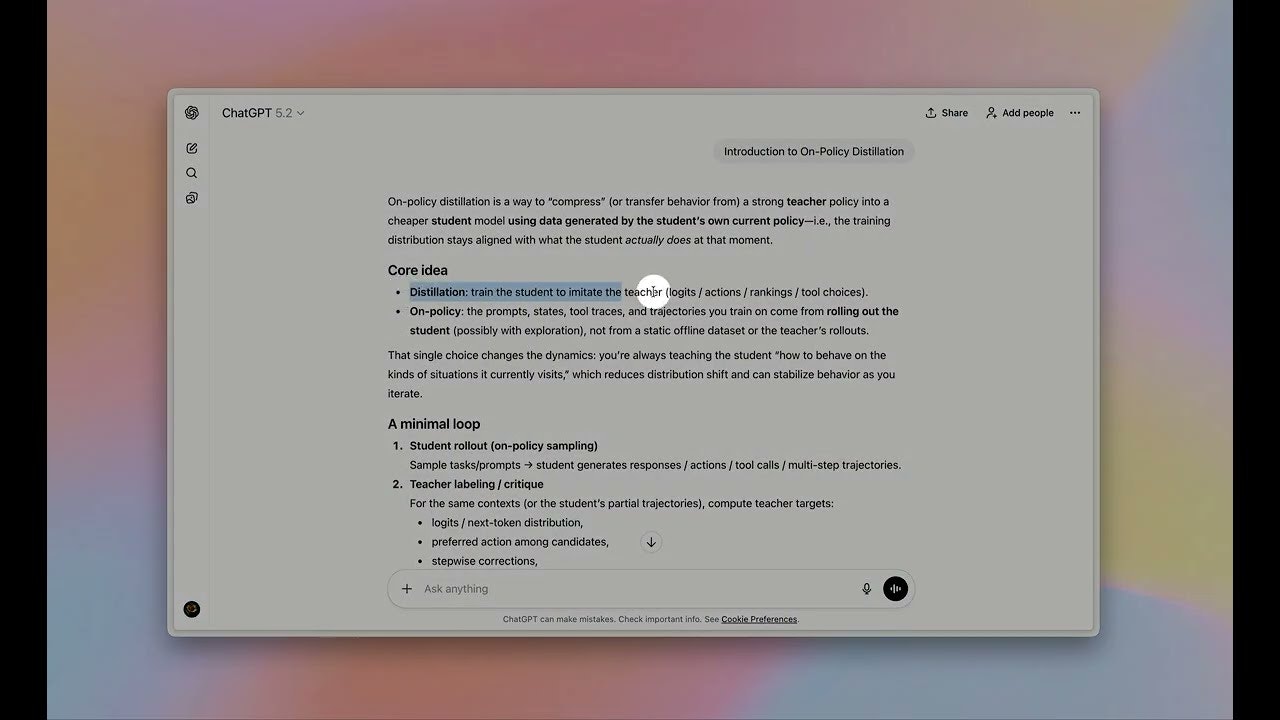
This Chrome extension is a workflow enhancement tool designed specifically for the ChatGPT interface. It allows users to highlight text within their ChatGPT conversation and immediately access a context menu to “Ask,” “Explain,” “Translate,” or “Save to Memory.” Unlike general browser extensions that work on any website, HighlightGPT focuses on transforming the ChatGPT interface itself into a more active reading and thinking workspace, enabling users to query specific parts of an AI response without disrupting the main chat flow.
Key Features
- Highlight-to-Action Interface: Users simply select text inside a ChatGPT response to trigger a toolbar with instant options like “Explain This,” “Translate,” or “Ask AI.”
- Side Panel Responses: Instead of cluttering the main conversation thread with minor follow-up questions, answers to highlighted queries appear in a dedicated side panel (or sidebar), preserving the linearity of the original chat.
- Zero Extra Token Usage: The extension leverages the active ChatGPT session for processing. It does not require a separate API key or incur additional costs from OpenAI, as it essentially automates the prompting process within your existing login.
- “Add to Memory” Shortcut: A specific feature that lets users highlight key facts or preferences and instantly save them to ChatGPT’s “Memory” (for Plus users), streamlining the personalization of the AI over time.
- Context-Aware Replies: Because it operates within the active chat page, the extension maintains the context of the current conversation when generating explanations for highlighted snippets.
Primary Use Cases
- Deep Reading & Learning: Students or researchers can highlight complex terms in an AI explanation to get instant definitions or simplifications in the side panel without losing their place.
- Language Learning: Users practicing languages can highlight specific phrases to get translations or grammatical breakdowns without starting a new chat.
- Fact Extraction: Quickly saving specific dates, names, or preferences from a long conversation directly to ChatGPT’s Memory for future reference.
Pros & Cons
- Pros: Completely free to use (with a lifetime Pro option); enhances the native ChatGPT UI without feeling “bolted on”; prevents the main chat thread from becoming messy with tangential questions; leverages the user’s existing ChatGPT Plus capabilities (like Memory).
- Cons: Strictly limited to the ChatGPT web interface (does not work on other websites); functionality is dependent on ChatGPT’s website structure—if OpenAI changes their UI code, the extension may break temporarily until updated; requires the user to be logged into ChatGPT.
Pricing
- Free ($0): Core features including highlighting, basic “Ask” and “Explain” functions.
- Pro ($8 / Lifetime): One-time payment. Unlocks unlimited “Save to Memory” actions, priority support, and potentially advanced customization options for the sidebar prompts.
How Does It Compare?
- Sider (Sidebar GPT): Sider is a comprehensive “browser-wide” sidebar that brings ChatGPT/Claude/Gemini to any tab you visit. Comparison: Sider is a much heavier, feature-rich tool for general browsing, often requiring its own API credits or subscription. HighlightGPT is lightweight and hyper-focused only on improving the experience inside the ChatGPT tab itself.
- Monica: Similar to Sider, Monica serves as an all-in-one AI assistant for the entire browser, capable of reading PDFs and summarizing YouTube videos. Comparison: Monica creates a layer over the web. HighlightGPT integrates into the ChatGPT interface. If you want AI on Google/Wikipedia, use Monica. If you want a better UI while using ChatGPT, use HighlightGPT.
- Liner: A popular “highlighter for the web” that curates content. Comparison: Liner focuses on saving and organizing content from across the internet. HighlightGPT is unique because its “highlighting” is actionable specifically for interacting with the LLM (asking it to explain the highlight), rather than just saving the text for later.
- Chrome Reader Mode: Standard reader modes strip away clutter. Comparison: HighlightGPT adds interactivity to the text. It makes the text “active” so you can treat a static AI response as a dynamic document you can query.
Final Thoughts
HighlightGPT is a niche but highly effective “quality of life” upgrade for power users of ChatGPT. It addresses a specific frustration: wanting to ask a quick follow-up question about one sentence in a long AI response without derailing the entire conversation. By moving these micro-interactions to a side panel, it keeps the main chat clean and focused. It is not a replacement for general AI assistants like Sider, but rather a specialized tool for people who spend hours inside the ChatGPT interface and want a more fluid, document-like experience.