
Table of Contents
Sheetsbase
AI Formula Generator & Shortcuts for Google Sheets
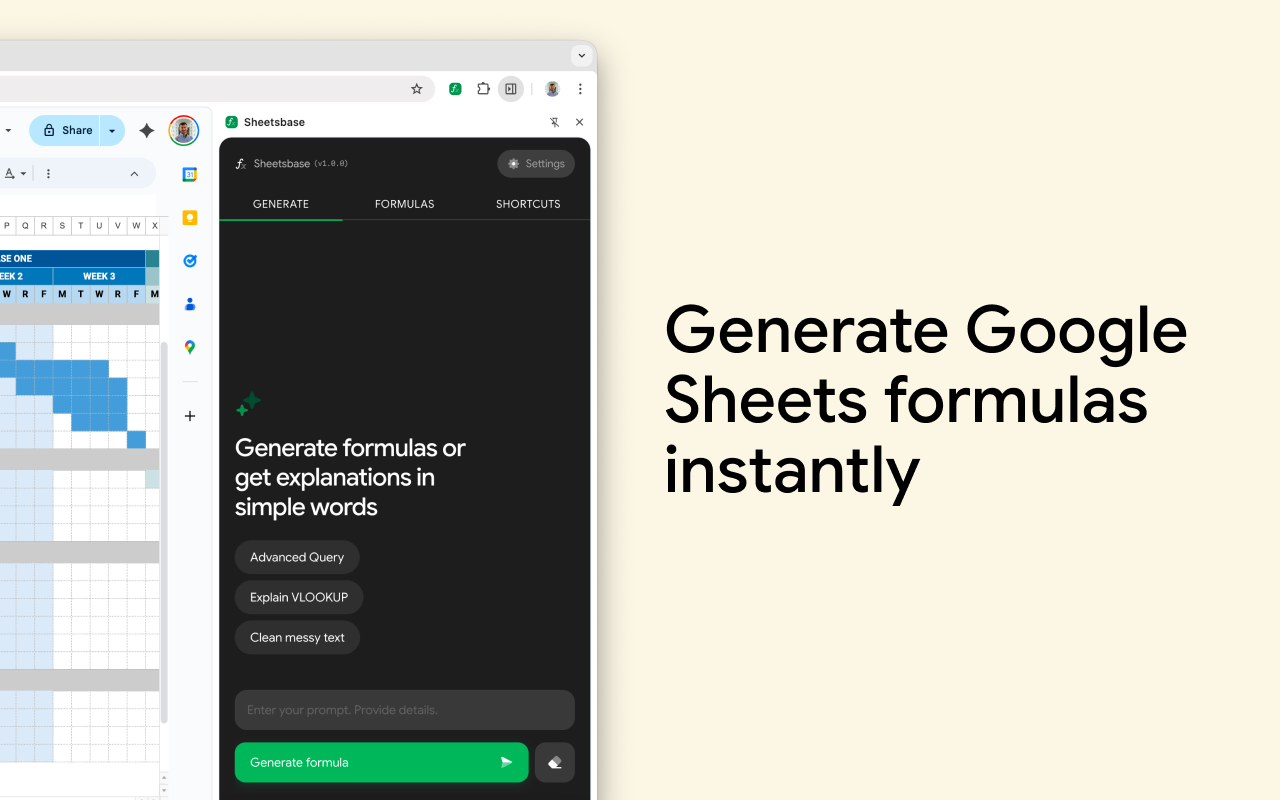
Sheetsbase is a Chrome extension designed to streamline your workflow within Google Sheets. Unlike add-ons that live inside the spreadsheet menus, Sheetsbase operates as a browser side panel, keeping your tools accessible without obscuring your data. It primarily functions as an AI assistant that translates plain English instructions into functional spreadsheet formulas and provides clear explanations for existing ones. Additionally, it serves as a quick-reference library, offering searchable directories for both formulas and keyboard shortcuts to reduce time spent searching for documentation.
Key Features
- Side Panel Interface: Operates as a persistent Chrome side panel, allowing you to view formulas and shortcuts alongside your active spreadsheet without switching tabs.
- AI Formula Generation: Converts natural language descriptions (e.g., “sum column A if column B says ‘Pending'”) into ready-to-use Google Sheets formulas.
- Formula Explainer: Decodes complex, pre-existing formulas into simple English explanations to help you understand legacy spreadsheets.
- Searchable Directories: Includes a built-in library of common formulas and keyboard shortcuts that can be instantly searched and copied.
- Launch Offer: Currently offers a discount for early adopters who provide feedback.
How It Works
- Install & Open: After installing the extension, users open the side panel while a Google Sheet is active.
- Describe or Search: Users type a description of the calculation they need into the chat interface.
- Generate: The AI processes the request and outputs the correct syntax.
- Apply: Users copy the generated code and paste it directly into their cell. Alternatively, users can browse the manual directory for specific shortcuts or functions.
Use Cases
- Complex Logic Creation: assisting users who know what they want to calculate but lack the syntax knowledge for nested functions like
INDEX(MATCH())orVLOOKUP. - Spreadsheet Education: helping beginners learn Google Sheets functions by seeing the code generated from their natural language queries.
- Workflow Efficiency: speeding up financial modeling, data analysis, and report generation by reducing the need to consult external documentation.
Pros & Cons
- Pros: The side-panel design prevents the interface from blocking your data, which is a common issue with pop-up add-ons. It is beginner-friendly and combines generation with a reference library.
- Cons: Strictly limited to Google Sheets (does not work in Microsoft Excel). Being a browser extension, it requires using Google Chrome or a Chromium-based browser.
Pricing
- Paid (Launch Offer Available): The service operates on a paid model. You can currently use the code
FEEDBACK50to receive 50% off your subscription in exchange for helping shape the product’s development.
How Does It Compare?
Formula Bot (formerly Excel Formula Bot)
- Platform: Works on both Excel and Google Sheets (Web Dashboard + Add-ons).
- Key Difference: Formula Bot is a more comprehensive data analysis platform. Beyond just generating formulas, it can analyze data, create charts, and handle file uploads.
- Pricing: Freemium model (Starter plan approx. $18/mo). Sheetsbase is more focused strictly on the side-panel formula workflow for Sheets users.
SheetAI (SheetAI.app)
- Platform: Google Sheets Add-on.
- Key Difference: SheetAI focuses heavily on bulk automation. It allows you to run AI prompts inside spreadsheet cells (e.g.,
=SHEETAI("write a thank you note for this name")) to generate content for hundreds of rows at once. - Pricing: Subscription-based (approx. $20/mo) or “Bring Your Own Key” models. Sheetsbase is better for one-off formula assistance, whereas SheetAI is built for mass content generation.
GPT for Sheets (by Talarian or similar)
- Platform: Google Sheets Add-on.
- Key Difference: This is a power-user tool designed to bring ChatGPT capabilities directly into cells. It is widely used for cleaning lists, extracting data, and translation tasks at scale.
- Pricing: Often usage-based or tier-based. It requires more setup than Sheetsbase but offers significantly more power for data manipulation tasks.
Final Thoughts
Sheetsbase distinguishes itself through its form factor. By living in the browser side panel rather than as a heavy spreadsheet add-on, it feels lighter and less intrusive for users who just need quick formula help. While it lacks the heavy data-processing features of competitors like SheetAI or Formula Bot, its focus on being a “co-pilot” for syntax and shortcuts makes it an excellent choice for users who want to learn and work faster without automating their entire job.